10
Related Documents
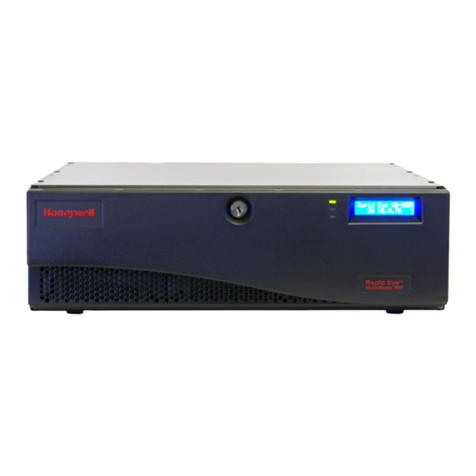
This document is a necessary prerequisite for understanding the Honeywell Rapid Eye™
Multi-Media LT DVR. For more information, please refer to the documents listed in the table
below (included on the Documentation CD that came with your Rapid Eye LT unit). Find the
latest versions of these documents on the Honeywell Video website (see
www.honeywellvideo.com/products/recorders/).
Typographical Conventions
This document uses the following typographical conventions:
Document title Description
Rapid Eye™ Multi-Media Digital
Video Recorder System
Administrator Guide
This guide is written for system administrators of Rapid Eye Multi-Media
DVRs. This guide covers setting up and managing single and multiple DVR
systems, both locally and remotely.
Rapid Eye™ Multi-Media Digital
Video Recorder Remote View
Operator Guide
This guide is written for remote operators of Rapid Eye Multi-Media DVRs.
This guide covers using the View application to view live and recorded
video, search for recorded motion, event, and alarm video, make video
clips, and set up site tours.
Rapid Eye™ Multi-Media Digital
Video Recorder System Common
Operator Guide
Written for the security operator who uses the software for daily
surveillance tasks, including live monitoring of events and alarms, and
after-the-fact event searching.
Rapid Eye™ Multi-Media LT Quick
Start Guide
This guide is a quick reference for setting up a new Honeywell Rapid Eye
DVR system.
Font What it represents Example
Helvetica Keys on the keyboard Press Ctrl+C
Lucida Values of editable fields that are mentioned in the body text of
the document for reference purposes, but do not need to be
entered as part of a procedure
The Time from field can be set to
Hours:Minute:Seconds.
Text strings displayed on the screen
Syntax
The message Unauthorized displays.
(object) entered
Swiss721
BT Bold
Words or characters that you must type. The word “enter” is
used if you must type text and then press the Enter or Return
key.
Enter the password.
Menu titles and other items you select Double-click Open from the File menu.
Buttons you click to perform actions Click Exit to close the program.
Italic Placeholders: words that vary depending on the situation user name
Cross-reference to external source Refer to the System Administrator Guide.
Cross-reference within document See Chapter 2, Installation.