manuals.online logo
Brands
  1. Home
  2. •
  3. Brands
  4. •
  5. HPE
  6. •
  7. Server
  8. •
  9. HPE ProLiant DL325 Gen11 Manual

HPE ProLiant DL325 Gen11 Manual

Other HPE Server manuals

HPE SimpliVity 2600 Gen10 Product manual

HPE

HPE SimpliVity 2600 Gen10 Product manual

HPE ProLiant DL80 Gen9 Manual

HPE

HPE ProLiant DL80 Gen9 Manual

HPE ProLiant DL360 Manual

HPE

HPE ProLiant DL360 Manual

HPE DL20 G9 Operating instructions

HPE

HPE DL20 G9 Operating instructions

HPE ProLiant Gen9 User manual

HPE

HPE ProLiant Gen9 User manual

HPE ProLiant DL160 Gen10 Assembly instructions

HPE

HPE ProLiant DL160 Gen10 Assembly instructions

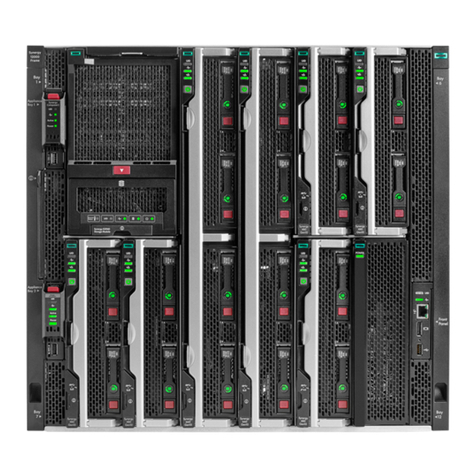
HPE Synergy 12000 Assembly instructions

HPE

HPE Synergy 12000 Assembly instructions

HPE ProLiant ML30 Gen10 Manual

HPE

HPE ProLiant ML30 Gen10 Manual

HPE ProLiant BL460c Gen10 User manual

HPE

HPE ProLiant BL460c Gen10 User manual

HPE ProLiant DL380 Gen11 User manual

HPE

HPE ProLiant DL380 Gen11 User manual

HPE ProLiant DL385 Gen10 Plus User manual

HPE

HPE ProLiant DL385 Gen10 Plus User manual

HPE Apollo pc40 User manual

HPE

HPE Apollo pc40 User manual

HPE ProLiant MicroServer Gen10 Manual

HPE

HPE ProLiant MicroServer Gen10 Manual

HPE ProLiant MicroServer Gen8 User instructions

HPE

HPE ProLiant MicroServer Gen8 User instructions

HPE Apollo kl20 User manual

HPE

HPE Apollo kl20 User manual

HPE Apollo 4200 Gen10 Plus Manual

HPE

HPE Apollo 4200 Gen10 Plus Manual

HPE ProLiant DL20 Gen9 Assembly instructions

HPE

HPE ProLiant DL20 Gen9 Assembly instructions

HPE Cloudline CL3100 Gen10 Operating instructions

HPE

HPE Cloudline CL3100 Gen10 Operating instructions

HPE ProLiant MicroServer Gen10 Plus Assembly instructions

HPE

HPE ProLiant MicroServer Gen10 Plus Assembly instructions

HPE ProLiant ML110 Gen10 Manual

HPE

HPE ProLiant ML110 Gen10 Manual

HPE Synergy Series User manual

HPE

HPE Synergy Series User manual

HPE Integrity rx2800 i2 series User manual

HPE

HPE Integrity rx2800 i2 series User manual

HPE Apollo k6000 Assembly instructions

HPE

HPE Apollo k6000 Assembly instructions

HPE ProLiant ML350 Gen9 User manual

HPE

HPE ProLiant ML350 Gen9 User manual

Popular Server manuals by other brands

HP Tc2120 - Server - 256 MB RAM installation guide

HP

HP Tc2120 - Server - 256 MB RAM installation guide

Lenovo ThinkServer RD230 manual

Lenovo

Lenovo ThinkServer RD230 manual

Avocent CPS810 Installer/user guide

Avocent

Avocent CPS810 Installer/user guide

Dell PowerEdge R6615 Installation and service manual

Dell

Dell PowerEdge R6615 Installation and service manual

FreeWave HT2+ installation guide

FreeWave

FreeWave HT2+ installation guide

GIGA-BYTE TECHNOLOGY G492-Z50 user manual

GIGA-BYTE TECHNOLOGY

GIGA-BYTE TECHNOLOGY G492-Z50 user manual

Lanner HTCA-E400 user manual

Lanner

Lanner HTCA-E400 user manual

Bull NovaScale T840 E2 user guide

Bull

Bull NovaScale T840 E2 user guide

Asus RS740-E70RS24-EG Configuration guide

Asus

Asus RS740-E70RS24-EG Configuration guide

Meinberg LANTIME M300/TCR manual 

Meinberg

Meinberg LANTIME M300/TCR manual 

HP ProLiant SL335s G7 Maintenance and service guide

HP

HP ProLiant SL335s G7 Maintenance and service guide

ZyXEL Communications VANTAGE RADIUS 50 user guide

ZyXEL Communications

ZyXEL Communications VANTAGE RADIUS 50 user guide

Lantronix xDirect-IAP quick start guide

Lantronix

Lantronix xDirect-IAP quick start guide

Fujitsu PRIMEQUEST 2400E3 General description

Fujitsu

Fujitsu PRIMEQUEST 2400E3 General description

IBM 9040-MR9 manual

IBM

IBM 9040-MR9 manual

IBM 306m - eServer xSeries - 8849 user guide

IBM

IBM 306m - eServer xSeries - 8849 user guide

green hippo Hippotizer Nevis+ quick start guide

green hippo

green hippo Hippotizer Nevis+ quick start guide

IBM 8203-E4A Brochure & specs

IBM

IBM 8203-E4A Brochure & specs

manuals.online logo
manuals.online logoBrands
  • About & Mission
  • Contact us
  • Privacy Policy
  • Terms and Conditions

Copyright 2025 Manuals.Online. All Rights Reserved.

HPE ProLiant DL325 Gen11 Server Maintenance and Service GuideHPE ProLiant DL325 Gen11 Server Maintenance and Service Guide
Part Number: 30–A7619CB0–002
Published: April 2023
Edition: 2
HPE ProLiant DL325 Gen11 ServerHPE ProLiant DL325 Gen11 Server Maintenance and Service Guide Maintenance and Service Guide
AbstractAbstract
This document is for the person who installs, administers, and troubleshoots servers and storage systems. Hewlett Packard Enterprise
assumes you are qualified in the servicing of computer equipment, trained in recognizing hazards in products with hazardous energy levels,
and are familiar with the weight and stability precautions for rack installations.
Part Number: 30–A7619CB0–002
Published: April 2023
Edition: 2
© Copyright 2023 Hewlett Packard Enterprise Development LP
NoticesNotices
The information contained herein is subject to change without notice. The only warranties for Hewlett Packard Enterprise products and
services are set forth in the express warranty statements accompanying such products and services. Nothing herein should be construed as
constituting an additional warranty. Hewlett Packard Enterprise shall not be liable for technical or editorial errors or omissions contained
herein.
Confidential computer software. Valid license from Hewlett Packard Enterprise required for possession, use, or copying. Consistent with FAR
12.211 and 12.212, Commercial Computer Software, Computer Software Documentation, and Technical Data for Commercial Items are
licensed to the U.S. Government under vendor's standard commercial license.
Links to third-party websites take you outside the Hewlett Packard Enterprise website. Hewlett Packard Enterprise has no control over and is
not responsible for information outside the Hewlett Packard Enterprise website.
AcknowledgmentsAcknowledgments
AMD, the AMD Arrow symbol, ATI, and the ATI logo are trademarks of Advanced Micro Devices, Inc.
Linux® is the registered trademark of Linus Torvalds in the U.S. and other countries.
Microsoft® and Windows® are either registered trademarks or trademarks of Microsoft Corporation in the United States and/or other
countries.
All third-party marks are property of their respective owners.
Revision historyRevision history
Part numberPart number Publication datePublication date EditionEdition Summary of changesSummary of changes
30–A7619CB0–002 April 2023 2 Combined the left and right chassis ears in the Mechanical spare
list.
Added the 20 E3.S drive backplane spare part.
Added the 20 E3.S drive cable spare parts.
Added the E3.S drive replacement.
Added the E3.S drive blank replacement.
Added the 20 E3.S drive backplane replacement.
Added videos on spare component replacements:
Hot-plug SAS, SATA or NVMe drive
AC power supply
Access panel
LFF drive configuration middle cover
Fan
Drive backplanes
DIMM
Heatsink
Processor
M.2 pass-through card
Chassis ears replacement
System battery
System board assembly
Added the 20 E3.S 1T drive configuration in the front panel
components.
In System board components, changed the callout for the system
maintenance switch to align with the printed hood label on the
access panel.
Added the EDSFF SSD LED definitions .
Added the 20 E3.S drive bay numbering.
In the
Cabling
chapter:
Added the 20 E3.S drive cable part numbers in the Cabling
diagram.
Added the 20 E3.S NVMe drive cabling.
Added the 20 E3.S drive power cabling.
Part numberPart number Publication datePublication date EditionEdition Summary of changesSummary of changes
Table of contentsTable of contents
Customer self repair
Illustrated parts catalog
Mechanical components
LFF drive configuration middle cover spare part
Access panel spare part
Chassis medium base pan spare part
Miscellaneous blank spare parts
Secondary riser cage blank spare part
One-slot primary/secondary riser cage spare part
Left OCP Slot 21 rail spare part
Cable management arm spare parts
Rack rail spare parts
DIMM guard spare parts
DIMM blank spare part
Energy pack retention latch spare part
Chassis ears spare part
Front bezel spare part
Optical drive bay blank spare part
Drive blank spare parts
Air baffle spare part
Energy pack holder spare part
System components
Drive backplane spare parts
Liquid cooling heatsink spare part
Heatsink spare parts
Processor spare parts
Power supply spare parts
DIMM spare parts
System board assembly spare part
System battery spare part
Fan spare parts
Drive cable spare parts
Server options
Energy pack spare parts
M.2 SSD pass-through card and cable spare parts
Chassis intrusion detection switch spare part
Storage controller spare parts
Serial port cable spare part
Riser board spare parts
HPE NS204i-u Boot Device spare parts
Optical drive cable spare parts
Front USB and DisplayPort Y-cable spare parts
OCP bandwidth upgrade cable spare part
Removal and replacement procedures
Safety considerations
Electrostatic discharge
Symbols on equipment
Rack warnings and cautions
Server warnings and cautions
Preparation procedures
Server data backup
Remove the front bezel
Power down the server
Open the cable management arm
Extend the server out of the rack
Remove the server from the rack
Remove the access panel
Remove the middle cover
Remove the air baffle
Remove the riser cage
Remove the secondary riser cage blank
Remove the NS204i-u + secondary low-profile riser cage
Remove the fan
Remove the fan wall
Power up the server
Removing and replacing the front bezel
Removing and replacing a hot-plug SAS, SATA or NVMe drive
Removing and replacing a hot-plug E3.S drive
Removing and replacing a drive blank
Removing and replacing the optical drive bay blank
Removing and replacing the universal media bay blank
Removing and replacing the cable management arm
Flexible Slot power supply replacement
Power supply warnings and cautions
DC power supply warnings and cautions
Removing and replacing an AC Flexible Slot power supply
Removing and replacing a DC Flexible Slot power supply
Removing and replacing the secondary rise cage blank
Transceiver replacement
Transceiver warnings and cautions
Removing and replacing a transceiver
Removing and replacing the rack rails
Removing and replacing the access panel
Removing and replacing the LFF drive configuration middle cover
Removing and replacing the air baffle
Removing and replacing a fan
Drive backplane replacement
Removing and replacing the 4 LFF drive backplane
Removing and replacing the 2 SFF drive backplane
Removing and replacing the 8 SFF drive backplane
Removing and replacing the 20 E3.S drive backplane
Optical drive replacement
Removing and replacing an optical drive from the LFF drive configuration
Removing and replacing the optical drive from the SFF drive configuration
Removing and replacing the energy pack retention latch
Removing and replacing a DIMM
Removing and replacing a DIMM blank
Removing and replacing a DIMM guard
Heatsink replacement
Removing a standard and high performance heatsink
Installing a standard heatsink
Installing the high performance heatsink
Liquid cooling heatsink replacement
Removing the liquid cooling heatsink
Installing the liquid cooling heatsink
Processor replacement
Processor cautions
Removing the processor
Installing the processor
Expansion card replacement
Removing and replacing the expansion card
Removing and replacing the expansion card from the HPE NS204i Boot Device riser cage
Removing and replacing a type-o storage controller
M.2 pass-through card replacement
Removing and replacing the M.2 pass-through card
Removing and replacing a M.2 SSD from the pass-through card
HPE NS204i-u Boot Device replacement
Removing and replacing the boot device cage assembly
Removing and replacing a hot-plug boot device carrier
Removing and replacing a non-hot-plug boot device carrier
Removing and replacing a hot-plug boot device drive
Removing and replacing a non-hot-plug boot device drive
Removing and replacing the one-slot primary/secondary riser cage
Riser board replacement
Removing and replacing the one-slot PCIe5 x16 riser board
Removing and replacing the secondary low-profile one-slot PCIe5 x16 riser board
Removing and replacing the internal USB device
Removing and replacing the energy pack
Removing and replacing the energy pack holder
Removing and replacing the front USB and DisplayPort Y-cable
Chassis ears replacement
Removing and replacing the front I/O and right chassis ear assembly
Removing and replacing the left chassis ear
Removing and replacing the chassis intrusion detection switch
Removing and replacing the OCP slot blank
Removing and replacing the OCP NIC 3.0 adapter
Removing and replacing the left OCP Slot 21 rail
Removing and replacing the serial port
Removing and replacing the serial port blank
System battery replacement
System battery information
Removing and replacing the system battery
System board assembly replacement
Removing the system board assembly
Installing the system board assembly
Re-entering the server serial number and product ID
Removing and replacing the chassis medium base pan
Troubleshooting
NMI functionality
Troubleshooting resources
Component identification
Front panel components
iLO Service Port
Front panel LEDs and buttons
Server UID LED
Using the UID button to view the Server Health Summary
Front panel LED power fault codes
Rear panel components
Display device setup
Rear panel LEDs
System board components
System maintenance switch descriptions
DIMM label identification
DIMM slot numbering
Processor and socket components
Riser board components
PCIe5 slot description
HPE Basic Drive LED definitions
EDSFF SSD LED definitions
Drive bay numbering
LFF drive bay numbering
SFF drive bay numbering
E3.S drive bay numbering
Drive backplane naming
Fan numbering
Fan and heatsink requirements
Liquid cooling options
Liquid cooling components
DSC-25 2-port SFP28 card ports and LEDs
HPE Trusted Platform Module 2.0 guidelines
M.2 SSD pass-through card components
HPE NS204i-u Boot Device components
HPE NS204i-u Boot Device LED definitions
Cabling
Cabling guidelines
Cabling diagrams
Internal cabling management
Storage cabling
Storage controller cabling
4 LFF SAS/SATA drive controller cabling
2 SFF NVMe drive controller cabling
2 SFF SAS/SATA drive controller cabling
8 SFF NVMe drive controller cabling
8 SFF SAS/SATA drive controller cabling
8 + 2 SFF NVMe drive controller cabling
8 + 2 SFF SAS/SATA drive controller cabling
20 E3.S drive controller cabling
Drive power cabling
Energy pack cabling
Storage controller backup power cabling
Optical drive cabling
M.2 SSD pass-through card cabling
HPE NS204i Boot Device cabling
Pump signal cabling for the liquid cooling heatsink
OCP bandwidth upgrade cabling
Serial port cabling
Chassis intrusion detection switch cabling
Front I/O cabling
Front USB and DisplayPort cabling
Configuration resources
Updating firmware or system ROM
Configuring the server
Configuring storage controllers
Managing the HPE NS204i Boot Device
Deploying an OS
Configuring security
Optimizing the server
Server management
Managing Linux-based high performance compute clusters
Specifications
Environmental specifications
Mechanical specifications
Power supply specifications
HPE 500 W Flex Slot Platinum Hot-plug Low Halogen Power Supply
HPE 800 W Flex Slot Platinum Hot-plug Low Halogen Power Supply
HPE 1600 W Flex Slot Platinum Hot-plug Low Halogen Power Supply
HPE 1600 W Flex Slot -48 VDC Hot-plug Power Supply
Appendix I: Server coolant spill response
Eye and skin protection
Server coolant leak
Websites
Support and other resources
Accessing Hewlett Packard Enterprise Support
Accessing updates
Remote support
Warranty information
Regulatory information
Documentation feedback
Customer self repairCustomer self repair
Hewlett Packard Enterprise products are designed with many Customer Self Repair (CSR) parts to minimize repair time and allow for greater
flexibility in performing defective parts replacement. If during the diagnosis period Hewlett Packard Enterprise (or Hewlett Packard
Enterprise service providers or service partners) identifies that the repair can be accomplished by the use of a CSR part, Hewlett Packard
Enterprise will ship that part directly to you for replacement. There are two categories of CSR parts:
MandatoryMandatory—Parts for which customer self repair is mandatory. If you request Hewlett Packard Enterprise to replace these parts, you
will be charged for the travel and labor costs of this service.
OptionalOptional—Parts for which customer self repair is optional. These parts are also designed for customer self repair. If, however, you
require that Hewlett Packard Enterprise replace them for you, there may or may not be additional charges, depending on the type of
warranty service designated for your product.
NOTE:NOTE: Some Hewlett Packard Enterprise parts are not designed for customer self repair. In order to satisfy the customer
warranty, Hewlett Packard Enterprise requires that an authorized service provider replace the part. These parts are
identified as "No" in the Illustrated Parts Catalog.
Based on availability and where geography permits, CSR parts will be shipped for next business day delivery. Same day or four-hour
delivery may be offered at an additional charge where geography permits. If assistance is required, you can contact the Hewlett Packard
Enterprise Support Center and a technician will help you over the telephone or by electronic means. Hewlett Packard Enterprise specifies in
the materials shipped with a replacement CSR part whether a defective part must be returned to Hewlett Packard Enterprise. In cases where
it is required to return the defective part to Hewlett Packard Enterprise, you must ship the defective part back to Hewlett Packard
Enterprise within a defined period of time, normally five (5) business days. The defective part must be returned with the associated
documentation in the provided shipping material. Failure to return the defective part may result in Hewlett Packard Enterprise billing you
for the replacement. With a customer self repair, Hewlett Packard Enterprise will pay all shipping and part return costs and determine the
courier/carrier to be used.
For more information about the Hewlett Packard Enterprise CSR program, contact your local service provider.
Parts only warranty serviceParts only warranty service
Your Hewlett Packard Enterprise Limited Warranty may include a parts only warranty service. Under the terms of parts only warranty
service, Hewlett Packard Enterprise will provide replacement parts free of charge.
For parts only warranty service, CSR part replacement is mandatory. If you request Hewlett Packard Enterprise to replace these parts, you
will be charged for the travel and labor costs of this service.
Réparation par le client (CSR)Réparation par le client (CSR)
Les produits Hewlett Packard Enterprise comportent de nombreuses pièces CSR (Customer Self Repair = réparation par le client) afin de
minimiser les délais de réparation et faciliter le remplacement des pièces défectueuses. Si pendant la période de diagnostic, Hewlett Packard
Enterprise (ou ses partenaires ou mainteneurs agréés) détermine que la réparation peut être effectuée à l'aide d'une pièce CSR, Hewlett
Packard Enterprise vous l'envoie directement. Il existe deux catégories de pièces CSR :
Obligatoire—Obligatoire—Pièces pour lesquelles la réparation par le client est obligatoire. Si vous demandez à Hewlett Packard Enterprise de
remplacer ces pièces, les coûts de déplacement et main d'œuvre du service vous seront facturés.
Facultatif—Facultatif—Pièces pour lesquelles la réparation par le client est facultative. Ces pièces sont également conçues pour permettre au client
d'effectuer lui-même la réparation. Toutefois, si vous demandez à Hewlett Packard Enterprise de remplacer ces pièces, l'intervention
peut ou non vous être facturée, selon le type de garantie applicable à votre produit.
REMARQUEREMARQUE: Certaines pièces Hewlett Packard Enterprise ne sont pas conçues pour permettre au client d'effectuer lui-même la réparation.
Pour que la garantie puisse s'appliquer, Hewlett Packard Enterprise exige que le remplacement de la pièce soit effectué par un Mainteneur
Agréé. Ces pièces sont identifiées par la mention "Non" dans le Catalogue illustré.
Les pièces CSR sont livrées le jour ouvré suivant, dans la limite des stocks disponibles et selon votre situation géographique. Si votre
situation géographique le permet et que vous demandez une livraison le jour même ou dans les 4 heures, celle-ci vous sera facturée. Pour
toute assistance, appelez le Centre d’assistance Hewlett Packard Enterprise pour qu’un technicien vous aide au téléphone Dans les
documents envoyés avec la pièce de rechange CSR, Hewlett Packard Enterprise précise s'il est nécessaire de lui retourner la pièce
défectueuse. Si c'est le cas, vous devez le faire dans le délai indiqué, généralement cinq (5) jours ouvrés. La pièce et sa documentation
doivent être retournées dans l'emballage fourni. Si vous ne retournez pas la pièce défectueuse, Hewlett Packard Enterprise se réserve le
droit de vous facturer les coûts de remplacement. Dans le cas d'une pièce CSR, Hewlett Packard Enterprise supporte l'ensemble des frais
d'expédition et de retour, et détermine la société de courses ou le transporteur à utiliser.
Pour plus d'informations sur le programme CSR de Hewlett Packard Enterprise, contactez votre Mainteneur Agrée local.

HPE ProLiant DL325 Gen11 Server Maintenance and Service Guide 10