wash the electrode with distilled water and put it into buffer solution 1 (such as buffer
solution pH=7.00). Measure the temperature of the solution with thermometer (such
as 25℃), and set temperature value as previous method. After the reading becomes
stable, press “E0 △” or “E0 ▽” to adjust the displayed value as the standard pH
value of that temperature. Then press ‘Enter’ to complete calibration.
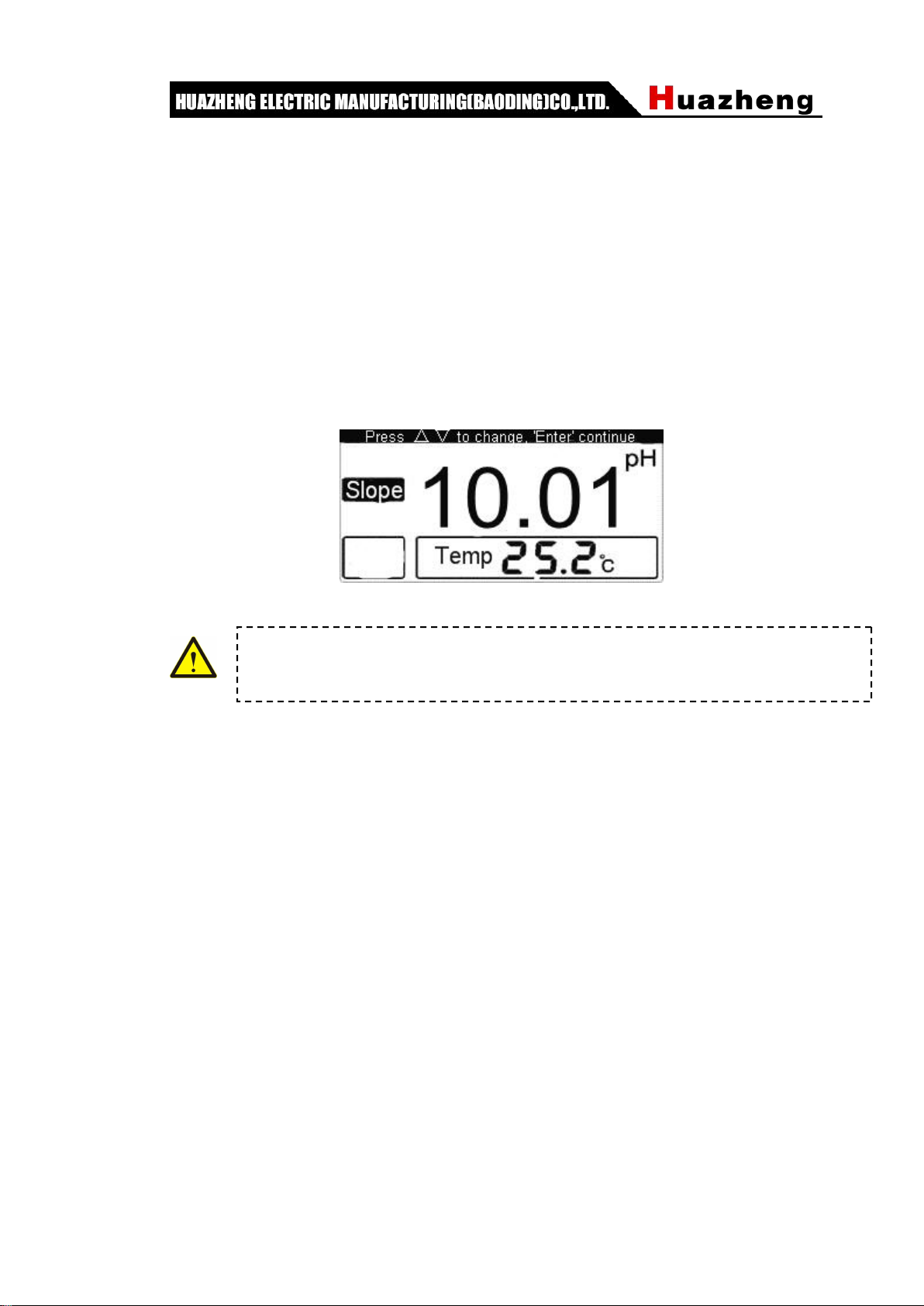
3. Then, rinse the electrode again and put it into buffer solution 2 (such as buffer
solution pH=10.01). Measure the temperature of the solution with thermometer (such
as 25.2 ℃) and set temperature value. After the reading becomes stable, press
“Slope△” or “Slope▽” to adjust the displayed value as the standard pH value of
that temperature, such as 10.01pH. Then press ‘Enter’ to complete calibration.
Then press “Enter” to back to measuring state.
3.4 To measure pH
After the instrument has been calibrated, it can be used to measure test solution. Whether
the temperature of test solution and standard buffer solution are the same can cause
different measurement procedure.
When the test solution is as same as the buffer solution
1. Rinse the head of electrode with DI water, and rinse it again with test solution.
2. Immerse the electrode into test solution and stir the solution with glass stirring rod to
make the solution evenly. Read the pH value on the screen.
When the test solution is different from the buffer solution
1. Rinse the head of electrode with DI water, and rinse it again with test solution.
2. Measure the temperature of test solution with thermometer.
3. Press “Temp” to make the screen display as solution’s temperature. Then press “Enter”
key.
4. Immerse the electrode into test solution and stir the solution with glass stirring rod to
make the solution evenly. Read the pH value of test solution.
The instrument must finish “Position” calibration before “Slope” calibration.
Otherwise, the “Slope” key is invalid.