manuals.online logo
Brands
  1. Home
  2. •
  3. Brands
  4. •
  5. IBM
  6. •
  7. Printer
  8. •
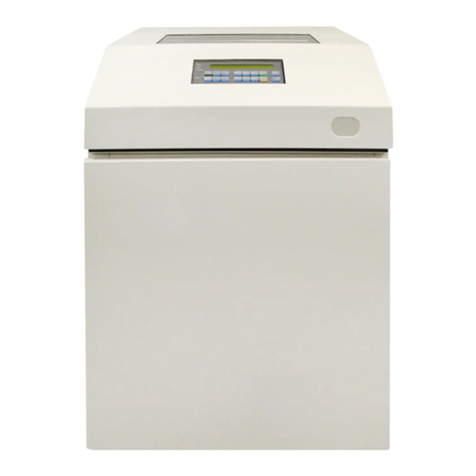
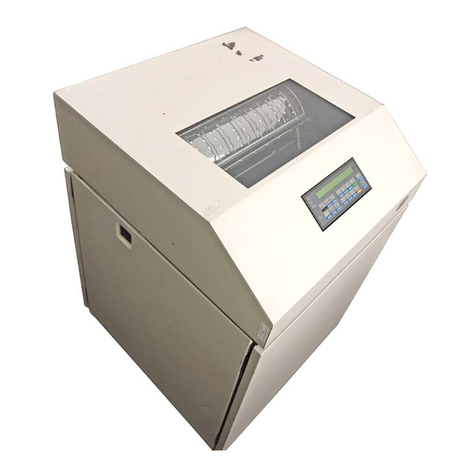
  9. IBM 4230 - Model 4i3 B/W Dot-matrix Printer User manual

IBM 4230 - Model 4i3 B/W Dot-matrix Printer User manual

This manual suits for next models

6

Other IBM Printer manuals

IBM 24 User manual

IBM

IBM 24 User manual

IBM 4247 A00 User manual

IBM

IBM 4247 A00 User manual

IBM Infoprint 1125 Service manual

IBM

IBM Infoprint 1125 Service manual

IBM InfoPrint 1532 Express User manual

IBM

IBM InfoPrint 1532 Express User manual

IBM Infoprint 21 Reference guide

IBM

IBM Infoprint 21 Reference guide

IBM 4247 Setup guide

IBM

IBM 4247 Setup guide

IBM IBM Infoprint 1572 MICR 50 User manual

IBM

IBM IBM Infoprint 1572 MICR 50 User manual

IBM Infoprint 1130 User manual

IBM

IBM Infoprint 1130 User manual

IBM 4610 SureMark GR3 Operating instructions

IBM

IBM 4610 SureMark GR3 Operating instructions

IBM 6400 - Model 008 B/W Line-matrix Printer Manual

IBM

IBM 6400 - Model 008 B/W Line-matrix Printer Manual

IBM Model A00 User manual

IBM

IBM Model A00 User manual

IBM SureMark 4610 1NF User manual

IBM

IBM SureMark 4610 1NF User manual

IBM 5225 Manual

IBM

IBM 5225 Manual

IBM Network Color Printer Service manual

IBM

IBM Network Color Printer Service manual

IBM SureMark 4610 TF6 User manual

IBM

IBM SureMark 4610 TF6 User manual

IBM Proprinter User manual

IBM

IBM Proprinter User manual

IBM S510-2222-00 User manual

IBM

IBM S510-2222-00 User manual

IBM Infoprint Color 1354 Product information sheet

IBM

IBM Infoprint Color 1354 Product information sheet

IBM 4332-004 - InfoPrint 40 B/W Laser Printer User manual

IBM

IBM 4332-004 - InfoPrint 40 B/W Laser Printer User manual

IBM 221 User manual

IBM

IBM 221 User manual

IBM 4019 User manual

IBM

IBM 4019 User manual

IBM 6400 Series User manual

IBM

IBM 6400 Series User manual

IBM 4232 PRINTER MODEL 302 User manual

IBM

IBM 4232 PRINTER MODEL 302 User manual

IBM INFOPRINT HI-LITE COLOR 4005-HC2 Installation and operation manual

IBM

IBM INFOPRINT HI-LITE COLOR 4005-HC2 Installation and operation manual

Popular Printer manuals by other brands

Evolis Elypso user guide

Evolis

Evolis Elypso user guide

Lexmark 522n - C Color Laser Printer Service manual

Lexmark

Lexmark 522n - C Color Laser Printer Service manual

Panduit COUGAR LS9Q Operator's manual

Panduit

Panduit COUGAR LS9Q Operator's manual

Olivetti PG L2140 Operation guide

Olivetti

Olivetti PG L2140 Operation guide

Samsung SL-M2820DW user manual

Samsung

Samsung SL-M2820DW user manual

Kyocera FS-9530DN specification

Kyocera

Kyocera FS-9530DN specification

Canon LASER SHOT LBP-1210 Specifications

Canon

Canon LASER SHOT LBP-1210 Specifications

Canon PIXMA PRO-1 Series Getting started

Canon

Canon PIXMA PRO-1 Series Getting started

Canon LBP113w Getting started

Canon

Canon LBP113w Getting started

Lexmark Infoprint 1332 user manual

Lexmark

Lexmark Infoprint 1332 user manual

Epson M1120 user guide

Epson

Epson M1120 user guide

TransAct POSJET 1500 Spare parts

TransAct

TransAct POSJET 1500 Spare parts

Telpar MTP-1500 user manual

Telpar

Telpar MTP-1500 user manual

Star DP8340 SERIES user manual

Star

Star DP8340 SERIES user manual

MGI JETVARNISH 3DS user manual

MGI

MGI JETVARNISH 3DS user manual

Kyocera TASKalfa PA4500ci Operation guide

Kyocera

Kyocera TASKalfa PA4500ci Operation guide

Emaar EP-360 user manual

Emaar

Emaar EP-360 user manual

Fujitsu DL7400 user manual

Fujitsu

Fujitsu DL7400 user manual

manuals.online logo
manuals.online logoBrands
  • About & Mission
  • Contact us
  • Privacy Policy
  • Terms and Conditions

Copyright 2025 Manuals.Online. All Rights Reserved.

4230 Printer
Models 101, 1S2, 201, 2S2, 4S3, and 5S3
User’s Guide
SA40-0593-04
4230 Printer
Models 101, 1S2, 201, 2S2, 4S3, and 5S3
User’s Guide
SA40-0593-04
IBM
Note!
Before using this information and the product it supports, be sure to read the
general information under “Notices” on page ix.
|Fifth Edition (August 1994)
| This major revision obsoletes and replaces SA40-0593-03. Changes or additions to
| the text and illustrations are indicated by a vertical line to the left of the change.
Changes are made occasionally to the information herein; any such changes will be
reported in subsequent revisions or Technical Newsletters.
Publications are
not
stocked at the address given below. U.S. customers can order
publications by calling the IBM Software Manufacturing Company at 1–800–879–2755.
Outside the U.S., customers should contact the IBM branch office serving their locality.
A form for reader's comments is provided at the back of this publication. If the form
has been removed, comments may be addressed to IBM Corporation, Information
Development, Dept. G60, 1701 North Street, Endicott, NY, 13760-5553 USA. IBM
may use or distribute whatever information you supply in any way it believes
appropriate without incurring any obligation to you.
 Copyright International Business Machines Corporation 1991, 1994. All rights
reserved.
Note to U.S. Government Users — Documentation related to restricted rights — Use,
duplication or disclosure is subject to restrictions set forth in GSA ADP Schedule
Contract with IBM Corp.
Contents
Notices . . . . . . . . . . . . . . . . . . . . . . . . . . . . . . . . . ix
Electronic Emission Notices ...................... ix
Trademarks and Service Marks ................... xii
Safety Information . . . . . . . . . . . . . . . . . . . . . . . . . xiii
Preface . . . . . . . . . . . . . . . . . . . . . . . . . . . . . . . . . xv
How to Use This Guide ........................ xv
Publications . . . . . . . . . . . . . . . . . . . . . . . . . . . . . . xvii
4230 Printer Library ........................ xvii
Introduction . . . . . . . . . . . . . . . . . . . . . . . . . . . . . . xix
Chapter 1. Setting Up the 4230 Printer ............ 1-1
Beginning Printer Installation .................... 1-2
Installing the Ribbon Cartridge and Guide ............ 1-6
Preparing for Forms Device Installation ............. 1-10
Selecting the Forms Device Installation Procedure ...... 1-20
Installing and Using the Continuous Forms Device (F1) ... 1-21
Installing the Continuous Forms Device (F1) ........ 1-21
Preparing to Load Forms .................... 1-24
Loading Forms in the F1 Forms Device ........... 1-26
Using the Printer Verification Test for the F1 Forms Device 1-33
Adjusting the Print Quality ................... 1-38
Adjusting the Tractor Tension ............... 1-39
Adjusting the Forms Thickness Setting .......... 1-40
Adjusting the Forms Tension ................ 1-42
Adjusting the Left Margin .................. 1-44
Adjusting the Top of Form Position ............ 1-46
Adjusting the Print Alignment ................ 1-48
Unloading Forms . . . . . . . . . . . . . . . . . . . . . . . . 1-51
Removing the Continuous Forms Device (F1) ........ 1-53
Installing and Using the Dual Purpose Forms Device (F2) .. 1-55
Installing the Dual Purpose Forms Device (F2) ....... 1-55
Preparing to Load Forms .................... 1-59
Loading Forms in the F2 Forms Device ........... 1-60
Using the Printer Verification Test for the F2 Forms Device 1-65
Adjusting the Print Quality ................... 1-70
 Copyright IBM Corp. 1991, 1994 iii
Adjusting the Tractor Tension ............... 1-71
Adjusting the Forms Thickness Setting .......... 1-73
Adjusting the Left Margin .................. 1-75
Adjusting the Top of Form Position ............ 1-77
Adjusting the Tear-off Position ............... 1-79
Adjusting the Load Position ................. 1-81
Adjusting the Print Alignment ................ 1-81
Unloading Forms . . . . . . . . . . . . . . . . . . . . . . . . 1-84
Removing the Dual Purpose Forms Device (F2) ...... 1-86
Installing and Using the Document Insertion Device (F3) ... 1-88
Installing the Document Insertion Device (F3) ........ 1-88
Changing the Paper Door ................... 1-91
Preparing to Load Forms .................... 1-93
Loading Forms in the F3 Forms Device ........... 1-94
Using the Printer Verification Test for the F3 Forms Device 1-96
Adjusting the Print Quality ................... 1-101
Adjusting the Forms Thickness Setting .......... 1-102
Adjusting the Left Margin .................. 1-104
Adjusting the Top of Form Position ............ 1-107
Adjusting the Print Alignment ................ 1-109
Unloading Forms . . . . . . . . . . . . . . . . . . . . . . . . 1-113
Removing the Document Insertion Device (F3) ....... 1-114
Using the Acoustic Cover ..................... 1-117
Removing the Acoustic Cover ................. 1-117
Reinstalling the Acoustic Cover ................ 1-117
Chapter 2. Attaching the 4230 Printer to Your Computer . 2-1
Models 101, 1S2, and 4S3 Twinaxial Attachment ........ 2-2
Attaching a Twinaxial Signal Cable to the Printer ....... 2-2
|Attaching the Cable to Your Computer ............ 2-11
Connecting Your Printer to an IBM AS/400 ........ 2-12
Connecting Your Printer to an IBM System/36 ...... 2-15
Models 201, 2S2, and 5S3 Coaxial Attachment ........ 2-17
Attaching a Coaxial Signal Cable to the Printer ....... 2-17
Models 4S3 and 5S3 (when parallel or serial is the active
interface) . . . . . . . . . . . . . . . . . . . . . . . . . . . . . . 2-20
Connecting to the Parallel or Serial Interface ........ 2-20
Attaching a Parallel Cable ................... 2-20
Attaching a Serial Cable .................... 2-23
iv User’s Guide
Chapter 3. Getting to Know Your Printer ........... 3-1
Parts of the Printer .......................... 3-2
Model Identification . . . . . . . . . . . . . . . . . . . . . . . . 3-2
Power Switch . . . . . . . . . . . . . . . . . . . . . . . . . . . 3-3
Power-On Test . . . . . . . . . . . . . . . . . . . . . . . . . 3-4
Acoustic Cover . . . . . . . . . . . . . . . . . . . . . . . . . . 3-5
Access Cover . . . . . . . . . . . . . . . . . . . . . . . . . . . 3-5
Front Paper Door ......................... 3-5
Forms Guide/Forms Sensor ................... 3-6
Automatic Forms Thickness Adjustment (AFTA) ....... 3-8
Platen Rod . . . . . . . . . . . . . . . . . . . . . . . . . . . . . 3-8
Operator Panel . . . . . . . . . . . . . . . . . . . . . . . . . . 3-9
Alarm . . . . . . . . . . . . . . . . . . . . . . . . . . . . . 3-11
Display . . . . . . . . . . . . . . . . . . . . . . . . . . . . . 3-11
Power Indicator . . . . . . . . . . . . . . . . . . . . . . . . 3-12
Ready Indicator . . . . . . . . . . . . . . . . . . . . . . . . 3-12
Processing Indicator . . . . . . . . . . . . . . . . . . . . . 3-12
Online Indicator (Models 101, 1S2, and 4S3) ...... 3-12
|Format Indicator (Models 201 and 2S2) ......... 3-12
Format/Online Indicator (Model 5S3) ........... 3-13
Attention Indicator . . . . . . . . . . . . . . . . . . . . . . 3-13
Unit Check Indicator ..................... 3-14
Operator Panel Keys .................... 3-14
Configuration Parameter Values ................. 3-16
Operating States . . . . . . . . . . . . . . . . . . . . . . . . . . 3-17
Ready and Not Ready ....................... 3-17
Forms . . . . . . . . . . . . . . . . . . . . . . . . . . . . . . . . 3-18
Forms Handling Devices ..................... 3-19
Continuous Forms Device (F1) ................ 3-19
Dual Purpose Forms Device (F2) ............... 3-20
Document Insertion Device (F3) ................ 3-21
Auto Sheet Feeder Device (F4) ................ 3-22
Ribbons . . . . . . . . . . . . . . . . . . . . . . . . . . . . . . . 3-23
Print Head . . . . . . . . . . . . . . . . . . . . . . . . . . . . . . 3-23
Problem Determination . . . . . . . . . . . . . . . . . . . . . . 3-23
Relocation Instructions . . . . . . . . . . . . . . . . . . . . . . . 3-23
Caring for Your Printer ....................... 3-24
Starting a Print Job ......................... 3-25
Stopping or Canceling a Print Job ................ 3-26
Contents v

Chapter 4. Replacing Your Ribbon ............... 4-1
Removing the Ribbon Cartridge .................. 4-2
Installing the Ribbon Cartridge ................... 4-5
Chapter 5. Using the Operator Print Tests .......... 5-1
General Test Instructions ...................... 5-1
Printer Demonstration . . . . . . . . . . . . . . . . . . . . . . . . 5-3
Top of Form Alignment ....................... 5-4
Left Margin Alignment ........................ 5-6
Printer Configuration . . . . . . . . . . . . . . . . . . . . . . . . . 5-9
Printer Verification . . . . . . . . . . . . . . . . . . . . . . . . . 5-16
Bidirectional Adjustment . . . . . . . . . . . . . . . . . . . . . . 5-19
Appendix A. Training Guideline . . . . . . . . . . . . . . . . . A-1
Introduction . . . . . . . . . . . . . . . . . . . . . . . . . . . . . . A-2
Guideline for Training ........................ A-3
Customer Responsibility . . . . . . . . . . . . . . . . . . . . . . . A-7
Appendix B. Problem Solving . . . . . . . . . . . . . . . . . . B-1
Using the Status Code and Problem Listings ........... B-2
Status Codes . . . . . . . . . . . . . . . . . . . . . . . . . . . . . B-3
Problem List Index ......................... B-34
Forms Device Inspection .................... B-35
Problem List . . . . . . . . . . . . . . . . . . . . . . . . . . . B-38
Print Quality and Ribbon Problems .............. B-44
Miscellaneous Problems . . . . . . . . . . . . . . . . . . . . B-47
Appendix C. Forms Information . . . . . . . . . . . . . . . . . C-1
Forms Specifications . . . . . . . . . . . . . . . . . . . . . . . C-1
Continuous Forms — F1 or F2 ................ C-2
Cut Sheet Forms — F3 .................... C-3
Cut Sheet Forms — F4 .................... C-4
Additional Forms Restrictions .................. C-6
Positioning Forms . . . . . . . . . . . . . . . . . . . . . . . . . C-8
Appendix D. Declaration of IBM Product Noise Emission
Values . . . . . . . . . . . . . . . . . . . . . . . . . . . . . . . . D-1
|Appendix E. Cabling Information . . . . . . . . . . . . . . . . E-1
|Serial Attachment (Models 4S3 and 5S3) ........... E-1
vi User’s Guide
|RS-232C Connector Pin Assignments ............ E-1
|RS-422A Connector Pin Assignments ............ E-1
|Recommended Attachment Cables for PCs and
|Compatible Serial Ports ................... E-2
|Recommended Attachment Cables for AS/400 Workstation
|Controllers . . . . . . . . . . . . . . . . . . . . . . . . . . . E-2
|Cable Configurations . . . . . . . . . . . . . . . . . . . . . . . E-3
|RS-232C . . . . . . . . . . . . . . . . . . . . . . . . . . . . E-3
|RS-422A . . . . . . . . . . . . . . . . . . . . . . . . . . . . . E-5
|IBM Parallel Attachment (Models 4S3 and 5S3) ....... E-6
Glossary . . . . . . . . . . . . . . . . . . . . . . . . . . . . . . . X-1
Index . . . . . . . . . . . . . . . . . . . . . . . . . . . . . . . . . . X-9
Contents vii
viii User’s Guide