10 Installation and programming
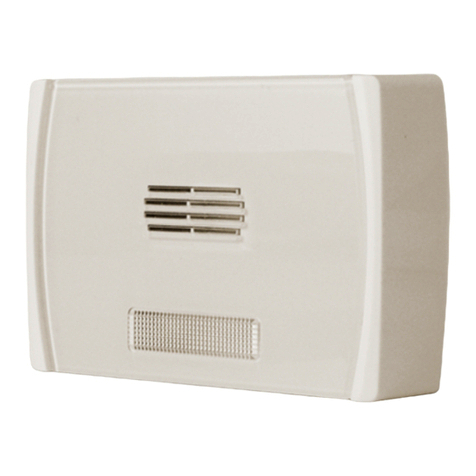
Hedera Wireless sounder/flasher
4. From the list select the wireless reader simulated by the Air2-BS200 transceiver
the Hedera sounder/flasher is to be associated with.
5. Click on the “Enroll” button.
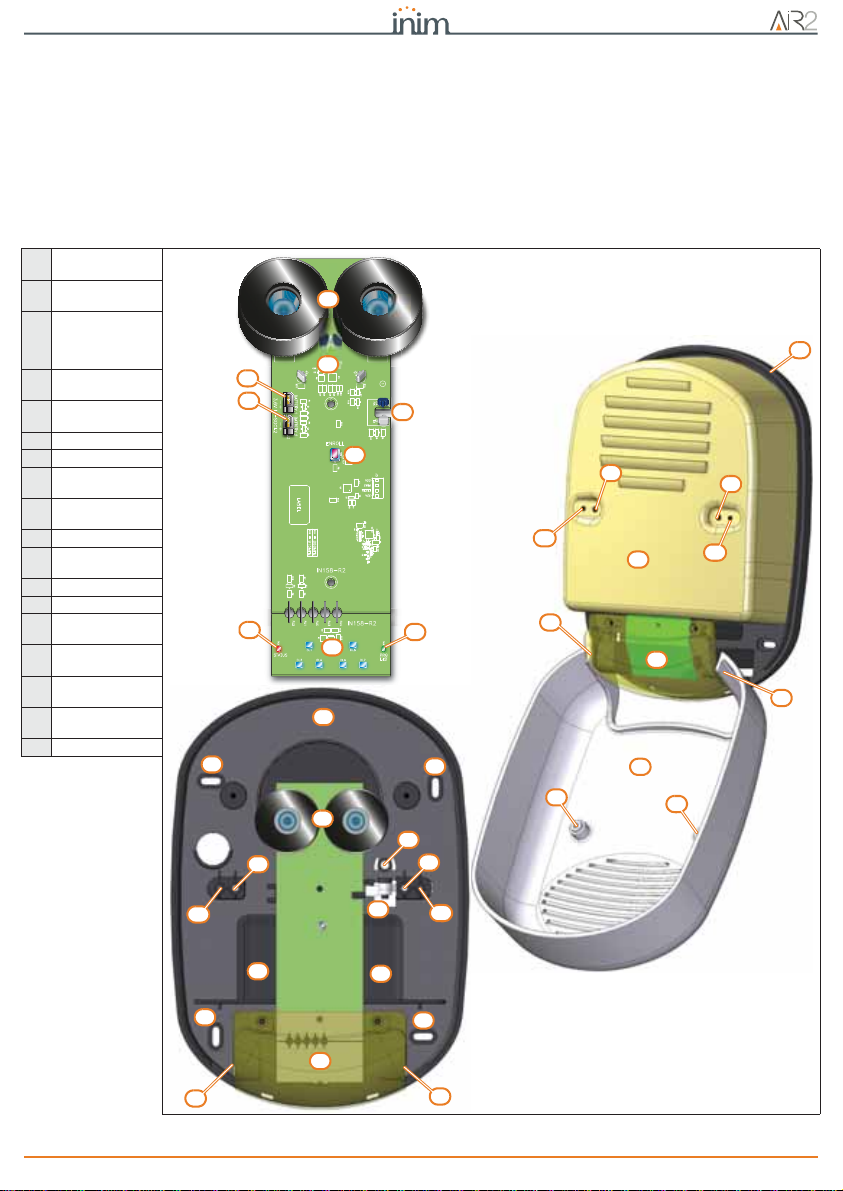
6. Click on the “Enroll” button (table 2, R) of the Hedera sounder/flasher.
7.
Once the device has been enrolled, the PRG LED on the sounder/flasher will
flash and the
window in the software programme will show a confirmation message.
4-3Programming
The Hedera sounder/flasher can be programmed only via the SmartLeague
software. Therefore, the installation project must provide for the addition of
wireless sounder/flasher.
If you are working on a new installation or creating a new solution (configuring a
real installation in the system software programme), it is necessary to access the
section on the right side of the window in the SmartLeague software. Select a
sounder/flasher from the “Project” template and drag and drop it to the respective
part on the tree structure on the left. Alternatively, double-click on the sounder/
flasher icon to add it to the configuration.
If you are using an already programmed solution, check that the system includes
a sounderflasher.
At this point it is possible to proceed with the programming of the sounder/flasher.
PATTERN
The “Sounderflashers” option, from the system tree on the left, allows you to
program the patterns in the “Programming” section.
8 modifiable patterns are available:
SOUNDERFLASHER
PARAMETERS
Clicking on the node corresponding to the “Sounder” option provides a list of all
the sounder/flashers connected to the control panel. Selection of one of the
sounderflashers will allow you to set its parameters.
For a detailed description of the software and an explanation of the programming
parameters of the sounder/flashers refer to the SmartLeague software manual.
Note
Once the programming has been completed and the parameter have been
“written” on the control panel, it will take at least 30 seconds for the device to
become operative.
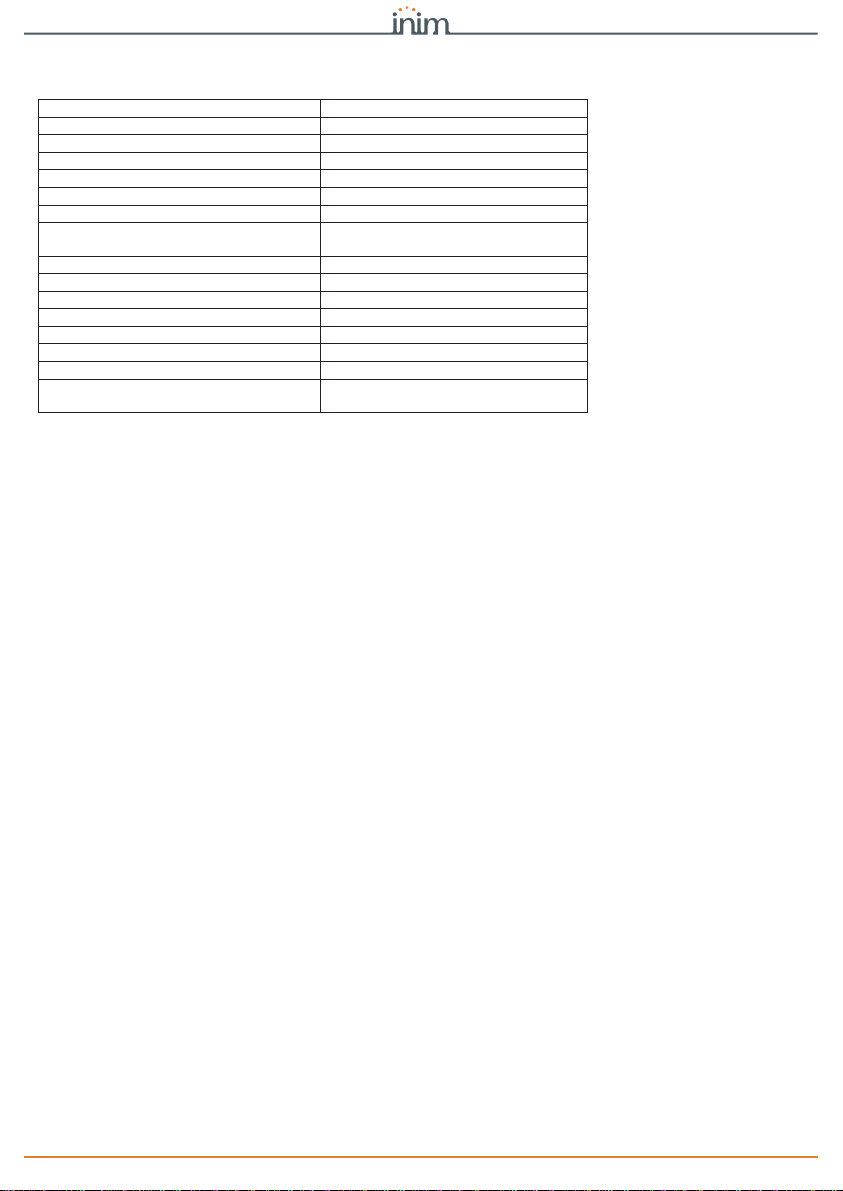
Table 5: Patterns - parameters
Option Value
Description Description/Name of the sounder/flasher (customizable by the installer). Not editable
Activate sounder Enable/Disable sounder activation
Sounder duration Sounder activation time from 1 to 127 seconds or
from 1 to 4 minutes
Tone Sound of the audible signal 3 tones available
Volume Sound level of the sounder high, low
Activate flasher Enable/Disable flasher activation
Flasher duration Flasher activation time from 1 to 127 seconds or
from 1 to 4 minutes
Flash type Flashes per minute 36, 56
Activate STATUS/PRG LED Enable/Disable activation of the STATUS/PRG LED
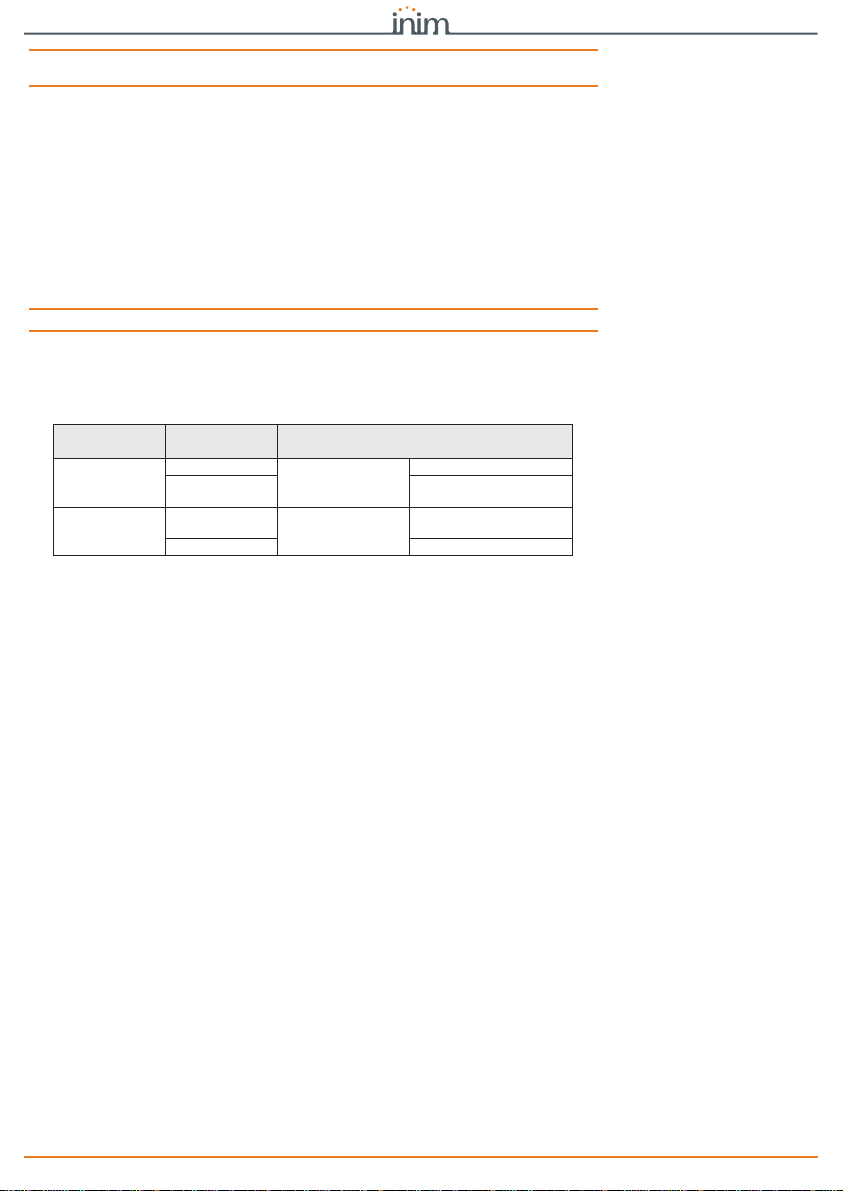
Table 6: Pattern - default
Description
of pattern Activate
sounder Sounder
duration Tone Volume Activate
flasher Flasher dura-
tion Flash type Activate
STATUS LED
PRG LED
Burglary ON 3 minutes Tone 1 High ON 3 minutes 56 OFF
Burglary low
volume ON 4 minutes Tone 1 Low ON 4 minutes 56 OFF
Fire ON 3 minutes Tone 3 High ON 3 minutes 56 OFF
Tamper ON 127 seconds Tone 1 High ON 127 seconds 36 OFF
Pre-alarm ON 30 seconds Tone 1 Low ON 30 seconds 36 OFF
Automation ON 3 seconds Tone 1 Low OFF OFF
Squawk ON 1 second Tone 3 Low ON 3 seconds 56 OFF
Chime ON 3 seconds Tone 3 Low ON 3 seconds 56 OFF
A Cut-off pattern can be:
Total cut off OFF ininfluent OFF ininfluent OFF