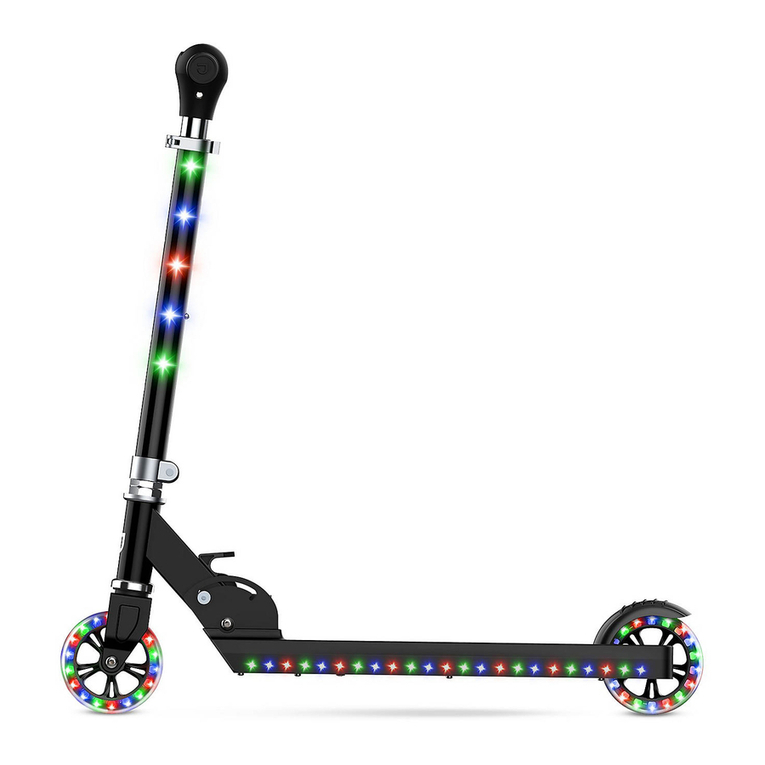
Jetson E-POCKET User manual

1
E-POCKET
-MANUAL-

2
TABLE OF CONTENTS
A. Introduction 3
B. Included in the Box 4
C. Features and Specs 5
D. Unfolding the E-Pocket 6
E. Folding the E-Pocket 8
F. Adjusting the Handlebar 10
G. Operating the E-Pocket 10
H. Safe Driving 12
I. Charging the Battery 13
J. Care and Maintenance 14
K. Safety Warnings 16
L. Warranty 18
M. Product Registration 19

3
Congratulations on your new Jetson E-Pocket Folding Electric Scooter!
The E-Pocket is an innovative and fun personal transportation device,
ready to take on everyday use. Before your rst ride, check whether the
wheels are damaged, or parts are loose. If there are any abnormalities,
please contact Jetson Customer Support at 1-(888) 976-9904 or email
us at customerservice@jetsonbike.com.
This product manual can help you understand, use, and maintain your
E-Pocket. In order to avoid danger caused by collisions, falls, and loss
of control, please use caution and learn how to ride the E-Pocket safely.
Jetson and authorized dealers cannot be held liable for injury or
damage caused from riding the E-Pocket. Users ride at their own risk.
The rider is responsible for consequences caused by violating warnings
or improper operations.
If you want to return this product for any reason, be sure to rst call or
email us before taking it back to the store so we can assist you.
INTRODUCTION

4
INCLUDED IN THE BOX
1. Taillight
2. Rear Foot Brake
3. Rear Half of Deck
4. Front Half of Deck
5. Stem Clip
6. Stem Clamp
7. Handlebar
8. Folding Lever
9. Front Tire
10. Deck Lights
11. Rear Wheel
11
1
2
348
9
10
5
6
7

5
FEATURES AND SPECS
MODEL: E-POCKET
WHEEL SIZE: 5.5”
MAX SPEED: 18 MPH
MAX RANGE: 20 MILES
BATTERY TYPE: LITHIUM ION
BATTERY RATED VOLTAGE: 36V, 7.8Ah
PRODUCT DIMS: 37” x 17.75” x 42”
(FOLDED) 25” x 5” x 9.5”
MOTOR TYPE: HUB
MOTOR: 200 WATT
CHARGER: 110-240V
CHARGE TIME: 2-3 HOURS
PRODUCT WEIGHT: 24.2 LBS
WEIGHT LIMIT: 220 LBS
RECOMMENDED AGE: 13+
1. Thumb Throttle
2. Power Button
3. E-Brake
4. Folding Button
123
4

6
UNFOLDING THE E-POCKET
1. Release the Stem Clip and lift the Handlebars away from the Deck
until the Stem is fully extended. Tighten the Folding Lever at the base of
the Stem by turning it clockwise. Make sure the Stem is tight and secure.
2. Unfold the Deck by lifting the Rear Wheel up and away from the
Deck. Fully extend the Deck. Use the Locking Lever underneath the
Deck to secure.

7
3. Unfold the Handlebars by lifting both Folding Buttons on the
Handlebar. Open the Handles out and away from each other until they
lock into place.
Lift both
Folding
Buttons

8
FOLDING THE E-POCKET
1. Fold the Handlebars by lifting both Folding Buttons on the
Handlebar. Bring the Handles in towards each other until they lock into
place.
2. First, make sure the kickstand is up. Then, loosen the Folding Lever
underneath the Deck and lift the Rear Wheel up, towards the top of the
Deck. The rear half of the Deck should rest at on the front half of the
Deck.
Lift both
Folding
Buttons

9
3. Lower the Handlebar all the way. Then, loosen the Folding Lever at
the base of the Stem by turning it counter-clockwise. Do not loosen this
Folding Lever all the way, just enough so you can lower the Stem. Lower
the Handlebars and Stem down. Secure with the Stem Clip.

10
OPERATING THE E-POCKET
TURNING THE E-POCKET ON AND OFF
To turn the E-Pocket on, rst make sure the Power Switch under the
Deck is on. Then, press and hold the Power Button for 3 seconds.
To turn the E-Pocket off, rst make sure the E-Pocket is not in motion.
Then, press and hold the Power Button for 3 seconds.
LED DISPLAY
The LED Display shows Speed, Distance, and Battery Life. Please charge
the E-Pocket once it displays low battery (below 20%).
ADJUSTING THE HANDLEBAR
To adjust the Handlebar, open the Stem Clamp and lift or lower the
Handlebar to suit your height. Tighten the Stem Clamp and make sure
the Handlebar is secure.
Open
Stem Clamp
Power
Switch

11
TURNING THE LIGHTS ON AND OFF
To turn the Lights on, click and hold the Power Button for about 1
second. One click will turn the Lights on. Another click will turn the
Lights off. You can also turn the Lights off by turning the E-Pocket off.
USING THE THUMB THROTTLE
To start riding, press down on the Thumb Throttle. Get accustomed to
the acceleration of the throttle.
HOW TO APPLY THE BRAKE
To stop, release the Thumb Throttle and press on the E-Brake. You can also use
the Rear Foot Brake to come to a stop.

12
SAFE DRIVING
Helmet: Most serious injuries that occur while riding are head injuries.
This could be prevented by wearing a helmet.
Elbow and Knee Pads: For added protection, always wear elbow and
knee pads when riding your E-Pocket, to prevent any serious injuries.
Get to know the E-Pocket before riding it. Test your control over it. Make
your turns slowly and cautiously, and give yourself stopping distance. It
is recommended you practice your rst ride on the E-Pocket in an open
space with no obstacles in your way.
DRIVING TECHNIQUE
Foot Position – Before riding put your foot as close as possible to the
front section of the scooter, and your other foot on the ground. Make
sure that your driving route is clear. To start riding, boost yourself
forward (as on non-motorized scooters) with your foot that is on the
ground. Immediately after boosting yourself forward, slowly press the
thumb throttle downwards, and tilt your body forward so you don’t fall
backwards during acceleration. Please do not push the thumb throttle
all the way down, get accustomed to the acceleration of the throttle.
Avoid putting your body pressure on the handlebars in acceleration and
deceleration. Keep one foot behind the other (it’s more comfortable
to place one foot forward and the other one turned at 70-90°). This will
help you gain more stability.
PLEASE NOTE: Riding, like most sports, involves risk of injury and
damage. By choosing to ride the E-Pocket the responsibility and all
inherent risk is on you. It is crucial that you know, understand and act
according to safety rules.
Turns - The turns on the E-Pocket are commanded by the direction you
turn the Handlebar/Front Wheel in. Before turning, look both ways to
make sure your path is clear.
Braking – To come to a stop, press down on the E-Brake. Be careful not
to press the E-Brake too fast, as it may cause too sudden a stop or
jerking motion. You may also use the Rear Foot Brake to come to a stop.

13
1. Plug one end of the power cord into a grounded AC outlet and the
other into the E-Pocket’s Charging Port. The red charging light on the
charger unit will turn on.
2. The red light will turn green once fully charged. Recharge the
E-Pocket after each use.
(Please note: Always plug the charger into the wall rst before the
device. If the wall outlet doesn’t have power and you plug the charger
into the device rst, it will light green, even if the battery is not full. So
always plug into the wall rst to make sure there is power.)
THE CHARGER OFFERS A CHARGING STATUS ON THE TOP OF THE
CHARGER:
CHARGING LIGHT RED: Battery is charging.
CHARGING LIGHT GREEN: Charging is complete.
Don’t use the E-Pocket if the battery emits strange odors, overheats,
or begins leaking. If the battery does leak, do not touch any leaking
materials, as the battery contains dangerous substances. Do not open
the battery and do not insert anything into the battery.
Only use the provided charger for the E-Pocket. Do not charge the
battery if it has over-discharged. It should be discarded for your safety.
Do not turn on the E-Pocket while it is charging.
Your E-Pocket comes with a built-in rechargeable lithium ion battery.
Always use the provided charger only. The Charging Port is located on
the left side of the E-Pocket near the rear wheel. Please remember to
cover the Charging Port when you are done charging. Before your rst
ride you must fully charge the E-Pocket - charge for 4 hours for the rst
3 times you use it. For every ride after, charge your E-Pocket until it is
fully charged, and NOT LONGER. Do not leave any chargers plugged in
overnight, or leave it plugged in past the charge time.
CHARGING THE BATTERY

14
CARE AND MAINTENANCE
DRIVING RANGE
The average range of the E-Pocket is 20 miles. However, a lot of factors
will affect how far you can go per charge:
• Driving surface: A smooth, at surface will increase driving
distance.
• Weight: More weight means less distance.
• Ambient temperature: Please ride and store the E-Pocket un
der recommended temperature, which will increase its longevity
and driving distance.
• Maintenance: Timely battery charging and maintenance will
increase driving distance.
• Speed and driving style: Maintaining a moderate speed will
increase distance. Frequent starting and stopping, acceleration,
and decelertion will reduce it.
SPEED LIMIT
The top speed of the E-Pocket is 18 mph.
WEIGHT LIMIT
The maximum load is 220 lbs. Going above the maximum weight limit
can cause injury or damage the E-Pocket.
CLEANING THE E-POCKET
To clean the E-Pocket carefully wipe with a damp cloth, then dry with a
dry cloth. Do not use water to clean the E-Pocket, as the electrical and
electronic systems may get wet, resulting in personal injury or malfunc-
tion of the E-Pocket.
Charging
Port

15
BATTERY
• Keep the E-Pocket away from re and excessive heat.
• To avoid damage to the battery, never subject the E-Pocket to intense
physical shock, severe vibration, or impact.
• Protect the E-Pocket from water or moisture.
• Never disassemble the E-Pocket or its battery.
• If there are any issues with the battery, please contact Jetson
Customer Support at 1-(888) 976-9904 or email us at
customerservice@jetsonbike.com.
STORAGE
• If you plan on storing the E-Pocket for a substantial period of time,
please make sure you fully charge the battery before storing. The bat-
tery should be fully charged once a month after this.
• To protect against dust, cover the E-Pocket.
• Store the E-Pocket indoors, in a dry place and at a suitable tempera-
ture.
• You should bring the E-Pocket into a warm environment (above 50
degrees Fahrenheit) for charging.
• Do not leave the E-Pocket plugged into the charger for long periods
of time.

16
SAFETY WARNINGS
Here are some useful tips to make sure you always have a safe ride:
• Children, the elderly, and pregnant women should not use the
E-Pocket.
• Do not ride after drinking or taking prescription medication.
• Do not carry items when riding.
• Prior to each ride, inspect each part of the E-Pocket to ensure it has
been maintained correctly and is functioning properly.
• Always give way to pedestrians.
• Always comply with local trafc laws and regulations. Remember, the
E-Pocket is a motor vehicle, and is treated as such by local law enforce-
ment. You can and will be arrested for drunk driving. Many cities have
restrictions on where you can drive motor vehicles, as well as additional
restrictions on driving non-automobiles on streets and highways.
• Be alert to things in front and far away from you.
• Make sure your feet are always placed securely on the deck.
•The E-Pocket cannot be ridden by more than one person. Only one
person can ride at a time.
• When you ride the E-Pocket along with other riders, always keep a
safe distance to avoid a collision.
• When turning, be sure to maintain your balance.
• Do not allow distractions when riding, such as answering the phone or
engaging in any other activities.
• Avoid riding in the rain or on smooth surfaces such as snow or ice.
• Do not ride on roads with obstacles (such as litter, small stones, etc.).
• Avoid riding in narrow spaces or on steep slopes.
• Avoid riding around ammable gas, steam, liquid, or dust that could
cause re.
• Never operate the product barefooted and keep shoelaces tied.
• Riding with improperly adjusted brakes is dangerous and can result in
serious injury or death.
• Applying brakes too hard or too suddenly can lock up a wheel, which
could cause you to lose control and fall. Sudden or excessive applica-
tion of the brake may pitch the rider over the handlebars, which may
result in injury or death.

17
CALIFORNIA WARNING
This product contains chemicals, including lead, which are known to
the state of California to cause cancer, birth defects, and other medical
conditions.
MODIFICATIONS
Do not attempt to disassemble, modify, repair, or replace the E-Pocket
or any components of the unit without instruction from Jetson Custom-
er Support. This will void any warranty, and can lead to malfunctions
which may cause injury.
ADDITIONAL OPERATION CAUTIONS
Do not lift the E-Pocket off the ground while it is on and the wheels are
in motion. This can result in freely spinning wheels, which may cause
injury to yourself or others nearby. Do not jump on or off the E-Pocket,
and do not jump while using it. Always keep your feet rmly planted
on the deck while in operation. Always check the battery charge before
using.

18
LIMITED 1 YEAR WARRANTY
TO QUALIFY FOR WARRANTY SERVICE:
1. You must present a copy of the sales receipt from an approved retail partner
within 90 days of purchase.
2. This product cannot be used for rental or commercial use.
3. This product cannot be used for competition.
LIMITATIONS OF LIABILITY
• This Limited 1 Year Warranty is non-transferable after the product’s initial sale.
• No unapproved modications can be made to the product, its performance
or otherwise, in order for this Limited 1 Year Warranty to remain in effect.
• No reimbursement is provided for towing, loss of time, loss of use, inconve-
nience, incidental or consequential damages.
• Warranty is void if weather related water damage is determined. Owner is
responsible for storage and protection from weather.
• Jetson® makes no warranty with respect to products or trade accessories
not made by Jetson®, including, but not limited to, motors, tires, wheels, and
batteries, such products or trade accessories, such items being subject to the
original manufacturer’s warranty, if any.
• This Limited 1 Year Warranty does not cover minor surface blemishes, rips,
tears, or other cosmetic damages due to normal use, or other intentional or
unintentional damage to the product.
• This Limited 1 Year Warranty will not cover any damage which results from the
application of improper cleaners, solvents or chemicals to the product, water
damage, smoke or soot, or from exposure to saltwater, sea breeze or salt.
• This Limited 1 Year Warranty will not cover any damage which results from
aging, such as fading of paint, deterioration of plated surfaces, deterioration of
rubber or plastics, or rusting.
• This Limited 1 Year Warranty does not cover improper repair or misdiagnoses
of problems.
• This Limited 1 Year Warranty only covers parts due to manufacturer defect.
• Damage due to misuse or neglect, use other than as specied in the Owner’s
Manual, or use under abnormal conditions are not covered by this Limited 1
Year Warranty.
OWNER’S WARRANTY RESPONSIBILITIES
As the device’s owner, you are responsible for the performance of the required
maintenance. You may be denied a warranty claim solely because of your
failure to ensure the performance of all scheduled maintenance. As the owner,
you should be aware that you may be denied your warranty coverage if your
device or a part has failed due to abuse, neglect, improper maintenance, or
unapproved modications. For any issue regarding your Jetson® product, call

19
Please complete and mail this card within 10 days of purchase or go to
https://www.ridejetson.com/product-registration.
Name: _____________________________________________________________________________
Address: ____________________________________________________________________________
City
, State,
Zip: ______________________________________________________________________
Email: ______________________________________________________________________________
Home Phone: ___________________________ Gender: _____________________________
Pu
rchase Date: _________________________ Purchased Fr
om: __________________________
Serial Number: ______________________________________________________________________
Is this your first
Jetson pr
oduct?: ______________________________________________________
Other similar pr
oduct owned befor
e: _________________________________________________
How did you hear about the
Jetson E-Pock
et?: _____________________________________________
_
_____________________________________________________________________________________
Co
mplete this form and mail it to:
Attention: Product Registration
Jetson Electric Bikes
1 Rewe Street
Brooklyn, NY 11211
Why did you buy this pr
oduct?: For myself
For my child
For my grandchild
Gift for someone else (adult)
Gift for someone else (child)
PRODUCT REGISTRATION

20
E-POCKET
Table of contents
Other Jetson Scooter manuals

Jetson
Jetson JBZL17 User manual

Jetson
Jetson JSOLO User manual

Jetson
Jetson ARROW User manual

Jetson
Jetson ESBT-V5 User manual

Jetson
Jetson JBOLT-BLK User manual

Jetson
Jetson MIDNIGHT User manual

Jetson
Jetson Disney JFRZN-3KIK User manual

Jetson
Jetson Triton User manual

Jetson
Jetson GEN 1 User manual

Jetson
Jetson JUPITER User manual

Jetson
Jetson JOURNEY User manual
Jetson
Jetson PIXEL User manual

Jetson
Jetson J2000-BLK User manual
Jetson
Jetson V8 SPORT JSPV8 User manual

Jetson
Jetson Element Pro User manual

Jetson
Jetson Orbit User manual

Jetson
Jetson Hex User manual
Jetson
Jetson JUNIOR User manual

Jetson
Jetson Quest User manual

Jetson
Jetson Element Pro User manual