JPL Element-BT500D User manual
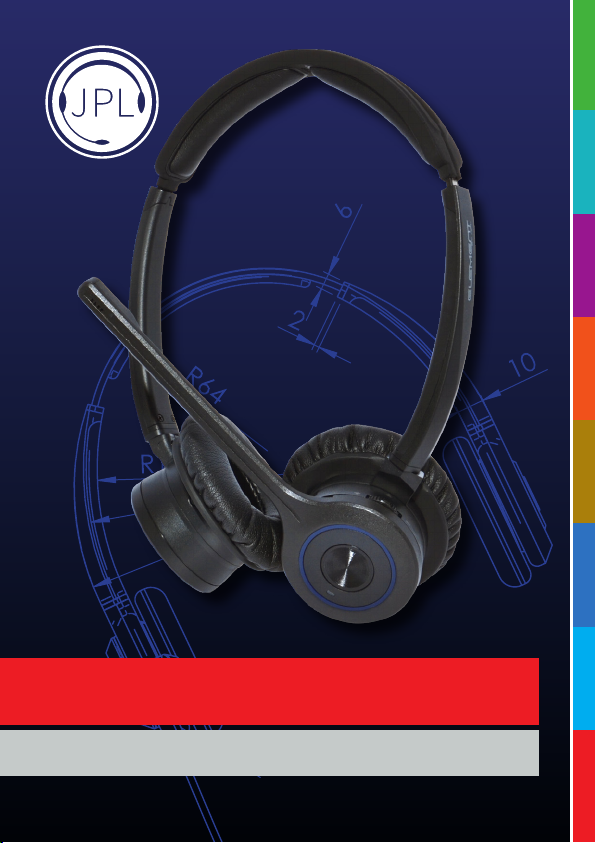
Element-BT500D
Bluetooth Headset User Guide
10 LANGUAGE
VOICE PROMPT
OPTIONS

Introduction
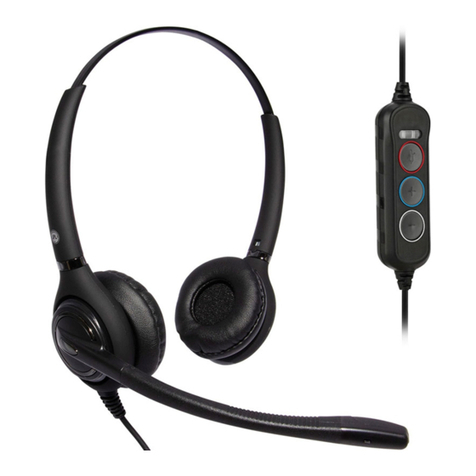
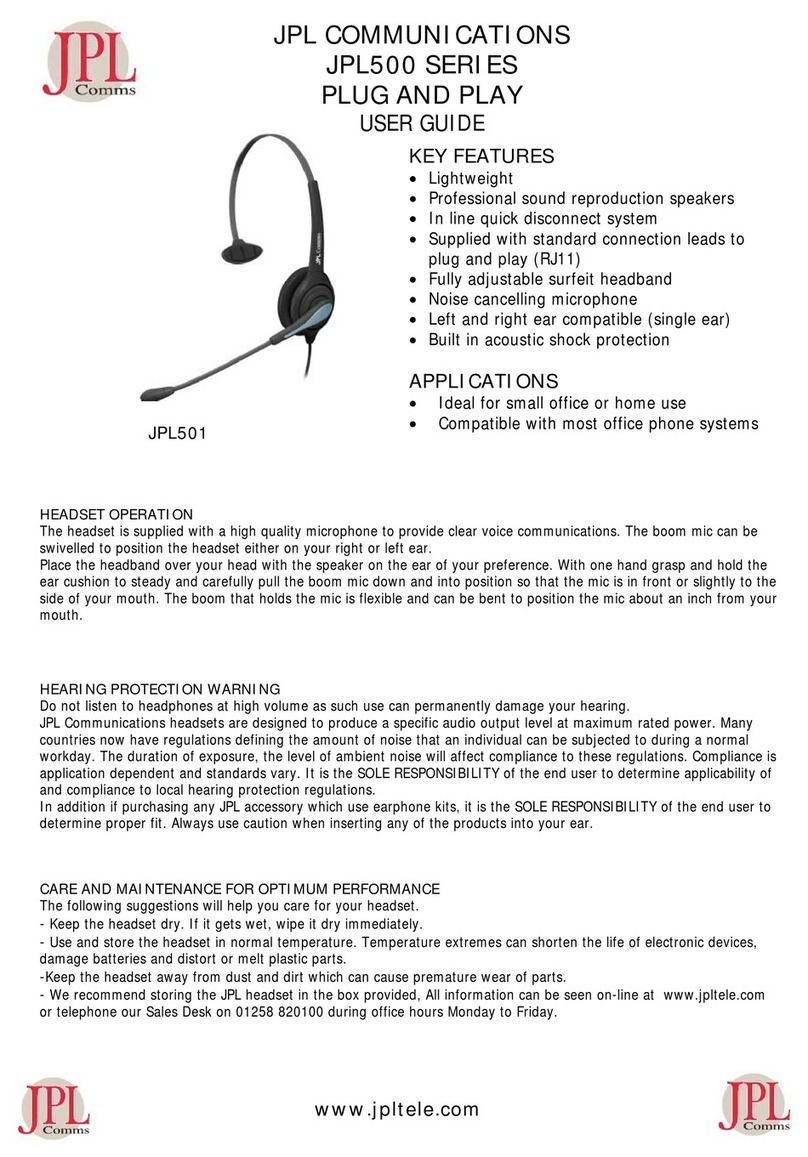
The Element-BT500D is a wireless Bluetooth headset for use with mobile phones and in the oice.
When mobile phones replace the ordinary phones in the oice, you need a comfortable and ergonomic
solution for those who spend long hours on the phone. The Element-BT500D is such a solution, a truly
comfortable headset with good sound quality, built for comfortable all day wearing.
As an accessory, there is a USB Bluetooth dongle for the PC. With the dongle, you can connect your
headset to a computer and use it as an audio device and a call control device for so clients such as
Microso Teams as well as for streaming audio.
Features:
• Bluetooth Version 5.0, with improved data transfer, security and connectivity.
• Designed for music and speech
• Up to 20 hours talk time.
• Up to 96 hours stand by time
• Up to 30 meters working range
• Voice prompts in 10 dierent languages
• A2DP for stereo music
• Volume control buttons
• Answer/End a call button
• Dedicated microphone mute button
• Last number re-dial
• Low battery / battery level indicator
• Supports two connections simultaneously
• Adjustable headband with so ear cushion for all day wearing comfort
• LED status indication
• Charging cable and Headset Hanging Hook included
• Headset can be charged during use
• Charging cradle(Option)
Direct Charging from USB port of PC
If the headset has been out of use for some time, it may take up to 4 hours to charge fully.
Normal charging time is 2-3 hours. Low battery is indicated by the ashing red LED on the headset.

Element-BT500D
SKU: 575-290-010
Headset
Hanging
Hook
USB Type-A to
Micro USB Headset
Charging Cable
Microphone Boom
& Binaural Headband
Headset Storage
Tough Case
BT-220
Dongle
What’s Included
Set Voice Prompt Language
Voice prompt languages:
English, French, Spanish, German, Italian, Dutch, Russian, Danish, Swedish, Norwegian
To select your chosen language, the headset should not be connected to any Bluetooth devices.
• Nudge the “volume up/down” button towards the “+ or -” and the next available language will be heard.
Stop nudging the button when you hear your chosen language announced.
A-01
USB A-C
Adapter

Attaching the headband
To attach the microphone boom arm to the
headband, align the triangle shape on the
microphone boom arm with the triangle shape
on the headband and push to click into place.
The microphone boom arm will then rotate to
your required position.
Align
Detaching the headband
How to detach the microphone
boom arm from the headband
correctly:
Supporting the neck of the
headband with your index and
middle ngers, gently push the
microphone speaker with your
thumb from inside the ear
cushion to detach the
microphone boom arm
from the headband.
DO NOT push on the
microphone boom arm
through the ear cushion
without supporting the
neck of the headband
to detach it the boom
arm from the headband.
Doing this may cause the
ear cushion and gimbal
mechanism to come away
from the headband.
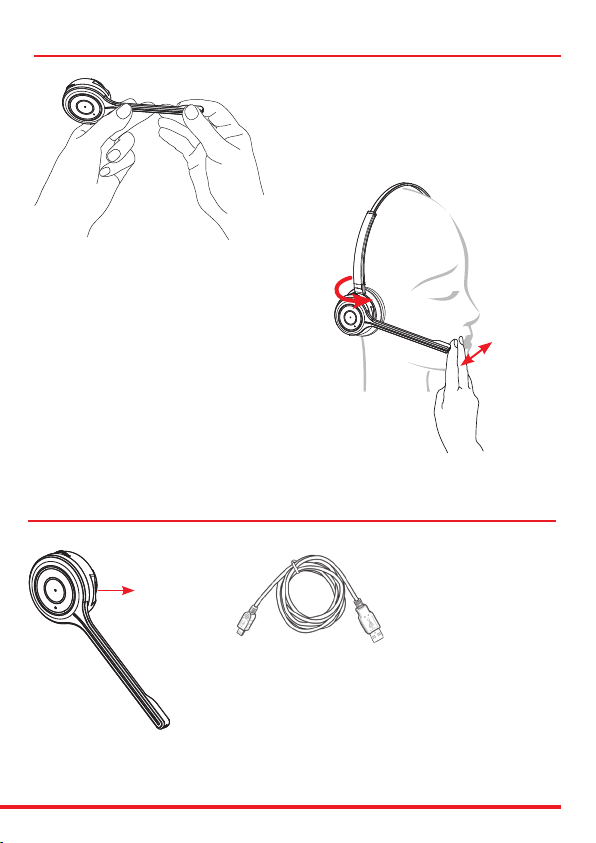
Positioning the Microphone
30mm
The microphone boom arm is exible, so you can
gently bend the boom and position it to suit the
curve of your face.
The ideal position for the microphone
is at the corner of the mouth, not in front of it,
but approximately 30mm (2 nger width)
away from the mouth.
Ensure that the side of the microphone is pointed
towards your mouth.
Holding the headset, rotate the headband to bring
the boom close to your cheek.
Headset Charging
Micro USB Port
for charging
headset
If the headset has been out of use for some item, it may take
up to 4 hours to charge it fully.
Normal charging time is 2-3 hours.
Low battery is indicated by the ashing red LED on the headset.
The USB cable can be plugged
into either a computer or a
USB wall charger

Volume adjustment
• Nudge volume up/down button to the “+ or -” symbols to adjust the listening volume.
There is a raised notch that makes it easy to nd.
Note that high listening volume settings may cause echo or other noise on the line, for one or both
parties on the line. Try to lower the listening volume if this is the case.
Important! – High listening volume settings may be harmful to your hearing.
Mute On/O
• When on a call, press and release the mute button and “Mute On” is heard in the speaker.
• Press again to resume the call and “Mute O” is heard in speaker.
IMPORTANT: Volume Settings
• Set the headset earphone volume on your PC to maximum.
• Set the microphone volume within your PC settings to a mid range volume.
• Make a test call to regulate the microphone sound on your PC settings and ne tune the speaker
sound using the speaker volume switch on your headset.
• There is a small notch on each volume button that makes them easy to nd.
Microphone Boom Volume Control
Down Up
Mute
Pairing / Mute
and Speaker Volume
Hook On/O
Answer / End
a call
DND Light

Turn on the headset
Press and hold the answer button for 2 seconds. Release the
button when the purple LED ashes 3 times and “Power on” voice
notication is heard in the speaker.
Turn o the headset
Press and hold the answer button for 3 seconds. Release the button
when the purple LED ashes once and “Power o” voice notication
is heard in the speaker.
Turning the Headset On and O
Answer button
Pairing
Prior to using the headset, it must be paired and connected to another
Bluetooth device, such as a mobile phone. For specic instructions,
check the user guide of your phone.
Pairing button
General procedure
• Turn on the Bluetooth function on your phone.
• Put the headset in pairing mode (make sure the headset
is switched on, press and hold the pairing button for
4 seconds until the blue LED ashes rapidly)
• Perform a search for Bluetooth devices on your phone.
• Connect to >>BT-500D<< when found.
• Blue LED is On and “Connected” voice notication is heard in the
speaker when pairing is completed.
Dierent smart phones have dierent ways to handle Bluetooth
devices. Read the user manual of your phone for more information.
Some phones will connect to the headset automatically when it
is within range, for example when you return to your oice. For
other phones, it may be necessary to reconnect manually when the
connection has been broken.
The pairing mode is active for 3 minutes. Aer that, the headset will
enter standby mode. If you want to cancel the pairing mode, press
the answer button and then “Pairing Cancel” voice notication can
be heard.
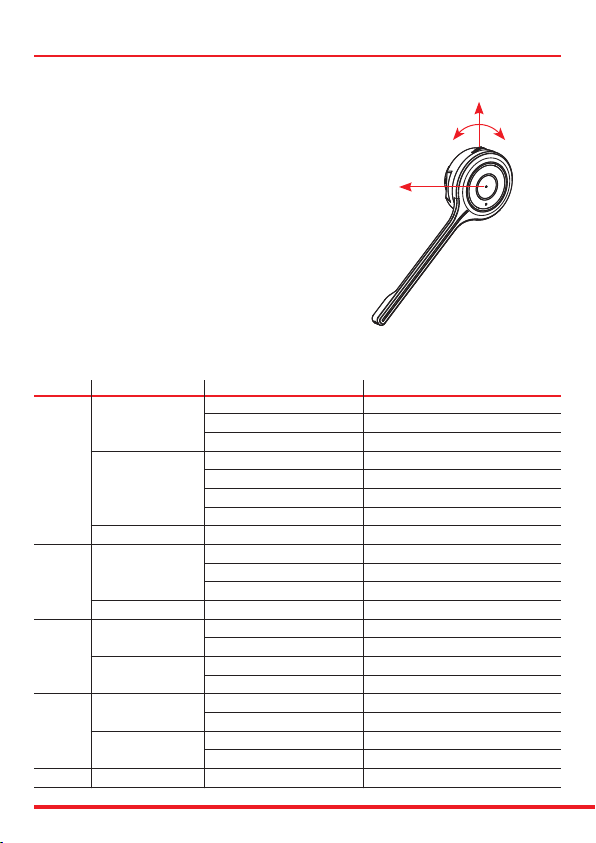
Answer a call
• Press ‘Answer button’ Button 1 briey.
Reject a call
• Press Button 1 for 2 seconds while incoming
call, and “Call rejected” is heard in the speaker.
Make a call
• Dial the number on the mobile phone and press Button 1 briey.
End a call
• Press Button 1 briey, or end the call on the mobile phone.
Last number redialing
• Press Button 1 briey twice and you can hear “Redialling” voice notication in the speaker.
Button Action Condition Function
Incoming Call Accept Call
Short Press On Talk Mode End Call
Idle Connection & Battery Status
Powered On Power O
1 Long Press Power O Power On
Incoming Call Call Reject
Pairing Mode Pairing Cancel
Double Press Sync to BT Host Redial (Smartphone Only)
On Talk Mode Mute On/O
2 Short Press Listen to Music Pause On/O
Microso Teams Optimised Teams Pop Up
Long Press No Condition Pairing Mode
Short Press On Talk Mode Volume Up
3Listen to Music Volume Up
Long Press Listen to Music >>Fast Forward (SmartPhone Only)
Not Sync’d to BT Host Change Voice Prompt’s Language
Short Press On Talk Mode Volume Down
4Listen to Music Volume Down
Long Press Listen to Music <<Fast Rewind (SmartPhone Only)
Not Sync’d to BT Host Change Voice Prompt’s Language
1 + 3 Long Press (>3.5 sec) During Power O Reset pairing info.
Button 1
Button 3 Button 4
Button 2
Using the headset

Button 4
Status LED Colour and Action
Power On Red LED On (0.5 Sec) & O (0.5 Sec)
Pairing Mode Red & Blue Toggle > 1 minute Time Out
Headset Connected Blue LED On
A2DP Mode (Music) Purple LED Flashes
A2DP Play (Music) Purple LED Flashes
HFP Mode (Call) Blue LED Flashes On & O
Microso Teams Mode Purple LED On
Idle Blue LED On
BT-220 Button & LED
Pairing Button
LED
Window
Element-BT500 Charging Base
Order Code: BT500 Charging Base
SKU: 575-290-012
• Optional charging solution for
the BT500D headset.
• Connects to your PC via
Type-A USB to Micro USB
cable.
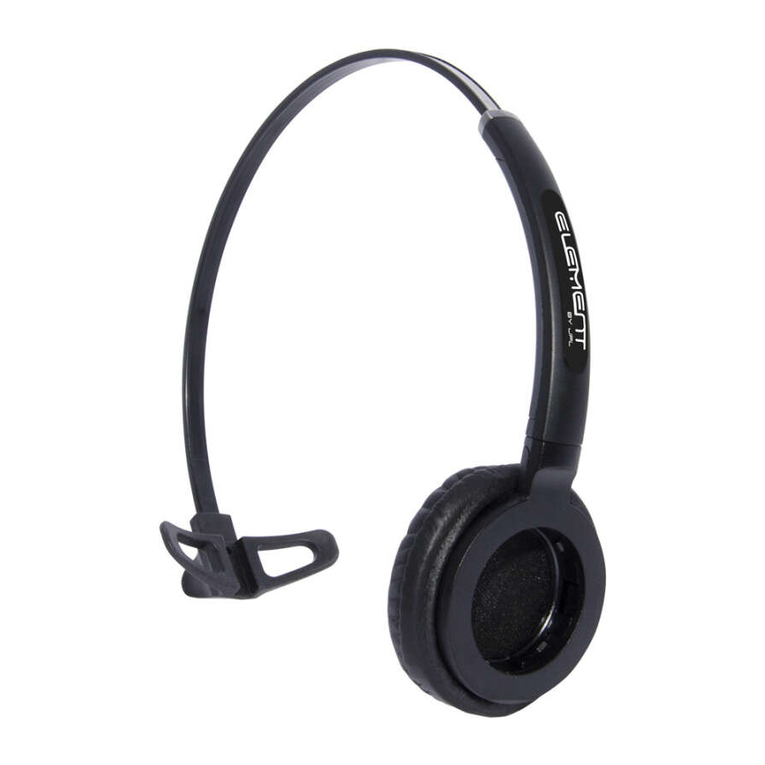
Element Monaural Headband
Order Code: Element Monaural Headband
SKU: 575-290-014
• Optional wearing style for
those who prefer to confer
with colleagues. The modular
system of the Element-BT500D
allows you to swap headbands
from binaural to monaural and
vica versa to suit the way you
work.
Optional Accessories

Help and Tips
Troubleshooting
If you have problems connecting the headset to your smartphone, do as follows:
• Check that the headset is charged, turned on and within 10 meters of the phone.
• Check that Bluetooth is switched on your phone.
• Check that the headset is listed as a headset device in your phone and also connected. You may need to
re-connect to the headset
• Try removing the headset from the phone, then pair and connect again.
• If the headset stops functioning, even though it is fully charged: Reset the headset by switching it o, wait
for 15 seconds and then turn it on again. You might try to reset the phone as well.
Some features are not possible to use with certain phone models:
• Check the user manual of your smartphone for missing settings or functions that needs to be activated.
• Dierent mobile phone manufacturers may implement Bluetooth functions in dierent ways. The unit
should work with all phones that support the Headset and Hands-free Bluetooth proles, but functionality
may vary depending on the telephone model you use. You might also want to check for the latest rmware for
your phone.
Maintenance
Your headset is a technically advanced device containing circuit boards and ne mechanics, made from top
grade components. To increase reliability and life span, always treat your headset with care.
• Do not expose the headset to moisture, liquids, rain or dust.
• Store the product in a dry and dust-free location.
• Use a dry cloth to clean your headset.
• Do not store a fully charged headset on the charging stand for long periods of time.
• In the interest of hygiene, it is advisable to replace the ear cushions of your headset every 6 months.
Ear cushions are available to purchase as spare parts.
Table of contents
Other JPL Headset manuals