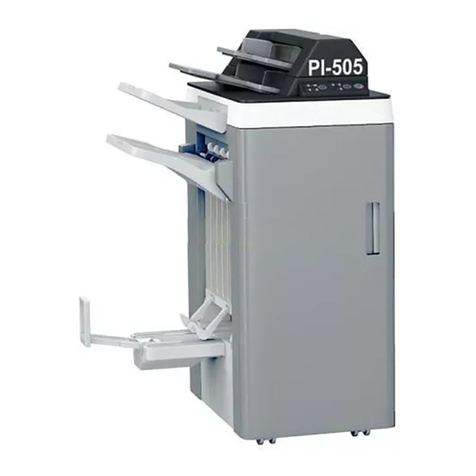
Finisher FS-505 Contents-1
Contents
1 Machine overview
1.1 750/600 Additional information – Finisher FS-505 ......................... 1-3
1.2 Caution notations and labels........................................................... 1-4
1.3 Space requirements ......................................................................... 1-5
Finisher FS-505 (+ Punch Kit PK-504/PK-505).............................. 1-6
Options........................................................................................... 1-8
1.4 Copy paper...................................................................................... 1-10
Possible paper sizes .................................................................... 1-10
Special paper ............................................................................... 1-11
1.5 Paper settings ................................................................................. 1-13
To specify the setting for special paper for paper
loaded into the bypass tray.......................................................... 1-13
To specify the paper type for a paper tray................................... 1-15
1.6 Replacing the staples..................................................................... 1-17
Display in enlarge display mode .................................................. 1-17
To replace the staple cartridge .................................................... 1-18
1.7 Emptying the dust boxes ............................................................... 1-20
To empty the dust box of the punch kit....................................... 1-20
Display in enlarge display mode .................................................. 1-20
1.8 Specifications ................................................................................. 1-23
Finisher FS-505............................................................................ 1-23
2 Copy operations
2.1 Selecting finishing settings.............................................................. 2-3
Separating copies by sets (“Sort” setting) ..................................... 2-6
Separating copies by pages (“Group” setting) .............................. 2-7
Feeding out copies face up (“Face Up” setting) ............................ 2-8
Stapling copies (Staple settings).................................................... 2-9
To bind copies with staples ......................................................... 2-11
Punching holes in copies (Punch settings) .................................. 2-13
To punch holes in copies ............................................................. 2-14
2.2 Specifying folding settings ............................................................ 2-16
To fold copies fanned (“Z-Fold”).................................................. 2-17
2.3 Using finisher manually.................................................................. 2-19
To use finisher manually .............................................................. 2-20