logo
Brands
  1. Home
  2. •
  3. Brands
  4. •
  5. LEGRAND
  6. •
  7. Controllers
  8. •
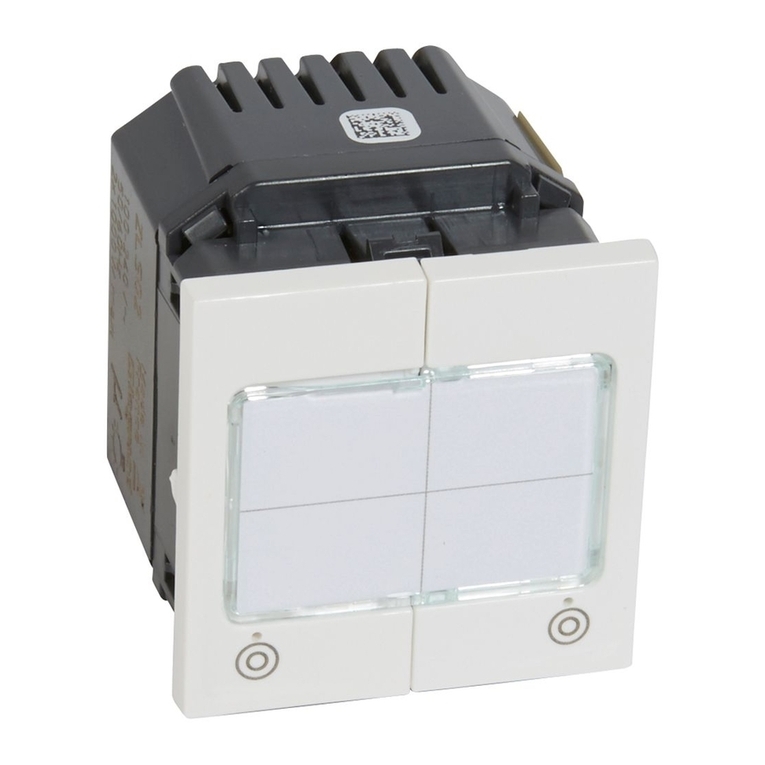
  9. LEGRAND 488 43 User manual

LEGRAND 488 43 User manual

Other LEGRAND Controllers manuals
LEGRAND Tynetec ZXT473 User manual

LEGRAND

LEGRAND Tynetec ZXT473 User manual

LEGRAND 784 28 User manual

LEGRAND

LEGRAND 784 28 User manual

LEGRAND HA7000 User manual

LEGRAND

LEGRAND HA7000 User manual

LEGRAND Raritan SRC-0100 User manual

LEGRAND

LEGRAND Raritan SRC-0100 User manual

LEGRAND 026 21 User manual

LEGRAND

LEGRAND 026 21 User manual

LEGRAND Wattstopper LMPL-101 User manual

LEGRAND

LEGRAND Wattstopper LMPL-101 User manual

LEGRAND Adorne LC7001 User manual

LEGRAND

LEGRAND Adorne LC7001 User manual

LEGRAND 0 484 22 User manual

LEGRAND

LEGRAND 0 484 22 User manual
LEGRAND 0 026 72 User manual

LEGRAND

LEGRAND 0 026 72 User manual

LEGRAND Wattstopper DLM LMJA-8 Series User manual

LEGRAND

LEGRAND Wattstopper DLM LMJA-8 Series User manual

LEGRAND Pass & Seymour LightSense PSHCF User manual

LEGRAND

LEGRAND Pass & Seymour LightSense PSHCF User manual

LEGRAND HD4657M3 User manual

LEGRAND

LEGRAND HD4657M3 User manual
LEGRAND 4 238 40 User manual

LEGRAND

LEGRAND 4 238 40 User manual

LEGRAND PRO 21 7756 25 User manual

LEGRAND

LEGRAND PRO 21 7756 25 User manual

LEGRAND 0 677 886L User manual

LEGRAND

LEGRAND 0 677 886L User manual

LEGRAND 0 784 48 User manual

LEGRAND

LEGRAND 0 784 48 User manual

LEGRAND Wattstopper DCLV2 User manual

LEGRAND

LEGRAND Wattstopper DCLV2 User manual

LEGRAND 672 40 User manual

LEGRAND

LEGRAND 672 40 User manual

LEGRAND 0 035 40 User manual

LEGRAND

LEGRAND 0 035 40 User manual

LEGRAND DPX-IS 630 User manual

LEGRAND

LEGRAND DPX-IS 630 User manual

LEGRAND DPX3-I 1600 User manual

LEGRAND

LEGRAND DPX3-I 1600 User manual

LEGRAND radiant WNRCB40WH User manual

LEGRAND

LEGRAND radiant WNRCB40WH User manual

LEGRAND Raritan SRC-0100 User manual

LEGRAND

LEGRAND Raritan SRC-0100 User manual
LEGRAND Celiane 670 89 User manual

LEGRAND

LEGRAND Celiane 670 89 User manual

Popular Controllers manuals by other brands

Digiplex DGP-848 Programming guide

Digiplex

Digiplex DGP-848 Programming guide

YASKAWA SGM series user manual

YASKAWA

YASKAWA SGM series user manual

Sinope Calypso RM3500ZB installation guide

Sinope

Sinope Calypso RM3500ZB installation guide

Isimet DLA Series Style 2 Installation, Operations, Start-up and Maintenance Instructions

Isimet

Isimet DLA Series Style 2 Installation, Operations, Start-up and Maintenance Instructions

LSIS sv-ip5a user manual

LSIS

LSIS sv-ip5a user manual

Airflow Uno hab Installation and operating instructions

Airflow

Airflow Uno hab Installation and operating instructions

ABB ACS580-01 drives Hardware manual

ABB

ABB ACS580-01 drives Hardware manual

Panasonic GM1 Series Reference manual

Panasonic

Panasonic GM1 Series Reference manual

Emerson SW93 owner's manual

Emerson

Emerson SW93 owner's manual

AutoAqua Smart ATO micro SATO-120P manual

AutoAqua

AutoAqua Smart ATO micro SATO-120P manual

Panasonic FP? Positioning Unit RTEX Technical manual

Panasonic

Panasonic FP? Positioning Unit RTEX Technical manual

Alpha IP MIOB 21001 manual

Alpha IP

Alpha IP MIOB 21001 manual

Siemens OpenAir GMA 1 Series Mounting instructions

Siemens

Siemens OpenAir GMA 1 Series Mounting instructions

Surecom SR-629 user manual

Surecom

Surecom SR-629 user manual

Regulus SRS1 T Installation and operation manual

Regulus

Regulus SRS1 T Installation and operation manual

3M MicroTouch EX113 reference guide

3M

3M MicroTouch EX113 reference guide

KUHN TKS user manual

KUHN

KUHN TKS user manual

S&C PMH Instructions for operation

S&C

S&C PMH Instructions for operation

https://manuals.online logo
https://manuals.online logoBrands
  • About & Mission
  • Contact us
  • Privacy Policy
  • Terms and Conditions

Copyright 2026 Manuals.Online. All Rights Reserved.

87045 LIMOGES Cedex
Telephone: (+33) 05 55 06 87 87 - Fax: (+33) 05 55 06 88 88
Technical data sheet: F01121EN/00
Catalogue number(s): 488 43
Updated on: Created on: 22/09/2010
1/3
Controller - 4 x 1-10 V outputs
CONTENTS
CONTENTS Page
1. Use ............................1
2. Technical features ................1
3. Overall dimensions................2
4. Connection ......................2
5. Installation ......................2
6. Parameter setting.................3
7. Maintenance.....................3
8. Standards .......................3
1 2 3 4
Red indicator:
indicates that the capacity of
the , , or BUS
has been exceeded
LEARN indicator:
indicates the learning
or RESET phase
Indicators
(on if output
activated)
Control
buttons
LEARN button
230 V~ 4 x 1000 VA
4 x 4.3 A
4 x 1000 VA
4 x 4.3 A
4 x 1000 W
4 x 4.3 A
110 V~ 4 x 500 VA 4 x 500 VA 4 x 500 W
Voltage: 100-240 V~
Frequency: 50/60 Hz
No load power consumption: 4 W
Wiring:
- Power:
Power supply: 2 x 2.5 mm2(screw terminals)
N L1: via normally open relay contact
N L2: via normally open relay contact
N L3: via normally open relay contact
N L4: via normally open relay contact
0 - 10 V 1.5 mm2
- Control:
Connection between detector and controller: RJ 45 cord or cable or
BUS/SCS cable to be fitted with RJ 45 connector
( , , , 150 m max. cord or BUS/SCS cable between the
controller and the furthest detector)
( 500 m max. cord or BUS/SCS cable between the power supply
and the furthest product)
The product incorporates positive safety
- If there is a peripheral fault on the , , or BUS, the lights
come back on automatically after 10 minutes.
- If there is a connection fault on the BUS, the lights come back on
automatically after 50 seconds.
Product installation: in a suspended ceiling or on a suitable cable tray
Peripherals compatible with the offer:
- Digital detectors: infrared, ultrasound or dual technology
- Pushbutton lighting controls: switch and scenario management
multifunction controls|
Usage temperature: -5°C to +45°C
Storage temperature: -20°C to +70°C
Weight: 580 g
Impact resistance: IK04
Penetration by solid and liquid matter: IP20
+ + + 200 mA
1. USE
This device is a power unit used for managing lighting loads.
It must be connected to one or more detectors and/or diverted
auxiliary controls in order to operate.
The load(s) can be controlled manually or automatically by the
detectors and/or the controls associated with the device.
2. TECHNICAL FEATURES
4
31 2
4 4
1Fluorescent tubes
2Tungsten halogen bulbs
3Compact fluorescent bulbs
4Ballasts 1 - 10 V
Catalogue number(s): 488 43
Controller - 4 x 1-10 V outputs
Technical data sheet: F01121EN/00 Updated on: Created on: 22/09/2010
2/3
CONTENTS
4. CONNECTION
All the wiring must be carried out with the mains power off.
3. OVERALL DIMENSIONS
240
50
147
50
275
5. INSTALLATION
Mounting
On cable tray
1
3
4
2
1/4
1/4
AB
1
3
2
4
2
2
SCS BUS RJ 45 connection
L4
L1
L2
L3
L max = 150 m
1
2
3
4
Catalogue number(s): 488 43
Controller - 4 x 1-10 V outputs
Technical data sheet: F01121EN/00 Updated on: Created on: 22/09/2010
3/3
CONTENTS
6. PARAMETER SETTING
NB: All the wiring must be carried out with the mains power off.
Switching the controller on generates an automatic configuration: the
compatible peripheral(s) and the controller recognise one other on
their , , and BUSES.
The parameters of the installation can be set using configuration tools
Cat. No. 882 35 or Cat. No. 882 30.
Consult the relevant technical data sheets for detailed parameter
setting of digital detectors that are compatible with the offer.
7. MAINTENANCE
Do not use: acetone, tar-removing cleaning agents or
trichloroethylene.
Maintenance with the following products: - Hexane (En 60669-1)
- Methylated spirit
- Soapy water
- Diluted ammonia
- Bleach diluted to 10%
- Window-cleaning products
8. STANDARDS
Directive: CE
Installation standards: NFC 15-100
Product standards: IEC 60669-2-1
Environmental standards:
- EU Directive 2002/96/EC:
WEEE (Waste Electrical and Electronic Equipment)
- EU Directive 2002/95/EC:
RoHS (Restriction of Hazardous Substances)
- Regulations: ERP (public buildings)
ERT (workplace buildings)
IGH (high-rise buildings)
ATTENTION: An initial test is required for the use of other special
maintenance products.
Note: All technical information is available at
www.legrandoc.com