manuals.online logo
Brands
  1. Home
  2. •
  3. Brands
  4. •
  5. Leviton
  6. •
  7. Dimmer
  8. •
  9. Leviton Lumina ZS057-ALZ User manual

Leviton Lumina ZS057-ALZ User manual

Other Leviton Dimmer manuals

Leviton ACM10-1L User manual

Leviton

Leviton ACM10-1L User manual

Leviton Toggle Touch TGM10-1L User manual

Leviton

Leviton Toggle Touch TGM10-1L User manual

Leviton DDS5300 Operating instructions

Leviton

Leviton DDS5300 Operating instructions

Leviton VZM06-1L User manual

Leviton

Leviton VZM06-1L User manual

Leviton Acenti ACH08 User manual

Leviton

Leviton Acenti ACH08 User manual

Leviton DDS 6000+ User manual

Leviton

Leviton DDS 6000+ User manual

Leviton vizia rf + VRMX1-1L Quick start guide

Leviton

Leviton vizia rf + VRMX1-1L Quick start guide

Leviton Decora HCM10-1DW Installation instructions

Leviton

Leviton Decora HCM10-1DW Installation instructions

Leviton Topaz 12 User manual

Leviton

Leviton Topaz 12 User manual

Leviton Decora Illumatech RPI06-10 User manual

Leviton

Leviton Decora Illumatech RPI06-10 User manual

Leviton VZH08-1L User manual

Leviton

Leviton VZH08-1L User manual

Leviton LumaCan DRDDP User manual

Leviton

Leviton LumaCan DRDDP User manual

Leviton Vizia RF RZP03-1LW User manual

Leviton

Leviton Vizia RF RZP03-1LW User manual

Leviton LumaCan DRDDP User manual

Leviton

Leviton LumaCan DRDDP User manual

Leviton decora smart DZ1KD Operation and maintenance manual

Leviton

Leviton decora smart DZ1KD Operation and maintenance manual

Leviton Decora Smart DN6HD User manual

Leviton

Leviton Decora Smart DN6HD User manual

Leviton Decora Smart DG6HD User manual

Leviton

Leviton Decora Smart DG6HD User manual

Leviton lumina 0-10VDC RF User manual

Leviton

Leviton lumina 0-10VDC RF User manual

Leviton 2408CD Original operating instructions

Leviton

Leviton 2408CD Original operating instructions

Leviton Decora True Touch TTM10-1 User manual

Leviton

Leviton Decora True Touch TTM10-1 User manual

Leviton lumina 0-10VDC User manual

Leviton

Leviton lumina 0-10VDC User manual

Leviton Decora Mural MLI06-1 User manual

Leviton

Leviton Decora Mural MLI06-1 User manual

Leviton NSI DS8 Operating instructions

Leviton

Leviton NSI DS8 Operating instructions

Leviton Vizia RF RZI10-1L User manual

Leviton

Leviton Vizia RF RZI10-1L User manual

Popular Dimmer manuals by other brands

HomeSeer HS-WX300-R2 quick start guide

HomeSeer

HomeSeer HS-WX300-R2 quick start guide

Lex 6KW user guide

Lex

Lex 6KW user guide

DIODE LED TOUCHDIAL Mini installation guide

DIODE LED

DIODE LED TOUCHDIAL Mini installation guide

LEGRAND WattStopper RH703PTU installation instructions

LEGRAND

LEGRAND WattStopper RH703PTU installation instructions

Viessmann 5590 Operation manual

Viessmann

Viessmann 5590 Operation manual

Teleco TVSTICK868RGB29 manual

Teleco

Teleco TVSTICK868RGB29 manual

INSTEON LampLinc 2457D2 quick start guide

INSTEON

INSTEON LampLinc 2457D2 quick start guide

ZooZ ZEN54 LR user manual

ZooZ

ZooZ ZEN54 LR user manual

Lightronics XC-62 owner's manual

Lightronics

Lightronics XC-62 owner's manual

ADB EURODIM TWIN TECH user manual

ADB

ADB EURODIM TWIN TECH user manual

Sinope DM2550ZB-C4 installation guide

Sinope

Sinope DM2550ZB-C4 installation guide

INSTEON LampLinc 2457D2 owner's manual

INSTEON

INSTEON LampLinc 2457D2 owner's manual

PXM AC Dimmer 6 x 1200W user manual

PXM

PXM AC Dimmer 6 x 1200W user manual

Triton Blue DM-1225 user manual

Triton Blue

Triton Blue DM-1225 user manual

Ostermann EasyOne 508.4040 user manual

Ostermann

Ostermann EasyOne 508.4040 user manual

Niko 05-707 quick start guide

Niko

Niko 05-707 quick start guide

NA OMEGA + user manual

NA

NA OMEGA + user manual

Acclaim Lighting X-Dimmer-3 PRO User instructions

Acclaim Lighting

Acclaim Lighting X-Dimmer-3 PRO User instructions

manuals.online logo
manuals.online logoBrands
  • About & Mission
  • Contact us
  • Privacy Policy
  • Terms and Conditions

Copyright 2025 Manuals.Online. All Rights Reserved.

0-10VDC Low Voltage RF Wall Dimmer
Cat. No. ZS057-ALZ, Ratings: 24VDC, 20mA
INSTALLATION INSTRUCTIONS ENGLISH
DI-003-ZS057-02A
Before Installation
• Install into any single-gang device back box.
• Supports multi-gang installations.
• Requires Decora®faceplate, sold separately.
• Devices use 0-10VDC low voltage control wires which may be installed as Class 1 or Class 2.
IMPORTANT: If installed as Class 2, all devices in the circuit must be Class 2 rated and this dimmer must be wired per instructions below.
0-10V Dimming Installation
For 0-10V control wiring: connect the VIOLET wire to the +0-10V line and the GRAY wire to the 0-10V COMMON using Class 1 or Class 2 wiring
PHWKRGVDVLQGLFDWHGLQWKHVHLQVWUXFWLRQVEDOODVW¿[WXUHGULYHULQVWUXFWLRQVRUEDOODVW¿[WXUHGULYHUODEHOPDUNLQJV2EVHUYHDOOUHTXLUHPHQWVRIDQ\
authority having jurisdiction with respect to wire type, sleeving, isolation methods, and the like. Separation must be provided if Class 2 circuit is installed
WRJHWKHUZLWK&ODVVUHIHUWR1(&FRGHIRUDOORZDEOHPHWKRGVDQGVSHFL¿FDWLRQV
NOTE THE FOLLOWING:
6LOLFRQHWXELQJVKRXOGEH157/8/&6$(7/UHFRJQL]HGRUHTXLYDOHQWWRSURYLGHPHFKDQLFDOVHSDUDWLRQHTXDOWR´LQDLU
• Connectors joining 0-10V control wires should be approved LISTED CONNECTORS.
• Wire connectors and wire tubing should be provided by the installation contractor.
WARNINGS
• TO AVOID FIRE, SHOCK, OR DEATH; TURN OFF POWER AT CIRCUIT
BREAKER OR FUSE AND TEST THAT POWER IS OFF BEFORE WIRING!
• To be installed and/or used in accordance with appropriate electrical codes
and regulations.
• If you are unsure about any part of these instructions, consult an electrician.
CAUTIONS
• Use this device with copper or copper clad wire only.
• For indoor applications only.
• Save these instructions.
To release, push sides. Line up and press in to attach.
WARNING: TO AVOID FIRE, SHOCK, OR DEATH; TURN OFF
POWER at circuit breaker or fuse and test that power is off
before wiring!
1.Strip wires 3/4 in. and connect as per wiring diagram. Ensure
ZLUHVDUH¿UPO\DWWDFKHGDQGWKHUHLVQRH[SRVHGFRSSHU
2.Gently place the wires and your device into the wall box and attach
with screws provided.
4.If desired, change switch color.
5.Install Decora faceplate.
Same Class Wiring Installation Shown
White Orange/Yellow
Black
Red
Ground
Blue
Green
Violet
Gray
Black
ZS057-ALZ BACKBOX PURPOSE
BLACK RED +24VDC
WHITE BLACK COMMON
BLUE ORANGE/YELLOW LOCAL SWITCH
GREEN GREEN GROUND
VIOLET VIOLET 9',00,1*
GRAY GRAY &20021',00,1*
3.5HVWRUHSRZHUDQGWHVW212))RSHUDWLRQ6WDWXVOLJKWVKRXOGEULHÀ\
ÀDVK*5((1ZKHQWKHWRSRUERWWRPSDGGOHLVSUHVVHG
Lighting
Load
Powerpack
OPP20-0D2
Zone A
Line
BLU
BLU (SIG)
RED (+V/+24V)
BLK (COM)
BLU/WHT (MANUAL ON)
ORG/YEL (LOCAL SW INPUT)
VIO
GRY
BLU BLK
WHT
Low Voltage
Occupancy
Sensor
BLU
BLK
WHT
Lighting
Circuit
Line Feed NEU
WEB VERSION
© 2020 Leviton Mfg. Co., Inc.
FCC COMPLIANCE STATEMENT:
7KHHQFORVHGGHYLFHFRPSOLHVZLWK3DUWRIWKH)&&5XOHV2SHUDWLRQLVVXEMHFWWRWKHIROORZLQJWZRFRQGLWLRQVL7KLVGHYLFHPD\QRWFDXVHKDUPIXOLQWHUIHUHQFHLL7KLV
GHYLFHPXVWDFFHSWDQ\LQWHUIHUHQFHUHFHLYHGLQFOXGLQJLQWHUIHUHQFHWKDWPD\FDXVHXQGHVLUHGRSHUDWLRQ$Q\FKDQJHVRUPRGL¿FDWLRQVQRWH[SUHVVO\DSSURYHGE\/HYLWRQ
could void the user’s authority to operate this equipment. This equipment has been tested and found to comply with the limits for a Class B digital device, pursuant to part 15
of the FCC Rules. These limits are designed to provide reasonable protection against harmful interference in a residential installation. This equipment generates uses and
can radiate radio frequency energy and, if not installed and used in accordance with the instructions, may cause harmful interference to radio communications. However,
there is no guarantee that interference will not occur in a particular installation. If this equipment does cause harmful interference to radio or television reception, which can be
determined by turning the equipment off and on, the user is encouraged to try to correct the interference by one or more of the following measures:
• Reorient or relocate the receiving antenna.
• Increase the separation between the equipment and receiver.
• Connect the equipment into an outlet on a circuit different from that to which the receiver is connected.
• Consult the dealer or an experienced radio/TV technician for help.
RF EXPOSURE AND CO-LOCATION:
To comply with FCC OET Bulletin 65 and ISED RF exposure limits for general population / uncontrolled exposure this device should be installed and operated with a minimum
GLVWDQFHRILQFKHVFPEHWZHHQWKHUDGLDWRUDQG\RXUERG\7KLVWUDQVPLWWHUPXVWQRWEHFRORFDWHGRURSHUDWHGLQFRQMXQFWLRQZLWKDQ\RWKHUDQWHQQDRUWUDQVPLWWHU
INDUSTRY CANADA COMPLIANCE STATEMENT:
7KLVGHYLFHFRPSOLHVZLWK,QGXVWU\&DQDGDOLFHQVHH[HPSW566VWDQGDUGV2SHUDWLRQLVVXEMHFWWRWKHIROORZLQJWZRFRQGLWLRQVWKLVGHYLFHPD\QRWFDXVHLQWHUIHUHQFH
DQGWKLVGHYLFHPXVWDFFHSWDQ\LQWHUIHUHQFHLQFOXGLQJLQWHUIHUHQFHWKDWPD\FDXVHXQGHVLUHGRSHUDWLRQRIWKHGHYLFH,03257$17$Q\FKDQJHVRUPRGL¿FDWLRQVQRW
expressly approved by the party responsible for compliance could void the user’s authority to operate this equipment. This Class B digital apparatus complies with Canadian
ICES-003.
FOR CANADA ONLY
For warranty information and/or product returns, residents of Canada should contact Leviton in writing at Leviton Manufacturing of Canada ULC to the attention of the
Quality Assurance Department, 165 Hymus Blvd, Pointe-Claire (Quebec), Canada H9R 1E9 or by telephone at 1 800 405-5320.
For Technical Assistance Call: 1-800-824-3005 (USA Only) or 1-800-405-5320 (Canada Only) www.leviton.com
LIMITED 2 YEAR WARRANTY AND EXCLUSIONS
Leviton warrants to the original consumer purchaser and not for the benefit of anyone else that this product at the time of its sale by Leviton is free of defects in
materials and workmanship under normal and proper use for two years from the purchase date. Leviton’s only obligation is to correct such defects by repair or
replacement, at its option. For details visit www.leviton.com or call 1-800-824-3005. This warranty excludes and there is disclaimed liability for labor for removal of
this product or reinstallation. This warranty is void if this product is installed improperly or in an improper environment, overloaded, misused, opened, abused, or altered
in any manner, or is not used under normal operating conditions or not in accordance with any labels or instructions. There are no other or implied warranties of
any kind, including merchantability and fitness for a particular purpose, but if any implied warranty is required by the applicable jurisdiction, the duration of
any such implied warranty, including merchantability and fitness for a particular purpose, is limited to two years. Leviton is not liable for incidental, indirect,
special, or consequential damages, including without limitation, damage to, or loss of use of, any equipment, lost sales or profits or delay or failure to
perform this warranty obligation. The remedies provided herein are the exclusive remedies under this warranty, whether based on contract, tort or otherwise.
SPECIFICATIONS
Catalog Nos. ZS057-ALZ
Input Voltage 24VDC
Input Current 20mA
Network Connections ,(((*K]
wireless, mesh network up to
75 ft. range between device
Operating Temperature &&))
Storage Temperature &&))
UL Pollution Degree 2
UL Impulse Voltage 99&LUFXLW9
9&LUFXLW
Purpose of Control Operating Control, Energy
Management Equipment
Type Action Control Type 1
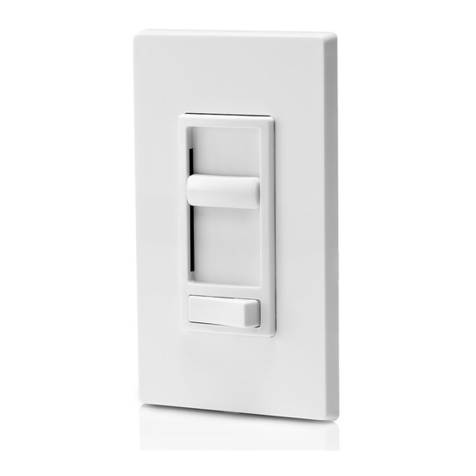
STATUS LIGHT
ROCKER DOWN - Tap to
lower 15%.
BRIGHTNESS INDICATORS
LEDs indicate brightness level.
ROCKER UP - Tap to
raise 15%.
PADDLE TOP - Toggle
PADDLE BOTTOM - Toggle
Network Functionality
• Control functionality, LED behavior, and user interaction can be adjusted
based on the features of your system. Please refer to your system
documentation for details.
• Status Check
o Push top or bottom of paddle for 5 seconds until the status light
ÀDVKHV$0%(5RQFH
o Release paddle.
o Status light will blink to indicate device state.
2QH5('EOLQNGHYLFHXQFRQ¿JXUHG
Three GREEN blinks: connected to network, network formed.
• Enrollment
o Out of the box, the device is not part of a network. To add the
device to a compatible network, push top or bottom paddle for
DSSUR[LPDWHO\VHFRQGVXQWLOWKHVWDWXVOLJKWÀDVKHV$0%(5D
second time, to initiate Network Join mode.
o Status light will blink GREEN slowly while looking for an open
network.
• Factory Default – resets device to out of the box state.
o Push top or bottom of paddle for approximately 20 seconds until the
status light ÀDVKHV$0%(5WKHWKLUGWLPH
o Release paddle.
o Status light will alternate between GREEN/AMBER while device is
resetting, and turn off when complete.
o When complete, device will reboot then revert to Manual Join mode.
NOTE: Holding the top or bottom of the paddle for 25 seconds or greater
will abandon this interaction and return to normal operation. You will
NQRZ\RXKDYHKLWWKHVHFRQGPDUNEHFDXVHWKHVWDWXVOLJKWZLOOÀDVK
AMBER the fourth time.
WEB VERSION