CHOOSING A PROGRAM
12 Rumblex Plus User Manual Lifepro Vibration Therapy Collection 13
CHOOSING A TRAINING MODE
*Each training mode is listed in the order that they are toggled through when you press the
Mode button (e.g., press the Mode button once to select the Oscillation training mode, press
twice to select Pulsation, press three times to select Lateral, etc..
SETTING A WORKOUT TIME AND SPEED
The default time for manual workouts is 10 minutes. You can set a custom
workout duration of 1 to 10 minutes (in 1-minute increments), while in standby
mode. Once you start the manual workout, you cannot adjust the workout time.
You may adjust the speed of your manual workout after your workout has
started. The speed for your manual workout will begin automatically at level 1.
Once your workout has begun, you can change your speed, at any time, from
1–60.
WORKOUT INTENSITY AND SPEED
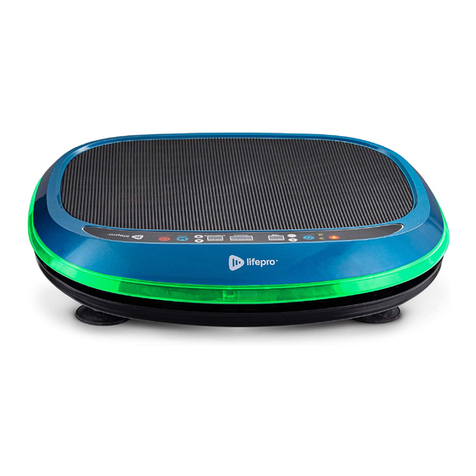
During your workout, you can quickly
see your current workout intensity by
checking the LED lights on the sides of the
Rumblex Plus or the Workout Intensity
Graph on the LCD touch display. Workout
intensities correspond to the following
speeds and colors.
You can use the Rumblex Plus in program or manual mode. To get the best
results, alternate between the preset programs and custom workouts created in
manual mode to keep your body guessing. Your body tends to adapt to a workout
routine over time, so you want to change up your workouts to keep improving
your fitness.
PROGRAM MODE
In program mode, you can select from three preset programs: P1, P2, P3.
Each preset program is 10 minutes long and uses a different training mode
to challenge your body. All three preset programs vary speed and intensity
throughout to help keep you on your toes.
CHOOSING A PROGRAM IN PROGRAM MODE
1. Press the Power button to turn the system ON.
2. Press the Mode button to toggle between the 3 programs: P1, P2, P3.
3. Press the Start/Stop button to activate the selected program.
NOTE: You cannot adjust the workout time or speed for preset programs.
MANUAL MODE
In manual mode, you can create your own custom workout by choosing from
seven training modes and then setting a workout time and speed.
CREATING A CUSTOM WORKOUT IN MANUAL MODE
1. Press the Power button to turn the system ON.
2. Choose a training mode by pressing the Mode button to toggle between the
7 training modes.
3. Set a time duration for your workout:
a. Use the - / + buttons on the LCD touch display, OR
b. Use the Time +/- buttons on the hands-free remote control.
3. Press the Start/Stop button to begin the manual workout.
4. The speed will automatically begin at 1. Use the Speed ^/buttons on the
hands-free remote control to adjust the speed.
TRAINING MODES* MOTOR MOVEMENT ACTIVE MOTOR
Oscillation Up-Down Oscillating Motor
Pulsation Pulsating Pulsating Motor
Lateral Side-to-Side Lateral Motor
Oscillating Pulsation Up-Down + Pulsating Oscillating Motor + Pulsating
Motor
3D/Spiral Up-Down + Side-to-Side Oscillating Motor + Lateral
Motor
Lateral Pulsation Pulsating + Side-to-Side Pulsating Motor + Lateral
Motor
4D Up-Down + Pulsating +
Side-to-Side
Oscillating Motor + Pulsating
Motor + Lateral Motor
INTENSITY SPEED COLOR
Low 1–20 Green
Medium 21–40 Orange
High 41–60 Red