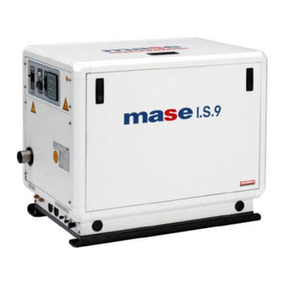
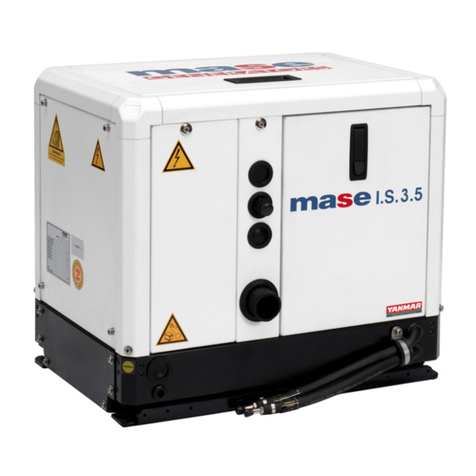
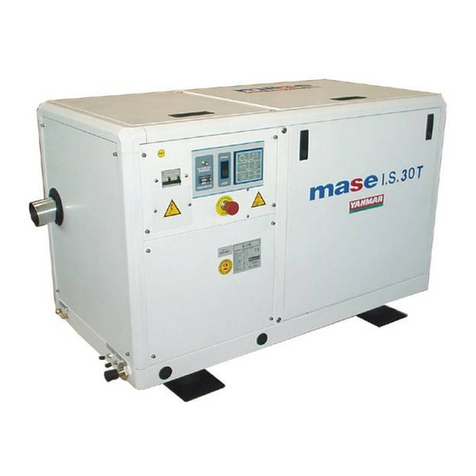
MASEGENERATORS
This manual contains necessary information for proper
maintenence and use of the generator. It is essential for
your safety and the reliability of the generator, to carry out
proper installation and careful pre-delivery tests.
An error in installation or an oversight in testing may
compromise the efficiency of the generator and even
jeopardize your safety.
All information and illustrations in this handbook refer to
the latest produced model at the time of printing.
For any further information, please get in touch with your
nearest Mase dealer.
Mase reserves the right to introduce changes without
prior notice. No part or illustration contained in this
handbook can be reproduced without previous approval
by Mase
1. SAFETY REGULATIONS
- Carefully read all the instructions in this manual and in
the installation manual; they are very important for correct
installation and use of the unit.
- Do not allow unskilled or untrained people to use the
unit.
- Do not allow children or animals to get close to the
generator while it is operating.
- Do not handle the generator or the remote control panel
with wet hands; any misuse may cause electric shocks.
- Any testing of the unit is to be carried out only when the
engine is stopped. Possible checks on the generator
when it’s running must be performed only by skilled
personnel.
2. PRELIMINARY CHECKS
When starting the generator for the first time and after any
servicing, it is advisable to make sure that:
- The oil is at the right level through the dipstick ref. 1 Fig.
1 , as per table for suggested oils.
- The generator is well secured to the soundproofing box
with the proper bolts.
- The electric loads are disconnected so as to avoid
starting the generator under load.
- Every connection (fuel, exhaust, remote control, A.C.,
battery) has been properly carried out and there are no
bad connections.
- The sea cock is open, as per (ref. 2 fig. 2)
- If a non-return valve is used, the cooling circuit from the
valve up to the pump must be manually filled (ref. 1 fig. 2)
3. GENERATOR USE
Before starting the generator, make sure all preliminary
checks, as per section 1 , have been properly performed.
Starting
To start the engine, push the button << ON >> (fig. 3 ref.
4), all the pilot and warning lamps will glow for 5 sec. as
a self -check function. Afterwards the << panel on >> will
stay lighted (fig. 3 ref. 5). Start the engine by pushing the
<<Start >> button (fig. 3 ref.3), for 5 sec. max. Release
it only when the engine runs. During proper genset
operation, the led will (fig .3 ref. 6) glow. Once started, the
safety shut-downs on the generator are automaticily
activated (see item. 4).
Generator Stop
The generator can be stopped by pushing the <<OFF>>
button on the control panel (fig. 3 ref 2).
4. SAFETY DEVICES
The generator is equipped with a set of safety shut-downs
in case of any misuse or running problems:
- Low oil-pressure device:
shuts down the generator in case of insufficient oil
pressure. Its intervention is shown by the warning light
going on (fig. 3 Ref. 7). It is usually enough to top off the
oil before starting the generator again.
The low oil-pressure device does not necessarily show
the oil level; a check of the oil level is consequently
necessary at regular intervals.
-High temperature shut-down:
shuts down the generator in case of high engine
temperature. Its intervention is shown by the warning light
going on (fig.3 ref.8).Should this device illuminate, refer
to the troubleshooting charts in Section 11 & 12 of this
manual, eliminate the cause(s) of the shut-down, then
restart the generator.
-Alternator overload/over temperature shut-down:
shuts down the generator in case of thermo or electric
overload of the alternator.
Should this warning light illuminate, (fig. 3 ref. 9), wait
until the temperature of the alternator windings returns to
normal. However, it is recommended to refer to the
troubleshooting charts in Section 11 & 12 of this manual
and eliminate the cause(s) of the shut-down, then restart
the generator.
If one of the above safety devices intervenes refer to the
troubleshooting charts in Section 11 & 12 of this manual,
look for and eliminate the cause(s), then push the <<
STOP >> button to reset the panel.
WARNING
WARNING
6