Q392 L3 Service Manual
There is charging indication, but no charging current.
Solution:
Check if there is any obvious damage on the surface of the charging IC U902, if yes, The charging IC is
damaged; replace U902;
Replace L407 and R328.
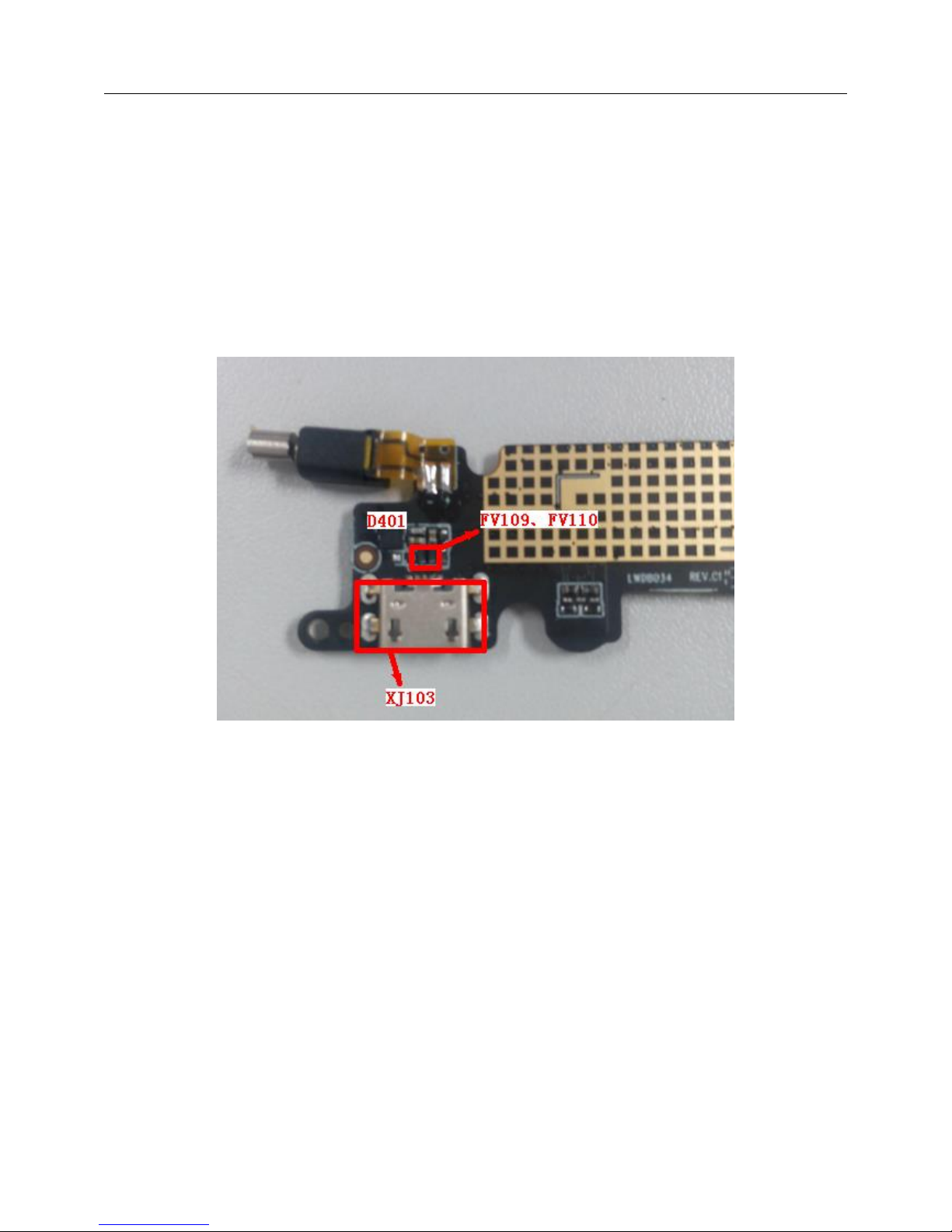
9) USB “Failure of Connecting the Phone to the PC via the USB Data Cable”
Solution:
Check if the connector XJ103 is damaged or has pseudo soldering, if yes, Carry out repair soldering or
replacement of the material;
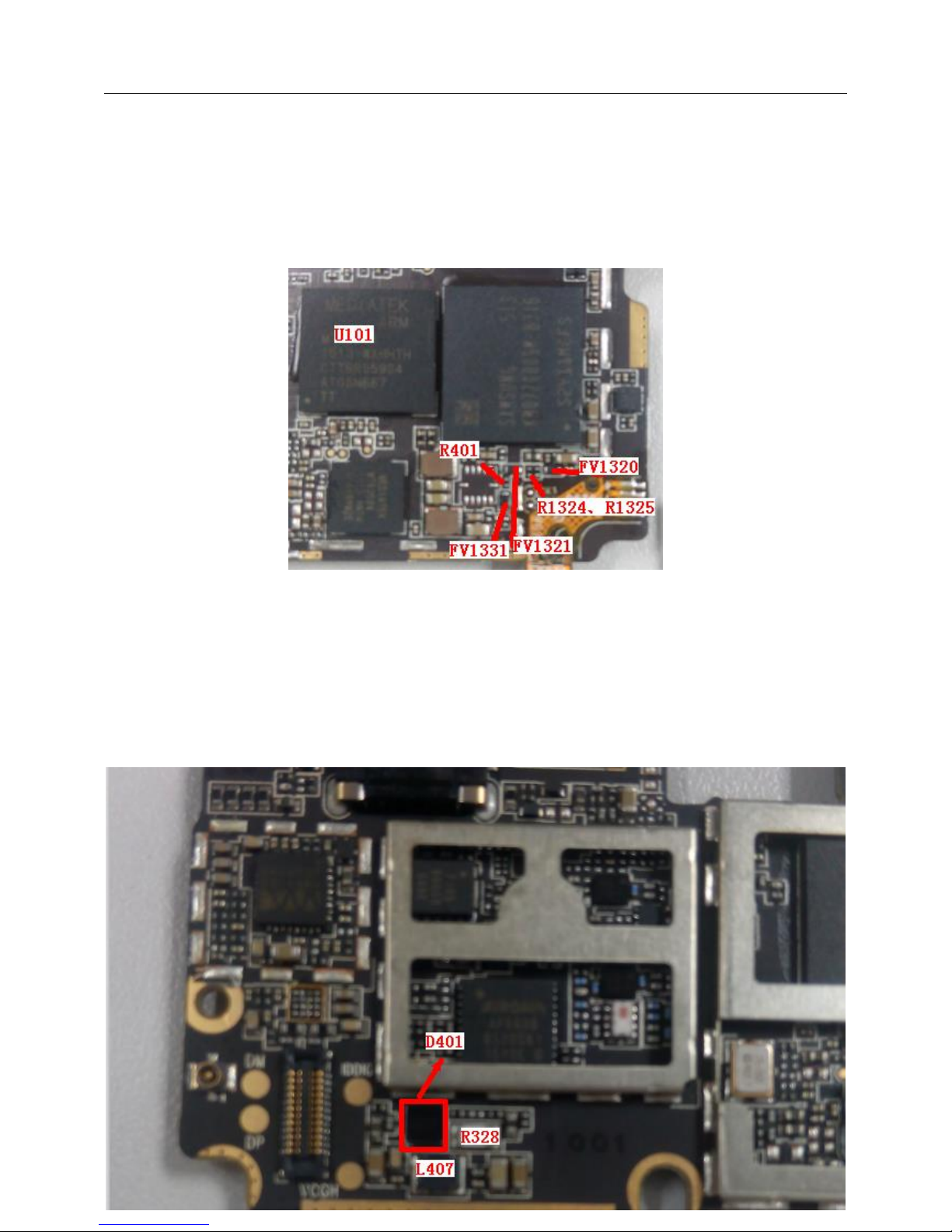
Check if D401, FV109,FV110 are abnormally soldered or damaged, if yes, Carry out repair soldering or
replacement of the TVS tubes;
Replace U101.
10) Main Camera “Photographing and Shooting Failures”
Solution:
Check if the camera is properly installed, if yes, Reinstall it;
Exchange the camera to see if the problem is solved, if yes, The problem is caused by the camera itself;
replace it;
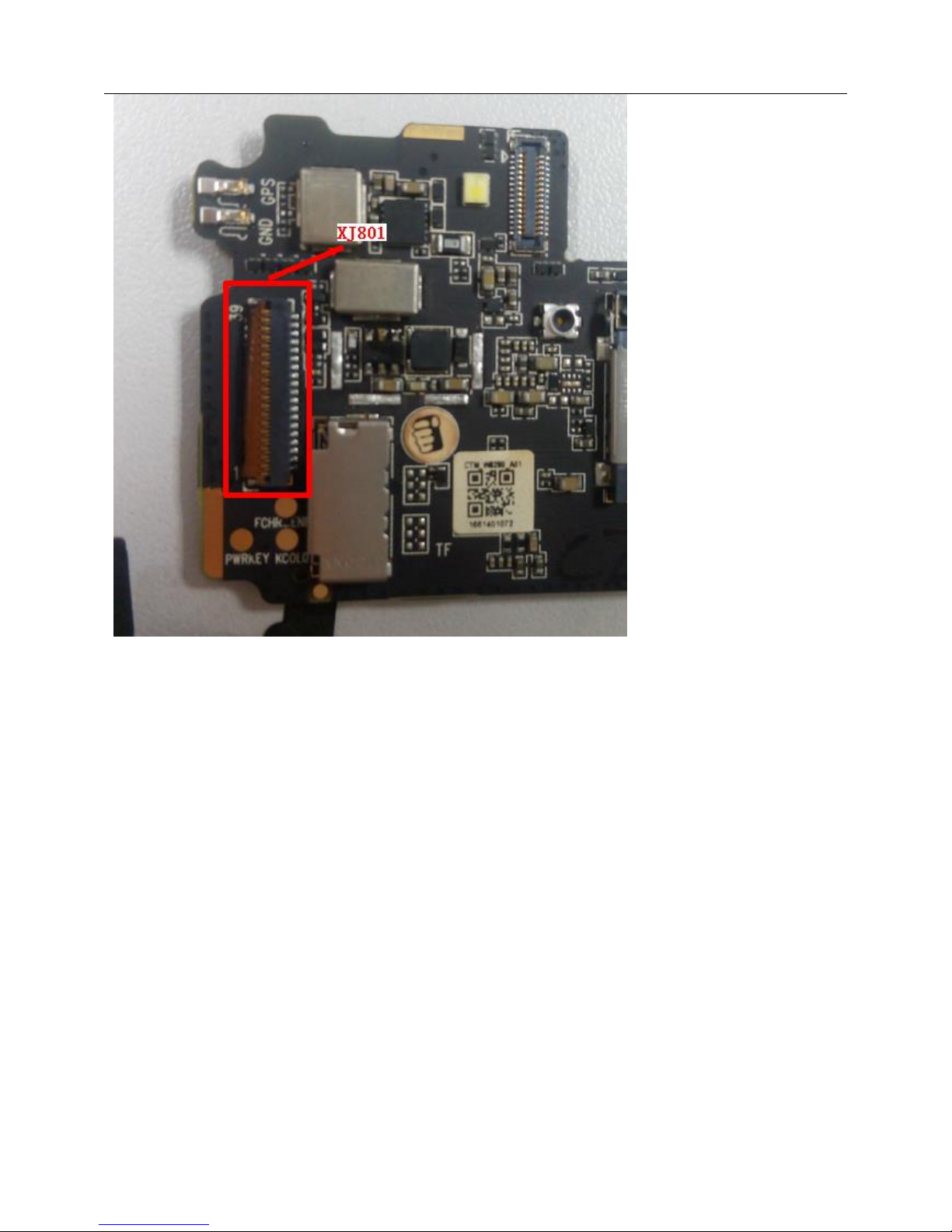
Check if the camera connector has pseudo soldering or damage, if yes, Carry out repair soldering or
replacement of XJ701
Check if the IIC pull-up resistors R302 and R303 have pseudo soldering, if yes, Carry out repair soldering or
replacement of R302 and R303.
11) Front Camera “Photographing and Shooting Failures”
Solution:
Check if the camera is properly installed, if yes, Reinstall it;
Exchange the camera to see if the problem is solved, if yes, The problem is caused by the camera itself;
replace it;
Check if the camera connector has pseudo soldering or damage, if yes, Carry out repair soldering or
replacement of XJ702;
Check if the IIC pull-up resistors R302 and R303 have pseudo soldering, if yes, Carry out repair soldering or
replacement of R302 and R303.