Brushless Motor
QUICK START GUIDE
BMU Series
HM-5191-3
CN1 : 3 pin
CN4 : 9 pin
□Connector
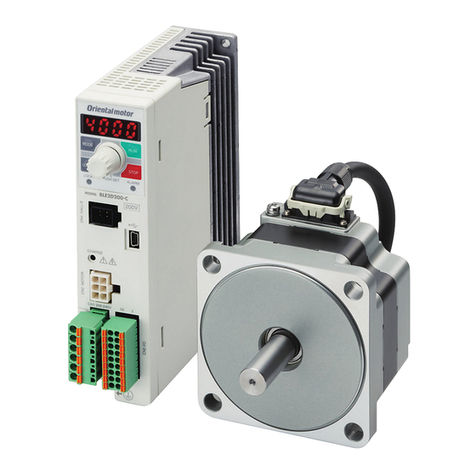
□Motor
□Driver
□Mounting screw set
Package contents
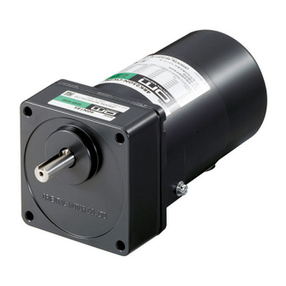
Motor (sold separately)
The gure shows an
example of the
combination type.
∗Be sure to match the motor output power with the driver output power.
Supplied with the
combination type.
□OPERATING MANUAL
□OPERATING MANUAL
To connect the motor and driver, the dedicated
connection cable is always needed.
Connection cable (sold separately)
□QUICK START GUIDE
(this document)
CN1 : 3 pin
CN4 : 12 pin
• 30 W to 120 W • 200 W to 400 W
This document describes for when the motor is of the connector type.
The descriptions other than "connection for motor and cable" are
common to the BMU Series.
2 Operating a motor
Thefigureshowsthe
30Wto120Wdriver.
Thank you for purchasing an Oriental Motor product.
Use the product correctly after thoroughly reading the section "Safety precautions" of the operating manual.
This document describes methods till rotating the motor after connecting it to the driver.
For details about how to use the product, refer to the supplied with
the driver.
OPERATING MANUAL
The package includes the items shown below.
FWD
REV
1
2
3
FWD
REV
The gure is an example
for when the product is
of a single-phase 100 VAC.
Rotation speed
0 r/min (standstill)
[ Example: 50 →1000 r/min ]
The motor rotates.
50 r/min (factory setting)
Setting dial
Operation switch
Set the operation switch to
Rotation
direction switch
Switch the motor rotation direction
using the rotation direction switch.
[ STAND-BY ]
[ RUN ]
The motor stops.
To stop the motor
Start of motor
Change of motor speed
AC power ON
Power ON The display blinks
If the power supply is turned on while the operation switch
is set to the [RUN] side, the alarm is generated.
【How to reset 】Set the operation switch to [STAND-BY].
The alarm is reset, and the motor rotation
speed is displayed.
[ STAND-BY ]
Adjustment
Decelerate Accelerate
When the setting dial is
pressed, the display
changes to lighting
from blinking, and the
speed will be set.
When you start the
motor next time, it will
rotate at the set speed.
Press
When the setting dial is turned, the display blinks.
You can change the speed while blinking.
Set
© Copyright ORIENTAL MOTOR CO., LTD. 2015
ORIENTALMOTOR CO.,LTD.
Published in December 2019