●
●
●
●
●
●
●
●
●
●
●
●
●
●
This product has been developed / produced for industrial use only.
Do not use this product beyond its rated specifications. Doing so can cause product
breakdown, non-function, or damage. Further, it will also cause a marked reduction in
product life.
Never disassemble, repair, modify, or misuse this product, as it can cause accident or
malfunction.
Do not throw this product in fire. There is a danger of it exploding, or generating poisonous
gas.
Since this product emits ozone into the atmosphere, circulate the air if it is foul-smelling. If
ozone stays for long period, metals etc. may oxidize/decay. Further, do not try to confirm
the foul-smelling ozone by drawing your face near the nozzle outlet. There is a danger of
hurting your nose, throat, etc.
If this product is used immediately after storage in a high-humidity environment, its ion
balance may remain lost. Therefore, before use, leave this product in the atmosphere with
a temperature of +25°C or so and a relative humidity of 30% RH for over 8 hours.
Do not use this product in steamy or dusty places and in places where water splashes or
spatter flies when welding.
Avoid use at an elevation higher than 2000m, and outdoor use.
Make sure that the power supply is off while wiring and inspection. Otherwise, there is a
danger of accident, electric shock or malfunction.
Verify that the supply voltage variation is within the rating.
If power is supplied from a commercial switching regulator, ensure that the frame ground
(F.G.) terminal of the power supply is connected to an actual ground.
In case a surge is generated in the used power supply, connect a surge absorber to the
supply and absorb the surge.
Do not run the wires together with high-voltage lines or power lines or put them in the same
raceway. This can cause malfunction due to induction.
Confirm the wiring and piping state before supplying power or air. Wrong wiring and piping
may cause malfunction.
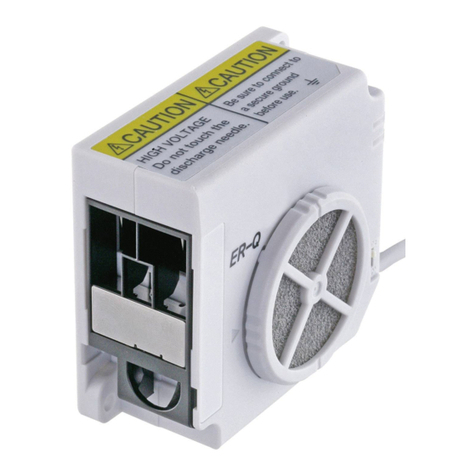
ER-VS02
INSTRUCTION MANUAL
CMJE-ERVS02 No.0062-40V
ER-VANT2
ER-VAPS1
Thank you very much for using Panasonic products. Please read this Instruction
Manual carefully and thoroughly for the correct and optimum use of this product.
Kindly keep this manual in a convenient place for quick reference.
Please arrange
separately
7)Do not use or store the device in an environment where the air pressure is higher than the
atmospheric pressure at an altitude of 0 meters.
●
●
●
●
●
●
●
●
Make sure to use the DC power supply insulated by an isolation transformer etc.
for this product. If an auto-transformer etc. (single winding transformer) is used, this product
or the power supply may get damaged due to short-circuit.
Be sure to ground the product using the ground terminal. Improper grounding can result
in a significant reduction of static electricity removing performance or generation of an
error. (Class-D grounding or grounding via power supply common terminal)
When the air is not supplied to the product, stop discharging either input discharge halt
(DSC OFF) or turn the power off. If discharge is continued without supplying the air, the
amount of ozone generation increases and it may cause the accident and breakdown.
If turn ON/OFF the air supply by a solenoid valve etc.,the discharge must be turned
ON/OFF simultaneously.
Do not turn on the power supply with the discharge needle unit removed.
Do not use during the initial transient time (0.5 sec) after the power supply is switched on.
If the power supply is switched on immediately after being switched off, fault output may be
generated. After the power supply is switched off, keep an interval of 1 sec, or more, before
switching on again. or more, before switching it on again.
When using as a CSA and UL compliant product, use a CLASS 2 CSA/UL certified power
supply, or a CSA/UL certified power supply that has been evaluated as a Limited Power
Source as specified in CAN/CSA-C22.2NO.60950-1/UL60950-1.
●
●
●
●
●
●
●
●
Never use this product with a device for personnel protection.
In case of using devices for personnel protection, use products which meet laws or
standards, such as OSHA, ANSI or IEC etc., for personnel protection applicable in each
region or country.
Do not use this product near or around surroundings containing any dangerous materials,
such as combustible material and flammable material.
Dust gathers on and around the discharge needle, and inside the nozzle depending on the
environment.
Be sure to clean up the discharge needle, periodically once a week or so, or this product
will be unable to exert the charge removal performance, which may also cause ignition or
product malfunction. However, when using this product in the environment exposed to too
much dust, be sure to clean up the discharge needle frequently.
Be sure to ground the main body of this product via ground terminal to ensure electric shock
prevention and reliable charge removal.
Since the discharge needle is live with high voltage, never touch the discharge needle, or an
electric shock may result.
If this product is used in an airtight room, ozone emitted from this product may be detrime
ntal. There fore, in order for this product to be used in an airtight room, be sure to sleep the
room ventilated.
Since the ion air contains ozone, do not aim this product at anyone.
Make sure that the power supply is off while checking the high-voltage part. Otherwise, you
may get an electric shock.
●
●
●
●
●
●
Use air (dried clean air) for the fluid. Fluid other than air (dried clean air) or that containing
corrosive gas may cause accident or malfunction.
Do not use air containing foreign particles, such as, carbon dust or dust, water or oil. Since
those may cause ignition, electric shock, or malfunction, take appropriate measures, such
as, installing an air-filter or an air drier, etc.
When maintenance, checkup or cleaning are carried out, make sure to cut the air supply
completely and confirm that the inside the product and the tubes become atmospheric
pressure in advance. The remained air pressure may cause accident or malfunction.
Extension up to total 10m is possible with 0.15mm2, or more, cable. However, in order to
reduce noise, make the wiring as short as possible.
Do not use this product for a purpose other than charge removal.
When this product is no longer usable or required, carry out the appropriate disposal
process meant for industrial waste.
●
●
When this product is mounted on a housing, use
M4 screws. (please arrange separately.) The
tightening torque should be 2N・m or less.
If more than 2 units are mounted closely, keep
5mm, or more,distance between them.
Other-wise, the capability may be affected.
●
●
Be sure to ground the product using the ground
terminal. Improper grounding can result in a
significant reduction of static electricity removing
performance or generation of an error.
(Class-D grounding or grounding via power supply
common terminal)
If AC adopter is used, de sure to connect the
ground terminal to the power supply common
earth.
Spot type
ER-VS02
1 sec. or less (Note 1)
±10V or less (Note 1)
0.03ppm or less (Note 2)
Air (direct clean air) (Note 3)
500
ℓ
/min (ANR) or less (Note 4)
0.05MPa to 0.7MPa (Note 4)
24V DC ±10%
70mA or less
High frequency AC method
2,000V approx.
NPN open-collector transistor
・Maximum sink current : 50mA
・
Applied voltage : 30V DC or less (between check output and 0V)
・
Residual voltage : 1V or less (at 50mA sink current)
ON when a dirt or wear etc. of the discharge needle is detected for
1.5 sec. or more continuously, OFF when operation is normal (Note 5)
Incorporated
NPN open-collector transistor
・Maximum sink current : 50mA
・Applied voltage : 30V DC or less (between error output and 0V)
・Residual voltage : 1V or less (at 50mA sink current)
OFF when abnormal discharge is detected, ON when operation is normal
Incorporated
Discharge halt: short-circuit with 0V
Discharge allowed (operation start): Open
In the state that operation is stopped due to an error detection, open 0V
of the power supply from short-circuit state to cancel ERROR.
Green LED (lights up when the power is ON)
Green LED (lights up when discharging)
Orange LED (lights up when a dirt or wear etc. of the discharge needle
is detected for 1.5 sec. or more continuously)
Red LED (lights up when error is detected)
2
Ⅰ
0 to +55ºC / 35 to 65%RH (No dew condensation)
2,000m or less (Note 7)
Cable with a connector,0.5m long
Enclosure: PPS, Cover: Stainless steel, Discharge Needle: Tungsten, Needle holder: PC
120g approx.
Connector for wiring: 1 set
[Manufactured by Molex: Housing (5557-08R),Terminal
(5556T)]
Type
Model No.
Item
Charge removal time
Ion balance
Ozone generation
Applicable fluid
Supplied air flow
Air pressure
range
Supply voltage
Check output
(CHECK)
Error output
(ERROR)
Current consumption
Discharge method
Discharge output
voltage
Output operation
Short-circuit protection
Output operation
Discharge halt input
(DSC OFF)(Note 6)
Reset input
(RESET)
Short-circuit protection
Power
Discharge
Pollution level
Over voltage category
Ambient temp./humidity
Operating altitude
Cable
Material
Weight
Accessory
Check
Error