manuals.online logo
Brands
  1. Home
  2. •
  3. Brands
  4. •
  5. Pfeiffer Vacuum
  6. •
  7. Water Pump
  8. •
  9. Pfeiffer Vacuum HILOBE 1004 User manual

Pfeiffer Vacuum HILOBE 1004 User manual

Other manuals for HILOBE 1004

2

This manual suits for next models

5

Other Pfeiffer Vacuum Water Pump manuals
Pfeiffer Vacuum HiPace 800 P User manual

Pfeiffer Vacuum

Pfeiffer Vacuum HiPace 800 P User manual

Pfeiffer Vacuum HEPTA 200 P User manual

Pfeiffer Vacuum

Pfeiffer Vacuum HEPTA 200 P User manual

Pfeiffer Vacuum UNO 120 A User manual

Pfeiffer Vacuum

Pfeiffer Vacuum UNO 120 A User manual
Pfeiffer Vacuum HENA 201 R User manual

Pfeiffer Vacuum

Pfeiffer Vacuum HENA 201 R User manual

Pfeiffer Vacuum CompactTurbo TPD 011 N User manual
Pfeiffer Vacuum

Pfeiffer Vacuum CompactTurbo TPD 011 N User manual

Pfeiffer Vacuum MVP 040-2 User manual

Pfeiffer Vacuum

Pfeiffer Vacuum MVP 040-2 User manual
Pfeiffer Vacuum HICUBE PRO Series User manual
Pfeiffer Vacuum

Pfeiffer Vacuum HICUBE PRO Series User manual

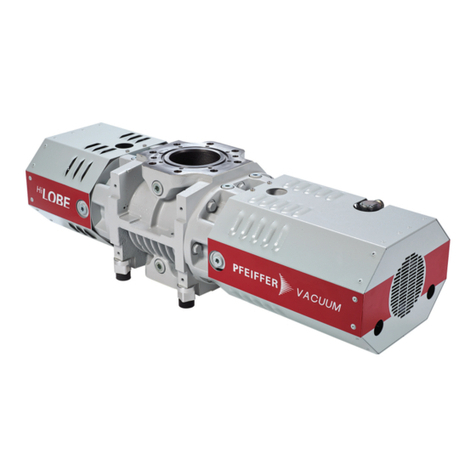
Pfeiffer Vacuum HILOBE 1004 User manual

Pfeiffer Vacuum

Pfeiffer Vacuum HILOBE 1004 User manual

Pfeiffer Vacuum OKTA 500 User manual

Pfeiffer Vacuum

Pfeiffer Vacuum OKTA 500 User manual

Pfeiffer Vacuum adixen DRYTEL 1025 Series User manual
Pfeiffer Vacuum

Pfeiffer Vacuum adixen DRYTEL 1025 Series User manual

Pfeiffer Vacuum MVP 015-2 User manual

Pfeiffer Vacuum

Pfeiffer Vacuum MVP 015-2 User manual
Pfeiffer Vacuum Adixen A100L Series User manual

Pfeiffer Vacuum

Pfeiffer Vacuum Adixen A100L Series User manual

Pfeiffer Vacuum OKTA 18000 User manual
Pfeiffer Vacuum

Pfeiffer Vacuum OKTA 18000 User manual

Pfeiffer Vacuum HENA 201 User manual

Pfeiffer Vacuum

Pfeiffer Vacuum HENA 201 User manual

Pfeiffer Vacuum HiPace 700 User manual
Pfeiffer Vacuum

Pfeiffer Vacuum HiPace 700 User manual

Pfeiffer Vacuum DUO 1.3 User manual

Pfeiffer Vacuum

Pfeiffer Vacuum DUO 1.3 User manual

Pfeiffer Vacuum DUO 6 User manual

Pfeiffer Vacuum

Pfeiffer Vacuum DUO 6 User manual
Pfeiffer Vacuum HILOBE 1002 User manual

Pfeiffer Vacuum

Pfeiffer Vacuum HILOBE 1002 User manual

Pfeiffer Vacuum HIPACE 300 H User manual
Pfeiffer Vacuum

Pfeiffer Vacuum HIPACE 300 H User manual

Pfeiffer Vacuum DUO 3 DC User manual

Pfeiffer Vacuum

Pfeiffer Vacuum DUO 3 DC User manual
Pfeiffer Vacuum OBC V4 User manual

Pfeiffer Vacuum

Pfeiffer Vacuum OBC V4 User manual

Pfeiffer Vacuum HIPACE 2300 IT User manual

Pfeiffer Vacuum

Pfeiffer Vacuum HIPACE 2300 IT User manual

Pfeiffer Vacuum OKTA 1000 ATEX User manual

Pfeiffer Vacuum

Pfeiffer Vacuum OKTA 1000 ATEX User manual

Pfeiffer Vacuum DUO 3 User manual

Pfeiffer Vacuum

Pfeiffer Vacuum DUO 3 User manual

Popular Water Pump manuals by other brands
Watershed Innovations HYDRAPUMP SMART FLEX Instructional manual

Watershed Innovations

Watershed Innovations HYDRAPUMP SMART FLEX Instructional manual

Graco Modu-Flo AL-5M instructions

Graco

Graco Modu-Flo AL-5M instructions
Messner MultiSystem MPF 3000 operating instructions

Messner

Messner MultiSystem MPF 3000 operating instructions

Xylem Bell & Gossett WEHT0311M Installation, operation and maintenance instructions

Xylem

Xylem Bell & Gossett WEHT0311M Installation, operation and maintenance instructions

WilTec 50739 Operation manual

WilTec

WilTec 50739 Operation manual

Franklin Electric Little Giant 555702 HRK-360S instruction sheet
Franklin Electric

Franklin Electric Little Giant 555702 HRK-360S instruction sheet

Ingersoll-Rand PD02P Series Operator's manual
Ingersoll-Rand

Ingersoll-Rand PD02P Series Operator's manual

VS ZJ Series Operating	 instruction

VS

VS ZJ Series Operating instruction
Flotec FPZS50RP owner's manual

Flotec

Flotec FPZS50RP owner's manual

SKF Lincoln FlowMaster II User and maintenance instructions

SKF

SKF Lincoln FlowMaster II User and maintenance instructions

Xylem Lowara LSB Series Installation, operation and maintenance instructions

Xylem

Xylem Lowara LSB Series Installation, operation and maintenance instructions

Water Duro Pumps DCJ500 Operating & installation instructions

Water

Water Duro Pumps DCJ500 Operating & installation instructions

Action P490 Operating instructions & parts manual

Action

Action P490 Operating instructions & parts manual

Flo King Permacore Reusable Carbon Bag Disassembly. & Cleaning Instructions
Flo King

Flo King Permacore Reusable Carbon Bag Disassembly. & Cleaning Instructions

ARO ARO PD15P-X Operator's manual

ARO

ARO ARO PD15P-X Operator's manual

Pumptec 112V Series Operating instructions and parts manual
Pumptec

Pumptec 112V Series Operating instructions and parts manual

Virax 262070 user manual

Virax

Virax 262070 user manual
Neptun NPHW 5500 operating instructions

Neptun

Neptun NPHW 5500 operating instructions

manuals.online logo
manuals.online logoBrands
  • About & Mission
  • Contact us
  • Privacy Policy
  • Terms and Conditions

Copyright 2025 Manuals.Online. All Rights Reserved.

OPERATING INSTRUCTIONS
EN
Original
HILOBE 1004 | 1304 | 2104
Roots pump
Dear Customer,
Thank you for choosing a Pfeiffer Vacuum product. Your new roots pump should support you
in your individual application with full performance and without malfunctions. The name
Pfeiffer Vacuum stands for high-quality vacuum technology, a comprehensive and complete
range of top-quality products and first-class service. From this extensive, practical experience
we have gained a large volume of information that can contribute to efficient deployment and
to your personal safety.
In the knowledge that our product must avoid consuming work output, we trust that our
product can offer you a solution that supports you in the effective and trouble-free
implementation of your individual application.
Please read these operating instructions before putting your product into operation for the
first time. If you have any questions or suggestions, please feel free to contact info@pfeiffer-
vacuum.de.
Further operating instructions from Pfeiffer Vacuum can be found in the Download Center on
our website.
Disclaimer of liability
These operating instructions describe all models and variants of your product. Note that your
product may not be equipped with all features described in this document. Pfeiffer Vacuum
constantly adapts its products to the latest state of the art without prior notice. Please take
into account that online operating instructions can deviate from the printed operating
instructions supplied with your product.
Furthermore, Pfeiffer Vacuum assumes no responsibility or liability for damage resulting from
the use of the product that contradicts its proper use or is explicitly defined as foreseeable
misuse.
Copyright
This document is the intellectual property of Pfeiffer Vacuum and all contents of this
document are protected by copyright. They may not be copied, altered, reproduced or
published without the prior written permission of Pfeiffer Vacuum.
We reserve the right to make changes to the technical data and information in this document.
2/62
Table of contents
1 About this manual 7
1.1 Validity 7
1.1.1 Applicable documents 7
1.1.2 Variants 7
1.2 Target group 7
1.3 Conventions 7
1.3.1 Instructions in the text 7
1.3.2 Pictographs 8
1.3.3 Stickers on the product 8
1.3.4 Abbreviations 10
2 Safety 11
2.1 General safety instructions 11
2.2 Safety instructions 11
2.3 Safety precautions 14
2.4 Limits of use 15
2.5 Proper use 15
2.6 Foreseeable misuse 16
2.7 Personnel qualification 16
2.7.1 Ensuring personnel qualification 16
2.7.2 Personnel qualification for maintenance and repair 17
2.7.3 Advanced training with Pfeiffer Vacuum 17
3 Product description 18
3.1 Function 18
3.1.1 Drive 19
3.1.2 Cooling 20
3.1.3 Mounting orientations 20
3.2 Identifying the product 20
3.3 Product features 20
3.4 Scope of delivery 20
4 Transportation and Storage 21
4.1 Transporting the vacuum pump 21
4.2 Storing the vacuum pump 22
5 Installation 23
5.1 Installing the vacuum pump 23
5.2 Mounting orientations 23
5.3 Filling with lubricant 24
5.4 Connecting the vacuum side 25
5.5 Connecting the fore-vacuum side 26
5.6 Connect the switch box 27
5.7 Connect the temperature sensors and fan 28
5.8 Establishing mains connection 28
6 Interfaces 30
6.1 "Remote" interface 30
6.1.1 Voltage output 30
6.1.2 Inputs 31
6.1.3 Outputs 31
6.1.4 RS-485 31
6.2 Interface RS-485 31
6.3 Pfeiffer Vacuum protocol for RS-485 interface 32
6.3.1 Telegram frame 32
6.3.2 Telegram description 33
6.3.3 Telegram example 1 33
Table of contents
3/62
6.3.4 Telegram example 2 33
6.3.5 Data types 34
7 Parameter set 35
7.1 General 35
7.2 Control commands 35
7.3 Status requests 36
7.4 Set value settings 37
7.5 Additional parameter for the DCU 37
8 Operation 38
8.1 Putting the vacuum pump into operation 38
8.2 Switching on the vacuum pump 38
8.3 Configuring the connections with the Pfeiffer Vacuum parameter set 38
8.4 Operating modes 39
8.4.1 Normal operation 39
8.4.2 Stand-by operation 40
8.4.3 Operation speed setting mode 40
8.5 Operation monitoring 40
8.5.1 Operating mode display via LED 40
8.5.2 Temperature monitoring 40
8.5.3 Checking the lubricant level 41
8.6 Switching off and venting 41
9 Maintenance 42
9.1 Maintenance information 42
9.2 Checklist for inspection and maintenance 42
9.3 Cleaning the air filter 43
9.4 Changing the lubricant 44
9.4.1 Draining the lubricant 44
9.4.2 Filling the lubricant 45
10 Decommissioning 47
10.1 Shutting down for longer periods 47
10.2 Recommissioning 47
10.3 Disposing of the vacuum pump 47
11 Malfunctions 48
11.1 General 48
11.2 Troubleshooting 48
11.3 Error codes 49
11.4 Warning and error messages when operating with DCU 49
12 Service solutions from Pfeiffer Vacuum 51
13 Ordering spare parts packs 53
14 Accessories 54
14.1 Accessory information 54
14.2 Ordering accessories 54
15 Technical data and dimensions 56
15.1 General 56
15.2 Substances in contact with the media 56
15.3 Technical data 56
15.4 Dimensions 58
Declaration of conformity 61
Table of contents
4/62
List of tables
Tbl. 1: Stickers on the product 9
Tbl. 2: Abbreviations used 10
Tbl. 3: Permissible ambient conditions 15
Tbl. 4: Features of the roots pumps 20
Tbl. 5: Plug arrangement of the D-Sub socket, 15-pin 30
Tbl. 6: Features of the RS-485 interface 32
Tbl. 7: Explanation and meaning of the parameters 35
Tbl. 8: Parameter set | Control commands 36
Tbl. 9: Parameter set | Status requests 36
Tbl. 10: Parameter set | Reference value inputs 37
Tbl. 11: Parameter for DCU functions 37
Tbl. 12: Configuration with parameters [P:019] and [P:024] 39
Tbl. 13: Configuration with parameters [P:060] and [P:061] 39
Tbl. 14: Meaning of the LEDs 40
Tbl. 15: Maintenance intervals 43
Tbl. 16: Troubleshooting 48
Tbl. 17: Error messages of the electronic drive unit 49
Tbl. 18: Warning messages of the electronic drive unit 49
Tbl. 19: Warning and error messages when using a DCU 50
Tbl. 20: HiLobe spare parts packs 53
Tbl. 21: Accessories 54
Tbl. 22: Consumables 55
Tbl. 23: Conversion table: Pressure units 56
Tbl. 24: Conversion table: Units for gas throughput 56
Tbl. 25: Materials that make contact with the process media 56
Tbl. 26: Technical data HiLobe | vertical direction of flow 57
Tbl. 27: Technical data HiLobe | horizontal direction of flow 58
List of tables
5/62
List of figures
Fig. 1: Position of stickers on product with vertical direction of flow 9
Fig. 2: Position of stickers on product with horizontal direction of flow 10
Fig. 3: Max. permissible pressure differential between input and output sides, in ac-
cordance with pump rotation speed
15
Fig. 4: Design, vertical direction of flow 18
Fig. 5: Design, horizontal direction of flow 19
Fig. 6: Design, switch box 19
Fig. 7: Transporting the vacuum pump 22
Fig. 8: Mounting orientation: Vertical direction of flow 23
Fig. 9: Mounting orientation: Horizontal direction of flow 24
Fig. 10: Filling with lubricant 25
Fig. 11: Connect the switch box 27
Fig. 12: Connect the extension cable 28
Fig. 13: Mains connection pin assignment 29
Fig. 14: Pin assignment of the D-Sub socket, 15-pin 30
Fig. 15: Cross-link via connection RS-485 using connection cables and accessories 32
Fig. 16: Replace the baffle strainer of the fan 43
Fig. 17: Drain the lubricant 45
Fig. 18: Filling with lubricant 46
Fig. 19: HiLobe 1004, HiLobe 1304, HiLobe 2104 | DN 100 59
Fig. 20: RC 4000 electronic drive unit 60
List of figures
6/62
1 About this manual
IMPORTANT
Read carefully before use.
Keep the manual for future consultation.
1.1 Validity
These operating instructions are for customers of Pfeiffer Vacuum. They describe the function of the
designated product and provide the most important information for safe usage of the product. The de-
scriptions comply with applicable directives. All information provided in these operating instructions refer
to the current development status of the product. The documentation remains valid as long as the cus-
tomer does not modify the product in any way.
1.1.1 Applicable documents
Document Number
Declaration of conformity A component of these instructions
You can find this document in the Pfeiffer Vacuum Download Center.
1.1.2 Variants
●HiLobe 1004
●HiLobe 1304
●HiLobe 2104
●HiLobe 1004 H
●HiLobe 1304 H
●HiLobe 2104 H
1.2 Target group
These operating instructions are aimed at all persons performing the following activities on the product:
●Transportation
●Setup (Installation)
●Usage and operation
●Decommissioning
●Maintenance and cleaning
●Storage or disposal
The work described in this document is only permitted to be performed by persons with the appropriate
technical qualifications (expert personnel) or who have received the relevant training from Pfeiffer Vac-
uum.
1.3 Conventions
1.3.1 Instructions in the text
Usage instructions in the document follow a general structure that is complete in itself. The required ac-
tion is indicated by an individual step or multi-part action steps.
Individual action step
A horizontal, solid triangle indicates the only step in an action.
►This is an individual action step.
About this manual
7/62
Sequence of multi-part action steps
The numerical list indicates an action with multiple necessary steps.
1. Step 1
2. Step 2
3. ...
1.3.2 Pictographs
Pictographs used in the document indicate useful information.
Note
Tip
1.3.3 Stickers on the product
This section describes all the stickers on the product along with their meaning.
D-35641 Asslar
Mod .: HiLobe 2104
P/N .: PP V22 400
S/N .: 12036349
Made in Germany 2019/11
320-500 V 50/60 Hz
Oil: P3 0.65 l
S(N2): max. 2100 m3/h
n: max. 12000 1/min
Mass: 115 kg
Rating plate (example)
The rating plate for the vacuum pump is located on the front of
the vacuum pump drive.
D-35641 Asslar
Mod.: RC 4000
P/N PP 100 075
S/N 12345637
Input 320-500 V 50/60 Hz 16 A
Output 400 V 12A
Mass 12 kg Made in Germany 2018/07
C US
TÜV Rheinland
Rating plate of the electronic drive unit
The rating plate is located on the switch box of the electronic
drive unit.
Supply connection
use only the original supply plug
3~/PE
Mains power supply
This sticker indicates that you must use the original power sup-
ply connector.
Operating instructions note
This sticker indicates that this operating instructions must be
read before performing any tasks.
Warning hot surface
This sticker warns of injuries caused by high temperatures in
case of touching without protection during operation.
About this manual
8/62
warranty seal
Closure seal
The product is sealed ex-factory. Damaging or removing a clo-
sure seal results in loss of the warranty.
Oil can
The "Oil can" sticker indicates the filler screws for lubricant.
Tbl. 1: Stickers on the product
7
123
6
5
4
Fig. 1: Position of stickers on product with vertical direction of flow
1 Closure seal 5 Warning notice: hot surface
2 Rating plate of the electronic drive unit 6 Note: Read the operating instructions
3 Note: Original power supply connector 7 Rating plate of the vacuum pump
4 Note: Filling ports for lubricant
About this manual
9/62
12354
876
Fig. 2: Position of stickers on product with horizontal direction of flow
1 Closure seal 5 Rating plate of the vacuum pump
2 Rating plate of the electronic drive unit 6 Warning notice: hot surface
3 Note: Original power supply connector 7 Note: Read the operating instructions
4 Note: Filling ports for lubricant 8 Note: Filling ports for lubricant
1.3.4 Abbreviations
Abbreviation Explanation
DCU Display Control Unit
HPU Handheld Programming Unit
[P:xxx] Electronic drive unit control parameters. Printed in bold as a three-digit number in
square brackets. Frequently displayed in conjunction with a short description:
Example: [P:xxx] Software version
PE Earthed conductor (protective earth)
n.c. not connected
RS-485 Standard for a physical interface for asynchronous serial data transmission (Recom-
mended Standard)
remote 15-pin D-Sub connecting socket on the control panel of the switch box
Ssc Short-circuit capacity
FKM Fluoropolymer rubber
FC Frequency converter
BA Operating instructions
SI Service instructions
PV Pfeiffer Vacuum
Tbl. 2: Abbreviations used
About this manual
10/62