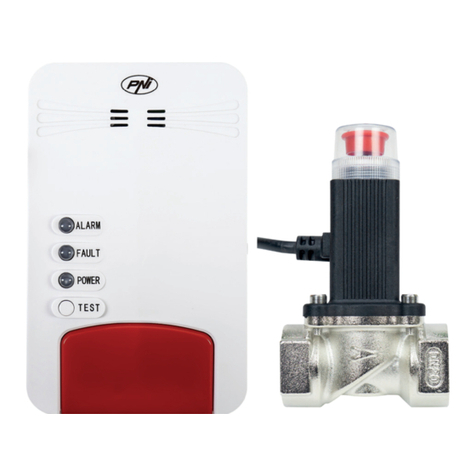
PNI SAFE HOUSE PG07 User manual

PNI SAFE HOUSE PG07
Wireless door and window sensor / Drahtloser Tür- / Fenstersensor / Sensor inalámbrico de
puerta e ventana / Capteur de porte et fenêtre sans ll / Vezeték nélküli ajtó-ablak / Sensore
wireless per porte e nestre / Bezprzewodowy czujnik drzwi-okna / Contact magnetic inteligent
EN User manual ............................................. 2
DE Benutzerhandbuch ................................... 4
ES Manual de usuario .................................... 6
FR Manuel utilisateur ..................................... 8
HU Használati utasítás ................................... 10
IT Manuale utente ........................................ 12
PL Instrukcja obsługi ..................................... 14
RO Manual de utilizare ................................... 16

EN
2User manual
SPECIFICATIONS
• Power supply: 3V, 2 x AAA batteries
• Current: ≤ 160mA (in alarm state)
• WiFi standard: 802.11b / g / n
• Alarm distance between sensor and magnet: ≥15 mm
• Working temperature: -10 ~ +60°
BASIC INSTRUCTIONS
Connecting to the WiFi network
1. Impingeti in sus suportul de pe spatele senzorului si instalati bateriile in locasul dedicat:
2. Search the Google Play or App Store for Tuya Smart or scan the code below. Open the
application after installation and register.
Android iOS
3. In the main interface of the application, press “Add device” or “+” in the upper right corner
4. From the list of devices, select “Security & Sensors” → “Contact sensor (Wi-Fi)”
5. Using a sharp object, reset the sensor by pressing and holding the Reset button for 5 seconds.
6. The LED on the sensor ashes to indicate that it has entered the connection mode
7. Select the WiFi network and enter the password
8. Wait for the sensor to connect.

EN
3
User manual
After successfully adding the sensor to the application, test it by opening and closing the door or
window. You will immediately receive an alarm notication in the application.
Compatible with PNI Safe House PG600 alarm system
PNI SmartHome PG940 surveillance camera can be integrated with the PNI Safe House PG600
wireless alarm system in an intelligent automation through the dedicated TuyaSmart application.
For details on the PNI Safe House PG600 wireless alarm system, please read the alarm system
manual.
Remote control
PIR sensor
Door / Window sensor
Main unit / Siren
230V power adapter for the main unit
Wireless alarm system PNI Safe House PG600

DE
4Benutzerhandbuch
SPEZIFIKATIONEN
• Stromversorgung: 3 V, 2 x AAA-Batterien
• Alarmverbrauch: ≤ 160mA
• Funkstandard: 802.11b / g / n
• Alarmabstand zwischen Sensor und Magnet: ≥15 mm
• Arbeitstemperatur: -10 ~ +60°
IGRUNDLEGENDE ANWEISUNGEN
Verbindung zum WiFi-Netzwerk
1. Schieben Sie die Halterung auf der Rückseite des Sensors nach oben und legen Sie die
Batterien in das dafür vorgesehene Gehäuse ein:
2. Suchen Sie im Google Play AppStore nach TuyaSmart oder scannen Sie den folgenden
Code. Önen Sie die Anwendung nach der Installation und registrieren Sie sich.
Android iOS
3. Drücken Sie in der Hauptoberäche der Anwendung auf “Add device” oder “+” in der oberen
rechten Ecke
4. Wählen Sie aus der Geräteliste “Security&Sensors” → “Contact sensor (Wi-Fi)”
5. Setzen Sie den Sensor mit einem scharfen Gegenstand zurück, indem Sie die Reset-Taste 5
Sekunden lang gedrückt halten.
6. Die LED am Sensor blinkt, um anzuzeigen, dass der Verbindungsmodus aktiviert wurde
7. Wählen Sie das WiFi-Netzwerk und geben Sie das Passwort ein
8. Warten Sie, bis der Sensor verbunden ist.

DE
5
Benutzerhandbuch
Nachdem Sie den Sensor erfolgreich zur Anwendung hinzugefügt haben, testen Sie ihn, indem Sie
die Tür oder das Fenster önen und schließen. Sie erhalten umgehend eine Alarmbenachrichtigung
in der Anwendung.
Kompatibel mit PNI Safe House PG600 Alarmsystem
Die Überwachungskamera PNI SmartHome PG940 kann mithilfe der speziellen TuyaSmart-
Anwendung in das drahtlose Alarmsystem PNI Safe House PG600 für intelligente Automatisierung
integriert werden.
Einzelheiten zum drahtlosen Alarmsystem PNI Safe House PG600 nden Sie im Handbuch des
Alarmsystems.
Fernbedienung
Bewegungssensor
Magnetischer Kontakt
Haupteinheit / Sirene
Adapter Versorgung Haupteinheit
Drahtloses Alarmsystem PNI Safe House PG600

ES
6Manual de usuario
ESPECIFICACIONES
• Fuente de alimentación: 3V, 2 x pilas AAA
• Consumo en alarma: ≤ 160mA
• Estándar WiFi: 802.11b / g / n
• Distancia de alarma entre sensor e imán: ≥15 mm
• Temperatura de trabajo: -10 ~ +60°
INSTRUCCIONES BASICAS
Conectarea la reteaua WiFi
1. Empuje hacia arriba el soporte en la parte posterior del sensor e instale las baterías en la
carcasa dedicada:
2. En Google Play o AppStore busque TuyaSmart o escanee el código a continuación. Abra la
aplicación después de la instalación y regístrese..
Android iOS
3. En la interfaz principal de la aplicación, presione “Add device” o “+” en la esquina superior
derecha
4. De la lista de dispositivos, seleccione “Security&Sensors” → “Contact sensor (Wi-Fi)”
5. Con un objeto alado, reinicie el sensor presionando y manteniendo presionado el botón
Restablecer durante 5 segundos.
6. El LED del sensor parpadea para indicar que ha entrado en el modo de conexión.
7. Seleccione la red WiFi e ingrese la contraseña
8. Espera a que el sensor se conecte.

ES
7
Manual de usuario
Después de agregar con éxito el sensor a la aplicación, pruébelo abriendo y cerrando la puerta o
ventana. Recibirá inmediatamente una noticación de alarma en la aplicación.
Compatible con el sistema de alarma PNI Safe House PG600
La cámara de vigilancia PNI SmartHome PG940 se puede integrar con el sistema de alarma
inalámbrico PNI Safe House PG600 en automatización inteligente a través de la aplicación
dedicada TuyaSmart.
Para obtener detalles sobre el sistema de alarma inalámbrico PNI Safe House PG600, lea el
manual del sistema de alarma.
Control remoto
Sensor PIR
Sensor de puerta / ventana
Unidad principal / sirena
Adaptador de corriente de 230V para
la unidad principal
Sistema de alarma inalámbrico PNI Safe House PG600

FR
8Manuel utilisateur
CARACTÉRISTIQUES
• Alimentation: 3V, 2 piles AAA
• Consommation d’alarme: ≤ 160mA
• Norme WiFi: 802.11b / g / n
• Distance d’alarme entre le capteur et l’aimant: ≥15 mm
• Température de travail: -10 ~ +60°
INSTRUCTIONS DE BASE
Connexion au réseau WiFi
1. Relevez le support à l’arrière du capteur et installez les piles dans le boîtier dédié:
2. Dans Google Play ou AppStore, recherchez TuyaSmart ou scannez le code ci-dessous.
Ouvrez l’application après l’installation et enregistrez-vous.
Android iOS
3. Dans l’interface principale de l’application, appuyez sur “Add device” ou “+” dans le coin
supérieur droit.
4. Dans la liste des périphériques, sélectionnez “Security&Sensors” → “Contact sensor (Wi-Fi)”.
5. À l’aide d’un objet pointu, réinitialisez le capteur en appuyant sur le bouton de réinitialisation
pendant 5 secondes.
6. La LED du capteur clignote pour indiquer que le mode de connexion est entré
7. Sélectionnez le réseau WiFi et entrez le mot de passe
8. Attendez que le capteur se connecte.

FR
9
Manuel utilisateur
Une fois le capteur ajouté à l’application, testez-le en ouvrant et en fermant la porte ou la fenêtre.
Vous recevrez immédiatement une notication d’alarme dans l’application.
Compatible avec le système d’alarme PNI Safe House PG600
La caméra de surveillance PNI SmartHome PG940 peut être intégrée au système d’alarme sans l
PNI Safe House PG600 dans une automatisation intelligente via l’application dédiée TuyaSmart.
Pour plus de détails sur le système d’alarme sans l PNI Safe House PG600, veuillez consulter le
manuel du système d’alarme.
Télécommande
Capteur PIR
Capteur de porte / fenêtre
Unité principale / sirène
Adaptateur 230V pour l'unité principale
Système d’alarme sans l PNI Safe House PG600

HU
10 Használati utasítás
LEÍRÁSOK
• Tápegység: 3 V, 2 x AAA elem
• Riasztásfogyasztás: ≤ 160mA
• WiFi szabvány: 802.11b / g / n
• Riasztási távolság az érzékelő és a mágnes között: ≥15 mm
• Üzemi hőmérséklet: -10 ~ +60°
ALAPVETŐ UTASÍTÁSOK
Csatlakozás a WiFi hálózathoz
1. Tolja fel az érzékelő hátulján található tartót és helyezze be az elemeket a különálló házba:
2. A Google Play vagy az AppStore alkalmazásban keressen TuyaSmart-ra, vagy olvassa be az
alábbi kódot. Telepítés után nyissa meg az alkalmazást, és regisztráljon.
Android iOS
3. Az alkalmazás fő felületén nyomja meg a jobb felső sarokban lévő “Add device” vagy a “+”
gombot
4. Az eszközök listájából válassza a “Security&Sensors” → “Contact sensor (Wi-Fi)” lehetőséget.
5. Éles tárgy segítségével állítsa vissza az érzékelőt úgy, hogy 5 másodpercig lenyomva tartja
a Reset gombot.
6. Az érzékelőn lévő LED villog, jelezve, hogy csatlakozási módba lépett
7. Válassza ki a WiFi hálózatot, és írja be a jelszót
8. Várja meg, amíg az érzékelő csatlakozik.
Other manuals for SAFE HOUSE PG07
2
Table of contents
Languages:
Other PNI Security Sensor manuals

PNI
PNI SafeHome PT330 User manual
PNI
PNI SafeHouse HS003LR User manual

PNI
PNI SafeHouse HS003 User manual

PNI
PNI SafeHouse HS140 User manual

PNI
PNI SafeHome PT03 User manual
PNI
PNI SafeHome PT252 User manual

PNI
PNI A005 User manual

PNI
PNI SafeHouse HS002LR User manual

PNI
PNI Safe House HS530 User manual
PNI
PNI PG06 User manual