2
Section 1: Getting Started
1.1 Safety and Notice
Please read all of these instructions carefully before you use the device. Save this manual for future reference.
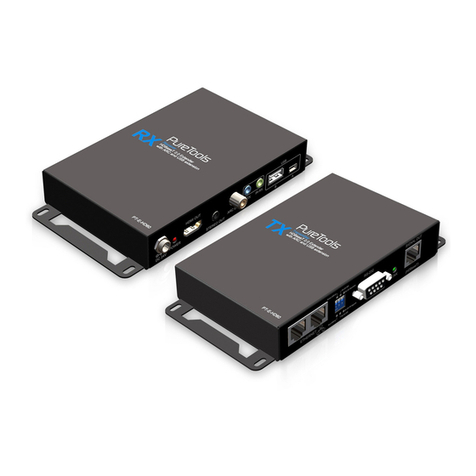
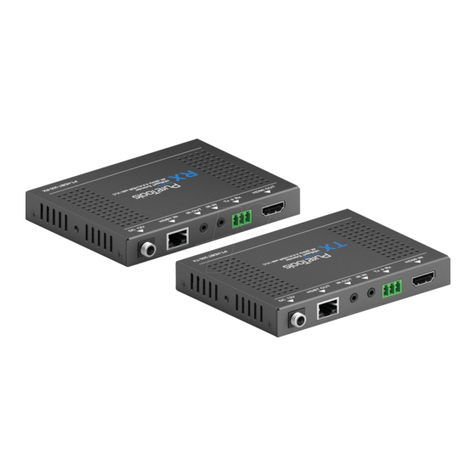
The PT-E-HD50 HDMI over Single Cat.X Extender with HDBaseT, RS232, Bi-directional IR, Ethernet & POC is
compliant to safety regulations and requirements and has been certied for international use. However, like all
electronic equipment, the PT-E-HD50 should be used with care. Please read and follow the safety instructions to
protect yourself from possible injury and to minimize the risk of damage to the unit.
• Follow all instructions and warnings marked on this unit.
• Do not attempt to service this unit yourself, except where explained in this manual.
• Provide proper ventilation and air circulation and do not use near water.
• Keep away from objects that might damage the device and assure that it is placed on a stable surface.
• Only use the power adapter / cords and connection cables designed for this unit.
• Do not use liquid or aerosol cleaners to clean this unit. Always unplug the power from the device before
cleaning.
1.2 Introduction
The PT-E-HD50 HDMI over Single Cat.X Extender with HDBaseT, RS232, Bi-directional IR, Ethernet & POC boosts
up your video/audio transmission distance to up to 80m / 100m (330ft) for resolutions up to 4K@30Hz or FullHD
/ 1080p with 48-bit color depth.
The PT-E-HD50 also supports 3D video formats, complaint with the HDMI specications and therefore guarantees
a great 3D video compatibility. With only one cost eective Cat.5 / 5e / 6 cable, users can easily extend the
transmission distance of HDTV sources from DVD / Bluray players, PlayStation / XBox, PC and any other kind of
source, compliant with TMDS using HDMI or DVI to distant TVs or LCD PC monitors.
With the advanced design for the latest HDMI technology, deep color video, DTS-HD and Dolby TrueHD audio,
HDCP support and compatibility are featured. This exibility makes HDCP compliant devices transmit high quality
video and audio in a greater distance at minimum costs, especially when integrating several components apart.
Table of Contents
Section 1: Getting Started ..........................................................................2
1.1 Safety and Notice ..........................................................................2
1.2 Introduction ............................................................................ 2 - 3
1.3 Package Contents ..........................................................................3
1.4 Panel Descriptions . . . . . . . . . . . . . . . . . . . . . . . . . . . . . . . . . . . . . . . . . . . . . . . . . . . . . . . . . . . . . . . . . . . . . . 4 - 5
1.5 IR Pass-Through .......................................................................... 6
1.6HDMIPinDenition ........................................................................7
1.7 Installation................................................................................7
Section 2: Software ............................................................................8 - 15
Section3:Specications. . . . . . . . . . . . . . . . . . . . . . . . . . . . . . . . . . . . . . . . . . . . . . . . . . . . . . . . . . . . . . . . . . . . . . . . . . . 16
Section 4: Notice .................................................................................17
Section 5: Warranty ...........................................................................17 - 18