Chapter 1: Introduction . . . . . . . . . . . . . . . . . . . . . . . . . . . . . . . . . . 3
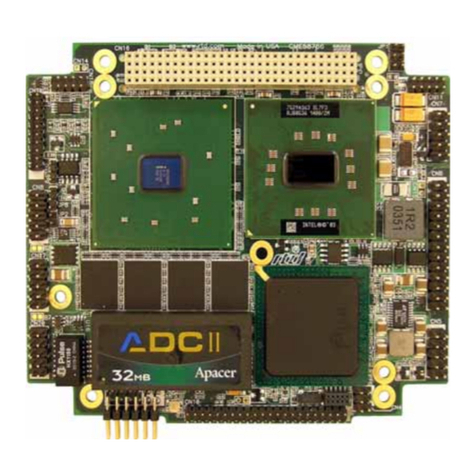
The CMi36786HX cpuModule .........................................................4
Specifications ....................................................................................6
Chapter 2: Getting Started . . . . . . . . . . . . . . . . . . . . . . . . . . . . . . . . 9
Basic Connector Locations ...............................................................10
Fail safe boot ROM ...........................................................................11
Cable Kits .........................................................................................12
Connecting Power .............................................................................13
Connecting the utility cable ..............................................................14
Connecting a Keyboard ....................................................................15
Connecting to the PC/104 Bus ..........................................................16
Booting the cpuModule for the First Time .......................................17
Booting to Boot Block Flash with Fail Safe Boot ROM ..................18
If You Misconfigure the cpuModule ................................................19
For More Information .......................................................................20
Chapter 3: Connecting the cpuModule . . . . . . . . . . . . . . . . . . . . . . 21
Connector Locations .........................................................................22
Auxiliary Power CN3 .......................................................................24
Serial Ports, CN7 and CN8 ...............................................................26
multiPort, CN6 - Parallel Port Mode ................................................29
multiPort, CN6 - aDIO Mode ...........................................................30
multiPort, CN6 - Floppy Controller Mode .......................................31
Multifunction Connector, CN5 .........................................................32
VGA Video Connector, CN18 ..........................................................34
Flat Panel Video Connector, CN19 ..................................................35
EIDE Connector, CN9 ......................................................................36
Bus Mouse Connector, CN4 .............................................................38
USB Connector,CN17 ......................................................................39
PC/104 Bus, CN1 and CN2 ..............................................................40
Chapter 4: Configuring the cpuModule (BIOS Setup) . . . . . . . . . 45
Disabling Fail Safe Boot ROM .........................................................46
Installing SSD Memory ....................................................................47
Configuring with the RTD Enhanced Award BIOS .........................48
Chapter 5: Using the cpuModule . . . . . . . . . . . . . . . . . . . . . . . . . . . 61
Memory Map ....................................................................................62
Input/Output Address Map ...............................................................63
Hardware Interrupts ..........................................................................65
The RTD Enhanced Award BIOS ....................................................67
Direct Hardware Control ..................................................................68
Advanced Digital I/O Ports (aDIO) ..................................................69
Basic Interrupt Information for Programmers: .................................75
Watchdog Timer Control ..................................................................78
Multi-Color LED ..............................................................................81