FHD
1
2
3
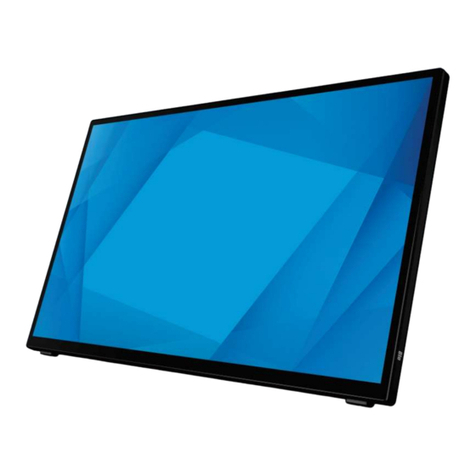
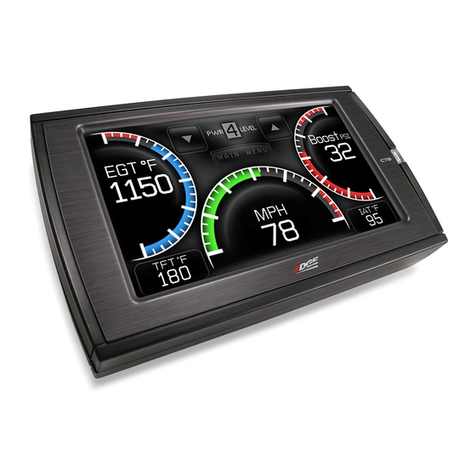
High resolution HD Display
”5.5ecnamrofrephgihasesuXTS5.5ehT
IPS LCD display with a maximum resolution of
1920 x 1080. The XTS5.5 display also features
projected capacitive technology, the latest
touch technology used in smartphones and
tablets, enhancing the XTS5.5 with a quicker
response time, high durability, and excellent
optical performance.
Control Always Available
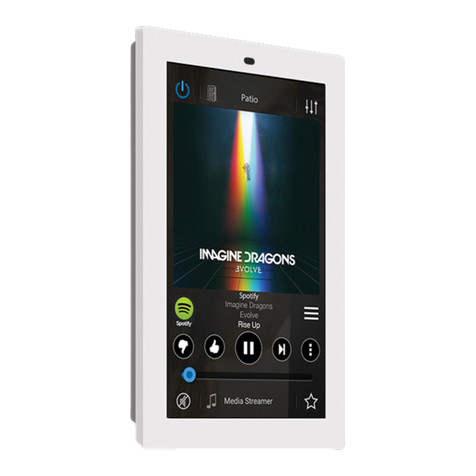
By placing the powerful MyRussound™ app in
a permanent location on a wall, the XTS5.5
gives you full control and easy access to your
Russound system, eliminating the need for your
phone or tablet to simply change the volume or
switch favorites. The XTS5.5 gives you not only
system from one interface but grants full access
and control to your Russound system at any time
by placing the MyRussound App in a permanent
location.
One-touch access to Favorites
From the Now Playing screen, enjoy one-touch
access to your list of system favorites. As soon
as your favorite is selected, your Russound
audio system will automatically switch to the
appropriate source and begin playing your
selection.
Custom features available only on the
XTS5.5
While the XTS5.5 runs the MyRussound app, it
has been customized with additional features
that are needed for an in-wall touchscreen:
Selectable Screen Timeout Delay
The
XTS5.5
provides several options for turning
The options range from no timeout (display
is always active) to up to 10 minutes. There is
also an option called “Follow Zone Power” to
is useful for bedrooms when you would like the
XTS5.5
Clean Screen Mode
The XTS5.5 has a built-in cleaning mode
that allows you to clean the screen while the
touchscreen is active. Cleaning the screen
Display size: 5.5” (140mm)
Display type: FHD
Power requirements: PoE Power - 802.3af compatible
Mounting: Single gang (US and EU)
Dimensions: 3.4” W x 5.8” H x 1.33” D
87.5 W x 148.5 x 33.7 mm
Weight: 3oz
Installation Requirements:
1-Gang Electrical Box or P-Ring – The XTS5.5 is
designed for mounting into a 1-gang plastic or
metal electrical box. The box must be mounted
from the wall surface. If using a P-ring with
such as the Arlington® LV1LP is recommended.
Wired Ethernet Connection - The XTS5.5
uses a wired Ethernet connection in order to
communicate with other Russound equipment.
The XTS5.5 must be on the same network as
your Russound controller. The XTS5.5 uses DHCP
for obtaining a network address.
The XTS5.5 works with both EIA/TIA 568A and
568B wiring
Phillips Screwdriver (#0)
Used to tighten the captive locking screws
Phillips Screwdriver (#2)
Used to attach the XTS5.5 Mounting
bracket to the Electrical Box/P-Ring
Tools needed
while it’s active can sometimes result in
unwanted button presses. The Clean Screen
mode eliminates this problem. Select CLEAN
SCREEN in the Settings Menu and all button
presses will be ignored until you press and
hold the button on the screen to exit cleaning
mode. Use a soft, slightly damp, lint-free cloth
to clean your XTS5.5. Avoid getting moisture
into openings. Don’t use window cleaners,
household cleaners, compressed air, aerosol
sprays, solvents, ammonia, abrasives, or any
cleaners containing hydrogen peroxide.
Easy updates
Unlike some competitors’ products that run
custom software making it challenging to keep
up-to-date, the XTS5.5 makes it easy to keep
your interface up-to-date with the latest version
of the MyRussound app by performing a simple
update from the admin settings menu.
Networking
The XTS5.5 is an IP-networked device. It
connects to any available Ethernet connection
.rellortnoCdnuossuRehtsakrowtenemasehtno
The XTS5.5 uses DHCP to connect to the
network. If a more permanent IP address is
required, use a DHCP reservation for the XTS5.5
Convenient PoE Power
The XTS5.5 is fully PoE compatible and
is designed to connect to an 802.3af (PoE
compatible) network router or switch located
on the same network as the Russound devices
to be controlled. By using PoE (Power over
Ethernet), the XTS5.5 only requires a single
CAT5 connection for both data transmission and
power.
Admin settings
To enter the Admin Settings menu, press and
hold the Settings icon from the Now Playing
Screen for 5 seconds until you see the Admin
Settings menu appear.
IP Address – This setting allows you to adjust
XTS5.5
Russound controller on your network. This IP
address is normally discovered automatically
(using DHCP) and does not need to be adjusted.
Russound recommends not changing this
setting unless instructed to do so by Russound
Technical Support. If a permanent IP address for
the XTS5.5 is desired, set a DHCP reservation
XTS5.5
Enable Developer Options – This setting is for
Clear cache and data – This setting is used to
.XTS5.5ehtnoppadnuossuRyMeht”hserfer“
All user preferences will be cleared, and the
app will restart automatically. User preferences
include display timeout settings, screen
brightness, etc. Using “Clear cache and data”
your Russound controller such as room names,
source names, favorites, or account settings
like usernames or passwords.
Ethernet port
USB port (factory use only)
Reset button
2
3
1
Back Panel
XTS5.5