manuals.online logo
Brands
  1. Home
  2. •
  3. Brands
  4. •
  5. Sanyo
  6. •
  7. VCR System
  8. •
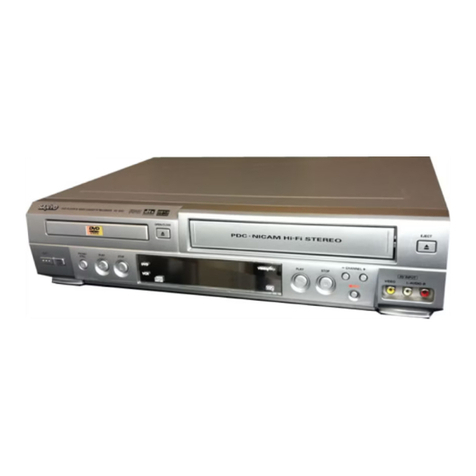
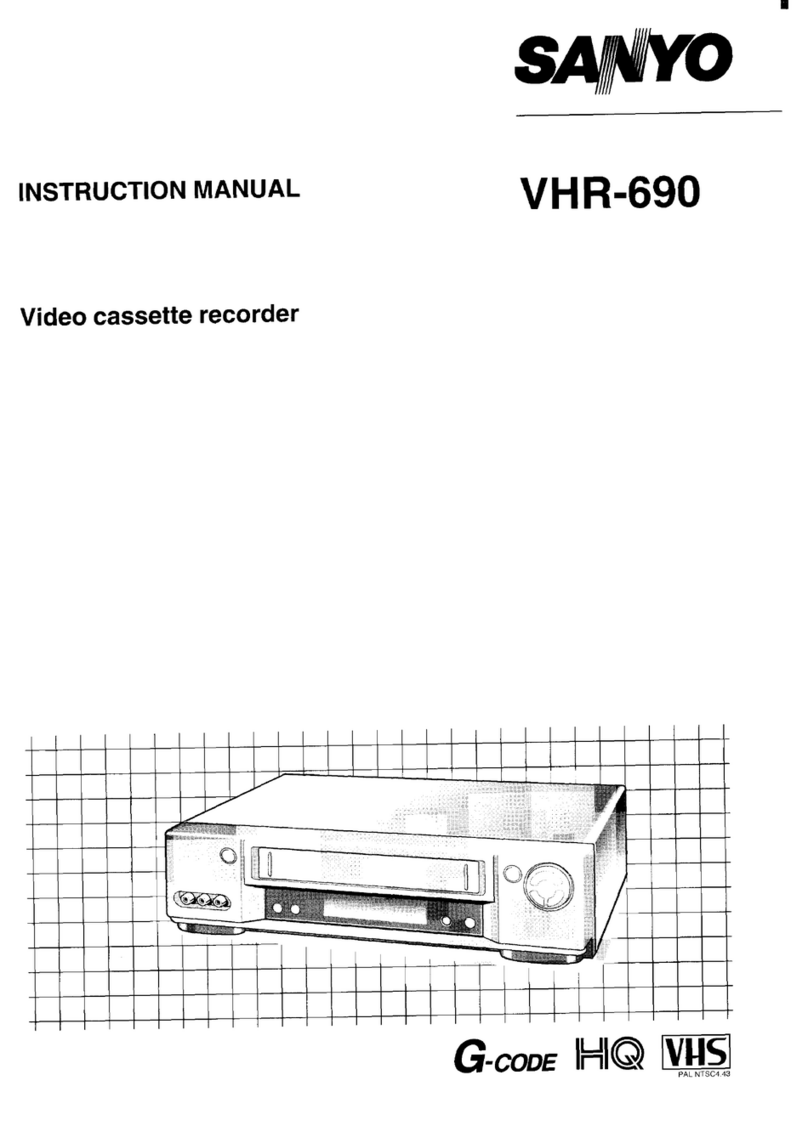
  9. Sanyo VHR-390EX User manual

Sanyo VHR-390EX User manual

This manual suits for next models

2

Other Sanyo VCR System manuals

Sanyo SRT-7072 User manual

Sanyo

Sanyo SRT-7072 User manual

Sanyo VHR-VT821A NZ User manual

Sanyo

Sanyo VHR-VT821A NZ User manual

Sanyo SRT-8960 User manual

Sanyo

Sanyo SRT-8960 User manual

Sanyo SRT-8960P User manual

Sanyo

Sanyo SRT-8960P User manual

Sanyo VWM-950 User manual

Sanyo

Sanyo VWM-950 User manual

Sanyo VHR-VK910A User manual

Sanyo

Sanyo VHR-VK910A User manual

Sanyo SRC-800 User manual

Sanyo

Sanyo SRC-800 User manual

Sanyo TLS-9024P User manual

Sanyo

Sanyo TLS-9024P User manual

Sanyo VHR-390 User manual

Sanyo

Sanyo VHR-390 User manual

Sanyo VHR-150 User manual

Sanyo

Sanyo VHR-150 User manual

Sanyo SRT-4040 Manual

Sanyo

Sanyo SRT-4040 Manual

Sanyo VHR-490 User manual

Sanyo

Sanyo VHR-490 User manual

Sanyo SRT-2400DC User manual

Sanyo

Sanyo SRT-2400DC User manual

Sanyo VHR-120 Series User manual

Sanyo

Sanyo VHR-120 Series User manual

Sanyo VHR-730 User manual

Sanyo

Sanyo VHR-730 User manual

Sanyo VHR-730 User manual

Sanyo

Sanyo VHR-730 User manual

Sanyo VHR-690 User manual

Sanyo

Sanyo VHR-690 User manual

Sanyo VHR-790 User manual

Sanyo

Sanyo VHR-790 User manual

Sanyo VWM-800 User manual

Sanyo

Sanyo VWM-800 User manual

Sanyo VHR-899E User manual

Sanyo

Sanyo VHR-899E User manual

Sanyo VHR-690 User manual

Sanyo

Sanyo VHR-690 User manual

Sanyo TLS-1500P User manual

Sanyo

Sanyo TLS-1500P User manual

Sanyo VHR-VX800 User manual

Sanyo

Sanyo VHR-VX800 User manual

Sanyo VHR-274G User manual

Sanyo

Sanyo VHR-274G User manual

Popular VCR System manuals by other brands

RCA VR678HF user guide

RCA

RCA VR678HF user guide

Zenith VRL4270HF Operating guide & warranty

Zenith

Zenith VRL4270HF Operating guide & warranty

Akai VS-606EA Operator's manual

Akai

Akai VS-606EA Operator's manual

Panasonic NV-SJ412EE operating instructions

Panasonic

Panasonic NV-SJ412EE operating instructions

FUNAI 27C-450 Service manual

FUNAI

FUNAI 27C-450 Service manual

Sony SLV-X37 operating instructions

Sony

Sony SLV-X37 operating instructions

JVC SR-VS20U - Dual Format S-vhs/minidv Recorder instructions

JVC

JVC SR-VS20U - Dual Format S-vhs/minidv Recorder instructions

Grundig GV 7400 EURO Service manual

Grundig

Grundig GV 7400 EURO Service manual

Zenith VCM321 Installation and operating guide

Zenith

Zenith VCM321 Installation and operating guide

JVC HR-A43U, HR-A63U instructions

JVC

JVC HR-A43U, HR-A63U instructions

Aiwa VX-S135U operating instructions

Aiwa

Aiwa VX-S135U operating instructions

RCA VR725HF user guide

RCA

RCA VR725HF user guide

JVC 0703-AH-PJ-BJ instruction manual

JVC

JVC 0703-AH-PJ-BJ instruction manual

TruTech ZV450TT8 owner's manual

TruTech

TruTech ZV450TT8 owner's manual

JVC HR-DVS1EK instructions

JVC

JVC HR-DVS1EK instructions

Sensory Science DDV2120 user guide

Sensory Science

Sensory Science DDV2120 user guide

JVC HR-VP78U instructions

JVC

JVC HR-VP78U instructions

RCA VR611HF user guide

RCA

RCA VR611HF user guide

manuals.online logo
manuals.online logoBrands
  • About & Mission
  • Contact us
  • Privacy Policy
  • Terms and Conditions

Copyright 2025 Manuals.Online. All Rights Reserved.

—.....
,1
IFILE NO. I
Service Manual Video Cassette
Recorder VHR-390EX (General Europe)
VHR-390 (New Zealand)
VHR”390SP (Spain)
CONTENTS
I. DISASSEMBLY .....................................2
2. ELECTRICAL ADJUSTMENT .........................6
3. TEST POINT FOR TAPE PATH ADJUSTMENT .........15
4. PARTS LIST
ACCESSORIES ...................................16
—PACKING MATERIALS .............................16
CABINET &CHASSIS PARTS .......................16
MECHANISM PARTS ..............................17
ELECTRICAL PARTS ..............................20
CIRCUIT DIAGRAMS (Refer to the separate volume)
PRODUCT SAFETY NOTICE
The componentsdesignated by asymbol(~)in this schematicdiagramdesignatescom-
ponentswhose value are of special significanceto productsafety. Shouldany component
designatedby asymbolneed to be replaced, use only the part designatedin the Parts List.
Do not deviate from the resistance, wattage and voltage ratings shown.
NOTE: 1. Patisorder must contain Model Number, Pati Number and Description.
2. Substitute parts may resupplied astheservice patis.
3. N.S.P.: Notavailable asservice patis.
pm
PAL
Please see other materials with Reference
No. given in table below.
Materials Model No. Reference No.
L
TP4HIEX, NZ, SP 14314247, 5S, 13 REFERENCE No. SM531253
MI-14247(N) 1/3
1. DISASSEMBLY
1-1.REMOVAL OF CABINET, MECHANISM UNIT AND MAIN BOARD
REMOVING THE CABINET PARTS (Fig. 1.1.1) 5. Remove the mechanism main unit by removing the two
1. Remove the cabinet and bottom cover by removing the screws (G) and two screws (H). Remove, as well, the two
four screws (A) and five screws (B). screws (J) at the cassette tray side while pressing the tray
2. Remove the front panel by removing the locks of the lock Ieverasshown in the enlarged view and pushing the
clamps (C) using ascrewdriver, etc. and slightly rotating cassette tray to the position where the two screws (J)
the bottom part in the direction of the arrow. appear.
NOTE: Electrical adjustments for the this model can be
performed with only the cabinet removed. REMOVING THE CP-1 PWB ASSEMBLY (Fig. 1.1.3)
After removing the cabinet parts and the mechanism
REMOVING THE MECHANISM MAIN UNIT (Fig. 1.1.2) unit
After removing the cabinet pans: 1. Pull outthe TM-1 PWB Ass’yfrom CN301 and CN302 while
1. Remove the 12-pin connector from CN511 and the two pressing and spreading out the four clamps (K) as shown
screws (D), and then remove the PW-1 PWB Ass’y. by the arrows.
2. Remove the two red screws (E), and then remove the 2. Remove the holder settothe opening of the chassis, while
TN-5 PWB. It is not necessary to remove the cables com- pressing the clamp in the direction of the arrow.
netted between the TN-5 PWB and CP-I PWB Ass’y. 3. Remove the two red screws (L). and the screw (P). Next,
3. Remove the 6-pin connector from the ACE head, and the remove the CP-I PWB Ass’y by lifting it straight up while —
2-pin connectorand24-wireflatcablefromthe MC-2 PWB. pressing and spreading out the two clamps (M) as shown
4. Remove the flat cable from the Cylinder Ass’y, then the by the arrows.
two screws (F), and finally the VP-IPWB Ass’y. It is not
necessary to remove the two party cables connected
between the VP-1 PWB Ass’y and CP-I PWB Ass’y.
M-TP4H/Ex-1
,.. ,’~!;’.
.,
FI‘ontPanel
‘A)a.A Cabinet
a’. /“%(A)
w-lmd’f-~~ ‘Main Unit
BotiomCover
Bush
(B)
Fig. 1.1.1
.
w
L
“L’
M.TP4H/E2.2 ;
(D)$
-5 PWB
Tray LockLe
at Cable
B
Main Unit Fig. 1.1.2
M-TP4HE-3 Socket ofACE Head
Mech
6-
2-
12-
CP-I PWB
CN302%0
Clamps
Fig. 1.1.3
n-71
—Chassis
‘e FlatCable
,Holder
–3–
MI-14212(I) 3/3
TEMPORARILY SEITING UP AND CONNECTING MAIN PWB ASSEMBLY
The following is an example of how to place and connect the main PWB not requiring ajig, when repairing the
CP-I PWB assembly (Fig. 1.1.4)
1. Place the mechanism main unit atthefixed position on the 4. Connect the TM-1 PWB Ass’yto operate the VCR by using
chassis. the remote control, and then connect the 12-pin
2. Insert the VP-1 PWB Ass’y at the fixed position of the connector to the CN511 for the PW-I PWB Ass’y.
mechanism uni~and connect the flat cable of the Cylinder 5. Place the CP-1 PWBAss’yabovethe mechanism main unit
Ass’y. 7’ along the cassette holder. Insert the tip (N) of the terminal
3. Connect the 24-wire flat cable and the 2-pin connector to board into the opening (0) at the side of the chassis, as
the MC-2 PWB, and then connect the 6-pin connector to shown in the enlarge view.
the ACE head.
M-TP4H/GIT-4
,PW-I PWB ASS’Y ,.,
12-pinConnactor
/
VP-I PWB kS’y \
Ass’y
/TN-5 PWB
TerminalBoard
Ass’y
~ec~an~.a..ni-~~ssis‘
Cassette Holder
Opening(0)
MC-2 PWB
Fig. 1.1.4
“d
–4–
\
+-
L1-14212(N)1/1
1-2. MAIN CIRCUIT BOARD LOCATIONS
L-TP41+’E
.,, >,;
pw.
.’,
.J, f.,
,, .,
rVp-i PWB /%S’y ‘ ‘
PWB7/————TB-1 PWB
TM-1 PWB~
/ \/ MC-2 PWB
r(On the Mechanism
_TN-5 PWB
Unit)
Fig. 1.2.1
–5–
S1 14212(I) 1/2
2. ELECTRICALADJUSTMENT
PREPARATION
This VCR need 4basic presetting by using the menus displayed on-screen.
After all connection have been made, then follow steps 1to 4to preset the VCR
The 4presetting steps will be displayed in sequence on TV screen. The setting are entered with the remote control.
Turn on the VCR
1. Adjusting the TV receiver to the video channel: The WELCOME screen will appear. When the video channel has been preset,
press the OK button on the remote control.
2. Language selection: Select the desired language, then press the OK button.
3. Clock setting: Using the remote control numeric buttons, enter the date and time, press the OK button.
4. Tuning control adjustments: When the channel position has been preset, press the MENUflV button.
When steps 1to 4have been finish, ready to operate the all operating mode.
2-1. SERVO CIRCUIT ADJUSTMENT
●These adjustments should be carried out upon completion of the tape transport adjustments.
.If the tape transport adjustments (except the tilt adjustment) are carried out after these adjustments, follow the procedures
again in Section 2-1-3. SWITCHING POSITION ADJ.
●When acassette tape is loaded, auto-tracking will be set immediately after starting the first playback. As this will deviate the
tracking center set, be sure to press the channel buttons (+) or (-) once directly after starting playback to prevent auto-tracking
from being set.
2-1-1. TEST EQUIPMENT AND STANDARDS REQUIRED
Oscilloscope Vertical sensitivity: 5mV/DIV, external trigger
Band width: more than 10 MHz
Test Tape VHJ-0009 or VHJ-0023: SP mode, monoscope, 6KHz
Blank Tape VHS-type cassette tape
Monitor TV .A:”
H.
#+”’
2-1-2. LOCATION OF ADJUSTMENT POINTS /“ /
P1B105OOD-S1 ,‘n uo0f+ 1
u
1c)
IC301
oa.....VR234
“-?;R-FO
IC231 TP~34
o
,..?TP233
$0;
...
:R:;3
Icl 01 ;:-”ICI11
00
u
01~.u?,it
IC351 :;
::
,! {
::
::
,....,
...
IC602~--j Le.; ~[
VR351~ ~
SW-P;,
:.......
,---.-:
::
::
::
::
::
IC303 : :
...
:: ::
.1
;: :~
~:
VR104 ::
:: ;:
----- t
VR102 DEV IC162 :: i. .....
.0 AGC /0 cT120 ~~p,o~ T~gr
y:;l 1TP12? \CO -,
); ?VIDEO
.ACXJT ....................- 2
,.L. ,....~...~...,. .. ..
TP102@:~::~::~ ::~;@TP103 ‘~ ?
..... .......... %...
CP-I PWB (FOIL SIDE) Fig. 2.1.1
—
“’u’
–6–
“L
P1B102OOD-S1 .;
TP182 ~1 rvR’8’ -
TP183 =
TP181 ~~
Shieldcase
o
IW-1 PWB ASS’Y Fig.2.1.2
NOTE:
.Self-recording means “Record any broadcasting or video
signal and play back the just-recorded portion”.
2-1-3. SWITCHING POSITION ADJ.
Measuring Point Measuring Equipment ADJ. Condition
TP1OI Oscilloscope PLAY(SP)mode
(VIDEO OUT) Test tape
TP183 (SW-P) (VHJ-0009 or
VHJ-0023)
ADJ. Location ADJ. Value
VR351 (SW-P) 6.5 Hf0.5 H
1. Set the tracking control position to the center by pressing
CHANNEL buttons (+) and (-) simultaneously.
(Tracking center position display in the indicator
panel “T -:- “)
2. Adjust VR351 (SW-P) so that the width “T”becomes 6.5 H
~0.5 Has shown in Fig. 2.1.3.
WFS101
T=6.5 Ht0.5 H
-+
0.5 H
wW,,u ,
Front edge
of vertical sync signal
tf
Rise RF. SW. PULSE
Fig.2.1.3
2-1-4. STILL V-LOCK ADJ.
T
Measuring Point
Picture of
monitor TV
~.,,,,,,
“., :
Measuring Equipment
Color bar generator
or
Broadcasting
Monitor
ADJ. Condition
Self-recording
(SI’ mode)
STILL mode
Blank tape
———————
Self-recording
(LP mode)
STILL mode
Blank tape
IADJ. Location IADJ. Value
CHANNEL (+) button The minimum vertical shake
CHANNEL (-) button
1. Play back the just-recorded portion and then set the
VCR in the STILL mode.
2. Press the CHANNEL (+) button or the CHANNEL (-)
button so that any vertical shake of the picture is
brought to its minimum.
-7–
VI-14212(I) 1/4
2-2. VIDEO CIRCUIT ADJUSTMENT
.Before making the following adjustments, Section 2-1. SERVO CIRCUIT ADJUSTMENT should be completed.
.Use the relay jig to provide simple adjustment of the VP-1 PWB Ass’y.
2-2-1. TEST EQUIPMENT AND STANDARDS REQUIRED
Color Bar Signal Generator PAL Color bar signel with 100% white level (EBU color barsignel)
(Signal waveform is described below. Refer to Fig. 2.2.1)
IOscilloscope Vertical sensitivity: 5mV/DIV, external trigger
Band width: more than 10 MHz
Digital Voltmeter DC range
ITest Tape IVHJ-OO08 or VHJ-0023: SP mode, color bar, 1kHz
(Color bar signal waveform is described below. Refer to Fig. 2.2.3)
Blank Tape VHS-type cassette tape
I
Oscilloscope Probe Input capacity: less than 25 PF (10:1)
less than 40 pF (1:1)
Covering frequency: DC -40 MHz (10:1)
DC-30 MHZ(I:I)
Frequency Counter 8significant digits
,
Adjustment Relay Jig VHJ-0067: 12-wire flat cable for VP-1 PWB Ass’y
PAL TV TEST SIGNAL
WPV-SCS a
bite Peak Level
Iv Padestal Lavel
Sync 11PLevel
l-=l$nLl
COLOR BAR SIGNAL WAVEFORM Fig. 2.2.1
WPV-SCP
(75%) –m
COLOR BAR PAITERN MONITOR TV Fig. 2.2.2
WPV-TCS ~
,1
:,
.,
100% White
Iv 7
i
o.3vpp
A
~“~ \Burst Signai u
‘H.Sync Signai
COLOR BAR SIGNAL WAVEFORM (VHJ-0008)
Fig. 2.2.3
WW-TCP
w
~
g3
(75%) gj~jg’~:
vu 100%
White Black
COLOR BAR PATTERN (VHJ-0008) ON MONITOR TV
Fig. 2.2.4
–8–
VI-14212(I) 2/4
2-2-2. LOCATION OF ADJUSTMENT POINTS
L
“w
P1B102OODVI
TP182 ~
TP183 =
TP181 [REC CURRENT]
Shield case
ma
o
VP-1 PWB ASS’Y Fig. 2.2.5
P1B105OODVI
CP-1 PWB (FOIL SIDE) Fig.2.2.6
“() uo 0
Ic) c1 ‘7 Unit
IC351
IC30’
o
Q-..VR234
<~,: R-FO
IC231 TP234
o
.?;P233
(’~\
...
VR233
L-FO
VR201
BIAS
{b”!
TP202 ‘“-
TP201 El
I
Iclol
c)
0
i-’-’-iIcl11
:...:
IC303
,..,
:;
. .
....
....
...
...
c’
VRI02 DEV IC162
oAGC /0 ;120~Tplo~;
“.)
Tuner
iUnit
TP120 VCO
TP1020[~j ($.@j@;;fDTPl 03 <$, ?VIDEO
i&OUT .....................
–9–
VI-14212(I) 3/4
2-2-3. ADJUSTMENT RELAY JIG
Connect the Flat cable end from the Cylinder Ass’y to the
VP-1 PWBAss’yusingthe Relay jig to provide simple repairing
and adjustment of the VP-1 PWB Ass’y, as shown in Fig. 2.2.7.
Further, when adjusting the VP-1 PWB Ass’y, be sure to make
contact an end of Shield case with Bracket of the VP-1 PWB
Ass’yto maintain the shield effect. If the VP-1 PWB Ass’y does
not contact, there is insufficient ground and no proper play
back image can be obtained.
WPV-T
Rel
Flat
Cyli
Ass
NOTES:
●Self-recording means “Record the video signal and play
back the just-recorded portion=.
●Connect the monitor TV to the VIDEO OUTPUT terminal
(EURO-AVI terminal pin 19), before making following
adjustments.
●ASO HIGH button to the OFF position.
2-2-4. AGC LEVEL ADJ.
Measuring Point Measuring Equipment AIM. Condition
TP102 Color bar generator E-E mode
Oscilloscope
(10:1 probe)
ADJ. Location ADJ. Value
VRI02 (AGC) 0.5 Vp-p t0.025 Vp-p
1. Connect the color bar generator to the VIDEO INPUT
terminal (EURO-AVI pin20).
2. Adjust VRI02 (AGC) for O.5Vp-pt 0,025 Vppasshown in
Fig. 2.2.8.
WPV-AGC 100’7.white
0.5
Fig. 2.2.8
2-2-5. PB-Y LEVEL ADJ.
Measuring Point Measuring Equipment ADJ. Condition
TPIOI Oscilloscope PLAY(SP)mode
Test tape
(VHJ-0008 or
vHJ-0023)
II
ADJ. Location ADJ. Value
VRIOI (PB-Y) 1Vp-p k0.05 Vp-p
1. Play back atest tape in SP mode.
2. Adjust VR1OI (PB-Y) for the video luminance signal level
of 1Vp-p t0.05 Vp-p. (Refer to Fig. 2.2.9)
Ib.ti Fig.2.2.9 I
2-2-6. CARRIER SET ADJ.
~
Measuring Point Measuring Equipment ADJ. Condition
1
ADJ. Location ADJ. Value
IVRI03 (CAR) I3.83 MHz* 0.05 MHz I
1. Connect the color bar generator to the VIDEO INPUT _
terminal (EURO-AVI pin 20).
2. After removing the first color bar signal input from the
video input terminal, immediately adjust VRI03 (CAR) so
that the frequency becomes 3.83 MHz f0.05 MHz.
2-2-7. VCO (on screen aasiet) ADJ.
~
Measuring Point Measuring Equipment ADJ, Condition
II
ADJ. Location ADJ, Value
CT120 (VCO) 2.5 Vp-p *0.3 VP-P
1. Connect the digital voltmeter (DC range) to TP120 and
GND.
2. Adjust CT120 (VCO) so that the voltage is 2.5 V*0.3 V. e
–1o–