1 Printer Tool Work with Printer Tool
5
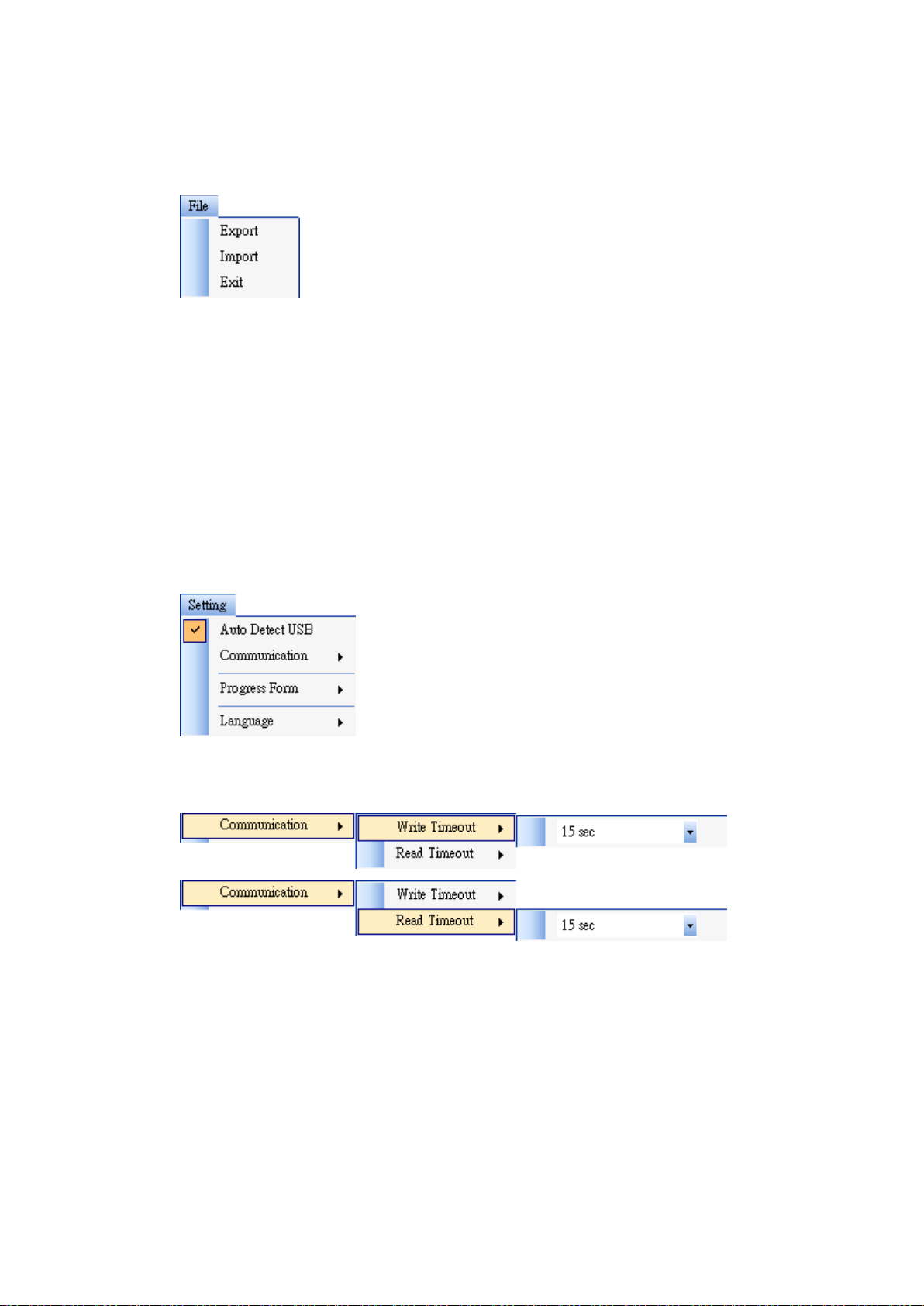
File
■Export Export your printer settings to an XML file, including all parameters,
port settings and firmware information.
■Import Import printer settings from an XML file.
■Exit Exit Printer Tool.
Setting
■Auto Detect USB When you connect your printer to a computer with a USB
cable, Printer Tool automatically detects it and shows the USB information in
the Port Name and Port Information. By default, it is enabled.
■Communication
It includes Write Timeout and Read Timeout. They determine how long your
computer (or other devices) waits printer’s response when it attempts to write or
read data to your printer. The default value is 15 seconds, meaning that the
computer waits 15 seconds, and displays an error message if it doesn’t receive any
response.
■Progress Form