manuals.online logo
Brands
  1. Home
  2. •
  3. Brands
  4. •
  5. Sharp
  6. •
  7. DVD Player
  8. •
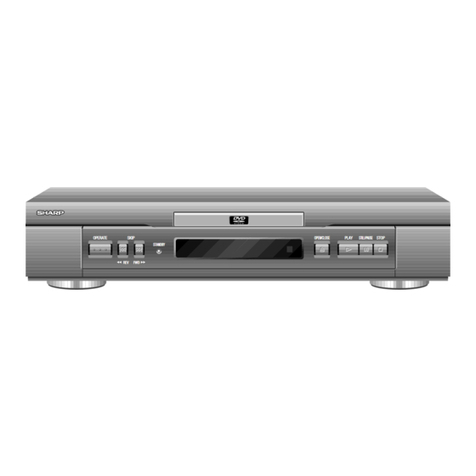
  9. Sharp DV-SV80S(S) User manual

Sharp DV-SV80S(S) User manual

This manual suits for next models

1

Other Sharp DVD Player manuals

Sharp DV-NC65H User manual

Sharp

Sharp DV-NC65H User manual

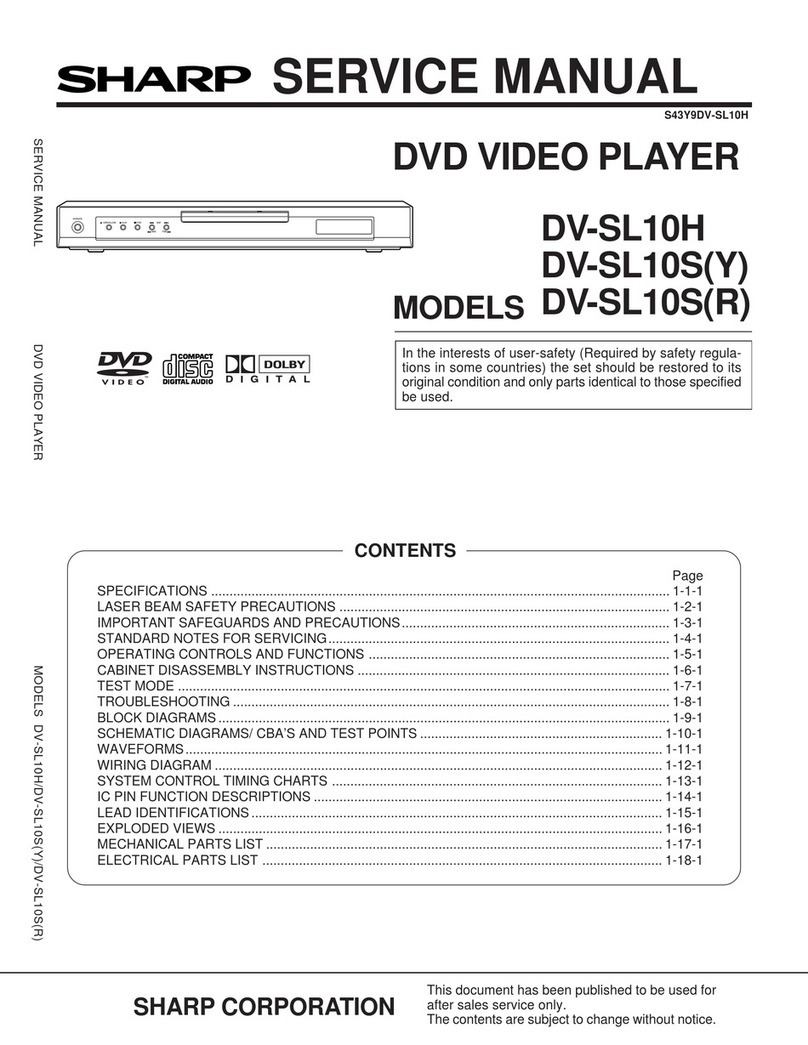
Sharp DV-SL10S(Y) User manual

Sharp

Sharp DV-SL10S(Y) User manual

Sharp DV-SV97S(U) User manual

Sharp

Sharp DV-SV97S(U) User manual

Sharp DV-SL1500W User manual

Sharp

Sharp DV-SL1500W User manual

Sharp SD-AT50H User manual

Sharp

Sharp SD-AT50H User manual

Sharp DV-SL2000W User manual

Sharp

Sharp DV-SL2000W User manual

Sharp DV-740/T User manual

Sharp

Sharp DV-740/T User manual

Sharp DV-SL1300W User manual

Sharp

Sharp DV-SL1300W User manual

Sharp DV-550U User manual

Sharp

Sharp DV-550U User manual

Sharp DV-S1S(Y) User manual

Sharp

Sharp DV-S1S(Y) User manual

Sharp DV-560H User manual

Sharp

Sharp DV-560H User manual

Sharp DV-SV92S(U) User manual

Sharp

Sharp DV-SV92S(U) User manual

Sharp DV-720S User manual

Sharp

Sharp DV-720S User manual

Sharp CD-DV600W User manual

Sharp

Sharp CD-DV600W User manual

Sharp DV-SV92S(RU) User manual

Sharp

Sharp DV-SV92S(RU) User manual

Sharp DV-SV97H User manual

Sharp

Sharp DV-SV97H User manual

Sharp DV-700S User manual

Sharp

Sharp DV-700S User manual

Sharp DV-SL10S(G) User manual

Sharp

Sharp DV-SL10S(G) User manual

Sharp DV-SV92S(L) User manual

Sharp

Sharp DV-SV92S(L) User manual

Sharp DV-SL1200W User manual

Sharp

Sharp DV-SL1200W User manual

Sharp DV-620S User manual

Sharp

Sharp DV-620S User manual

Sharp DV-SL1000W User manual

Sharp

Sharp DV-SL1000W User manual

Sharp DV-SL1200W User manual

Sharp

Sharp DV-SL1200W User manual

Sharp DV-S1H User manual

Sharp

Sharp DV-S1H User manual

Popular DVD Player manuals by other brands

Yamaha DVD S540 - Progressive Scan DVD Player Service manual

Yamaha

Yamaha DVD S540 - Progressive Scan DVD Player Service manual

Yamakawa DVD-MP12i user manual

Yamakawa

Yamakawa DVD-MP12i user manual

Philips DVP3042/12 user manual

Philips

Philips DVP3042/12 user manual

Philips DVP5900/37B Quick use guide

Philips

Philips DVP5900/37B Quick use guide

Roadstar DVD-2020H Service manual

Roadstar

Roadstar DVD-2020H Service manual

Beko DVD 2006 user manual

Beko

Beko DVD 2006 user manual

Atak DVDA2015 instruction manual

Atak

Atak DVDA2015 instruction manual

LG DV257K owner's manual

LG

LG DV257K owner's manual

auna 10005069 manual

auna

auna 10005069 manual

Philips MCD700/61 user manual

Philips

Philips MCD700/61 user manual

Sony DVP-F11 Service manual

Sony

Sony DVP-F11 Service manual

Toshiba SD-2300U owner's manual

Toshiba

Toshiba SD-2300U owner's manual

LENCO DVP-740 X2 user manual

LENCO

LENCO DVP-740 X2 user manual

Tevion 44330 user guide

Tevion

Tevion 44330 user guide

Aiwa XD-DV370 operating instructions

Aiwa

Aiwa XD-DV370 operating instructions

Sony DVP S530D operating instructions

Sony

Sony DVP S530D operating instructions

Denon DVM-1805 - DVD Changer operating instructions

Denon

Denon DVM-1805 - DVD Changer operating instructions

Toshiba SD-3815 owner's manual

Toshiba

Toshiba SD-3815 owner's manual

manuals.online logo
manuals.online logoBrands
  • About & Mission
  • Contact us
  • Privacy Policy
  • Terms and Conditions

Copyright 2025 Manuals.Online. All Rights Reserved.

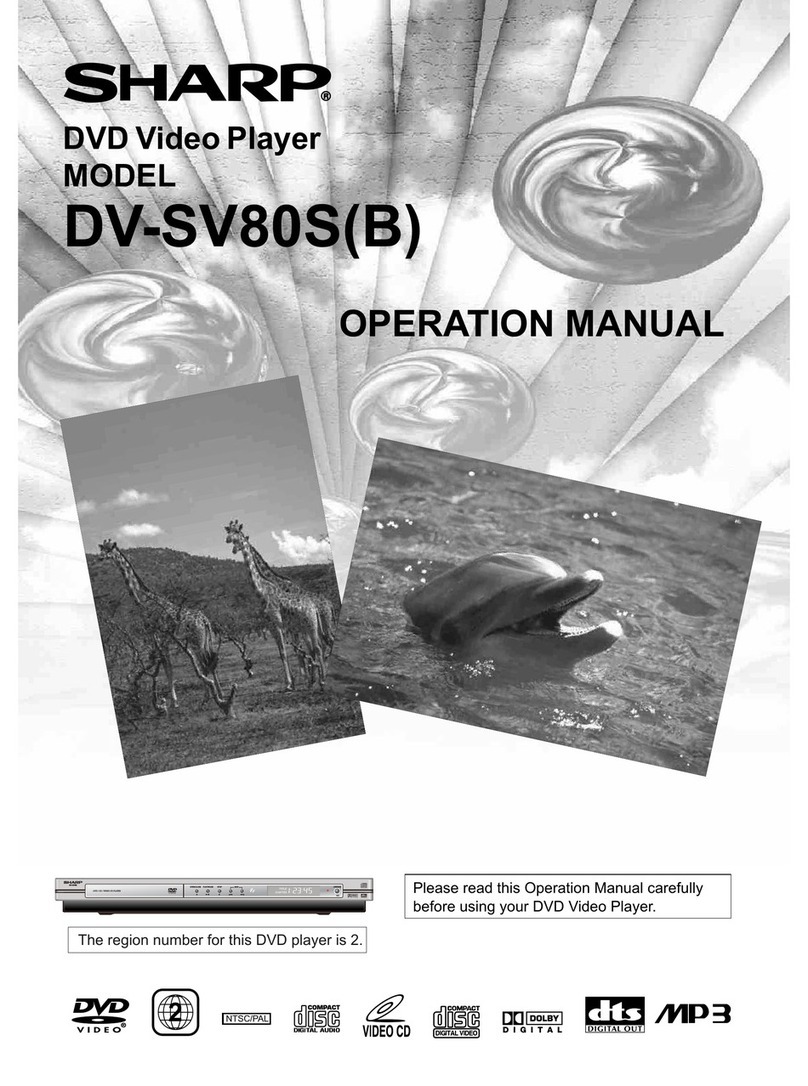
Please read this Operation Manual carefully
before using your DVD Video Player.
DVD Video Player
MODEL
DV-SV80S(S)
OPERATION MANUAL
The region number for this DVD player is 2.
SKIP
DV-SV80
DVD / CD / VIDEO CD PLAYER
OPEN/CLOSE PLAY/PAUSE STOP
OPERATE
2NTSC/PAL
-1- EN
PowerCordProtection
ToavoidanymalfunctionsofthePlayer,andtoprotect
against electric shock, fireor personalinjury, pleaseobserve
the following.
•Holdtheplug firmly whenconnectingordisconnectingthe
ACpowercord.
•Keep theACpowercord awayfromheating appliances.
•Never putanyheavyobject on theACpower cord.
•Donot attempttorepairorreconstruct theACpowercord
inany way.
WARNING:
TOREDUCETHERISKOFFIREORELECTRIC
SHOCK,DONOTEXPOSE THISEQUIPMENTTO
RAINORMOISTURE.
TO REDUCETHERISKOFFIREORELECTRIC
THERECOMMENDEDACCESSORIES ONLY.
SHOCK,ANDANNOYINGINTERFERENCE,USE
LaserDiodeProperties
Material:GaAs
Wave length:DVD:650 nm
CD:740nm
Emission Duration:Continuous
Laseroutput:Max.0.5mW
•
ThisPlayer isclassifiedasaCLASS 1LASERproduct.
•The CLASS1LASERPRODUCTlabelis locatedonthe
rearcover.
•
Thisproduct containsalowpowerlaserdevice.Toensure
continued safetydonot removeanycoveror attemptto
gainaccess tothe insideoftheproduct.Refer allservic-
ing toqualifiedpersonnel.
SAFETYINFORMATION
Thisequipmentcomplieswiththerequirementsof
Directives83/336/EECand 73/23/EECasamendedby
93/68/EEC.
DiesesGerätentsprichtden Anforderungen derEG-
Richtlinen89/336/EWGund 73/23/EWGmitƒnderung
93/68/EWG.
Cematériel répondauxexigencescontenuesdans
lesdirectives83/336/CEE et73/23/CEE modifiée par
ladirective93/68/EEC.
Ditapparaatvoldoetaan deeisenvanderichtlijnen
83/336/EEGen73/23/EEG,gewijzigd door93/68/EEC.
Detteudstyroverholderkravenedirecktivnr.83/336/
EECog73/23/EECmettillæg nr.93/68/EEC.
Quest’apparecchio conformeairequisitidelle
direttive83/336/EECe73/23/EEC,comeemendata
dalladirettiva93/68/EEC.
H γкατάσταση αυτή ανταπокрίν ται στις απαιτήσ ις
των οδηγιών της Ευρωπαϊκής Ενωσης 89/336/EOK και
73/23/EOK, όπως οι κανονισμοί αυτοί συμπληρώθηκαν
από την οδηγία 93/68/EOK.
Esteequipamentoobdece ŕsexigęnciasdas
directivas89/336/CEE e73/23/CEE,nasuaversăo
corrigidapeladirectiva93/68/CEE.
Esteaparatosatisfacelasexigenciasde las
Directivas89/336/CEE y73/23/CEE,modificadaspor
mediodela93/68/CEE.
Dennautrustninguppfyllerkravenenligtriktlinjema89/
336/EECoch73/23/EECs
å
somkompletterasav93/68/
ECC.
Detteproduktetoppfyllerbetingelseneidirektivene
89/336/ECC og73/23/ECC iendrigen93/68/EEC.
Tämälaitetäyttää direktiivien89/336/ECC ja73/23/
ECC vaatimukset, joitaonmuutettudirektiivillä93/68/
ECC.
- 2 - EN
SAFETY INFORMATION
/RFDWLRQDQG+DQGOLQ
J
'RQRWFRYHURUSODFHWKHSOD\HULQHQFORVHGVSDFHVWR
SUHYHQWH[FHVVLYHWHPSHUDWXUHEXLOGXS
'RQRWSODFHWKH3OD\HULQGLUHFWVXQOLJKWRUQHDUKHDW
VRXUFHV
.HHSWKH3OD\HUDZD\IURPVWURQJPDJQHWLFREMHFWV
'RQRWSODFHDQ\REMHFWFRQWDLQLQJZDWHURURWKHUOLTXLGV
RQWKH3OD\HU,QWKHHYHQWWKDWOLTXLGVKRXOGHQWHUWKHFDE
LQHWXQSOXJWKH3OD\HULPPHGLDWHO\DQGFRQWDFWWKHUHWDLOHU
RUVHUYLFHFHQWUHDSSURYHGE\6+$53LPPHGLDWHO\
'RQRWUHPRYHWKH3OD\HUFDELQHW7RXFKLQJSDUWVLQVLGH
WKHFDELQHWFRXOGUHVXOWLQHOHFWULFVKRFNDQGRUGDPDJH
WRWKH3OD\HU)RUVHUYLFHDQGDGMXVWPHQWLQVLGHWKHFDEL
QHWFDOODTXDOLILHGGHDOHURUVHUYLFHFHQWUHDSSURYHGE\
6+$53
1RQXVH3HULRGV
:KHQWKH3OD\HULVQRWEHLQJXVHGVZLWFKWKH3OD\HUWRWKH
6WDQGE\PRGH
:KHQOHIWXQXVHGIRUDORQJSHULRGRIWLPHWKH3OD\HUVKRXOG
EHXQSOXJJHGIURPWKHKRXVHKROG$&RXWOHW
1R)LQJHUVRU2WKHU2EMHFWV,QVLGH
'RQRWSXWDQ\IRUHLJQREMHFWRQWKHGLVFWUD\
6WDFNLQJ
3ODFHWKH3OD\HULQDKRUL]RQWDOSRVLWLRQDQGGRQRWSODFH
DQ\WKLQJKHDY\RQLW
&RQGHQVDWLRQ
0RLVWXUHPD\IRUPRQWKHSLFNXSOHQVLQWKHIROORZLQJFRQGL
WLRQV
LPPHGLDWHO\DIWHUDKHDWHUKDVEHHQWXUQHGRQ
LQDVWHDP\RUYHU\KXPLGURRP
ZKHQWKH3OD\HULVVXGGHQO\PRYHGIURPDFROGHQYLURQ
PHQWWRDZDUPRQH
,QWKLVFDVHWXUQRQWKHSRZHUDQGZDLWDERXWRQHKRXUIRU
WKHPRLVWXUHWRHYDSRUDWH
&OHDQLQJ
8QSOXJ\RXU3OD\HUEHIRUHFOHDQLQJ8VHDGDPSFORWKIRU
FOHDQLQJ'RQRWXVHFOHDQLQJIOXLGVRUDHURVROVZKLFKFRXOG
HQWHUWKH3OD\HUDQGFDXVHGDPDJHILUHRUHOHFWULFDOVKRFN
7KHVHVXEVWDQFHVPD\DOVRGHWHULRUDWHWKHILQLVKRI\RXU
3OD\HU
,IWKHUHLV1RLVH,QWHUIHUHQFHRQWKH79:KLOHD
%URDGFDVWLVEHLQJ5HFHLYHG
'HSHQGLQJRQWKHUHFHSWLRQFRQGLWLRQRIWKH79LQWHUIHUHQFH
PD\DSSHDURQWKH79PRQLWRUZKLOH\RXZDWFKD79EURDG
FDVWDQGWKH3OD\HULVOHIWRQ7KLVLVQRWDPDOIXQFWLRQRIWKH
3OD\HURUWKH797RZDWFKD79EURDGFDVWWXUQRIIWKH
3OD\HU
5HFRPPHQGHG0HDVXUHVIRU2SWLPXP3LFWXUH
([FHOOHQFH
$SSDUDWXV&ODLPVRI863DWHQW1RV
DQGOLFHQVHGIRUOLPLWHG
YLHZLQJXVHVRQO\
7KLVSURGXFWLQFRUSRUDWHVFRS\ULJKWSURWHFWLRQWHFKQRORJ\
WKDWLVSURWHFWHGE\PHWKRGFODLPVRIFHUWDLQ86SDWHQWV
DQGRWKHULQWHOOHFWXDOSURSHUW\ULJKWVRZQHGE\0DFURYLVLRQ
&RUSRUDWLRQDQGRWKHUULJKWVRZQHUV8VHRIWKLVFRS\ULJKW
SURWHFWLRQWHFKQRORJ\PXVWEHDXWKRUL]HGE\0DFURYLVLRQ
&RUSRUDWLRQDQGLVLQWHQGHGIRUKRPHDQGRWKHUOLPLWHG
YLHZLQJXVHVRQO\XQOHVVRWKHUZLVHDXWKRUL]HGE\
0DFURYLVLRQ&RUSRUDWLRQ5HYHUVHHQJLQHHULQJRUGLVDV
VHPEO\LVSURKLELWHG
'RQRWDWWHPSWWRFOHDQWKHSLFNXSOHQV\RXUVHOI
6HUYLFH
'RQRWDWWHPSWWRVHUYLFHWKLV3OD\HU\RXUVHOI3OHDVHUHIHU
DQ\VHUYLFHWRWKHQHDUHVWVHUYLFHFHQWUHDSSURYHGE\
6+$53
&RS\ULJKW
$XGLRYLVXDOPDWHULDOPD\FRQVLVWRIFRS\ULJKWHGZRUNVZLFK
PXVWQRWEHUHFRUGHGZLWKRXWWKHDXWKRULW\RIWKHRZQHURI
WKHFRS\ULJKW3OHDVHUHIHUWRUHOHYDQWODZVLQ\RXUFRXQWU\
&RS\3URWHFWLRQ
7KLV3OD\HUVXSSRUWV0DFURYLVLRQFRS\SURWHFWLRQ2Q'9'V
WKDWLQFOXGHDFRS\SURWHFWLRQFRGHLIWKHFRQWHQWVRIWKH
'9'DUHFRSLHGXVLQJD9&5WKHFRS\SURWHFWLRQFRGHSUH
YHQWVWKHYLGHRWDSHFRS\IURPSOD\LQJQRUPDOO\
7KH3OD\HULVDSUHFLVLRQGHYLFHWKDWLVFRQVWUXFWHGXVLQJ
H[WUHPHO\DFFXUDWHWHFKQRORJ\
6RLOLQJRUIULFWLRQDIIHFWLQJWKHSLFNXSOHQVRUGLVFGULYHFDQ
LPSDLUWKHLPDJHTXDOLW\$WWKHZRUVWQHLWKHUYLGHRQRUDXGLR
ZLOOEHSOD\HGEDFN &RQWDFW\RXUDXWKRUL]HG6KDUSVXSSOLHU
IRUGHWDLOV
- 3 - EN
SAFETY INFORMATION ................................................................. 1
TABLE OF CONTENTS .................................................................. 3
ABOUT THIS MANUAL ................................................................... 4
GENERAL PROPERTIES ............................................................... 4
SUPPLIED ACCESSORIES ............................................................ 5
DISC TYPES COMPATIBLE WITH THIS UNIT ............................. 6
SAFETY PRECAUTIONS ............................................................... 8
FRONT PANEL FUNCTIONS .......................................................... 9
FRONT PANEL DISPLAY (VFD .................................................. 1 0
REAR PANEL CONNECTIONS ..................................................... 11
CONNECTION OF YOUR DVD PLAYER WITH TV .................... 12
CONNECTION OF YOUR DVD PLAYER WITH AV AMPLIFIER . 14
FITTING BATTERIES IN YOUR REMOTE CONTROL .............. 1 5
REMOTE CONTROL FUNCTIONS ............................................. 15
DVD PLAYBACK ........................................................................... 1 7
RAPID ADVANCE / RAPID REVERSE ......................................... 17
SKIPPING AHEAD OR BACK TO CHAPTERS ........................... 17
STILL PICTURE (PAUSE ............................................................ 18
FRAME ADVANCE (STEP FORWARD ....................................... 1 8
FRAME BACK (STEP BACKWARD ............................................ 18
SLOW- MOTION PLAY FORWARD ............................................. 1 8
SLOW- MOTION PLAY BACKWARD ........................................... 18
DIRECT SELECTION OF SCENES ............................................. 18
REPEAT PLAY .............................................................................. 19
CONVENIENT FUNCTIONS ......................................................... 1 9
USING A DVD MENU .................................................................. 2 2
VIDEO CD PLAYBACK ................................................................. 2 3
MENU PLAY .................................................................................. 2 3
RAPID ADVANCE / RAPID REVERSE ......................................... 24
SKIPPING AHEAD OR BACK TO CHAPTERS ........................... 24
STILL PICTURE (PAUSE ............................................................ 24
FRAME ADVANCE (STEP ........................................................... 24
SLOW- MOTION PLAY ................................................................ 24
DIRECT SELECTION OF SCENES ............................................. 24
REPEAT PLAY .............................................................................. 25
CONVENIENT FUNCTIONS ......................................................... 2 5
AUDIO CD PLAYBACK ................................................................. 2 6
RAPID ADVANCE / RAPID REVERSE ......................................... 26
DIRECT SELECTION OF TRACKS ............................................. 26
REPEAT PLAY .............................................................................. 27
CONVENIENT FUNCTIONS ......................................................... 2 7
CD MENU ...................................................................................... 2 8
BASIC PLAY ................................................................................. 2 8
PAUSE .......................................................................................... 2 8
STOPPING PLAY ......................................................................... 28
SKIPPING AHEAD OR BACK TO TRACKS ................................ 28
IMAGE TRANSFORMATION ....................................................... 28
ZOOM............................................................................................ 29
DIGEST MODE ............................................................................. 29
PROGRAM FUNCTION ................................................................ 30
USING SETUP MENU ................................................................... 3 0
MENU ITEMS ............................................................................... 32
VIDEO SETUP .............................................................................. 3 2
AUDIO SETUP .............................................................................. 33
LANGUAGE SETUP ..................................................................... 3 3
PARENTAL SETUP ...................................................................... 34
PREFERENCES SETUP .............................................................. 34
TROUBLESHOOTING ................................................................. 35
SPECIFICATIONS ........................................................................ 36
DEFINITION OF TERMS .............................................................. 37
TABLE OF CONTENTS

- 4 - EN
ABOUT THIS MANUAL

Instructions in this manual describe the controls of the player. You can also use the remote control buttons with the same
name as those on the player.
Dear Customers
We would like to thank you for purchasing this DVD/VCD/S VCD/CD R/CD RW/MP3/JPEG/Audio CD player.
We strongly recommend that you carefully study the operating instructions before attempting to operate the unit and that
you note the listed safety precautions.
GENERAL PROPERTIES
1) DVD/VCD/S VCD/CD R/CD RW/MP3/JPEG/Audio CD playback
2) NTSC/PAL playback (according to disc content)
3) User friendly multilanguage OSD menu control
4) Vacuum Fluorescent Display (VFD)
5) Dolby Digital, DTS, LPCM audio via coaxial and optical digital audio outputs.
6) Multiple Aspect Ratio support (16:9 Widescreen, 4:3 Letterbox, 4:3 PAN & SCAN)
7) Multi Audio (up to 8) support (According to disc content)
8) Multi Subtitle (up to 32) support (According to disc content)
9) Multi Angle (up to 9) support (According to disc content)
10) 8 level parental control
11) Fast forward and rewind in 5 different speeds. (2x, 4x, 8x, 16x, 32x)
12) Smooth and seamless playback in 2x speed.
13) Slow motion playback in 4 different speeds. (1/2, 1/4, 1/8, 1/16 forward and backward)
14) Frame by frame forward and backward playback
15) Time Search
16) Repeat
17) A B repeat
18) Program function for Audio CD/MP3
19) Scart Socket
20) Video output
21) S Video output
22) Coaxial & Optical Digital Audio outputs
23) Different play modes for Audio CD and MP3(Track/Scan/All/Random)
- 5 - EN
SUPPLIED ACCESSORIES
In the packaging material you will find the following:
DF
E
(a) Remote control
(b) Two R03 (AAA) batteries for remote control.
(c) Operation Manual
- 6 - EN
DISC TYPES COMPATIBLE WITH THIS UNIT
This player can play the following discs.
'9'
9,'(2&'
$8',2&'
$XGLR

9LGHR
FP
$XGLR

9LGHR
$XGLR
FP
FP
FP
FP
FP
$XGLR
[[[[PS
03&'
-3(*
5($'$%/(
3,&785(&'
9LGHR
 WLOOSLFWXUH
FP
FP
5($'$%/(

03LVUHFRUGHGDVD'LJLWDO6LJQDOZLWK
EHWWHUDXGLRTXDOLW\OHVVGLVWRUWLRQDQG
OHVVGHWHULRUDWLRQRIDXGLRTXDOLW\
RYHUWLPH

-3(*LVUHFRUGHGDVD'LJLWDO6LJQDOZLWK
EHWWHUSLFWXUHTXDOLW\RYHUWLPH
'L F7\SH
/RJR 
5HFRUGLQJ
7\ SH
'L F6L]H 0D[
3OD\LQJ
7LPH
PLQ
PLQ
PLQ
PLQ
6LQJOH
VLGHGPLQ
'RXEOH
VLGHGPLQ
6LQJOH
VLGHGPLQ
'RXEOH
VLGHGPLQ
&KDUDFWHUL WLF

'9'FRQWDLQVH[FHOOHQWVRXQGDQGYLGHR
GXHWR'ROE\'LJLWDODQG03(*6\VWHP

9DULRXVVFUHHQDQGDXGLRIXQFWLRQVFDQEH
HDVLO\VHOHFWHGWURXJKWKHRQVFUHHQ
PHQX

9LGHRZLWK&'VRXQG9+6TXDOLW\
03(*FRPSUHVVLRQWHFKQRORJ\

$Q/3LVUHFRUGHGDVDQDQDORJVLJQDOZLWK
PRUHGLVWRUWLRQ&'LVUHFRUGHGDVD
'LJLWDO6LJQDOZLWKEHWWHUDXGLRTXDOLW\
OHVVGLVWRUWLRQDQGOHVVGHWHULRUDWLRQRI
DXGLRTXDOLW\RYHUWLPH
- 7 - EN
The following dis s annot be played ba k on this DVD player.
 DVD with region odes other than 2 or ALL.  DVD-ROM
 DVD-RAM (Never play ba k, otherwise malfun tion may result.)  DVD-R/RW
 CD-ROM  CDV (Only plays ba k the audio part.)
 CD-G (Only plays ba k the sound.)  CD-I (Never play ba k, otherwise malfun tion may result.)
 Super Audio CD (Only the sound re orded on the normal CD layer an be delivered. The sound re orded
on the high density Super Audio CD layer annot be delivered.)
 Photo CD (Never play ba k, otherwise malfun tion may result.)
Any other discs without compatibility indications.
Note:
When an in ompatible dis is inserted, a message appears in the VFD and the On S reen Display (NO DISC,
UNKNOWN DISC) indi ating that the Dis is not playable.
Notes on Dis s:
On handling dis s
 To keep the disc clean, handle the disc by its edge. Do not touch the surface.
 Do not stick paper or tape on the disc.
 If the disc is contaminated with any substance like glue remove before using it.
 Do not expose the disc to direct sunlight or heat sources such as hot air ducts, or leave it in a car parked in direct sunlight
as the temperature can rise quickly and damage the disc.
 After playing, store the disc in its case.
On leaning
 Before playing, clean the disc with a cleaning cloth. Wipe the disc from the center out.
 Do not use solvents such as benzine, thinner, commercially available cleaners or anti static spray intended for vinyl LPs.
- 8 - EN
SAFETY PRECAUTIONS
Power Sour e:
The unit should be operated only from a 220 240V 50 Hz outlet. Please do not open the cover by yourself. There is high
voltage in the set, which will endanger your life. Please contact local service agent for help and advice. Repairs to be
carried out by a qualified technician only.
 The player is not disconnected from the AC power source (mains) as long as it is connected to the wall outlet, even if
the player itself has been turned off.
 If the player will not be used for a long time, be sure to disconnect it from the wall outlet.
Power Cord:
Do not place the unit, a piece of furniture, etc., on the power cord (mains lead), and do not pinch the cord. Handle the power
cord by the plug. Do not pull out the plug by tugging the cord and never touch the power cord when your hands are wet
as this could cause a short circuit or electric shock. Never make a knot in the cord or tie it with other cords. The power
cords should be routed in such a way that they are not likely to be stepped on. A damaged power cord can cause fire
and electrical shock. Check the power cord once in a while. If you find it damaged, ask closest service agent for help.
When the AC power cord needs to be changed, it should be done at a qualified service shop only.
Choi e Of Lo ation:
 Please do not place the set in a place subject to direct sun light, excessive dust or mechanical shock or in a location near
heat sources.
 The set should be placed on a solid and safe base. Do not place the player on a soft surface such as a rug that might
block the ventilation holes on the bottom.
 A location should not be selected such as a room with high humidity, as the condensation, arising in the kitchen for example,
may cause malfunction or damage the set.
 Heating or other thermal radiation under the set also may cause malfunction or damage the set.
 The hot air, which arises during the operation, should be ventilated with sufficient air circulation. Please do not put the
set into closed areas and do not cover it.
 Please avoid contact of the set with water or humidity. Do not put it into operation near bath or swimming pools.
 Make sure enough air circulation is provided around the product. Place the player in a location with adequate ventilation
to prevent heat build up in the player.
 Should any solid object or liquid fall into the cabinet, unplug the player and have it checked by qualified personnel before
operating it any further.
- 9 - EN
FRONT PANEL FUNCTIONS
6.,3
      
'969
'9'&'9,'(2&'3/$<(5
1. Dis Tray
Place a disc on the tray.
2. OPEN/CLOSE button
Opens or closes the disc tray.
3. PLAY/PAUSE button
Plays/pauses the disc. For any DVD title that has a root menu with still picture, this button functions as SELECT button
(selects highlighted item) in the root menu. Otherwise the disc will prohibit this function on the root menu, and   symbol
will appear on screen.
4. STOP button
Stops playing the disc.
5. SKIP buttons
Press to go back to the preceding chapter/track or to go to the next chapter/track.
6. Front Panel Display (VFD)
Indicates the playing time, title, chapter/track, etc.
7. OPERATE button
Turns the unit to OPERATE or STANDBY mode.