[Getting Started ]
16 [Operation ] 17
To connect your computer and the home dock to your computer’s speakers, connect the
audio cables as follows:
Make a note of the connector on your computer to which your speakers are connected.
This is typically a green connector, and may be marked “Speakers” or have a speaker
icon. Disconnect the wire plugged into that connector and plug that wire into the LINE
OUT connection on the rear of the dock. (Figure 2)
Connect the provided audio cable which has the 1/8” (3.5mm) connectors on both ends
into the connector on the computer which had been connected to the speakers.
Connect the other end of this cable to the LINE IN connection on the rear of the dock.
(Figure 2)
If you will be using your PC computer with the dock, connect the provided USB cable to the
USB connection on the rear of the dock. (Figure 2) Connect the other end of the USB cable
to an available USB port on your computer.
Connecting the Home Dock to Your Stereo System
If you will not be connecting the home dock to your computer’s speakers, you may connect
the dock to amplified speakers or your home stereo system. Plug the provided audio cable
with the RCA-type connectors on one end to your speakers or home stereo system audio
input connection, and connect the other end of the cable to the LINE OUT connection on the
rear of the dock. (Figure 2)
Note that if you are connecting the home dock directly to speakers, you will have to use ampli-
fied speakers.
1.
2.
3.
Operation
Synchronizing the Sirius S50 to your Computer
When the Sirius S50 is actively connected to your computer via the USB connection, you will
not be able to listen to live broadcasts. Instead, the My Sirius Studio software is used to con-
trol the Sirius S50 for viewing content which you have recorded, managing and transferring
songs and playlists, or streaming SIRIUS music from the web.
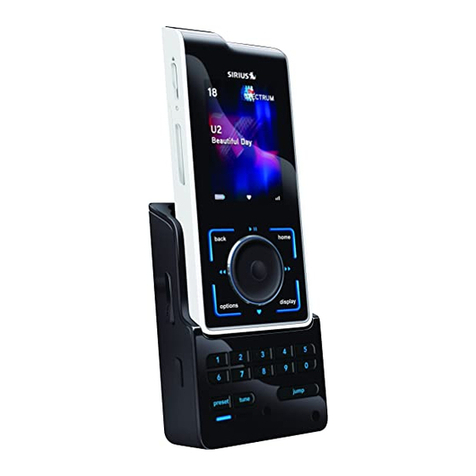
To connect the Sirius S50 to your PC computer, place the wearable player in the home dock
and press the USB Sync button to initiate the USB connection. This will cause the comput-
er to recognize the Sirius S50. While the computer is connecting, the Sirius S50 will display a
Connecting. Please Wait. message. When the Sirius S50 is connected to the computer, the
Connected. Use Software to Disconnect. message will be displayed and no buttons on the
wearable player or the home dock will be functional.
To disconnect from the computer, always use the Eject function of the software to terminate
the USB connection before removing the wearable player from the dock. Failure to do so may
result in the corruption of the files in the Sirius S50. Refer to the software manual included on
the software CD for more information about using the software, or the manual may be down-
loaded from the SIRIUS website at http://www.sirius.com.
Accessing the Setup Menu
To access the Setup menu when the wearable player is in the home dock, press the USB
Sync button. To access the Setup menu during an active USB connection to your computer,
press and hold the USB Sync button.