9
7Press Mor mto select “Search”,
then press (ENTER).
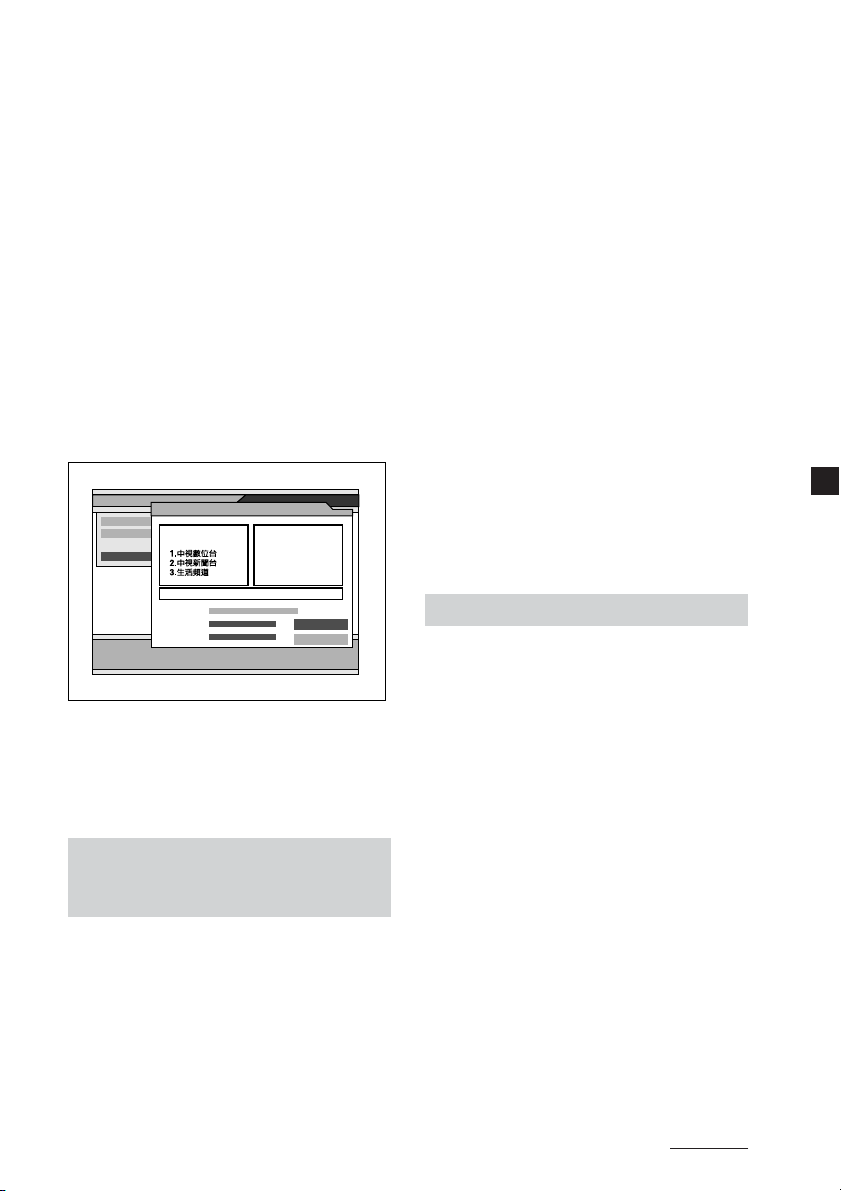
The search starts. The scanned
channels are automatically stored in
order. If the broadcasting station is
scanned, a numerical value of
“Strength” and “Quality” will
increase.
To stop searching, press (EXIT).
8When the search is completed,
press Mor mto select “View” or
“Complete”, then press (ENTER).
•If you select “View”, the selected
channel will be received
immediately.
•If you select “Complete”, the
Channel Search window is closed.
You need to close the Main Page by
pressing (EXIT) repeatedly to make
the settings effective.
Frequency
Channel
Channel Search
FFT Mode: 8K
Guard Interval: 1/8
Constellation: QPSK
Hierarchy: None
Code Rate: 1/2
Strength 21
177500
5
Auto Suarch
Quality 0
Channel Search
View
Complete
Scanning 100%
Strength
Quality
TV Radio
Channel 32 581Mhz 6/6
Note
When the unit finds the same broadcast in
the same channel, the broadcast will be
overwritten. When the unit finds the same
broadcast in a different channel, the
broadcast will be additionally stored.
Searching channels
automatically in your local
area
1Follow steps 1 to 3 in “Searching
channels automatically”.
2Press <or ,to select the desired
channel.
Select the scanning channel range.
3Press Mor mto move the cursor to
the search mode bar.
4Press <or ,to select “Search
local channels”, then press
(ENTER).
The search starts. The scanned
channels are automatically stored in
order. If a broadcasting station is
scanned, a numerical value of
“Strength” and “Quality” will
increase.
To stop searching, press (EXIT).
5When the search is completed,
press Mor mto select “View” or
“Complete”, then press (ENTER).
•If you select “View”, the selected
channel will be received
immediately.
•If you select “Complete”, the
Channel Search window is closed.
You need to close the Main Page by
pressing (EXIT) repeatedly to make
the settings effective.
•If the reception is poor, the channel
information is displayed as TVch 1,
2... and will not be properly
displayed. In this case, try it again
in a different area.
Searching channels quickly
1Follow steps 1 to 4 in “Searching
channels automatically”.
2Press <or ,to select “Quick
Search”, then press (ENTER).
3Press M/m/</,to select “Start
Channel” and “End Channel”.
Select the scanning channel range
(Default is 14 to 36).
4Press Mor mto select “Search”,
then press (ENTER).
The search starts. The scanned
channels are automatically stored in
order. If the broadcasting stations is
scanned, a numerical value of
“Strength” and “Quality” will
increase.
To stop searching, press (EXIT).
5When the search is completed,
press Mor mto select “View” or
“Complete”, then press (ENTER).
•If you select “View”, the selected
channel will be received
immediately.
Continued