10
Application
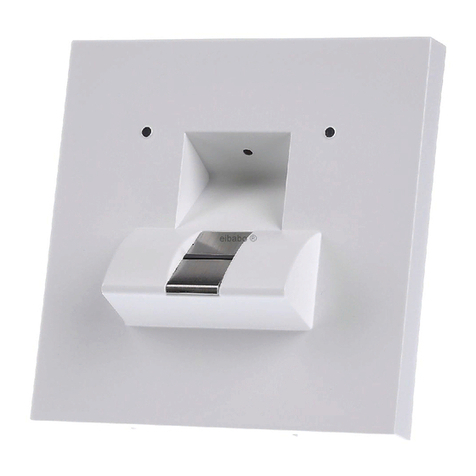
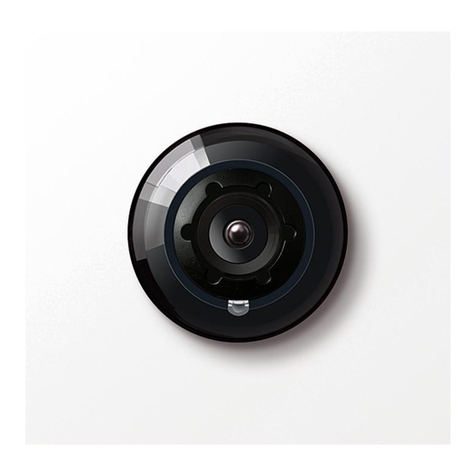
Movement sensor module in Vario-
System. In a limitable area it detects
infrared beams such as those emit-
ted by human beings. The system
contains a highsensitivity infrared
detector, a photoelectric lighting
controller and the associated ampli-
fying circuit. The output can be utili-
zed independently of one another.
The horizontal monitored area and
monitoring range are variable. The
movement sensor module can be
employed for automatic time-con-
trolled activation of the exterior
lighting in conjunction with the line-
side photoelectric lighting controller.
The switch output of the photoelec-
tric lighting controller can be uti-
lized, for example, to control the
name plate illumination or, to con-
trol the switch output of the move-
ment sensor to activate the video
system. When heavy-current circuits
are connected, a 12 V/230 V AC
remote control relay with appropria-
te switching capacities is required. If
additional outside light switches are
included in the same circuit, a timer
(automatic hallway switch) is
required. The available flush-moun-
ted, surface-mounted and free-stan-
ding models of the movement sen-
sor module can be installed alone or
in conjunction with other Vario
function modules (door loud-spea-
kers). The mounting accessories
must be orderd separately. The lens
of the movement sensor is protected
by a glass disc against vandalism.
The movement sensor is not suitable
for alarm systems.
Warning
If the movement sensor is installed
near to a powerful transmitting
station, it must be ensured that
electrical field strengths with more
than 1 V/m (1 V/1.1 yd.) do not
occurr as this could cause faulty
function (shield if necessary).
Selecting an installation site
1The range of the movement
sensor depends upon the height at
which it is mounted, the lens
setting, outdoor temperature and
the direction of approach.
2 The vertical monitored area can be
adjusted by tilting the lens in steps
of 6° from 15° to 45°.
Vertical monitored area in 2 levels
depending on lens setting:
3when installed at a level of 1.5 m
( 1.6 yds.)
4when installed at a level of 2.5 m
( 2.7 yds.)
5Horizontal monitored area max.
110°, 9 zones in 2 levels: 5 long
zones 4 short zones.
Monitored areas can be modified
with mask attachments.
Warning
Do not cover the central area.
6 a) mask attachement on both
sides
b) on left hand side
c) on right hand side
The masks are clipped into place. In
selecting a side for installation,
make certain that anyone following
the most common route passes
throught the zone of the movement
sensor.
Mounting
Follow the instructions in the pro-
duct information enclosed with the
Vario System. The movement sensor
is in-serted in the Vario mounting
frame.
Installation
The movement sensor operates with
12 V AC power; the 3 control out-
puts are low voltage contacts.
Depending on the size of the circu-
its, 3 to max. 6 low voltage supply
wires are required with 0,8 mm wire
diameter (20 AWG).
If a heavy circuit (exterior lighting)
is to be connected, a 12/ 230 V AC
remote control relay must be
employed.
7Connection of BMM 511-0:
Output B = movement sensor switch
Output D = photoelectric lighting
controller
Output B/D = B and D wired in
series
G = common pole for switch out-
puts
8Movement sensor activates exter-
nal lights
9Movement sensor in Vario door-
loudspeaker activates external lights,
nameplate illumination and, if in-
stalled, the video system.
10 Movement sensor in conjunction
with other low voltage light swit-
ches.
a) via time relay ZR 502-0
b) via automatic hallway timer
(available commercially) Video
connection possible as under 3.
Notes to the wiring diagram:
a) cut connection between terminal
7 of the monitor and terminal 7 of
the system telephone
b) set timer on shortest time
Function check
11 Entry test
As delivered, the operating time is
set to the shortest duration, approx.
10 sec. This should not be altered
for the entry test or when an editio-
nal timer is used. During the test,
the terminal connections to “B/D”
are wired to “B”, eliminating the
effect to the photo-electric lighting
controller during daylight operation.
Now conduct the entry test and, if
necessery, modify the monitored
area according to the instructions
on page 4.
Warning
A movement in the monitored area
extends the operating time. The per-
son testing the function must there-
fore leaves the monitored area each
time he triggers the sensor and then
re-enter it.
After the entry test reconnect
terminal “B” to terminal “B/D”.
12 a) Potentiomter for timer
b) Lighting controller
c) Saervice switch
d) Adjusting range
Setting the photoelectric lighting
controller
The function of the switch is to pre-
vent the “light” from being turned
on during daylight operation. At the
factory it is set to approx. the same
threshold value as public street
lamps. If the light is to be switched
English
Installation