6
Commissioning and
programming procedure
On principle, the Siedle-In-Home bus
can be commissioned and pro-
grammed single-handedly. However,
as actions have to be performed
both at the door loudspeaker and at
the bus telephone, for large-scale
projects we recommend that
commissioning be performed by two
people...
Important notes
!
• In systems with more than one
BSG 650-... connected together with
one BVG 650-..., if the programming
button on one BSG is pressed, all
other connected BSG will be
switched to the programming mode.
In the programming mode, only one
door loudspeaker may be active at
any one time, i.e. door loudspeakers
cannot be programmed simultane-
ously.
• If an already programmed door
button is pressed for longer than
3 secs in the programming mode at
the active door loudspeaker, first a
warning tone sounds and then the
confirmation tone. This call button is
subsequently deleted if there was no
BT active. However, if a BT is active
at this moment, this button is
overwritten by the new address.
Ensure:
• that the call buttons of all the
door loudspeakers are inscribed to
allow the individual call buttons to
be assigned also to the correspon-
ding BT.
• that each BSG 650-... has set a
different address.
• that all units are connected to the
mains.
• that in systems with more than
one line, one bus supply unit
BVG 650-... is installed.
Programming the call
buttons at the bus door
loudspeaker
Commissioning
Setting the address
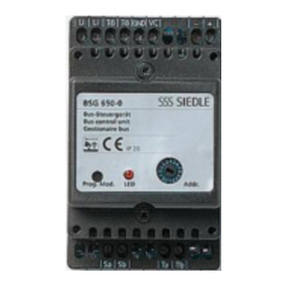
The BSG 650-..., and each BSG
where there are several in the
system, must be given its own
address. Any address from 1-9 and
A-F can be set. "0" is not admis-
sible as an address!
230 V AC ok? yes
Check status displays!
Program in accordance with Figs.
2 - 14 / 21 in sequence. Repeat steps
6 -14/21 and 22 if required, and
after Figs. 23 and 24 terminate the
programming process.
Parallel operation
For programming, see Figs. 15 - 21.
For checking, see Figs. 11 - 14.
In the case of a door call, the call
signal sounds at both BT. Whichever
of the two BTs takes the call then
has a speech connection to the
calling door. The second BT cannot
break into the call.
Defining the calling tone from
the BTLM/BTLE
It is possible to choose between two
call types. Define which tone
sequence you wish to sound at all
BTs in case of a door call from this
BTLM 650-...
In the programming mode and
when the BTLM is active, it is
possible to change between the two
tone types for three seconds by
pressing the light-/programming-
button at the active BTLM/BTLE.
This definition can be made
subsequently, but is always binding
for all calls from this BTLM.
Servicing
Exchanging system users
If a programmed system user is
removed from the line and then
reconnected, the programming is
retained. However, if the user is
connected in the meantime to a
different line, it will always require
reprogramming.
Exchanging for a used BSG
• Set the correct address at the BSG
• Connect only the supply voltage
and wait until the BSG stops flashing
• Disconnect the power
• Connect bus cores "Ta, Tb"
• Press the buttton, switch on the
power and while the system is
running up (LED flashes), hold the
“Prog. Mode” buutton down for 3
secs. After this, the LED should stay
on continuously.
• The complete programming
configuration is written to the BSG.
The exchange is now complete
Exchanging for a new BSG
• Set the correct address at the BSG
• Connect bus cores "Ta, Tb"
• Press the button, switch on the
power and while the system is
running up (LED flashes), hold the
“Prog. Mode” button down for 3
secs. After this, the LED should stay
on continuously.
• The complete programming
configuration is written to the BSG.
The exchange is now complete
Failure to observe these instruc-
tions will result in loss of all the
system programming.