Protouch-wide: user documentation
DOC/PROTOUCH-WIDE; V1.5
DOC_PROTOUCH_WIDE_V1.5.docx Seite 4 von 41
© 2019 Syslogic Datentechnik AG | All rights reserved
7Manufacturer Information 41
7.1 Contact 41
7.2 Warranty 41
7.3 RMA Service 41
List of Tables
Tab. 1 Projected capacitive touch panel versions 10
Tab. 2 Projected capacitive touch panel accessories 11
Tab. 3 Power supply connector P1 (1x4 pin) 13
Tab. 4 Serial Port COM1 13
Tab. 5 Serial Port COM2 14
Tab. 6 CAN port on DSUB-9 male (9 pin) 14
Tab. 7 USB1/2 Interface Connector P20 (Dual Type A) 15
Tab. 8 USB3/4 Interface Connector P21 (Dual Type A) 15
Tab. 9 Ethernet Twisted Pair Interface Connectors (RJ45) 16
Tab. 10 Frontside Status LEDs 16
Tab. 11 Pinout mPCIe slot 18
Tab. 12 TFT/HBxxxPU8x16-xxx Mounting dimensions 26
Tab. 13 HVxxxPU8yyy-zZZZ VESA dimensions 28
Tab. 14 General Absolute Maximum Ratings 32
Tab. 15 General Recommended Operating Conditions 32
Tab. 16 Maximum cable length 32
Tab. 17 General Electrical Characteristics 33
Tab. 18 General Switching Characteristics 34
Tab. 21 Hardware Revision State 39
Tab. 22 Firmware Revision State 39
List of Figures
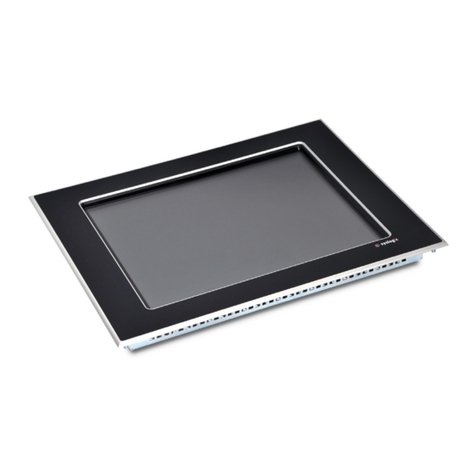
Fig. 1 HBxxxPU8yyy-zZZZ (Front) 11
Fig. 2 HBxxxPU8yyy-zZZZ (Back) 11
Fig. 3 HVxxxPU8yyy-zZZZ (Front) 12
Fig. 4 HVxxxPU8yyy-zZZZ (Back) 12
Fig. 5 Modify default value of backlight 19
Fig. 7 Remove rear case of TFT/HVxxxPU8yyy-zZZZ devices 23
Fig. 9 Required Cut out HBxxxPU8yyy-zZZZ 26
Fig. 10 Screws to hold the mounting Frame 27
Fig. 11 Fully installed PROTOUCH-WIDE 27
Fig. 6 Additional grounding of the cable shields at the entry point of a cabinet 30
Fig. 7 Isolated communication link 31
Fig. 8 Non-isolated communication link with common chassis potential 31
Related Documents