Before You Start...
Is Strata DK ready?
Stratagy DK I&P R2 November 1998
Refer to the Stratagy Library CD-Rom for more details.
3
Is Strata DK
ready?
See the Strata DK
Installation /
Maintenance and
Programming
Manuals for details on
a specific Strata DK
product.
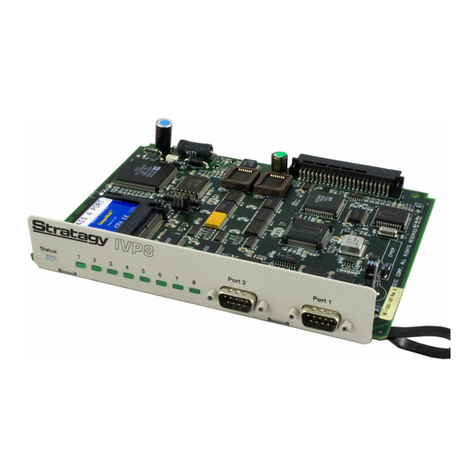
❐Make sure Stratagy DK is compatible with your
Strata DK: It works with all DK280 (CPU
software release 2 and higher) and DK16
systems. It will also work with DK40/424.
❐Always program Strata slot assignments before
installing the Stratagy DK. Use these slot
assignments:
DK424: useauniversalslot,startingwithslot
12 or 13 if an RSIU is in slot 11; never use
slots 27, 28, 31, 37, 38, 47, 48, 51, 57, 58,
67, 68, 71, 77, or 78.
DK280: use any universal slot, starting with
slot 12; never use slots 11, 31 or 51.
DK40: use any expansion cabinet slot.
DK16: use any expansion cabinet slot.
❐Besuretosetcode31inProgram03forthe
slot where
Stratagy DK will be installed.
❐All Strata DK’s: if receiving Calling Party
Control (CPC) or Disconnect Clear from the
Exchange, use Program 15 to enable.
❐Set Program 31 for Voice Mail operation on the
Strata DK ports connected to Stratagy DK.
❐Always remember to shut down Stratagy
software before powering down Strata DK.
Note DK40/424 release dates are still as yet to
be confirmed.
4
Is Strata DK’s
DTMF tone
detection
enabled?
❐Strata DK needs to recognize Stratagy DK’s
DTMF signaling.
❐Make sure an RRCS is installed in the DK424/
DK280, a K5RCU in the DK40, or a K4RCU3 in
the DK16.
❐Run Program 03 and assign these code(s)
where the DTMF receiver is installed:
DK424/DK280 (RRCS installed on the
RCTU): code 92, 93, or 94 for the relevant
slots 00/01.
DK40 (K5RCU): code 98 for slot 00.
DK16 (K4RCU3): code 92 for slot 00