Configure Settings on System Tab:
•Click “System” (gears icon) from bottom of black menu bar at left.
•Change the Device Name to the member’s PPPoE username (from the Network | Radius
area in Sonar)
•Change the Administrator Name to “admin”
•Click “Change Password” and change the password to the member’s PPPoE password.
•Make sure “POE Passthrough” is turned ON.
•Turn Connect to UNMS on.
•From file copy of these instructions, copy/paste this text string into the UNMS Key field:
wss://172.16.2.200:443+h685PMGxcoBr9vMqyylP8rOKBdFtkSSTS3cWntHRkJ7k6k1M+allowSelfSignedCertificate
•Be sure there is no space at the end of the pasted string.
•Scroll to the bottom of the screen and click “Save Changes.”
•Leave "Use UTC Timezone" ON (do not set to mountain time zone).
Configure Settings on Network Tab:
•Select “Network” (flowchart icon) from the left-side nav area and do the following:
•Change “Connection Type” to PPPOE.
•Enter the Radius Username and Password (from the Network | Radius area in Sonar).
•Make sure “Block Management Access” is turned OFF.
•Scroll to the bottom of the screen and click “Save Changes.”
Optional: Change WiFi SSID and PW
•(Do this optional Wi-Fichange as last step if using wifi so you don’t lose connection).
•Select the “Wi-fi” (signal strength icon) from the left-side Nav menu and enter the
new SSID and WPA2 password.
•Remember to hit “Save Changes."
•The WPA2 password printed on the bottom of the airCube will no longer work.
Plug in Configured Router at Member’s Location:
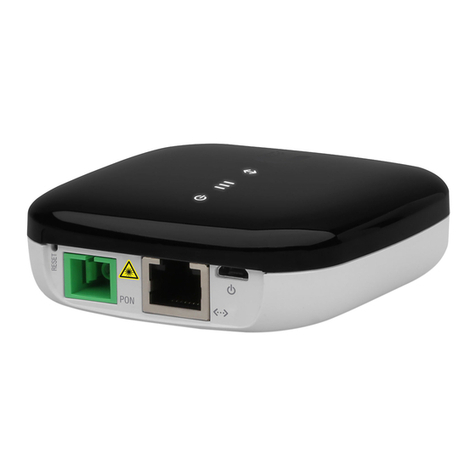
•Use a shielded patch cable to connect the POE port on the POE power supply to the
airCube’s gray “24V POE In”. (The LAN port on the POE will remain empty).
•Alternately you can use a 5V micro USB power supply (i.e. direct connect members).
•Plug the member’s CPE radio Ethernet cable in to the airCube’s blue WAN port.
•Use ports 2 and 3 for any local Ethernet networks.
•Using black electrical tape, tape over the Reset button hole.
Update Yellow Tips Sheet and Sonar Router records:
•Enter info at bottom of yellow Tips sheet and hand to member.
•In Sonar account page go to Custom Fields tab and enter airCube in router brand and
enter admin un and pw. Check the Router is in Managed Mode checkbox.