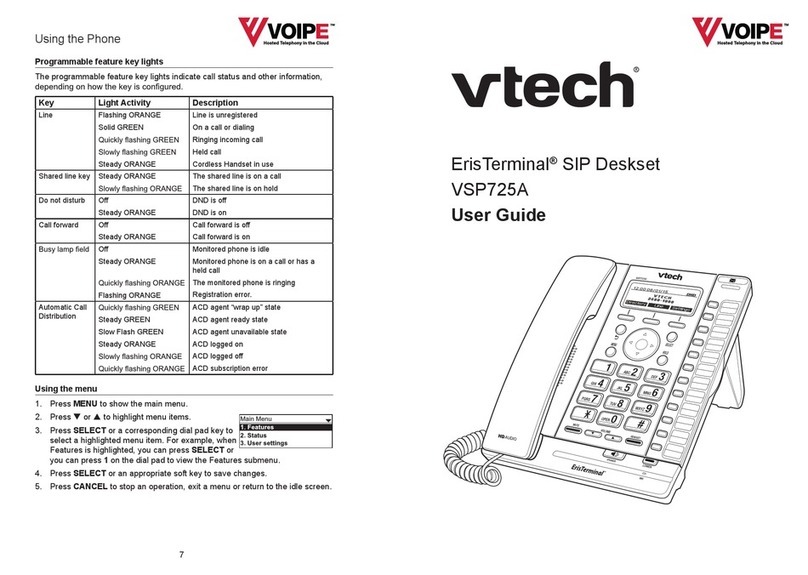
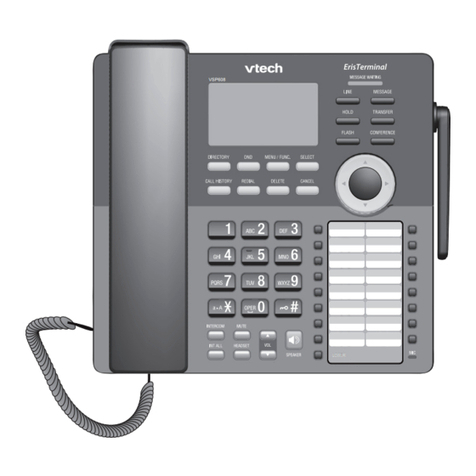
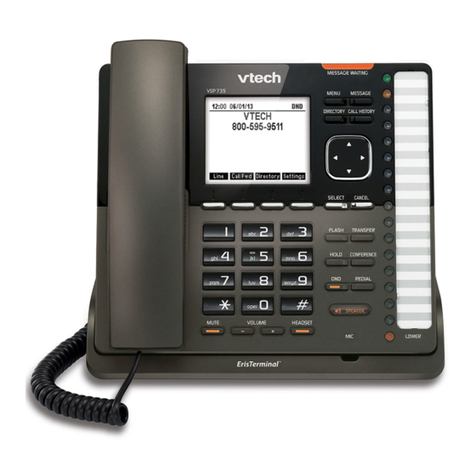
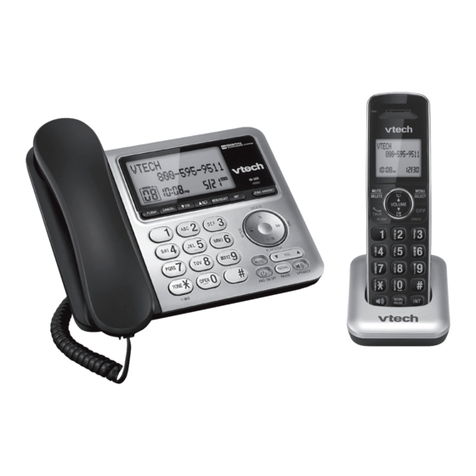
V-tech VSP735 User manual

Quick Start Guide
VSP735
SIP Endpoint Deskset

2
Important Safety Information
This symbol is to alert you to important operating or servicing
instructions that may appear on the product or in this user’s manual.
Always follow basic safety precautions when using this product to
reduce the risk of injury, re, or electric shock.
Important Safety Instructions
When using your telephone equipment, basic safety precautions should always
be followed to reduce the risk of re, electric shock and injury, including the
following:
1. This product should be installed by a qualied technician.
2. This product should only be connected to the host equipment and never
directly to the network such as Public Switch Telephone Network (PSTN) or
Plain Old Telephone Services (POTS).
3. Read and understand all instructions.
4. Follow all warnings and instructions marked on the product.
5. Unplug this product from the wall outlet before cleaning. Do not use liquid or
aerosol cleaners. Use a damp cloth for cleaning.
6. Do not use this product near water such as near a bath tub, wash bowl,
kitchen sink, laundry tub or swimming pool, or in a wet basement or shower.
7. Do not place this product on an unstable table, shelf, stand or other unstable
surfaces.
8. Slots and openings in the back or bottom of the telephone base and handset
are provided for ventilation. To protect them from overheating, these
openings must not be blocked by placing the product on a soft surface such
as a bed, sofa or rug. This product should never be placed near or over a
radiator or heat register. This product should not be placed in any area where
proper ventilation is not provided.
9. This product should be operated only from the type of power source indicated
on the marking label. If you are not sure of the type of power supplied at the
premises, consult your dealer or local power company.
10. Do not allow anything to rest on the power cord. Do not install this product
where the cord may be walked on.
11. Never push objects of any kind into this product through the slots in the
telephone base or handset because they may touch dangerous voltage
points or create a short circuit. Never spill liquid of any kind on the product.

3
12. To reduce the risk of electric shock, do not disassemble this product, but
take it to an authorized service facility. Opening or removing parts of the
telephone base or handset other than specied access doors may expose
you to dangerous voltages or other risks. Incorrect reassembling can cause
electric shock when the product is subsequently used.
13. Do not overload wall outlets and extension cords.
14. Unplug this product from the wall outlet and refer servicing to an authorized
service facility under the following conditions:
A. When the power supply cord or plug is damaged or frayed.
B. If liquid has been spilled onto the product.
C. If the product has been exposed to rain or water.
D. If the product does not operate normally by following the operating
instructions. Adjust only those controls that are covered by the
operation instructions. Improper adjustment of other controls may
result in damage and often requires extensive work by an authorized
technician to restore the product to normal operation.
E. If the product has been dropped and the telephone base and/or
handset has been damaged.
F. If the product exhibits a distinct change in performance.
15. Avoid using a telephone (other than cordless) during an electrical storm.
There is a remote risk of electric shock from lightning.
16. Do not use the telephone to report a gas leak in the vicinity of the leak. Under
certain circumstances, a spark may be created when the adapter is plugged
into the power outlet, or when the handset is replaced in its cradle. This is a
common event associated with the closing of any electrical circuit. The user
should not plug the phone into a power outlet, and should not put a charged
handset into the cradle, if the phone is located in an environment containing
concentrations of ammable or ame-supporting gases, unless there is
adequate ventilation. A spark in such an environment could create a re or
explosion. Such environments might include: medical use of oxygen without
adequate ventilation; industrial gases (cleaning solvents; gasoline vapors;
etc.); a leak of natural gas; etc.
17. Only put the handset of your telephone next to your ear when it is in normal
talk mode.
18. The power adapters are intended to be correctly oriented in a vertical or oor
mount position. The prongs are not designed to hold the plug in place if it is
plugged into a ceiling, under-the-table or cabinet outlet.

4
19. Use only the power cord indicated in this manual.
20. In wall mounting position, make sure to mount the telephone base on the wall
by aligning the eyelets with the mounting studs of the wall plate. Then slide
the telephone base down on both mounting studs until it locks into place.
Refer to the full instructions in Deskset Installation in the User Guide.
21. CAUTION: Keep small metallic objects such as pins and staples away from
the handset receiver.
SAVE THESE INSTRUCTIONS

5
Compliance
FCC part 15
This device complies with Part 15 of the FCC rules. Operation is subject to the
following two conditions: (1) This device may not cause harmful interference, and
(2) this device must accept any interference received, including interference that
may cause undesired operation.
This equipment has been tested and found to comply with the limits for a
Class A digital device, pursuant to Part 15 of the FCC Rules. These limits are
designed to provide reasonable protection against harmful interference when the
equipment is operated in a commercial environment. This equipment generates,
uses, and can radiate radio frequency energy and, if not installed and used in
accordance with the instruction manual, may cause harmful interference to radio
communications. Operation of this equipment in a residential area is likely to
cause harmful interference in which case the user will be required to correct the
interference at the user’s expense.
This Class A digital apparatus complies with Canadian requirements:
CAN ICES-3 (A)/NMB-3(A).
Cet appareil numérique de la classe A est conforme à la norme NMB-003 du
Canada.
WARNING: Changes or modications to this equipment not expressly approved
by the party responsible for compliance could void the user’s authority to operate
the equipment.
Industry Canada
This device complies with Industry Canada licence-exempt RSS standard(s).
Operation is subject to the following two conditions: (1) this device may not cause
harmful interference, and (2) this device must accept any interference received,
including interference that may cause undesired operation of the device.
Privacy of communications may not be ensured when using this telephone.
The term ‘’IC:‘’ before the certication/registration number only signies that the
Industry Canada technical specications were met.

This product meets the applicable Industry Canada technical specications.

6
Parts Checklist
Your telephone package contains the following items. Save your sales receipt
and original packaging in the event warranty service is necessary.
About this Guide
This quick start guide provides a reference for the external features of the phone
and basic installation instructions.
Please refer to the VSP735 Deskset User Guide for complete installation and
operation instructions. You can download the guide from
businessphones.vtech.com.
For customer service or product information, visit our website at
businessphones.vtech.com or call 1 (888) 370-2006.
Quick Start Guide Power adapter
Handset and
handset cord
Deskset base Deskset stand
Ethernet cable
Quick start guide
Replacement
key label card

7
Quick Reference Guide
SCREEN
Displays call information,
soft key labels, and
deskset menus.
SOFT KEYS
Perform the actions
indicated by the
on-screen labels.
MENU
Press to display
the deskset menu.
SELECT
Press to select a
menu item or save
an entry or setting.
CALL HISTORY
Press to view caller ID
information.
DIRECTORY
Press to view
directory information.
CANCEL
While in a menu, press
to cancel an operation
and exit the menu.
NAVIGATION KEYS
While in menus, press qor pto scroll through
the menu, highlight items or change settings.
While entering names, numbers or other text,
press tor uto move the cursor left or right.

MESSAGE WAITING indicator
Flashes when you have a new
voice message.

MESSAGE
Press to display the
message menu.

8
Quick Reference Guide
External Features
Programmable keys
Perform various functions and
access various features.
For example:
• Press to access a line to
make a call.
• Press to dial a monitored
extension or a quick-dial
number.
• Press to answer a ringing
call on any line or monitored
extension.
Key label card
To write on the key label card,
pull out the card from under
the plastic cover.
LOWER
Press to access the second
level (alternate function) of
a programmable key.
Corded headset input
(on side)
SPEAKER
Press to turn the
speakerphone on or off.
FLASH
During a call, press to answer
an incoming call when you
receive a call waiting alert.
TRANSFER
Press to transfer a call
to an extension.
CONFERENCE
Press to add another extension
or outside line to an existing call.
REDIAL
Press to view list of
previously dialed numbers.
HOLD
Press to put an
outside call on hold.
DND
Press to enter
do-not-disturb mode.
MUTE
During a call,
press to mute
the microphone.
HEADSET
When a corded headset is
connected to the phone,
press to make, answer or
hang up a call.
MIC
– VOLUME +
• During a call, press to adjust the
listening volume.
• During message playback, press
to adjust the playback volume.
• When the phone is idle, press to
adjust the ringer volume.

9
Deskset Installation
This section assumes that your network infrastructure is established and that
your IP PBX phone service has been ordered and congured for your location.
For more information about installation options and phone setup, see the
VSP735 Deskset User Guide and the VSP735 Deskset Administrator and
Provisioning Manual, available at businessphones.vtech.com.
You can power the phone using the supplied power adapter or using Power over
Ethernet (PoE) from your network. (The phone requires PoE Class 3.) If you are
not using PoE, install the phone near a power outlet not controlled by a wall switch.
The phone can be placed on a at surface or vertically mounted on the wall.
Avoid placing the deskset too close to:
• Communication devices such as television sets, DVD players, or other
cordless telephones
• Excessive heat sources
• Noise sources such as a window with trafc outside, motors, microwave
ovens, refrigerators, or uorescent lighting
• Excessive dust sources such as a workshop or garage
• Excessive moisture
• Extremely low temperature
• Mechanical vibration or shock such as on top of a washing machine or work
bench.
Note: The Deskset shall be installed and used such that parts of the user’s body
other than the hands are maintained at a distance of approximately 20 cm
(8 inches) or more.

10
Installing the phone
Make sure you plug in the Ethernet cable before powering up the phone.
1. Attach the stand.
a. Lift the kickstand and ip it back. Let it rest at its maximum angle.
b. Snap the stand onto the two snap points on the deskset base.
2. Plug the end of the coiled handset cord into the jack on the left side of the
telephone.
3. Lift the deskset base to the desired angle. There are three pairs of grooves
designed to hold the phone at different angles for optimum visibility.
4. Snap the kickstand into the desired grooves until it locks into place.
Other manuals for VSP735
4
Table of contents
Other V-tech IP Phone manuals

V-tech
V-tech DS6177A User manual

V-tech
V-tech LS1250-B User manual

V-tech
V-tech IS8251 User manual

V-tech
V-tech Vonage IP 8100-3 User manual

V-tech
V-tech VSP600 User manual

V-tech
V-tech VSP600A User manual

V-tech
V-tech VSP725 User manual

V-tech
V-tech HD10 User manual

V-tech
V-tech DS6641 User manual

V-tech
V-tech T1100 User manual

V-tech
V-tech VSP735 User manual

V-tech
V-tech CM18445 User manual

V-tech
V-tech ErisTerminal VSP726 User manual

V-tech
V-tech LS6125 User manual

V-tech
V-tech CM18445 User manual

V-tech
V-tech VT-DS6121 User manual

V-tech
V-tech VT9013 User manual

V-tech
V-tech ErisTerminal SIP Deskset VSP736 User manual

V-tech
V-tech USB 7100 User manual

V-tech
V-tech CS6228-3 User manual