2 Flight Control
2.1 Pre-flight Checklist
2.2 Link the remote with the aircraft
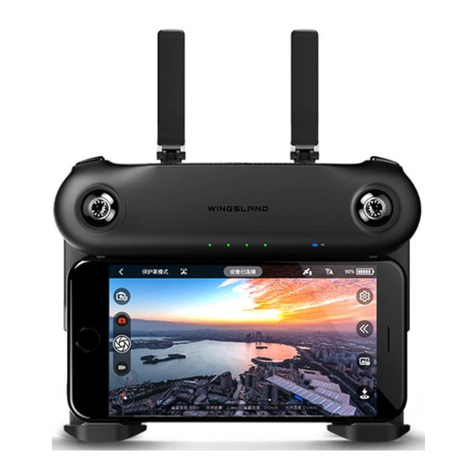
1. Unfold the two handles of the remote and the remote will beautomatically turned on.Hold the power
button for 3 seconds to power up the M5.
Unfold the Handles Power Button
2.4 Auto Takeoff/Landing
2.3 Compass Calibration
② ③①
NS
78
1.Make sure the flight battery, remote controller and mobile device are fully charged.
2.Make sure propellers are flawless and they are mounted correctly and firmly.
3.Make sure the Micro-SD card is inserted, if necessary.
The remote controller and the aircraft have already been set in same frequency, to pair them up,
you only need to do the following steps.
2. If the blue indicator is solid on, it indicates the Wi-Fi between the remote and the aircraft has
been linked. Please choose the remote Wi-Fi on your mobile device. The default Wi-Fi name is
WingslandR6_rc_xxxxxx, and the password is wingsland.
3. After connect to the remote Wi-Fi, run th e WINGLAND FLY M 5 app, tap Sta rt to Fly into the
flying interface, if you see the real-time flight image, it means the remote is successfully paired
with the aircraft.
If you change your remote or aircraft and need to reset the frequency and Wi-Fi, please refer to the M5 User
Manual.
For the first time using M5, it is required to calibrate the compass, or the system might not work properly
and then result in flight safety issues. The compass is easily subjected to other electromagnetic
devices and affects the flight. So calibrating the compass occasionally can keep it in best status
without any data error happening. Follow these steps to calibrate compass:
Do not calibrate in strong electromagnetic field. Please retry it again in other locations if compass
calibration fails for a couple of times.
1.Do not calibrate the compass at place may have strong
interference.
2.Do not calibrate the compass around buildings, High-
Voltage Line, Signal Toweror on metal surfaces.
Please calibrate the compass when flying in a new location.
Please takeoff at an open area avoid crowd,
trees, buildings, electric wires etc. Takeoff
when the aircraft gets 7+ satellites is
recommended and the aircraft will hover
precisely because of the GPS positioning.
Calibra ti ng t he Compas s
Calib rate
Yes
Successfully Calibrate the Sensor
The s ensor i s easil y affect ed by oth er elec troni c equip ments . Frequ ent cal ibrat ion can k eep
the s ensor i n the be st work ing sit uatio n. Plea se cali brate i n a wide o pen pla ce to av oid ne ar
tal l build ings, s ignal t owers o r other p lace wh ich may h ave mag netic i nterf erenc e.
Magnet & Magnetite Steel frame structure
Wide open place Tall buildings Houses and trees