ACN IRIS 3000 VIDEOPHONE USER MANUAL
2
Contents
Safety Instructions....................................................................3
1. Installing Video Phone .................................................. 3
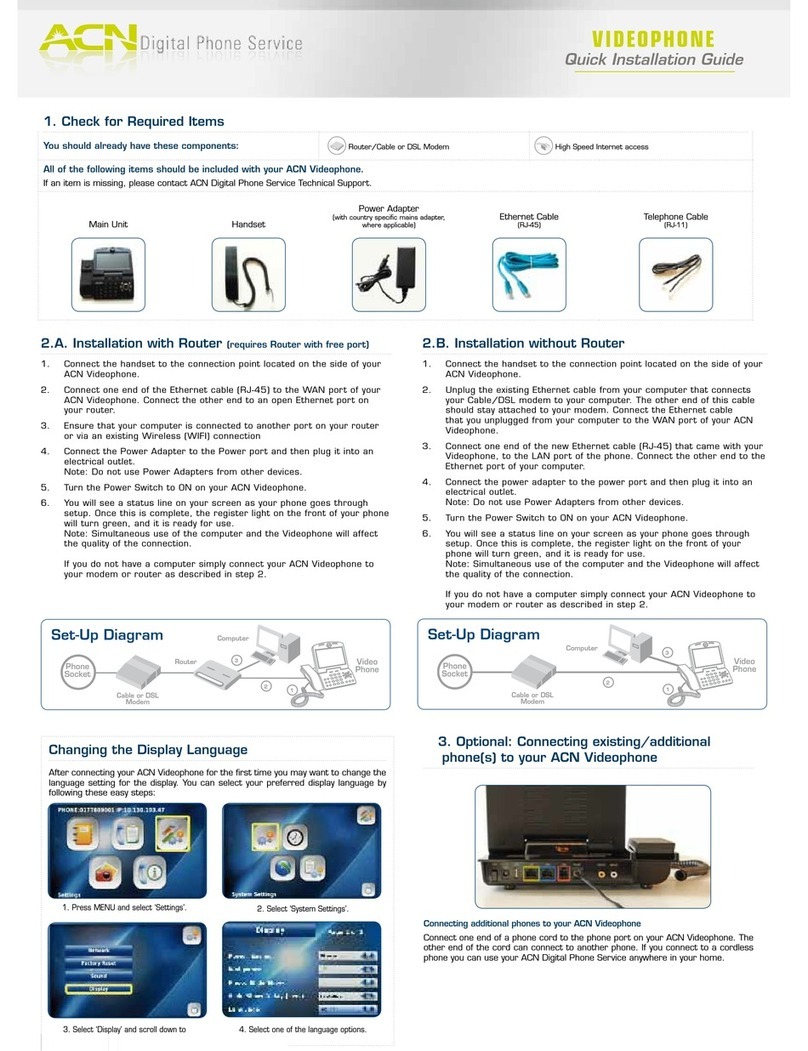
1-2. Connecting your Video Phone.............................................4
1-3. Video Phone’s Components..................................................5
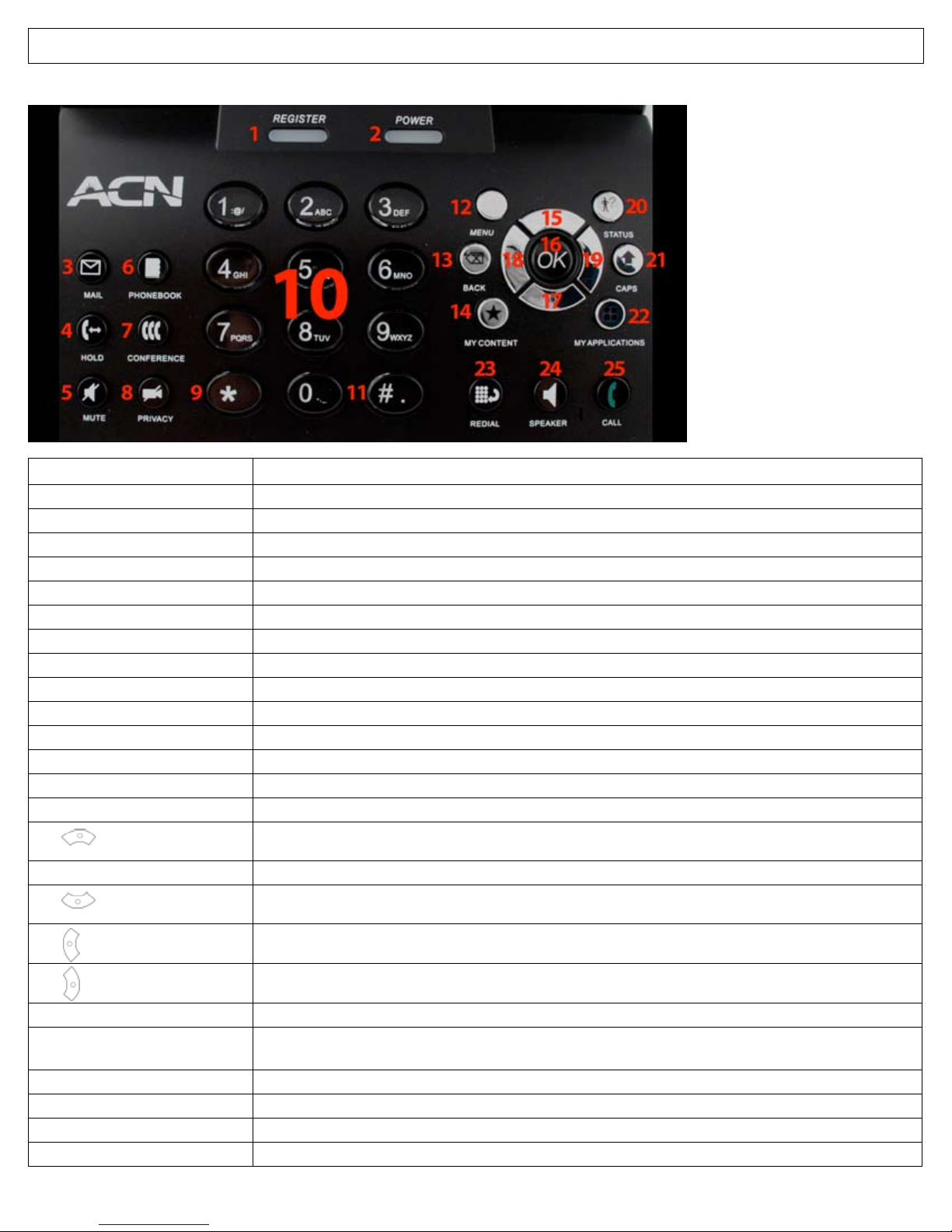
1-4. Each Part’s Name and Function ...........................................6
2. Using Basic Functions of Your Video Phone .............. 7
2-1. Making a Call ..............................................................................7
2-1-1. Making a call in dial pad mode ............................................7
2-1-2. Making a call in standby mode (When LCD is o )........7
2-1-3. Making a call from the Call Log menu...............................8
2-1-4. Making a call from phonebook menu...............................8
2-2. Receiving a Call..........................................................................9
2-3. Rejecting a Call ..........................................................................9
2-4. Ending a Call...............................................................................9
2-5. Listening to Your Voice Mail ..................................................9
2-6. Viewing the Status................................................................. 10
2-7. Useful Functions during a Call...........................................10
2-7-1. Mute............................................................................................ 10
2-7-2. Privacy........................................................................................ 10
2-7-3. Volume Control....................................................................... 11
2-7-4. Brightness Control................................................................. 11
2-7-5. Hold............................................................................................. 11
2-7-6. Conference Call....................................................................... 12
2-7-7. Call Waiting .............................................................................. 12
3. Set Up ............................................................................. 13
3-1. Main Menu ............................................................................... 13
3-2. Using Keypad in Set-up ...................................................... 14
3-3. Entering Names and Characters....................................... 14
3-3-1. Entering Numbers ................................................................. 14
3-3-2. Entering Letters ...................................................................... 14
3-3-3. Entering Numbers and Letters.......................................... 14
3-4. Phonebook............................................................................... 15
3-4-1. All Contacts .............................................................................. 15
3-4-1-1. Add New Entry........................................................................ 15
3-4-1-2. Make a Call................................................................................ 16
3-4-1-3. Edit Contact.............................................................................. 16
3-4-1-4. Delete Contact ........................................................................ 17
3-4-2. Search Contact........................................................................ 17
3-4-2-1. Search by Name...................................................................... 17
3-4-2-2. Search by Phone Number................................................... 18
3-4-3. Delete All................................................................................... 18
3-5. Call Log ...................................................................................... 18
3-5-1. Total Calls ................................................................................. 19
3-5-2. Answered Calls........................................................................ 19
3-5-3. Dialed Calls............................................................................... 19
3-5-4. Missed Calls.............................................................................. 20
3-5-5. Making a Call, Saving or Deleting a Number ............... 20
3-6. Settings...................................................................................... 21
3-6-1. System Settings ...................................................................... 21
3-6-1-1. Network..................................................................................... 21
3-6-1-2. Factory Reset ........................................................................... 21
3-6-1-3. Sound ......................................................................................... 22
3-6-1-4. Display ....................................................................................... 22
3-6-2. Time Setting............................................................................. 25
3-6-3. Upgrade..................................................................................... 26
3-6-4. Administrator .......................................................................... 26
3-7. Digital Photo Frame .............................................................. 26
3-8. Information .............................................................................. 28
Troubleshooting Guide .......................................................................... 29