manuals.online logo
Brands
  1. Home
  2. •
  3. Brands
  4. •
  5. ADC
  6. •
  7. Medical Equipment
  8. •
  9. ADC Diagnostix 750W User manual

ADC Diagnostix 750W User manual

This manual suits for next models

1

Other ADC Medical Equipment manuals

ADC e-sphyg 2 User manual

ADC

ADC e-sphyg 2 User manual

ADC Satin Mac 0 User manual

ADC

ADC Satin Mac 0 User manual

ADC Adscope 600 User manual

ADC

ADC Adscope 600 User manual

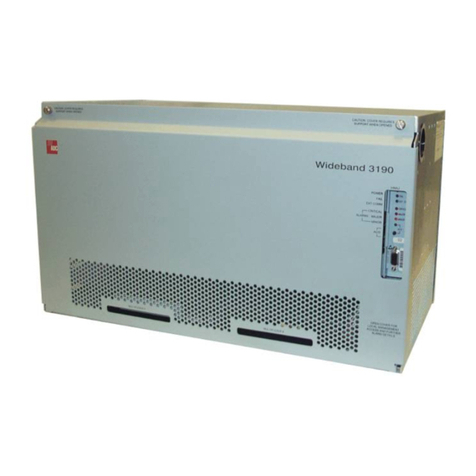
ADC Soneplex Wideband System 3190 Installation and operation manual

ADC

ADC Soneplex Wideband System 3190 Installation and operation manual

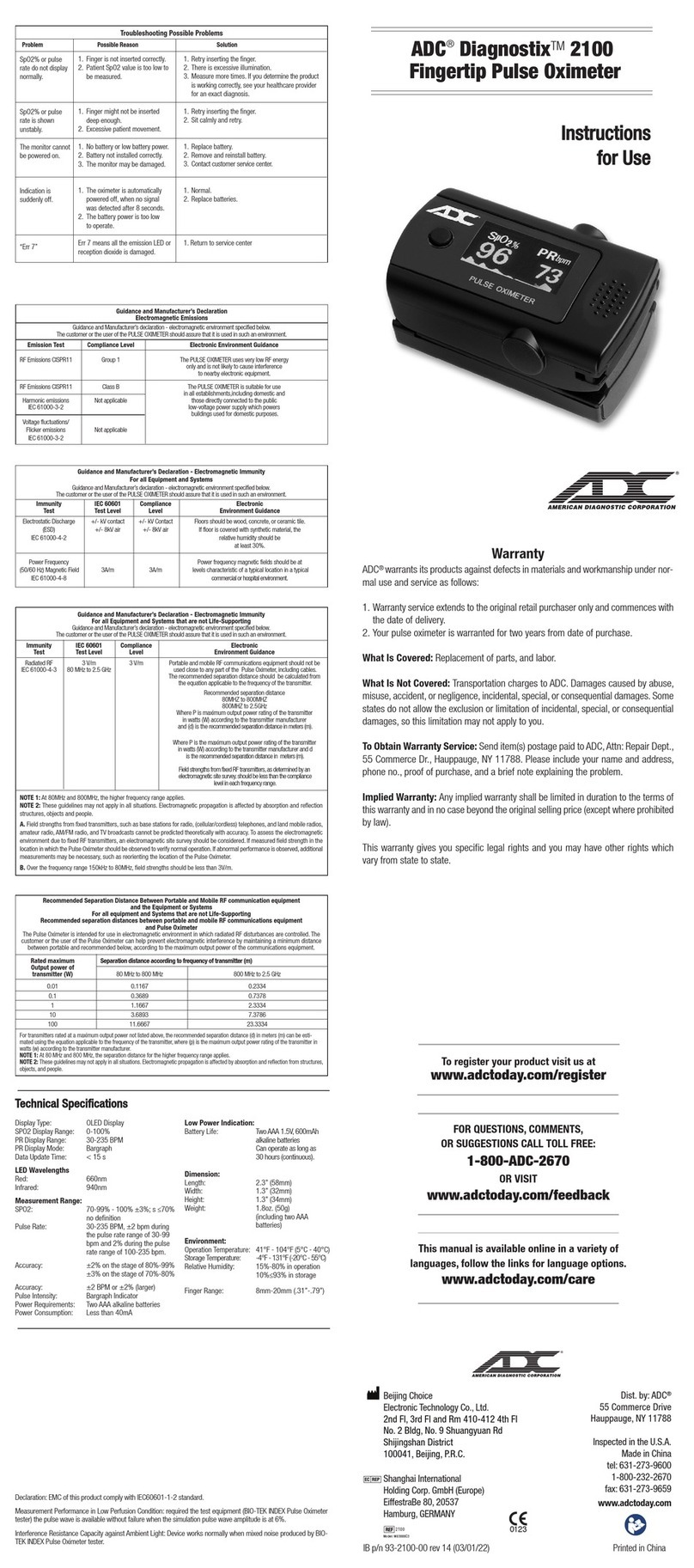
ADC Diagnostix 2100 Manual

ADC

ADC Diagnostix 2100 Manual

ADC ECOWASH-MP2 Operating instructions

ADC

ADC ECOWASH-MP2 Operating instructions

ADC Diagnostix Adstation User manual

ADC

ADC Diagnostix Adstation User manual

ADC 5110N Series Maintenance manual

ADC

ADC 5110N Series Maintenance manual

ADC ADSCOPE Series Maintenance manual

ADC

ADC ADSCOPE Series Maintenance manual

ADC DIAGNOSTIX 922 series Instruction Manual

ADC

ADC DIAGNOSTIX 922 series Instruction Manual

ADC Adscope Sprague Maintenance manual

ADC

ADC Adscope Sprague Maintenance manual

ADC ADC Adscope 658 User manual

ADC

ADC ADC Adscope 658 User manual

ADC Satin 4079 Manual

ADC

ADC Satin 4079 Manual

ADC Diagnostix 752M User manual

ADC

ADC Diagnostix 752M User manual

ADC Adimals 2150 Manual

ADC

ADC Adimals 2150 Manual

ADC Diagnostix 752M User manual

ADC

ADC Diagnostix 752M User manual

ADC Diagnostix 700 Series Maintenance manual

ADC

ADC Diagnostix 700 Series Maintenance manual

ADC ADSCOPE 600 User manual

ADC

ADC ADSCOPE 600 User manual

ADC Adscope 641 Sprague Maintenance manual

ADC

ADC Adscope 641 Sprague Maintenance manual

ADC Diagnostix 2100 Manual

ADC

ADC Diagnostix 2100 Manual

ADC Diagnostix ADSTATION User manual

ADC

ADC Diagnostix ADSTATION User manual

ADC Adscope Sprague Maintenance manual

ADC

ADC Adscope Sprague Maintenance manual

ADC Proscope 5212 Maintenance manual

ADC

ADC Proscope 5212 Maintenance manual

ADC PG-PLUS PLL-734 User manual

ADC

ADC PG-PLUS PLL-734 User manual

Popular Medical Equipment manuals by other brands

Itamar Medical WatchPAT Operation manual

Itamar Medical

Itamar Medical WatchPAT Operation manual

PROTEOR 1P650 KNEE Assembling and adjustment instructions

PROTEOR

PROTEOR 1P650 KNEE Assembling and adjustment instructions

Liberate Medical VentFree user manual

Liberate Medical

Liberate Medical VentFree user manual

Dicarre DA20 user guide

Dicarre

Dicarre DA20 user guide

Stryker Medical M Series Operation manual

Stryker Medical

Stryker Medical M Series Operation manual

Invacare ScanBed 750 user manual

Invacare

Invacare ScanBed 750 user manual

Getinge Arjohuntleigh Nimbus 3 Professional Instructions for use

Getinge

Getinge Arjohuntleigh Nimbus 3 Professional Instructions for use

Mettler Electronics Sonicator 730 Maintenance manual

Mettler Electronics

Mettler Electronics Sonicator 730 Maintenance manual

Pressalit Care R1100 Mounting instruction

Pressalit Care

Pressalit Care R1100 Mounting instruction

Denas MS DENAS-T operating manual

Denas MS

Denas MS DENAS-T operating manual

bort medical ActiveColor quick guide

bort medical

bort medical ActiveColor quick guide

AccuVein AV400 user manual

AccuVein

AccuVein AV400 user manual

agiliti NP Trio user manual

agiliti

agiliti NP Trio user manual

Rocket Medical Rocket Digital Oocyte Aspiration Pump Service manual

Rocket Medical

Rocket Medical Rocket Digital Oocyte Aspiration Pump Service manual

Monteris Medical Neuroblate Instructions for use

Monteris Medical

Monteris Medical Neuroblate Instructions for use

Otto Block 8E33 7 manual

Otto Block

Otto Block 8E33 7 manual

ADVANCED HOME CARE Helios Guide

ADVANCED HOME CARE

ADVANCED HOME CARE Helios Guide

NeuLog NUL-208 Guide

NeuLog

NeuLog NUL-208 Guide

manuals.online logo
manuals.online logoBrands
  • About & Mission
  • Contact us
  • Privacy Policy
  • Terms and Conditions

Copyright 2025 Manuals.Online. All Rights Reserved.

AMERICAN DIAGNOSTIC CORPORATION
55 Commerce Drive
Hauppauge, NY 11788
Customer Service: 1-800-ADC-2670
Voice: 1-631-273-9600
Fax: 1-631-273-9659
email: [email protected]
http://www.adctoday.com
IB p/n: 93521B-00 - rev 1 (03/28/2022)
•Mobile Aneroid
Assembly
Instructions
• Schematic
•Parts List for
Mobile Stand
•Wall Aneroid
Mounting
Instructions
DiagnostixTM
752M, 750W Aneroids
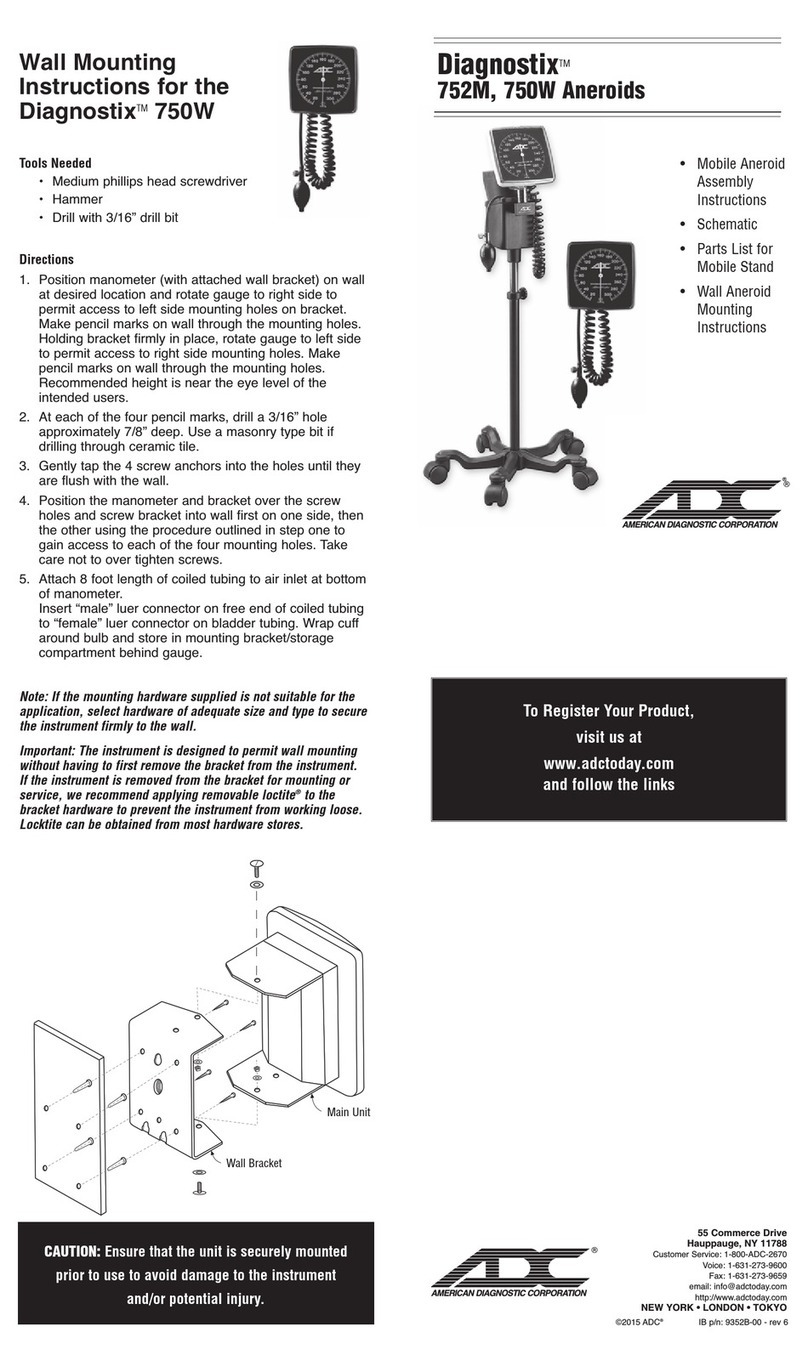
Wall Mounting
Instructions for the
DiagnostixTM 750W
Tools Needed
•Medium Phillips head screwdriver
• Hammer
•Drill with 3/16'' drill bit
Directions
1. Position manometer (with attached wall bracket) on wall
at desired location and rotate gauge to right side to
permit access to left-side mounting holes on bracket.
Make pencil marks on wall through the mounting holes.
Holding bracket firmly in place, rotate gauge to left side
to permit access to right-side mounting holes. Make
pencil marks on wall through the mounting holes.
Recommended height is near the eye level of the
intended users.
2. At each of the four pencil marks, drill a 3/16'' hole
approximately 7/8'' deep. Use a masonry type bit if
drilling through ceramic tile.
3. Gently tap the four screw anchors into the holes until
they are flush with the wall.
4. Position the manometer and bracket over the screw
holes and screw bracket into wall first on one side, then
the other (using the procedure outlined above to gain
access to each of the four mounting holes). Take care
not to over tighten screws.
5. Attach eight-foot length of coiled tubing to air inlet at
bottom of manometer. Wrap cuff around bulb and store
in mounting bracket/storage compartment behind gauge.
Note: If the mounting hardware supplied is not suitable for the
application, select hardware of adequate size and type to secure
the instrument firmly to the wall.
Important: The instrument is designed to permit wall mounting
without having to first remove the bracket from the instrument.
If the instrument is removed from the bracket for mounting or
service, we recommend applying removable Loctite to the bracket
hardware to prevent the instrument from working loose. Loctite
can be obtained from most hardware stores.
Main Unit
Wall Bracket
CAUTION: Ensure that the unit is securely mounted
prior to use to avoid damage to the instrument
and/or potential injury.
®

®

AMERICAN DIAGNOSTIC CORPORATION
®

To register your product visit us at
www.adctoday.com/register
FOR QUESTIONS, COMMENTS,
OR SUGGESTIONS CALL TOLL FREE:
1-800-ADC-2670
OR VISIT
www.adctoday.com/feedback
Assembly Instructions for the
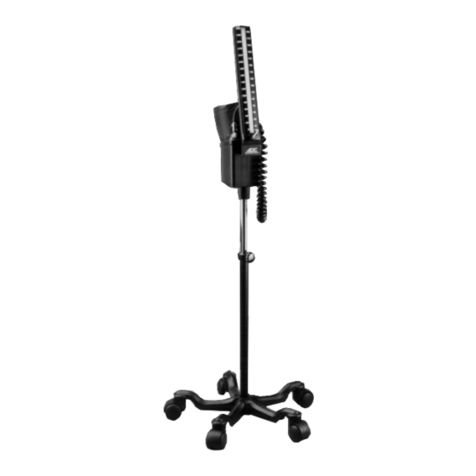
DiagnostixTM 752M
1. With base on its side
connect upright outer pole
to base using the long
6 mm hex screw and washer.
Tighten with the large hex
key provided. Tighten
hardware as securely as
possible. (To prevent
loosening, periodically check
that hardware remains
securely tightened.)
Reposition base upright.
(Figure 1)
2. Slide stainless steel inner
pole inside outer pole with
open end up. Make sure
shock absorbing spring is
inside the outer pole and
tighten.
(Figure 2)
3. Attach metal basket to
platform using two 3 mm
hex screws. Tighten with
small hex key provided.
(Figure 3)
4. Attach manometer
bracket (with attached
manometer) to platform
using short 6 mm hex
screw and washer. Tighten
with large hex key.
(Figure 4)
5. Place assembly consisting of
manometer, cuff storage basket
and platform on top of stainless
steel inner pole, making sure
the pole goes completely inside
collar. Use tightening device
and small hex key as shown.
(Figure 5)
6. Connect coiled tubing to gauge inlet. (Note: The coiled
tubing may be difficult to connect; moisten with soapy
water if necessary.) Refer to booklet titled Diagnostix
Aneroids: Pocket, Palm, Clock Type (9350N-00) for
instructions on operating the unit.
Figure 2
Figure 3
Figure 4
1
2
3B
3A
Ref # Item # Description
1 972-101 Long 6 mm Hex Screw and Washer
2 972-080 Base
3A
972-106-1
Single Caster (3)
3B
972-106L-1
Single Locking Caster (2)
4 972-107 Outer Pole
5 972-108 Knob
6 972-109 Spring
6A 972-107A Gasket
7 972-110 Inner Pole
8 972-111 Tightening Device
9A 752-113 Manometer Bracket
9B 752-114
Short 6 mm Hex Screw and Washer
9C 752-115
Manometer Bracket Hardware
9D
752-119
Cuff Storage Basket
9E 752-117 Platform
9F 752-118 3 mm Hex Screw (2)
9G 752M-116 Large 6 mm Hex Key
9H 752M-117 Small 3 mm Hex Key
Mobile Stand Assembly for the 752M
6
7
6A
4
5
8
Figure 5
9E
9D
9F
Schematic Parts List
9B
9E
8
7
7
4
9F
9G
9E
9D
9A
9E
9B
9C
9A
9C
Long 6 mm
Hex Screw
1
2
Figure 1
9G 9H
9H