7
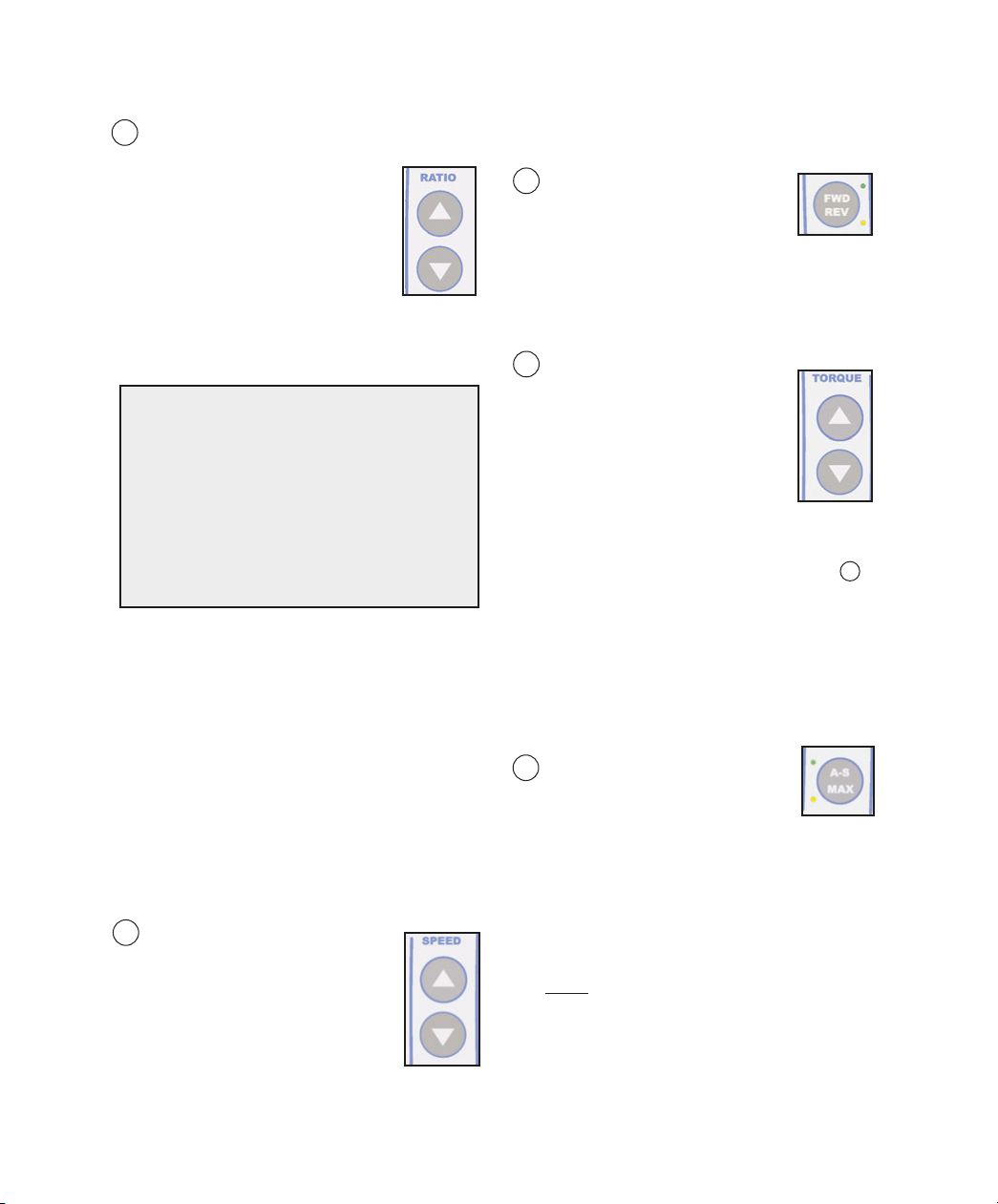
4 andpiece Ratio Selector:
Allows user to select ratio of hand-
piece. Ensures accurate display of
speed and torque levels.
a. Press the handpiece Ratio
selector Up/Down buttons until
the Handpiece Ratio Indicator
matches the ratio indicated on the
handpiece being used. The available ratios
are 1:5, 1:3, 1:2, 1:1, 20:1, and 8:1. The
relative speed ranges with a 40K motor are
shown in igure 7.
Note: Handpiece ratio selection automatically
determines which system Presets are used.
When the 1:5, 1:3, 1:2, 1:1, and 20:1 ratios
are selected, the system automatically
switches the Presets to Implant operating
parameters; when the 8:1 ratio is selected,
the system automatically switches the
Presets to Endodontic operating parameters.
Note: Prior to calibrating a handpiece on the
System, the user must preselect the ratio of
the handpiece via the Ratio Up/Down
buttons. The System can then perform a
“ ree-Run” calibration on both increaser and
reduction handpieces.
5 Speed:
Allows user to select desired
speed (RP ) for
motor/handpiece.
a. Press the Speed Up button to
increase speed or the Speed
Down button to decrease speed.
Note: or display accuracy, the Ratio
Selector must match the ratio of the
SPEED RANGES
1:5 5,000 - 200,000 RPM
1:3 3,000 - 120,000 RPM
1:2 2,000 - 80,000 RPM
1:1 1,000 - 40,000 RPM
20:1 15 - 2,000 RPM
8:1*42 - 5,000 RPM
handpiece being used.
6 Forward /Reverse (FWD/REV):
Sets the rotational direction of
the handpiece.
a. The green LED next to the WD/REV
button illuminates when forward rotation is
selected. The amber LED indicates
reverse rotation. An audible beep will also
indicate reverse rotation.
7 Torque Adjustment:
Allows the user to select torque
limits in Newton•centimeter
increments or gram-centimeter
increments, depending upon
handpiece ratio selected.
a. Press the Torque Adjustment
Up/Down buttons until the
desired torque level is indicated on the
Display. Note: This feature is not available
when in “MAX” Mode - see paragraph 8
for details. Note: When using an Impulsion
20:1 Handpiece, the maximum available
torque will be 32 N-cm when the Pump is
ON, or 40 N-cm when the Pump is O .
When using a Mont Blanc or AHP-85-SS
20:1 handpiece, the maximum available
torque will always be 50 N-cm., regardless
of pump setting.
8 Torque Modes (A-S/MAX):
Allows the user to select from
one of four torque control
modes: Auto-Stop, Auto-Stop-Reverse,
aximum, or Torque Limiting, depending
upon which handpiece ratio is selected.
a. Auto-Stop Torque ode (20:1 and 1:1
handpiece ratios)- The user can specify
an Auto-Stop torque mode by depressing
the Auto Stop (A-S/MAX) button until the
green LED illuminates, then selecting the
desired torque level via the Torque
Up/Down buttons. The handpiece will stop
operating one second after the Auto-Stop
torque limit is reached. A warning tone will
sound when the actual torque level reaches
75% of the specified Auto-Stop limit.
Fig.7
* 42 - 1,400 RPM if Endo ASR active.