6
QUICK START OPERATION
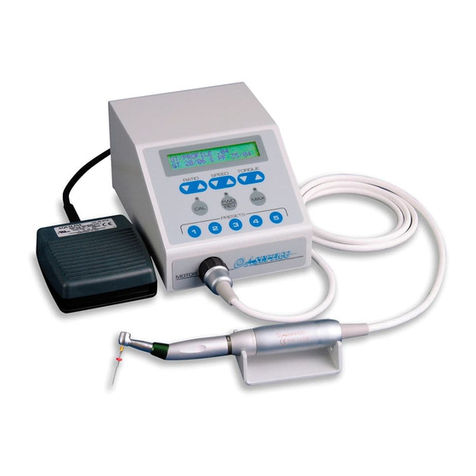
After the unit has been set up, you are ready
for quick start operation as follows:
1. Turn the Power Switch on the rear panel of
the console from the 'O ' (O) to the
'ON' ( ) position. The Console Display will
turn on. An introduction will scroll across the
screen then briefly display the software
version installed and date:
ASEPT CO
AEU-26OS
Ver. X.X DATE
The AEU-26OS is programmed at the
factory to initially start up with Preset 1
active when: the unit is first turned On; after
the factory settings are recalled; or, after
using a memory card to reprogram the unit.
Subsequently, whenever the power is
turned on, the last used settings will be
activated.
2. Insert a drill or bur into the handpiece.
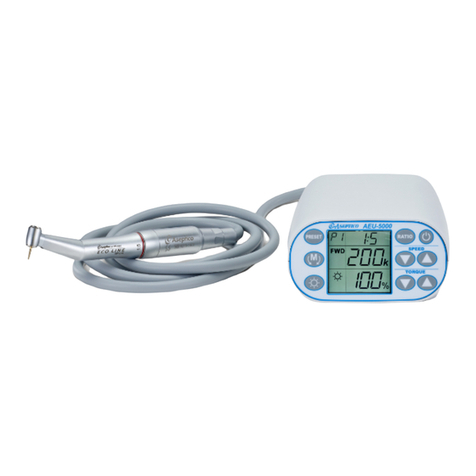
3. Select the handpiece ratio. To calibrate a
handpiece for the AEU-26OS, the user must
first select the ratio. Press the RATIO key and
use the Navigation Up/Down keys to select
the ratio that corresponds to the handpiece
being used. Press the SELECT key to
confirm your selection.
4. Use the Calibration function to calibrate the
motor and handpiece. Press and release
the ‘CAL’ key. The following prompt will
display:
Attach Handpiece To
Motor,
Press 1 To Continue
Or 3 To Exit.
Press Key #1 (Preset 1) to continue.
CAUT ON - During calibration, the
handpiece will run through a series of
preprogrammed speeds. Ensure that a drill
or bur is secured in the handpiece.
If the handpiece fails the calibration test, the
following message will be displayed:
Calibration Failed !
Press 1> etry 3> Exit
Note: Repeated failures during this
calibration procedure can indicate a
damaged or defective handpiece or motor -
Exit test and inspect and/or repair
handpiece/motor before next use.
Note: Pressing, holding, then
releasing the CAL/SETUP key
will enable the system’s
advanced setup options menu.
Refer to the Advanced Operation section
for complete instructions.
5. Select the Preset Key corresponding to the
implant step you are performing. By default,
the preset buttons are set for the implant
protocol shown in Chart 1, page 7.
Note: Pressing and holding a Preset Key
will enter advanced preset options. Refer
to the Advanced Operation section for
instructions.
6. Press the on/off foot control to activate
motor and begin operation.
7. If Sleep Mode has been enabled and no
activity has occurred for 15 or 30 minutes
(see instructions on page 13 to select
desired Sleep Mode features), the AEU-
26OS will go into Sleep Mode to conserve
power. To exit Sleep Mode and resume
operation, press the ‘STANDBY’ Key or foot
pedal.
l