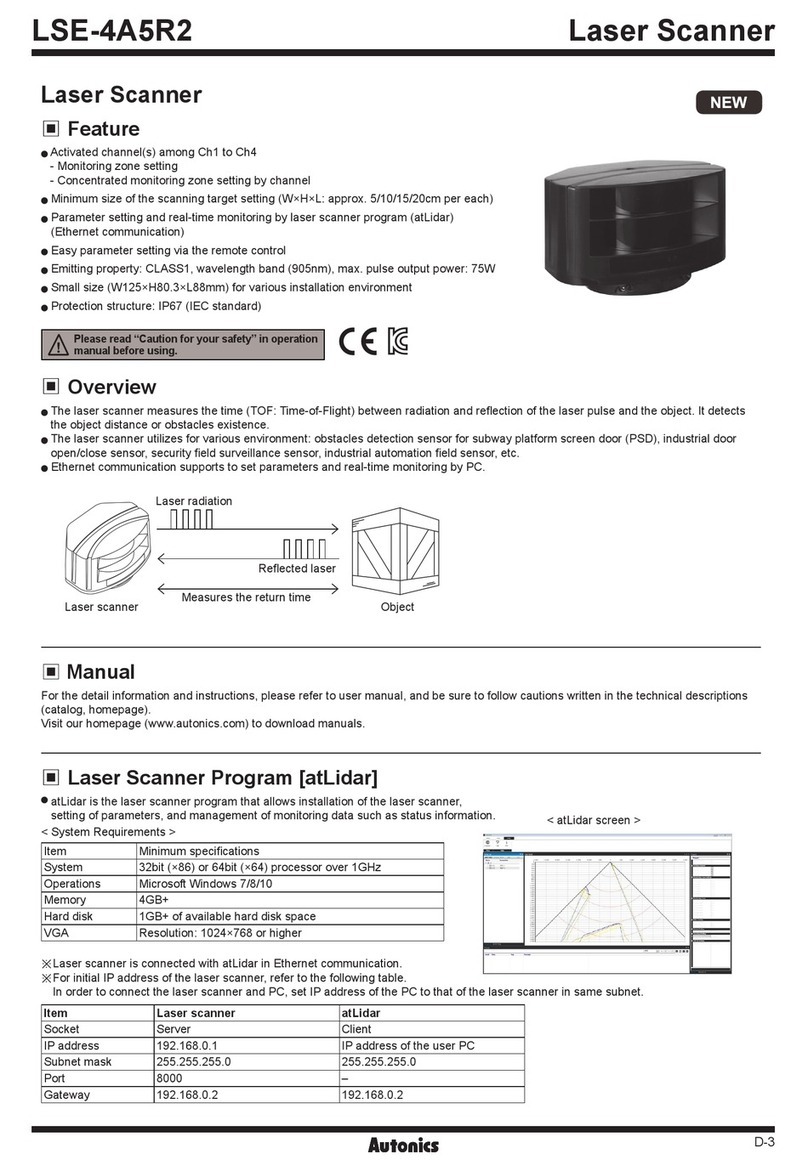
Number: Sensing distance (unit: mm)
Number+M: Sensing distance (unit: m)
No mark: Cable type
W: Cable connector type
T: Through-beam
P: Polarized retroreective
D: Diuse reective
No mark: NPN open collector output
P: PNP open collector output
D: 10 - 30 VDCᜡ
No mark: Oil resistant type
T: Solid state (transistor)
• Be sure to install this product by following the usage environment, location, and specied
ratings. Consider the listed conditions below.
- Installation environment and background (reected light)
- Sensing distance and sensing target
- Direction of target’s movement
- Characteristic curves
• When installing multiple sensors closely, it may result in malfunction due to mutual
interference.
• For installation, tighten the screw with a torque of 0.5 N m. Mount the brackets correctly to
prevent the twisting of the sensor's optical axis.
• Do not impact with a hard object or bend the cable excessively. That could decrease the
product's water resistance.
• Although some of the cable connector types can have color dierences in the connector part
due to the coating, it does not aect operation and performance.
• Use this product after the test. Check whether the indicator works appropriately for the
positions of the detectable object.
Emitter - Receiver:
Install to face each other
Sensor - Reector:
At least 0.1 m apart,
install to face each other
(parallel with the sensing
side of the unit)
Sensor - Sensing target:
Install to face each other
(parallel with the sensing
side of the unit)
• Be sure to set the mode before power-on.
• Use the oered adjustment screwdriver. Do NOT turn with excessive force to prevent
product damage.
Received
Stable
Unstable
Unstable
level
Stability indicator
(green)
Operation indicator
(yellow)
Operation indicator
(yellow)
Transistor output
Transistor output
Stable
beam
• In Dark ON mode, the waveforms are reversed.
• Operation indicator and transistor output dier from the sensing method.
• Reector: MS Series
• Retroreective tape: MST Series
• Bracket B (BJP SERIES BRACKET B)
• M12 connector cable: CID(H)3-□, CLD(H)3-□
This is only for reference, the actual product does not support all combinations.
For selecting the specied model, follow the Autonics website.
BJR - ---
Sensitivity Adjustment
• Set the adjuster for stable Light ON area, minimizing the eect of the installation
environment.
• Use the oered adjustment screwdriver. Do NOT turn with excessive force to prevent
product damage.
• The steps below are based on Light ON mode.
STEP Status
01 Received
Turn the adjuster from MIN (━) to MAX (╋) sensitivity
and check the position (A) where the operation
indicator activates under the light ON area.
02 Interrupted
Turn the adjuster from (A) to MAX (╋) and check the
position (B) where the operation indicator activates
under the light OFF area.
If the operation indicator does NOT activate at the
MAX (╋, maximum sensitivity): MAX = (B).
03 -Set the adjuster at the mid position between (A) and
(B) for optimal sensitivity.
Dimensions
• Unit: mm, For the detailed drawings, follow the Autonics website.
• This dimensions shows the cable type.
Refer to the ‘Specications’ for the core, wiring, and connector spec.
3
Ø4, 2m
25.43.3
20
Receiver
CD
11
B
20
32
Emitter
11
E
A
20
32
Polarized retroreflective,
Diffuse reflective
Cable type
CD
11
A
B
8
12
32
AOptical axis of emitter DStability indicator (green)
BOptical axis of receiver EPower indicator (red)
COperation indicator (yellow)
Circuit
CIRCUIT
LOAD
OCP
SCP
Max. 100 mA
CIRCUIT
LOAD
OCP
SCP Max. 100 mA
• OCP (over current protection), SCP (short circuit protection)
• If short-circuit the control output terminal or supply current over the rated specication, normal control signal is
not output due to the protection circuit.
Connections
10-30 VDCᜡ
Brown
Blue
10-30 VDCᜡ
LOAD
Brown
Black
Blue
10-30 VDCᜡ
LOAD
Brown
Black
Blue
2
3
1
4
Pin Color Function
Brown +V
- -
Blue 0 V
Black OUT
• Connector pin ④ is N.C (not connected) terminal
for the emitter.
Max. 100 mA
Max. 100 mA