10
ENGLISH (Original instructions)
Unplug the unit from the electrical wall outlet, remove and rell
the water tank (3).
Caution! Never leave the steam mop in one spot on any
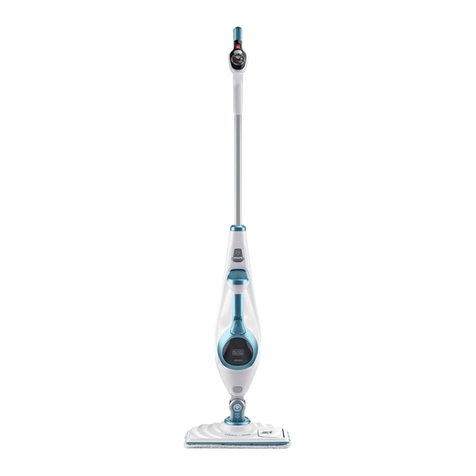
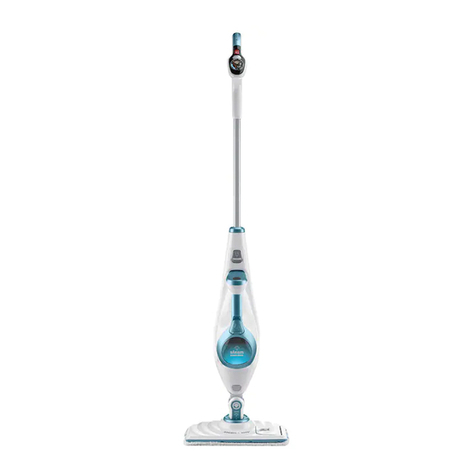
surface for any period of time. Always place the steam mop on
the resting mat (8) with the handle (4) in the upright position
when stationary and make sure the steam mop is turned off
when not in use.
Carpet refreshing
uPlace a cleaning pad (6 or 7) on the oor with the ‘hook &
loop’ side facing up.
uRaise the steam mop off the resting mat (8) and lightly
press it down onto the cleaning pad (6 or 7).
uPlace the carpet glider (9) on the oor.
uLightly press the steam mop down onto the carpet glider
(9) until it clicks into place.
uPlace the steam mop on the resting mat. (8)
uConnect the steam mop to the mains.
uPress the ON/OFF button (1). It takes approximately 15
seconds for the steam mop to heat up.
uPress the AutoselectTM button (2) to the Wood/Laminate
setting.
uPulling the handle (4) back will activate the steam pump.
After a few seconds steam will start to come out of the
steam head.
uPush and pull the steam mop slowly across the carpet to
thoroughly refresh each section.
Note: During use you may turn off the steam pump by return-
ing the handle (4) to the upright position, this convenient
feature will allow you to place the steam mop on the resting
mat (8) so that you may move items of furniture with out the
need to switch the appliance off.
uWhen you have nished using the steam mop, return the
handle (4) to the upright position and turn it ‘OFF’, place it
on the resting mat (8) and wait until the steam mop cools
down. (approximately ve minutes)
Caution! It is important to monitor the water level in the water
tank. To rell the water tank and continue to sanitise/clean,
return the handle (4) to the upright position and turn the steam
mop ‘OFF’. Unplug the unit from the electrical wall outlet,
remove and rell the water tank (3).
Caution! Never leave the steam mop in one spot on any
surface for any period of time. Always place the steam mop on
the resting mat (8) with the handle (4) in the upright position
when stationary and make sure the steam mop is turned off
when not in use.
After use (Fig. J & K)
uReturn the handle (4) to the upright position and turn the
steam mop ‘OFF’,
uPlace the steam mop on the resting mat (8) and wait until
the steam mop cools down. (approximately ve minutes)
uUnplug the steam mop from the electrical wall outlet.
uEmpty the water tank (3).
uRemove the cleaning pad (6 or 7) and wash it ready for
next use. (Take care to follow the wash care instructions
printed on the cleaning pad).
uWrap the supply cable around the cable tidy hooks (10 &
11).
Note: The top cable tidy hook (11) rotates to easily release the
cable ready for next use.
uClip the supply cable onto itself using the cable tidy clip
(22) close to the plug.
uPlace steam mop on the resting mat (8) for storage.
Note: With the handle (4) in the upright position, the cable
neatly wrapped around the cable tidy hooks (10 & 11) and
secured with the cable tidy clip (22) your steam mop will stand
on its own for storage. Alternatively there is a hanging bracket
(23) built into the hand grip (24) which will allow your steam
mop to be hung from a suitable hook on the wall. Always
ensure that your wall hook is capable of supporting the weight
of the steam mop safely.
Maintenance and cleaning
Your BLACK+DECKER corded appliance has been designed
to operate over a long period of time with a minimum of main-
tenance. Continuous satisfactory operation depends upon
proper appliance care and regular cleaning.
Warning! Before performing any maintenance or cleaning on
corded appliances switch off and unplug the appliance.
uWipe your appliance over using a soft damp cloth.
uFor stubborn marks you can use a mild solution of soap
and water to dampen your cloth.
Care of the cleaning pads
Wash care instructions - No fabric conditioner - Allow to dry
fully before re-use.
Caution! Follow the cleaning instructions printed on the label
of the cleaning pad.
Mains plug replacement (U.K. & Ireland only)
If a new mains plug needs to be tted:
uSafely dispose of the old plug.
uConnect the brown lead to the live terminal in the new
plug.
uConnect the blue lead to the neutral terminal.
uConnect the green/yellow lead to the earth terminal.
Warning! Follow the tting instructions supplied with good
quality plugs. Recommended fuse: 13A.
Protecting the environment
ZSeparate collection. Products and batteries marked
with this symbol must not be disposed of with normal
household waste.
Products and batteries contain materials that can be
recovered or recycled reducing the demand for raw materials.