English | 5
Bosch Power Tools 1 609 92A 40H | (27.11.17)
Technical Data
Operation
Starting Operation
Observe the mains voltage! The voltage of the power
supply must correspond with the data given on the name-
plate of the battery charger. Battery chargers marked with
230 V can also be operated with 220 V.
Charging Procedure
The charging procedure starts as soon as the mains plug of
the battery charger is plugged into the socket outlet and the
battery 1is inserted into the charging compartment 4.
Due to the intelligent charging method, the charging condi-
tion of the battery is automatically detectedand the battery is
charged with the optimum charging current, depending on
battery temperature and voltage.
This gives longer life to the battery and always leaves it fully
charged when kept in the charger for storage.
Meaning of the Indication Elements
Flashing Green Battery Charge Indicator 2
The rapid-chargingprocedure is signalled
by a flashing green battery charge indica-
tor 2.
Note:Therapid-charging procedure isonlypossiblewhen the
battery temperature is within the allowable charging temper-
ature range, see section “Technical Data”.
Continuous Lighting of the Green Battery Charge
Indicator 2
Continuous lighting of the green battery
charge indicator 2indicates that the bat-
tery is fully charged.
Additionally, a signal tone sounds for approx. 2 seconds,
which acoustically indicates that the battery is fully charged.
Afterwards, the battery can be removed for immediate use.
When the battery is not inserted, continuous lighting of the
battery charge indicator 2indicates that the mains plug is in-
serted in the socket and that the battery charger is ready for
operation.
ContinuousLightingof the Red Battery Charge Indicator 3
Continuous lighting of the red battery
charge indicator 3indicates that the tem-
perature of the battery is not within the al-
lowable charging temperature range, see
section “Technical Data”. As soon as the allowable charging
temperature range is reached, the battery charger automati-
cally switches to rapid charging.
Flashing Red Battery Charge Indicator 3
A flashing red battery charge indicator 3
indicates a different malfunction of the
charging procedure, see section “Trouble-
shooting – Causes and Corrective Meas-
ures”.
Troubleshooting – Causes and Corrective
Measures
Working Advice
With continuous or several repetitivecharging cycles without
interruption, the charger can warm up. This is notmeaningful
and does not indicate a technical defect of the battery charg-
er.
A significantly reduced working period after charging indi-
cates that the battery is used and must be replaced.
Battery Cooling (Active Air Cooling)
The fan control integrated in the battery charger controls the
temperature of the inserted battery. When the battery tem-
perature is above 30 °C, a fan cools down the battery to the
optimalchargingtemperature.Theswitched-on fanproduces
a fan noise.
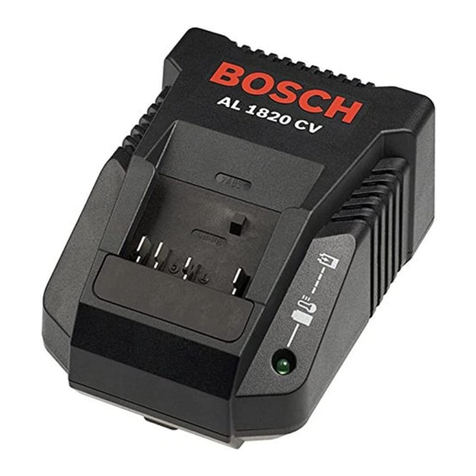
Battery Charger AL 1860 CV
Article number 2 607 225 3..
Battery charging voltage (auto-
matic voltage detection) V10.8–18
Charging current A6.0
Allowablechargingtemperature
range °C 0–45
Charging time for battery capac-
ity, approx. (80%) 100%
– 1.3–1.5Ah min (10) 25
–2.0Ah min (15) 35
– 2.6–3.0Ah min (20) 35
–4.0Ah min (30) 45
Number of battery cells 3–10
Weight according to EPTA-
Procedure 01:2014 kg 0.80
Protection class / II
Cause Corrective Measure
Flashing red battery charge indicator 3
No charging procedure possible
Battery not (properly)
inserted
Properly insert battery into
battery charger
Battery contacts
contaminated
Clean the battery contacts
(e.g. by inserting and remov-
ing the battery several times)
or replace the battery
Battery pack defective Replace the battery
Battery charge indicators 2 or 3 do not light up
Mains plug of battery charger
not plugged in (properly)
Insert mains plug (fully) into
the socket outlet
Socket outlet, mains cable or
battery charger defective
Check the mains voltage;
have the battery charger
checked by an authorised af-
ter-sales service agent for
Bosch power tools
OBJ_BUCH-685-007.book Page 5 Monday, November 27, 2017 3:12 PM