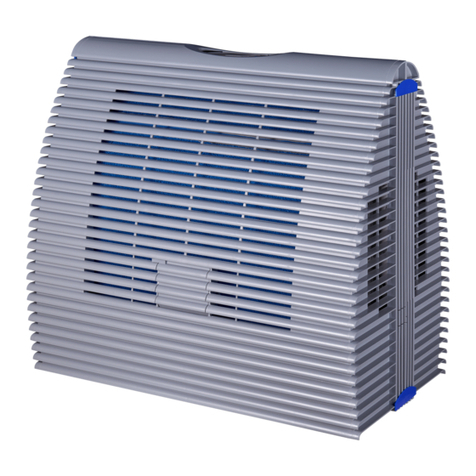
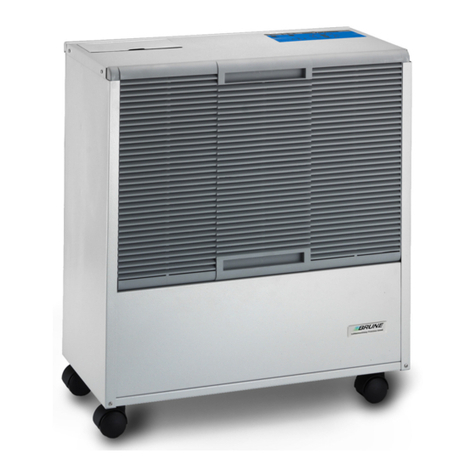
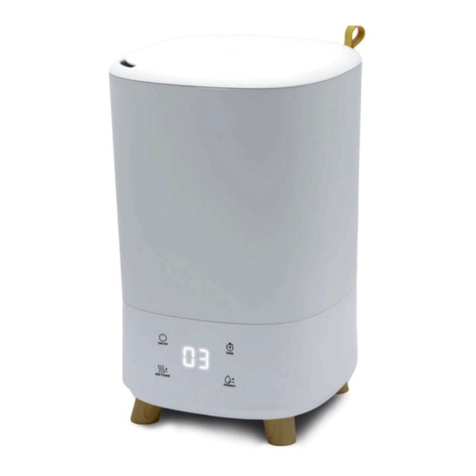
Brune B500 User manual

READ AND SAVE THESE INSTRUCTIONS!

Prok-22117-DE, 2, en_US
Translation of the original operating manual
© Brune Luftbefeuchtung Proklima GmbH 2012
Brune Luftbefeuchtung Proklima GmbH
Schwarzacher Straße 13
74858 Aglasterhausen, Germany
Telephone: +49 6262 54 54
Fax: +49 6262 32 55
email: [email protected]
Internet: www.brune.info
This operating manual was created by:
Kothes!
Technische Kommunikation GmbH & Co. KG
Internet: www.kothes.de
2013-11-04Evaporation Humidifier B500 Professional2

This operating manual allows the safe and efficient use
of the Evaporation Humidifier B500 Professional. This
operating manual is an integral part of the humidifier
and must be stored, readily accessible for the per-
sonnel, in close proximity of the device.
This operating manual must be carefully read by the
user prior to starting any work. The prerequisite for safe
working is to comply with all safety and procedural
instructions specified in this operating manual. The local
accident prevention regulations and the general safety
regulations for the application area of the humidifier
also apply.
The illustrations in this operating manual are intended
for the basic understanding and can deviate from the
actual design.
This equipment has been tested and found to comply
with the limits for a Class B digital device, pursuant to
Part 15 of the FCC rules. These limits are designed to
provide reasonable protection against harmful interfer-
ence in a residential installation.
This equipment generates, uses and can radiate radio
frequency energy and, if not installed and used in
accordance with the instructions, may cause harmful
interference to radio communications. However, there is
no guarantee that interference will not occur in a partic-
ular installation. If this equipment does cause harmful
interference to radio or television reception, which can
be determined by turning the equipment off and on, the
user is encouraged to try to correct the interference by
one or more of the following measures:
nReorient or relocate the receiving antenna.
nIncrease the separation between the equipment and
the receiver.
nConnect the equipment into an outlet on a circuit dif-
ferent from that to which the receiver is connected.
nConsult the dealer or an experienced radio/TV tech-
nician for help.
Information about this oper-
ating manual
FCC compliance statement
2013-11-04 Evaporation Humidifier B500 Professional 3

The content of this operating manual is copyrighted.
Their use is allowed, in the context of the application of
the device. Any further use is not permitted without
written permission of Brune Luftbefeuchtung Proklima
GmbH.
Address Brune Luftbefeuchtung Proklima
GmbH
Schwarzacher Straße 13
74858 Aglasterhausen
Germany
Phone +49 6262 54 54
email [email protected]
Copyright
Customer service
2013-11-04Evaporation Humidifier B500 Professional4

Table of contents
1 The Evaporation Humidifier B500 Profes-
sional................................................................... 8
1.1 Complete Overview....................................... 8
1.2 Remote control............................................ 10
1.3 Wireless sensor system.............................. 10
1.4 Control panel............................................... 11
1.5 Functional description................................. 12
2 Safety................................................................. 13
2.1 Symbols in this operating manual............... 13
2.2 Intended use............................................... 14
2.3 Symbols on the device................................ 15
2.4 Safety and Dangers.................................... 17
2.5 Responsibilities of the owner...................... 21
2.6 Personnel requirements.............................. 22
2.7 Environmental protection............................ 23
3 Transport and storage...................................... 25
3.1 Safety instructions for transport and
storage........................................................ 25
3.2 Symbols on the packaging.......................... 25
3.3 Storage of packages................................... 26
3.4 Transport inspection.................................... 26
3.5 Storage when not in use............................. 26
3.6 Transporting the humidifier......................... 27
4 Commissioning................................................. 29
4.1 Safety instructions for the initial commis-
sioning......................................................... 29
4.2 Requirements at the place of installation.... 29
4.3 Commissioning the humidifier for the first
time............................................................. 29
4.4 Coding the wireless sensor system............. 32
5 Operating the humidifier.................................. 36
5.1 Indicators on the device.............................. 36
5.2 Switching on and off.................................... 37
5.3 Filling the water tank................................... 37
5.4 Setting the desired air humidity................... 39
5.5 Regulating the fan....................................... 39
5.6 Changing the menu settings....................... 40
Table of contents
2013-11-04 Evaporation Humidifier B500 Professional 5

6 Cleaning and servicing the humidifier............ 43
6.1 Safety instructions for servicing.................. 43
6.2 Cleaning schedule....................................... 44
6.3 Cleaning tasks............................................. 45
6.3.1 Monthly cleaning...................................... 45
6.3.2 Replacing the evaporation filter................ 47
6.3.3 Cleaning the water tank........................... 49
6.3.4 Decalcifying the device............................ 50
7 Detect and remedy malfunctions.................... 54
7.1 Safety instructions for troubleshooting........ 54
7.2 Malfunction indication.................................. 54
7.3 Error table................................................... 56
7.4 Remedying errors........................................ 59
7.4.1 Replacing the pump................................. 59
7.4.2 Replacing the fan..................................... 62
8 Accessories....................................................... 65
8.1 Automatic water supply............................... 65
8.2 Automatic flushing device........................... 67
8.3 Activated charcoal cleaning filter................. 69
8.3.1 Overview.................................................. 69
8.3.2 Replacing the activated charcoal cleaning
filter.......................................................... 70
8.4 Air hood with flexible air hose..................... 71
8.5 UV degermination system and lime trans-
forming cartridge......................................... 71
8.5.1 Cleaning the UV degermination system
and lime transforming cartridge................ 72
8.5.2 Replacing the UV lamp............................ 75
9 Spare parts........................................................ 78
10 Disposing of the humidifier............................. 79
11 Technical data................................................... 80
11.1 Dimensions and weight............................. 80
11.2 Connection values..................................... 80
11.3 Performance data...................................... 80
11.4 Operating conditions................................. 81
11.5 Emissions.................................................. 81
11.6 Type plate................................................. 81
12 Index.................................................................. 82
Appendix........................................................... 84
Table of contents
2013-11-04Evaporation Humidifier B500 Professional6

Intentionally blank page
2013-11-04 Evaporation Humidifier B500 Professional 7

1 The Evaporation Humidifier B500 Professional
1.1 Complete Overview
Fig. 1: Evaporation Humidifier B500
1 Filling opening
2 Air outlet opening
3 Control panel
4 Air inlet opening
5 Water tank
6 Cover
The following chapters provide only the description of
the humidifier's standard version. For the operation and
cleaning of the accessories see
Ä
Chapter 8 “Accesso-
ries” on page 65.
Accessories
The Evaporation Humidifier B500 Professional
2013-11-04Evaporation Humidifier B500 Professional8

Fig. 2: Scope of supply
Item Quantity Name
Fig. 1 1 Evaporation Humidifier B500 Professional, incl. power plug
1 1 Wireless sensor system
2 2 AA batteries for wireless sensor system
3 1 Remote control
4 2 AAA batteries for remote control
5 1 Cleaning brush
1 Operating manual
Scope of supply
The Evaporation Humidifier B500 Professional
2013-11-04 Evaporation Humidifier B500 Professional 9

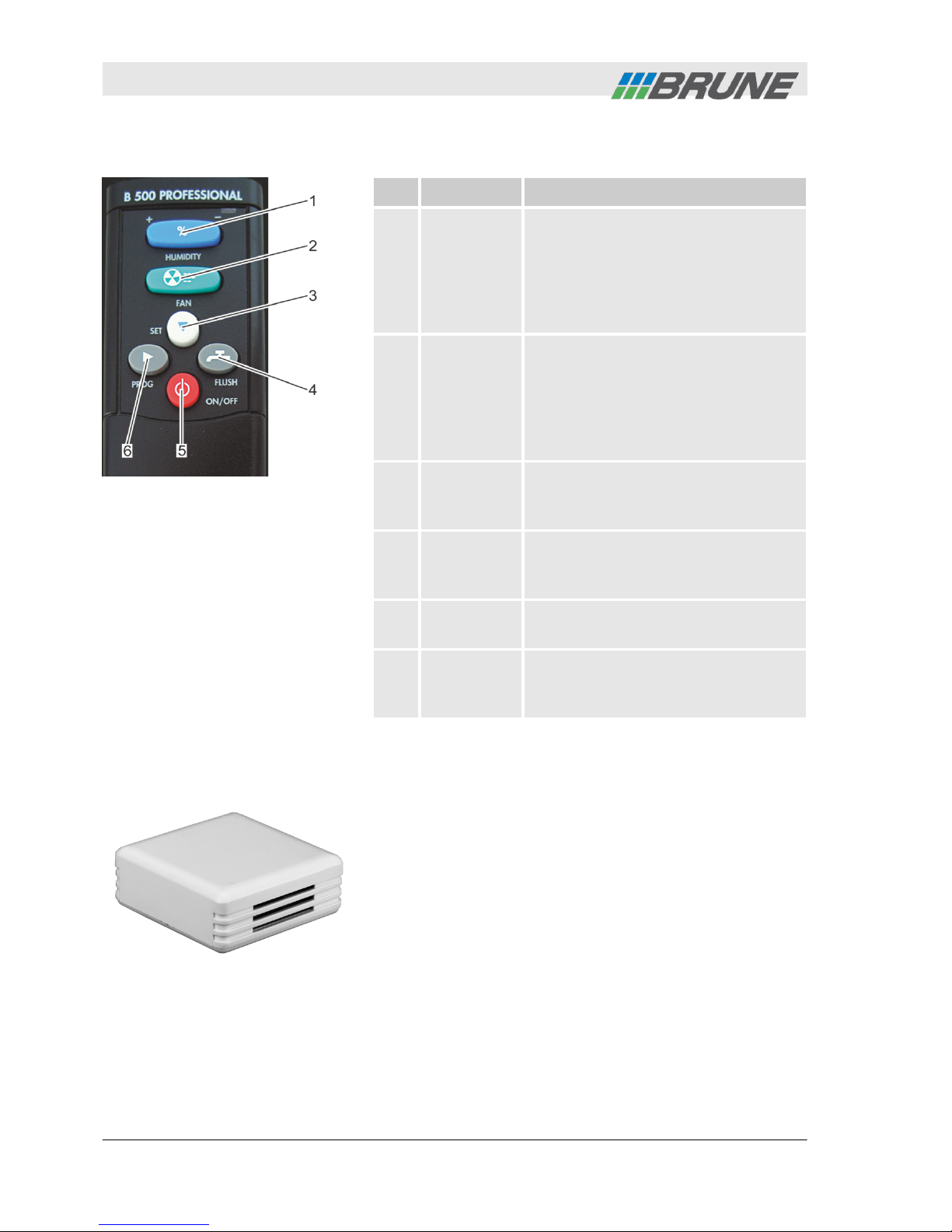
1.2 Remote control
Item Name Function
1[Humidity]
rocker
switch
Using the [Humidity] rocker switch
the target value for the air humidity
can be set. By pressing several
times or continuously the "+" or "-"
area the desired humidity value
can be increased or decreased.
2[Fan]
rocker
switch
By pressing the "+" or "-" area of
the [Fan] rocker switch the fan
speed can be increased or
decreased. In addition to the auto-
matic level, four other fan speed
levels are available.
3[Set] button Using the [Set] button individual
submenus can be selected in pro-
gramming mode.
4[Flush]
button
By pressing the [Flush] button the
flushing device is started (optional
accessory).
5[ON/OFF]
button
By pressing the [ON/OFF] button
the humidifier is switched on or off.
6[Prog]
button
By pressing the [Prog] button the
programming mode of the humidi-
fier opens.
1.3 Wireless sensor system
The wireless sensor system controls the humidifier
automatically. It measures the current air humidity and
sends, in intervals of three minutes or in case of a
humidity change of more than 3 %, the value to the
humidifier. According to the set humidity target value
the speed of the fan is then automatically adjusted.
Fig. 3: Remote control
Fig. 4: Wireless sensor system
The Evaporation Humidifier B500 Professional
2013-11-04Evaporation Humidifier B500 Professional10
Other manuals for B500
2
Table of contents
Other Brune Humidifier manuals