XT30/XT50 User Guide i
XT Series™User Guide
for XT30/XT50 Series Panels
Table of Contents
Section Page Section Page
Introduction ..............................................................1
About Your Security System .............................................1
Emergency Evacuation Plans............................................2
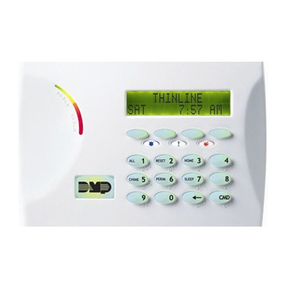
Keypads .........................................................................3
Common Keys on All Keypads...........................................5
Number Pad....................................................................6
Standard Keyboard..........................................................6
Keypad User Options .......................................................7
Special Keypad Tones ......................................................7
1100 Series Wireless .......................................................8
Special Wireless Displays ................................................. 9
Special Keypad Displays...................................................9
Email/Cell Phone Messages ............................................ 10
MyAccess™ Text Messaging CMDs .................................. 10
Understanding Security System Terms ............................ 10
Arming and Disarming.............................................13
How Your System Operates............................................ 13
Arming Functions .......................................................... 13
Key Fob Arming............................................................. 14
Key Fob Disarming ........................................................ 14
Area System Arming...................................................... 14
Area System Disarming.................................................. 15
All/Perimeter System Arming.......................................... 16
All/Perimeter System Disarming...................................... 17
Home/Away System Arming ........................................... 19
Home/Away System Disarming....................................... 20
Keypad Shortcut Keys.................................................... 21
User Menu ...............................................................23
Accessing the User Menu ............................................... 23
User Menu Options........................................................ 23
User Check-In ............................................................... 24
Zone Activity Check ....................................................... 24
Sensor Reset................................................................. 25
Outputs On/Off ............................................................. 25
Favorite ........................................................................ 26
Z-Wave Setup ............................................................... 26
Wi-Fi Setup................................................................... 32
Zone Monitor ................................................................ 34
Using the Zone Monitor Function .................................... 35
System Test .................................................................. 35
User Codes ................................................................... 36
Schedules ..................................................................... 39
Extending Schedules ..................................................... 40
Output Schedules.......................................................... 40