6
STEP 2: Set the Time
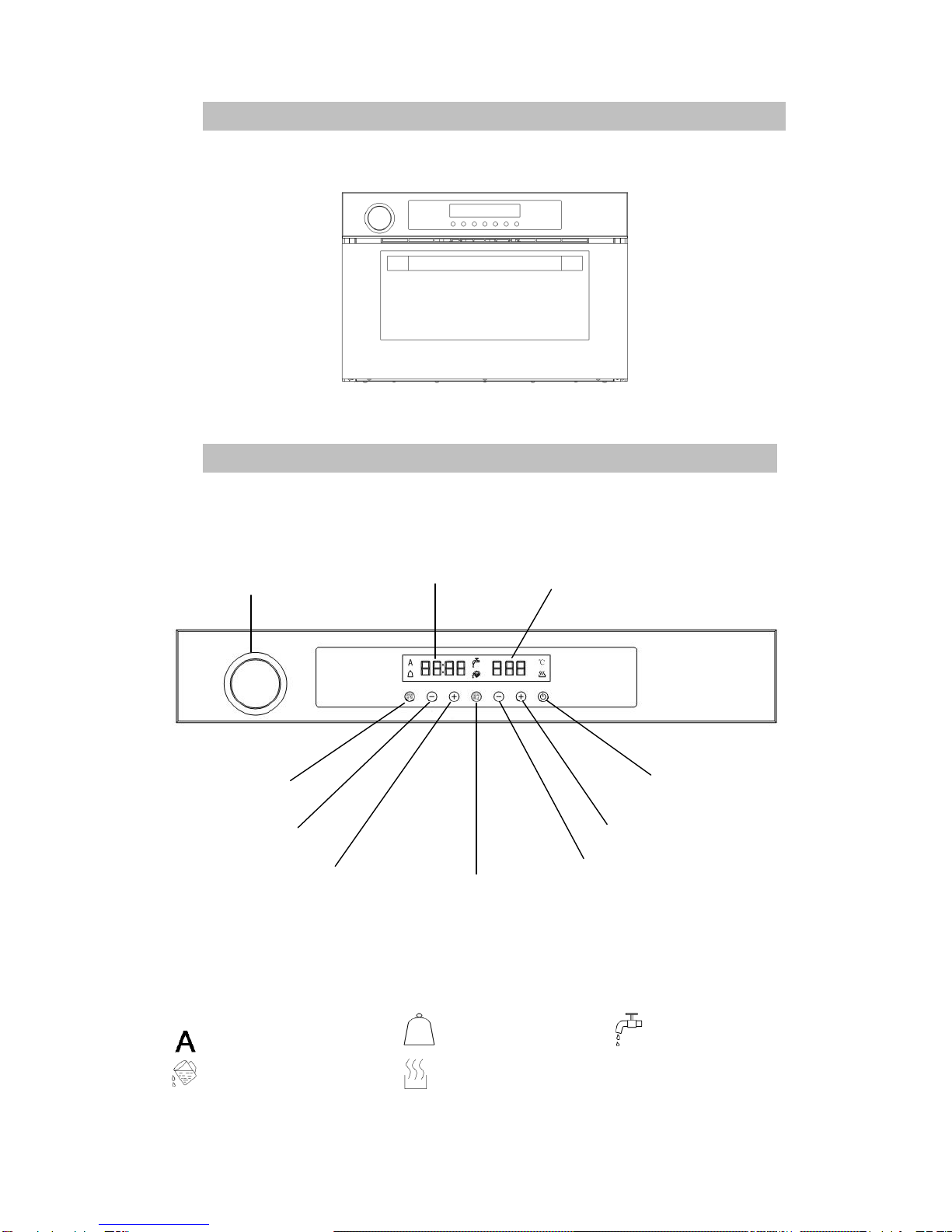
1. Press and hold Time Setting button to set the time of day (for first time usage only).
2. Press Time Setting button once to preset start timer. Symbol will flash, then press
“+” or “-” buttons to preset the start cooking time.
3. Press Time Setting button once again, will flash. Then press “+” or “-” buttons to
set the operating duration; from 5 minutes to 2 hours.
4. Reset cooking temperature and time during operation:
When the appliance is operating, to reset the cooking temperature or working time, press
the PAUSE button.
Press temperature “+” or “-“buttons to set the new temperature.
STEP 3: Set the Temperature
Press “+”or “-”button below the temperature display to set the correct cooking temperature.
(The temperature range can be set from 50℃to 100℃)
STEP 4: Starting the Oven
1.After setting the cooking duration and temperature, press the ④START/PAUSE button and
the light will change to BLUE and the cooking process will start.
2. The time will start to count down after the steam oven heats up to the selected
temperature. The steam oven only takes 4 - 5 minutes to heat up from 30⁰c to 100⁰C.
Note: Water will not pump to the element immediately on starting, so if the water tank is
empty or low it may take up to 1 minute before the beeps and flashes.
WARNING: Steam oven door surface temperature can go up to 55⁰C during the
cooking process. The steam oven will allow partial steam to escape when the cooking
process nearly comes to an end.
When opening the oven door during the cooking cycle, please gradually open the
door and allow the steam to escape to avoid risk of scalding.
Do not let children play around with or near the cooking appliances.