ETC User Guide
QuickTouch Preset
Corporate Headquarters nMiddleton, WI, USA nTel +608 831 4116 nService: (Americas) service@etcconnect.com
London, UK nTel +44 (0)20 8896 1000 nService: (UK) service@ etceurope.com
Rome, IT nTel +39 (06) 32 111 683 nService: (UK) service@etceurope.com
Holzkirchen, DE nTel +49 (80 24) 47 00-0 nService: (DE) techserv-hoki@etcconnect.com
Hong Kong nTel +852 2799 1220 nService: (Asia) service@etcasia.com
Web: etcconnect.com n© 2018 ETC
Product information and specifications subject to change. ETCintends this document to be provided in its entirety.
8063M2100-1.5.0 nRev A nReleased 2018-11
Overview
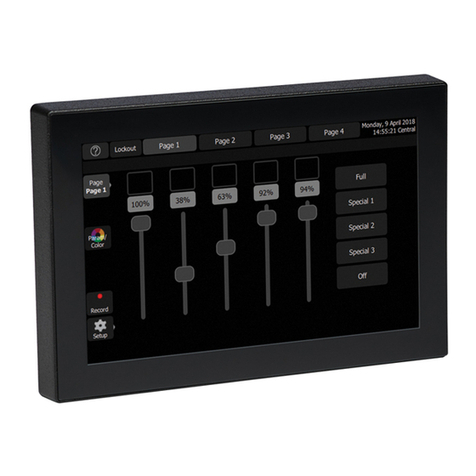
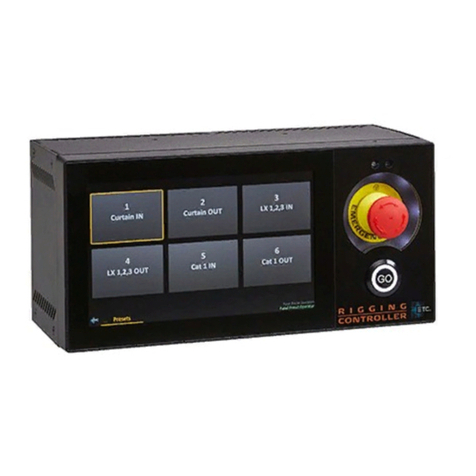
This user guide provides information on to use the QuickTouch Preset controller. There are four types
of users that can log in to the QuickTouch Preset controller. Each user has their own purpose and the
user interface responds based on who logs in. These users are as follows:
Panel Preset Operators
Panel Users
Power Users
Administrators
The following sections detail how each type of user experience is different and what typical actions
are for each user.
Warnings and Notifications
The operation of ETC Rigging™ equipment requires responsible use and specific training. Only
authorized, trained personnel should operate this rigging system. Unauthorized use, alteration, or use
for situations other than those for which it was designed may cause damage to the equipment, other
property damage, or injury to persons, potentially of a severe nature. All safety precautions must be
observed and adhered to at all times.
Read and obey the following warning statements to ensure safe and consistent use of your ETC
Rigging system.
WARNING: Only properly trained and authorized persons shall operate ETC Rigging
systems. Operation by untrained persons may result in damage to the system, other
property damage, serious injury, or death.
WARNING: When using the ETC Rigging system, the user must have an
unobstructed view of the entire lineset and its attached load. If the user’s view is
obstructed, a second person (spotter) MUST be used to assist the operator at all times.
The spotter must have an unobstructed view of all moving components and be able to
maintain clear communication with the operator at all times.
If a problem arises while a hoist is moving (such as a mechanical issue or interference
from other objects) stop movement immediately by releasing all dead-man and " Go"
buttons or by using the Emergency Stop button. If a spotter sees a problem while a
hoist is moving, the spotter must signal the user to stop movement immediately.
WARNING: Devices under control of the ETC Rigging system must only be used to
move a maximum load equal to or less than its rated capacity. Overloading the device
may result in damage to the system, other property damage, serious injury, or death.