manuals.online logo
Brands
  1. Home
  2. •
  3. Brands
  4. •
  5. Fagor
  6. •
  7. Control Unit
  8. •
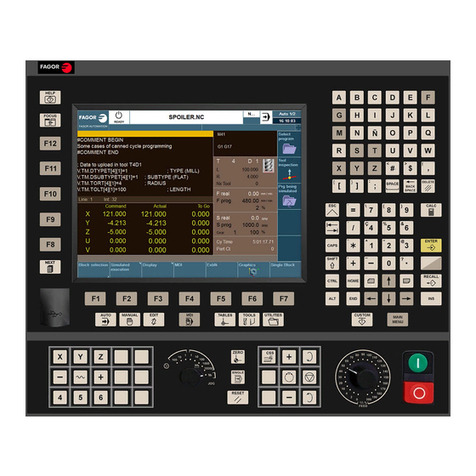
  9. Fagor CNC 8070 User manual

Fagor CNC 8070 User manual

Other manuals for CNC 8070

9

Other Fagor Control Unit manuals

Fagor QC-PDS SERCOS-II User manual

Fagor

Fagor QC-PDS SERCOS-II User manual

Fagor MCS Series User manual

Fagor

Fagor MCS Series User manual

Fagor CNC 8055 User manual

Fagor

Fagor CNC 8055 User manual

Fagor CNC 8070 User manual

Fagor

Fagor CNC 8070 User manual

Fagor CNC 8070 User manual

Fagor

Fagor CNC 8070 User manual

Fagor CNC 8060 Repair manual

Fagor

Fagor CNC 8060 Repair manual

Fagor LPU 8000 User manual

Fagor

Fagor LPU 8000 User manual

Fagor CNC 8065elite T User manual

Fagor

Fagor CNC 8065elite T User manual

Popular Control Unit manuals by other brands

Festo Compact Performance CP-FB6-E Brief description

Festo

Festo Compact Performance CP-FB6-E Brief description

Elo TouchSystems DMS-SA19P-EXTME Quick installation guide

Elo TouchSystems

Elo TouchSystems DMS-SA19P-EXTME Quick installation guide

JS Automation MPC3034A user manual

JS Automation

JS Automation MPC3034A user manual

JAUDT SW GII 6406 Series Translation of the original operating instructions

JAUDT

JAUDT SW GII 6406 Series Translation of the original operating instructions

Spektrum Air Module System manual

Spektrum

Spektrum Air Module System manual

BOC Edwards Q Series instruction manual

BOC Edwards

BOC Edwards Q Series instruction manual

KHADAS BT Magic quick start

KHADAS

KHADAS BT Magic quick start

Etherma eNEXHO-IL Assembly and operating instructions

Etherma

Etherma eNEXHO-IL Assembly and operating instructions

PMFoundations Attenuverter Assembly guide

PMFoundations

PMFoundations Attenuverter Assembly guide

GEA VARIVENT Operating	 instruction

GEA

GEA VARIVENT Operating instruction

Walther Systemtechnik VMS-05 Assembly instructions

Walther Systemtechnik

Walther Systemtechnik VMS-05 Assembly instructions

Altronix LINQ8PD Installation and programming manual

Altronix

Altronix LINQ8PD Installation and programming manual

Eaton Powerware Series user guide

Eaton

Eaton Powerware Series user guide

WAGO 750-407/040-000 manual

WAGO

WAGO 750-407/040-000 manual

Sony CCU-590 Operation manual

Sony

Sony CCU-590 Operation manual

Graco 25D614 instructions

Graco

Graco 25D614 instructions

Task Force Tips YE-RF-900 Instructions for installation, safe operation and maintenance

Task Force Tips

Task Force Tips YE-RF-900 Instructions for installation, safe operation and maintenance

Shini SPV-U Series manual

Shini

Shini SPV-U Series manual

manuals.online logo
manuals.online logoBrands
  • About & Mission
  • Contact us
  • Privacy Policy
  • Terms and Conditions

Copyright 2025 Manuals.Online. All Rights Reserved.

(Ref: 1709)
8070
CNC
Remote modules.
BLANK PAGE
·2·
MACHINE SAFETY
It is up to the machine manufacturer to make sure that the safety of the machine
is enabled in order to prevent personal injury and damage to the CNC or to the
products connected to it. On start-up and while validating CNC parameters, it
checksthestatusofthefollowingsafetyelements. If any of them is disabled, the
CNC shows the following warning message.
• Feedback alarm for analog axes.
• Software limits for analog and sercos linear axes.
• Following error monitoring for analog and sercos axes (except the spindle)
both at the CNC and at the drives.
• Tendency test on analog axes.
FAGORAUTOMATIONshallnotbeheldresponsibleforany personalinjuriesor
physicaldamage caused orsufferedby theCNCresultingfrom anyofthesafety
elements being disabled.
DUAL-USE PRODUCTS
Products manufactured by FAGOR AUTOMATION since April 1st 2014 will
include "-MDU" in their identification if they are included on the list of dual-use
products according to regulation UE 428/2009 and require an export license
depending on destination.
TRANSLATION OF THE ORIGINAL MANUAL
This manual is a translation of the original manual. This manual, as well as the
documents derived from it, have been drafted in Spanish. In the event of any
contradictionsbetweenthedocumentinSpanishanditstranslations,thewording
in the Spanish version shall prevail. The original manual will be labeled with the
text "ORIGINAL MANUAL".
HARDWARE EXPANSIONS
FAGORAUTOMATION shallnotbe heldresponsibleforanypersonalinjuriesor
physical damage caused or suffered by the CNC resulting from any hardware
manipulation by personnel unauthorized by Fagor Automation.
If the CNC hardware is modified by personnel unauthorized by Fagor
Automation, it will no longer be under warranty.
COMPUTER VIRUSES
FAGOR AUTOMATION guarantees that the software installed contains no
computer viruses. It is up to the user to keep the unit virus free in order to
guarantee its proper operation. Computer viruses at the CNC may cause it to
malfunction.
FAGOR AUTOMATIONshallnot beheldresponsibleforany personalinjuriesor
physical damage caused or suffered by the CNC due a computer virus in the
system.
Ifacomputervirusisfoundinthesystem,theunitwillnolongerbeunderwarranty.
All rights reserved. No part of this documentation may be transmitted,
transcribed, stored in a backup device or translated into another language
withoutFagorAutomation’sconsent.Unauthorizedcopyingor distributingofthis
software is prohibited.
The information described in this manual may be subject to changes due to
technical modifications. Fagor Automation reserves the right to change the
contents of this manual without prior notice.
Allthetrademarksappearinginthemanualbelongtothecorrespondingowners.
The use of these marks by third parties for their own purpose could violate the
rights of the owners.
It is possible that CNC can execute more functions than those described in its
associated documentation; however, Fagor Automation does not guarantee the
validity of those applications. Therefore, except under the express permission
from Fagor Automation, any CNC application that is not described in the
documentation must be considered as "impossible". In any case, Fagor
Automation shall not be held responsible for any personal injuries or physical
damage caused or suffered by the CNC if it is used in any way other than as
explained in the related documentation.
Thecontentofthismanualanditsvalidityfortheproductdescribedherehasbeen
verified. Even so, involuntary errors are possible, hence no absolute match is
guaranteed. However, the contents of this document are regularly checked and
updatedimplementingthenecessarycorrectionsinalateredition.Weappreciate
your suggestions for improvement.
The examples described in this manual are for learning purposes. Before using
them in industrial applications, they must be properly adapted making sure that
the safety regulations are fully met.
Remote modules.
CNC 8070
·3·
(REF: 1709)
INDEX
About the product - CNC 8070 ..................................................................................................... 5
Declaration of CE conformity and warranty conditions................................................................. 9
Version history - CNC 8070.........................................................................................................11
Safety conditions ........................................................................................................................ 13
Returning conditions................................................................................................................... 17
CNC maintenance ...................................................................................................................... 19
CHAPTER 1 PREVIOUS INFORMATION.
CHAPTER 2 HARDWARE STRUCTURE.
CHAPTER 3 RIO70 REMOTE MODULES. (CANFAGOR PROTOCOL).
3.1 Dimensions and mounting of the modules..................................................................... 25
3.2 Consumption of the remote modules............................................................................. 27
3.3 Power Supply.................................................................................................................28
3.3.1 Elements (connectors)............................................................................................... 29
3.4 Digital inputs and outputs............................................................................................... 31
3.4.1 Elements (connectors)............................................................................................... 32
3.5 Analog inputs and outputs ............................................................................................. 33
3.5.1 Elements (connectors)............................................................................................... 34
3.6 Feedback inputs (counter)............................................................................................. 35
3.6.1 Elements (connectors)............................................................................................... 36
3.7 Electrical characteristics of the inputs and outputs........................................................ 37
3.8 Feedback inputs. Technical characteristics and connection.......................................... 38
3.9 Numbering of the digital inputs and outputs................................................................... 40
3.10 Numbering of the analog inputs and outputs and of the feedback inputs...................... 42
3.11 Probe connection........................................................................................................... 43
CHAPTER 4 RIO5 REMOTE MODULES. (CANOPEN PROTOCOL).
4.1 Dimensions and mounting of the modules..................................................................... 47
4.2 Power supply. ................................................................................................................48
4.2.1 Elements (connectors)............................................................................................... 50
4.3 Digital inputs and digital outputs (single module)........................................................... 54
4.3.1 Elements (connectors)............................................................................................... 55
4.4 Digital inputs and digital outputs (double module). ........................................................ 56
4.4.1 Elements (connectors)............................................................................................... 57
4.5 Electrical characteristics of the inputs and outputs........................................................ 58
4.6 Numbering of the digital inputs and outputs................................................................... 59
4.7 Numbering of the analog inputs and outputs and of the temperature sensor inputs. ....61
CHAPTER 5 RIOW REMOTE MODULES. (CANOPEN PROTOCOL).
5.1 Dimensions of the modules............................................................................................ 63
5.2 Technical and electrical characteristics. ........................................................................ 64
5.2.1 Technical characteristics............................................................................................ 64
5.2.2 Electrical characteristics of the inputs and outputs.................................................... 66
5.3 Sizing of the remote groups........................................................................................... 68
5.4 Installation of the modules. ........................................................................................... 69
5.5 RIOW-CANOPEN-STAND module. Leading (first) module. .......................................... 72
5.5.1 Elements (connectors)............................................................................................... 73
5.5.2 Voltage supply for the module.................................................................................... 75
5.5.3 Node configuration..................................................................................................... 76
5.5.4 Meaning of the LED's................................................................................................. 78
5.6 RIOW-PS24 module. ..................................................................................................... 82
5.6.1 Elements (connectors)............................................................................................... 83
5.7 RIOW-8DI module. Module of 8 digital inputs................................................................ 84
5.7.1 Elements (connectors)............................................................................................... 85
5.8 RIOW-8DO module. Module of 8 digital outputs............................................................ 86
5.8.1 Elements (connectors)............................................................................................... 87
5.9 RIOW-4AI module. Module of 4 analog inputs............................................................... 88
5.9.1 Elements (connectors)............................................................................................... 89
Remote modules.
CNC 8070
·4·
(REF: 1709)
5.10 RIOW-4AO module. Module of 4 analog outputs. ......................................................... 90
5.10.1 Elements (connectors)............................................................................................... 91
5.11 RIOW-2AI-PT100 module. Module of 2 inputs for PT100 temperature sensors............ 92
5.11.1 Elements (connectors)............................................................................................... 93
5.12 RIOW-END module. Last module of the group.............................................................. 94
5.13 Numbering of the digital inputs and outputs. ................................................................. 95
5.14 Numbering of the analog inputs and outputs and of the temperature sensor inputs. .... 97
CHAPTER 6 REMOTE MODULE RIOR. (CANOPEN PROTOCOL).
6.1 Dimensions and mounting of the module. ................................................................... 100
6.2 Powering the modules. ................................................................................................ 102
6.3 Electrical characteristics of the inputs and outputs...................................................... 103
6.4 Description of connectors. ........................................................................................... 105
6.5 CAN bus connection.................................................................................................... 110
6.6 Connection of the digital inputs and outputs................................................................ 111
6.7 Connection of the analog inputs/outputs and the PT100 inputs. ................................. 112
CHAPTER 7 RCS-S-4F4AO
7.1 Specifications. ............................................................................................................. 114
7.2 General diagram. Connecting to the CNC .................................................................. 114
7.3 Dimensions. ................................................................................................................ 115
7.4 Securing the module.................................................................................................... 116
7.4.1 Ambient characteristics............................................................................................ 116
7.4.2 Securing the module................................................................................................ 116
7.5 Voltage supply for the module. ................................................................................... 117
7.5.1 Voltage supply at 24 V DC....................................................................................... 117
7.5.2 Module protections................................................................................................... 118
7.5.3 Ground connection................................................................................................... 118
7.6 Hardware functionality. Connectors. ........................................................................... 119
7.6.1 Pinout and connector characteristics (front). ........................................................... 120
7.6.2 Pinout and connector characteristics (lower end).................................................... 123
7.6.3 Technical/electrical characteristics of the feedback inputs. ..................................... 124
7.6.4 Technical/electrical characteristics of the analog outputs:....................................... 126
7.7 Connection. ................................................................................................................. 127
7.7.1 Connecting the feedback system............................................................................. 127
7.7.2 Sercos-II connection................................................................................................ 129
7.7.3 RS232 serial line connection. .................................................................................. 131
7.8 Module configuration on the CNC................................................................................ 132
7.8.1 Module identification at the bus ............................................................................... 132
7.8.2 Parameter setting example...................................................................................... 133
7.8.3 Automatic detection of a FeeDat/EnDat encoder..................................................... 135
7.8.4 Identifying the encoder. Consistency check (error 4026)......................................... 136
7.9 Error codes and messages on the Sercos counter...................................................... 137
7.9.1 Alarm codes. Meaning and solution......................................................................... 138
7.9.2 Error codes. Meaning and solution. ......................................................................... 139
7.10 Diagnosis of the Sercos counter.................................................................................. 144
7.10.1 General diagnosis.................................................................................................... 144
7.10.2 Updating the FeeDat and EnDat information........................................................... 146
7.11 Software installation/update......................................................................................... 147
7.11.1 Set the default Boot. ................................................................................................ 149
7.11.2 Communication parameters..................................................................................... 149
CHAPTER 8 CAN BUS (CANFAGOR/CANOPEN PROTOCOLS).
8.1 Identification of the modules at the bus. ...................................................................... 152
8.2 Type of CAN bus and baudrate. .................................................................................. 154
8.3 Selecting the baudrate for the CANopen bus. ............................................................. 155
8.4 Selecting the speed for the CANfagor bus. ................................................................. 157
CHAPTER 9 SERCOS BUS.
9.1 Module identification and connection........................................................................... 160
9.2 Data exchange via Sercos........................................................................................... 161
Remote modules.
CNC 8070
·5·
(REF: 1709)
ABOUT THE PRODUCT - CNC 8070
BASIC CHARACTERISTICS.
(*) Differential TTL / Sinusoidal 1 Vpp (**) TTL / Differential TTL / Sinusoidal 1 Vpp / SSI protocol / FeeDat / EnDat
Basic characteristics. ·BL· ·OL· ·L·
Number of axes. 3 to 7 3 to 31 3 to 31
Number of spindles. 1 1 to 6 1 to 6
Number of tool magazines. 1 1 to 4 1 to 4
Number of execution channels. 1 1 to 4 1 to 4
Number of interpolated axes (maximum). 4 3 to 31 3 to 31
Number of handwheels. 1 to 12
Type of servo system. Analog / Digital Sercos
Digital Mechatrolink Analog
Sercos Digital
Communications. RS485 / RS422 / RS232
Ethernet
PCI expansion. No Option No
Integrated PLC.
PLC execution time.
Digital inputs / Digital outputs.
Marks / Registers.
Timers / Counters.
Symbols.
< 1ms/K
1024 / 1024
8192 / 1024
512 / 256
Unlimited
Block processing time. < 1 ms < 1 ms
Remote modules. RIOW RIO5 RIO70 RIOR RCS-S
Valid for CNC. 8070
8065
8060
8070
8065
8060
8070
8065
- - - D
I
S
C
O
N
T
I
N
U
E
D
8070
8065
8060
8070
8065
8060
Communication with the remote modules. CANopen CANopen CANfagor CANopen Sercos
Digital inputs per module. 8 24 / 48 16 48 - - -
Digital outputs per module. 8 16 / 32 16 32 - - -
Analog inputs per module. 4 4 8 - - - - - -
Analog outputs per module. 4 4 4 - - - 4
Inputs for PT100 temperature sensors. 2 2 - - - - - - - - -
Feedback inputs. - - - - - - 4 (*) - - - 4 (**)
Customizing.
PC-based open system, fully customizable.
INI configuration files.
Tool for display configuration FGUIM.
Visual Basic®, Visual C++®, etc.
Internal databases in Microsoft® Access.
OPC compatible interface
Remote modules.
CNC 8070
·6·
(REF: 1709)
SOFTWARE OPTIONS.
Some ofthe features described in this manualare dependent on the acquired software options. The active
software options for the CNC can be consulted in the diagnostics mode (accessible from the task window
by pressing [CTRL] [A]), under software options.
Consult the ordering handbook for information on the software options available for your model.
SOFT ADDIT AXES
Additional shaft.
Add axes to the default configuration.
SOFT ADDIT SPINDLES
Additional spindle.
Add spindles to the default configuration.
SOFT ADDIT TOOL MAGAZ
Additional tool magazine.
Add tool magazines to the default configuration.
SOFT ADDIT CHANNELS
Additional channel.
Add channels to the default configuration.
SOFT 4 AXES INTERPOLATION LIMIT
Limited to 4 interpolated axes.
It limits the number of axes to 4, where the CNC can also
interpolate these at the same time.
SOFT OPEN SYSTEM
Open system.
The CNC is a closed system that offers all the features
neededtomachineparts.Nevertheless,attimesthereare
some customers who use third-party applications to take
measurements, perform statistics or other tasks apart
from machining a part.
This feature must be active when installing this type of
application, even if they are Office files. Once the
applicationhasbeeninstalled, itisrecommendedtoclose
the CNC in order to prevent the operators from installing
other kinds of applications that could slow the system
down and affect the machining operations.
SOFT DIGITAL SERCOS
Sercos digital bus.
Sercos digital bus.
SOFT DIGIT NO FAGOR
Non-Fagor digital servo system.
Mechatrolink digital bus.
SOFT EDIT/SIMUL
EDISIMU mode (editing and simulation).
It allows for the editing, modification and simulation of a
part-program.
SOFT IEC 61131 LANGUAGE
IEC 61131 language
IEC 61131 is a PLC programming language that is very
popular in alternative markets, which is slowly entering
into the machine-tool market. With this feature, the PLC
may be programmed either in the usual Fagor language
or in IEC 61131 format.
SOFT TOOL RADIUS COMP
Compensación de radio.
Toolcompensation allowsprogramming thecontourto be
machined based on part dimensions of the and without
taking into account the dimensions of the tool that will be
used later on. This avoids having to calculate and define
the tool path based on the tool radius.
SOFT PROFILE EDITOR
Profile editor.
Allows for the part profiles to be edited graphically and to
import dxf files.
Remote modules.
CNC 8070
·7·
(REF: 1709)
SOFT RTCP
Dynamic RTCP (Rotating Tool Center Point).
The dynamic RTCP option is required for interpolation
machining with 4, 5 or 6 axis.
SOFT C AXIS
C axis.
It activates the kinematics for working with the C axis and
the associated canned cycles. The CNC can control
several C axes. The parameters of each axis indicate if it
will function as a C axis or not, where it will not be
necessary to activate another axis for the machine
parameters.
SOFT TANDEM AXES
Tandem axes.
A tandem axis consists in two motors mechanically
coupled (slaved) and making up a single transmission
system (axis or spindle). A tandem axis helps provide the
necessary torque to move an axis when a single motor is
not capable of supplying enough torque to do it.
Whenactivatingthisfeature, itshouldbekept inmind that
foreachtandemaxisofthemachine,anotheraxismustbe
addedto theentireconfiguration. Forexample, ona large
3-axis lathe (X Z and tailstock), if the tailstock is a tandem
axis, the final purchase order for the machine must
indicate 4 axes.
SOFT SYNCHRONISM
Synchronization of axes and spindles.
The axes and ballscrews may be synchronized in two
ways: in terms of speed or position. The CNC
configurationtakesintoconsiderationthesynchronization
of 2 axes or 2 spindles. Once synchronized, only the
master displays and programs the element.
SOFT HSSA II MACHINING SYSTEM
HSSA-II machining system.
This is the new version of algorithms for high speed
machining (HSC). This new HSSA algorithm allows for
high speed machining optimization, where higher cutting
speeds,smoothercontours,a bettersurfacefinishingand
greater precision are achieved.
SOFT TANGENTIAL CONTROL
Tangential control.
"Tangential Control" maintains a rotary axis always in the
same orientation with respect to the programmed tool
path. The machining path is defined on the axes of the
active plane and the CNC maintains the orientation of the
rotary axis along the entire tool path.
SOFT DRILL CYCL OL
Drilling ISO cycles for the OL model.
Drilling ISO cycles for the OL model (G80, G81, G82,
G83).
SOFT PROBE
Probing canned cycles.
The CNC may have two probes; usually a tabletop probe
to calibrate tools and a measuring probe to measure the
part.
Thisoption activatesthefunctionsG100, G103andG104
(for probe movements); probe canned cycles are not
included.
SOFT THIRD PARTY CANOPEN
Third-party CANopen.
Enables the use of non-Fagor CANopen modules.
SOFT FVC UP TO 10m3
SOFT FVC MORE TO 10m3
Medium and large volumetric compensation.
5-axis machines are generally used during the
manufacturing of large parts. The accuracy of the parts is
limited by the machine manufacturing tolerances and is
effected by temperature variations during machining.
In sectors such as the aerospace industry, machining
demands mean that classic compensation tools are
becoming suboptimal. Volumetric compensation FVC
comes in to complement the machine adjusting tools.
When mapping the total work volume of the machine, the
CNCknows theexactpositionof thetoolat alltimes.After
applying the required compensation, the resulting part is
made with the desired precision and tolerance.
There are 2 choices, which depend on the size of the
machine, being up to 10 m³ and over 10 m³.
SOFT 60 PWM CONTROL
Pulse-Width Modulation.
This function is only available for Sercos bus controlled
systems. It is mostly oriented toward laser machines for
thecutting ofvery thicksheets,wherethe CNCgenerates
a series of PWM pulses to control the power of the laser
when drilling the starting point.
This feature is essential for cutting very thick sheets and
it requires two quick digital outputs located on the central
unit. With this new feature, the OEM does not need to
install or program any external device, which reduces
machine costs and installation times. The end user also
benefits, since the “Cutting with PWM ” feature is much
easier to use and program.
SOFT 60 GAP CONTROL
Gap control.
This is mostly oriented toward laser machines. Gap
control makes it possible to maintain a set distance
betweenthelasernozzleandthesurfaceofthesheet.This
distance is calculated by a sensor connected to the CNC,
so that the CNC offsets the sensor variations on the
distance programmed with additional movements in the
axis programmed for the gap.

BLANK PAGE
·8·
Remote modules.
CNC 8070
·9·
(REF: 1709)
DECLARATION OF CE CONFORMITY AND
WARRANTY CONDITIONS
DECLARATION OF CONFORMITY
The declaration of conformity for the CNC is available in the downloads section of FAGOR’S corporate
website. http://www.fagorautomation.com. (Type of file: Declaration of conformity).
WARRANTY TERMS
ThewarrantyconditionsfortheCNCareavailableinthedownloadssectionofFAGOR’scorporatewebsite.
http://www.fagorautomation.com. (Type of file: General sales-warranty conditions.
BLANK PAGE
·10·