manuals.online logo
Brands
  1. Home
  2. •
  3. Brands
  4. •
  5. Fluke
  6. •
  7. Test Equipment
  8. •
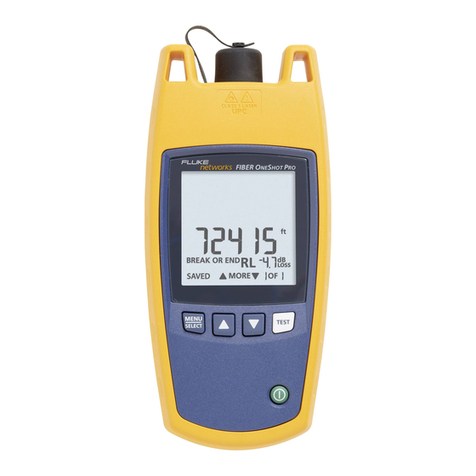
  9. Fluke FiberInspector Versiv Series Use and care manual

Fluke FiberInspector Versiv Series Use and care manual

This manual suits for next models

1

Other Fluke Test Equipment manuals

Fluke 5820A User manual

Fluke

Fluke 5820A User manual

Fluke FTK200 User manual

Fluke

Fluke FTK200 User manual

Fluke 714B User manual

Fluke

Fluke 714B User manual

Fluke 725Ex User manual

Fluke

Fluke 725Ex User manual

Fluke FIBER QUICKMAP User manual

Fluke

Fluke FIBER QUICKMAP User manual

Fluke VoltAlert 2AC User manual

Fluke

Fluke VoltAlert 2AC User manual

Fluke 718 Series Operating and installation instructions

Fluke

Fluke 718 Series Operating and installation instructions

Fluke 9100 Series Instruction Manual

Fluke

Fluke 9100 Series Instruction Manual

Fluke 709 User manual

Fluke

Fluke 709 User manual

Fluke 71 Series Use and care manual

Fluke

Fluke 71 Series Use and care manual

Fluke BT5300 Series User manual

Fluke

Fluke BT5300 Series User manual

Fluke 7380 User manual

Fluke

Fluke 7380 User manual

Fluke 753 User manual

Fluke

Fluke 753 User manual

Fluke 700PA3 User manual

Fluke

Fluke 700PA3 User manual

Fluke 701 User manual

Fluke

Fluke 701 User manual

Fluke T5-600 Operating and installation instructions

Fluke

Fluke T5-600 Operating and installation instructions

Fluke 744 User manual

Fluke

Fluke 744 User manual

Fluke 6135A/PMU User manual

Fluke

Fluke 6135A/PMU User manual

Fluke Series II User manual

Fluke

Fluke Series II User manual

Fluke 721Ex User manual

Fluke

Fluke 721Ex User manual

Fluke 712B Use and care manual

Fluke

Fluke 712B Use and care manual

Fluke ScopeMeter 190-202 User manual

Fluke

Fluke ScopeMeter 190-202 User manual

Fluke 1AC II VoltAlert User manual

Fluke

Fluke 1AC II VoltAlert User manual

Fluke 5502A User manual

Fluke

Fluke 5502A User manual

Popular Test Equipment manuals by other brands

Ambit P.F. Series instruction manual

Ambit

Ambit P.F. Series instruction manual

Megger BMM500 Series user guide

Megger

Megger BMM500 Series user guide

RJG Lynx Sensor Tester operating instructions

RJG

RJG Lynx Sensor Tester operating instructions

Mark-10 TT02 Series user guide

Mark-10

Mark-10 TT02 Series user guide

Martel 3001 Operator's manual

Martel

Martel 3001 Operator's manual

ElproSys DiagProg4 instruction manual

ElproSys

ElproSys DiagProg4 instruction manual

Redtech TRAILERteck T05 user manual

Redtech

Redtech TRAILERteck T05 user manual

Venmar AVS Constructo 1.0 HRV user guide

Venmar

Venmar AVS Constructo 1.0 HRV user guide

Test Instrument Solutions SafetyPAT operating manual

Test Instrument Solutions

Test Instrument Solutions SafetyPAT operating manual

Hanna Instruments HI 38078 instruction manual

Hanna Instruments

Hanna Instruments HI 38078 instruction manual

Kistler 5495C Series instruction manual

Kistler

Kistler 5495C Series instruction manual

Waygate Technologies DM5E Basic quick start guide

Waygate Technologies

Waygate Technologies DM5E Basic quick start guide

StoneL DeviceNet CK464002A manual

StoneL

StoneL DeviceNet CK464002A manual

Seica RAPID 220 Site preparation guide

Seica

Seica RAPID 220 Site preparation guide

Kingfisher KI7400 Series Training manual

Kingfisher

Kingfisher KI7400 Series Training manual

Kurth Electronic CCTS-03 operating manual

Kurth Electronic

Kurth Electronic CCTS-03 operating manual

SMART KANAAD SBT XTREME 3G Series user manual

SMART

SMART KANAAD SBT XTREME 3G Series user manual

Agilent Technologies BERT Serial Getting started

Agilent Technologies

Agilent Technologies BERT Serial Getting started

manuals.online logo
manuals.online logoBrands
  • About & Mission
  • Contact us
  • Privacy Policy
  • Terms and Conditions

Copyright 2025 Manuals.Online. All Rights Reserved.

February 2018, Rev. 12, 4/2023
© 2018-2023 Fluke Corporation
All product names are trademarks of their respective companies.
Versiv™Series
Cabling Certification Product Family
Technical Reference Handbook
Versiv Software Version 6.9
LIMITED WARRANTY AND LIMITATION OF LIABILITY
Each Fluke Networks product is warranted to be free from defects in material and
workmanship under normal use and service unless stated otherwise herein. The
warranty period for the mainframe is one year and begins on the date of purchase.
Parts, accessories, product repairs and services are warranted for 90 days, unless
otherwise stated. Ni-Cad, Ni-MH and Li-Ion batteries, cables or other peripherals are all
considered parts or accessories. The warranty extends only to the original buyer or end
user customer of a Fluke Networks authorized reseller, and does not apply to any
product which, in Fluke Networks’ opinion, has been misused, abused, altered,
neglected, contaminated, or damaged by accident or abnormal conditions of
operation or handling. Fluke Networks warrants that software will operate
substantially in accordance with its functional specifications for 90 days and that it has
been properly recorded on non-defective media. Fluke Networks does not warrant
that software will be error free or operate without interruption.
Fluke Networks authorized resellers shall extend this warranty on new and unused
products to end-user customers only but have no authority to extend a greater or
different warranty on behalf of Fluke Networks. Warranty support is available only if
product is purchased through a Fluke Networks authorized sales outlet or Buyer has
paid the applicable international price. To the extent permitted by law, Fluke
Networks reserves the right to invoice Buyer for repair/replacement when a product
purchased in one country is submitted for repair in another country.
For a list of authorized resellers, visit www.flukenetworks.com/wheretobuy.
Fluke Networks warranty obligation is limited, at Fluke Networks option, to refund of
the purchase price, free of charge repair, or replacement of a defective product which
is returned to a Fluke Networks authorized service center within the warranty period.
To obtain warranty service, contact your nearest Fluke Networks authorized service
center to obtain return authorization information, then send the product to that
service center, with a description of the difficulty, postage and insurance prepaid (FOB
destination). Fluke Networks assumes no risk for damage in transit. Following
warranty repair, the product will be returned to Buyer, transportation prepaid (FOB
destination). If Fluke Networks determines that failure was caused by neglect, misuse,
contamination, alteration, accident or abnormal condition of operation or handling,
or normal wear and tear of mechanical components, Fluke Networks will provide an
estimate of repair costs and obtain authorization before commencing the work.
Following repair, the product will be returned to the Buyer transportation prepaid and
the Buyer will be billed for the repair and return transportation charges (FOB Shipping
point).
THIS WARRANTY IS BUYER’S SOLE AND EXCLUSIVE REMEDY AND IS IN LIEU OF ALL
OTHER WARRANTIES, EXPRESS OR IMPLIED, INCLUDING BUT NOT LIMITED TO ANY
IMPLIED WARRANTY OF MERCHANTABILITY OR FITNESS FOR A PARTICULAR PURPOSE.
FLUKE NETWORKS SHALL NOT BE LIABLE FOR ANY SPECIAL, INDIRECT, INCIDENTAL OR
CONSEQUENTIAL DAMAGES OR LOSSES, INCLUDING LOSS OF DATA, ARISING FROM
ANY CAUSE OR THEORY.
Since some countries or states do not allow limitation of the term of an implied
warranty, or exclusion or limitation of incidental or consequential damages, the
limitations and exclusions of this warranty may not apply to every buyer. If any
provision of this Warranty is held invalid or unenforceable by a court or other decision-
maker of competent jurisdiction, such holding will not affect the validity or
enforceability of any other provision.
4/15
Fluke Networks
PO Box 777
Everett, WA 98206-0777
USA

i
Contents
Chapter 1 Get Acquainted
Overview of Features ......................................................1
Versiv 2 Compatibility .....................................................2
Contact Fluke Networks .................................................2
Register Your Product ....................................................3
Additional Resources ......................................................3
Supplements and Updated Manuals .............................3
Symbols ............................................................................4
Safety Information ..........................................................5
For the Main Tester ..................................................5
For DSX Modules and Twisted Pair Adapters .........8
For CertiFiber Pro OLTS Modules .............................9
For OptiFiber Pro OTDR Modules ............................10
For FiberInspector Pro Video Probes and Their
Verisv Modules .........................................................12
Main Unit Connectors, Keys, and LEDs ..........................13
Main Tester as a Remote ................................................13
AC Adapter and Battery .................................................18
Charge the Battery ...................................................18
Check the Battery Status ..........................................20
Verify Operation .............................................................23
How to Use the Touchscreen .........................................23
The HOME Screen ...........................................................26
How to Enter Text ...........................................................30
Set User Preferences .......................................................32
ii
Versiv Series Cabling Certification Product Family
Technical Reference Handbook
Language .................................................................. 32
Date and Time Settings and Formats ..................... 32
Number Format ........................................................ 33
Units for Length Measurements ............................. 33
Power-Down and Backlight Timeout Periods ........ 33
Audible Tone ............................................................ 34
Power Line Frequency ............................................. 34
Display Brightness .................................................... 35
Import User Preferences from a File ....................... 35
How to Install a Strap .................................................... 35
How to Remove or Install a Module ............................. 36
About LinkWare Applications ....................................... 38
LinkWare PC Cable Test Management Software ... 38
The LinkWare Live Web Application ...................... 38
LinkWare Stats ......................................................... 38
Chapter 2 Get Started
Tutorial: Certify Twisted Pair Cabling ........................... 39
Tutorial: Certify Fiber Optic Cabling ............................. 45
Tutorial: Do a Bi-directional SmartLoop Test ............... 54
Buttons to Do Tests and Save Results ........................... 63
Options for Cable IDs ..................................................... 65
Automatic Increment Function for Cable IDs ......... 66
Auto Save Function .................................................. 67
Tutorial: Make a Set of Sequential Cable IDs ......... 67
About Projects ................................................................ 69
About LinkWare Live ..................................................... 69
Contents
iii
Chapter 3 Certify Twisted Pair Cabling
Overview of the DSX CableAnalyzer Modules ..............71
DSX CableAnalyzer Connectors, Keys, and LEDs ...........72
About Link Interface Adapters ......................................76
How to Prevent Damage to the Adapter
Cables ........................................................................77
Adapters for DSX-8000 and DSX-5000 Modules ...........78
The DSX CableAnalyzer Home Screen ...........................79
Make Sure Your Tester is Ready to Certify
Twisted Pair Cabling .......................................................82
Set the Reference ............................................................83
Settings for Twisted Pair Tests .......................................84
How to Do an Autotest ..................................................90
“Bad Patch Cord” Message ............................................96
How to Certify Patch Cords ............................................96
How to Certify Modular Plug Terminated Links ...........97
Twisted Pair Autotest Results .........................................99
Automatic Diagnostics .............................................100
PASS*/FAIL* Results ..................................................101
WIRE MAP Tab ..........................................................102
PERFORMANCE Tab ..................................................107
Scalar Results ............................................................109
Length, Propagation Delay, and Delay Skew....109
Loop Resistance ..................................................112
Continuous Tests ......................................................114
Frequency-Domain Results .............................................115
How to Save Frequency-Domain Results
as a Plot or a Table ...................................................115
Insertion Loss ............................................................120
iv
Versiv Series Cabling Certification Product Family
Technical Reference Handbook
Return Loss ............................................................... 121
Impedance ................................................................ 124
NEXT (Near-End Crosstalk) ...................................... 126
PS NEXT (Power Sum Near End Crosstalk) .............. 127
ACR-N (Attenuation to Crosstalk Ratio at the
Near End) .................................................................. 129
PS ACR-N (Power Sum Attenuation to
Crosstalk Ratio, Near End) ....................................... 131
ACR-F (Attenuation to Crosstalk Ratio, Far End) .... 133
PS ACR-F ................................................................... 136
Balance Measurements ............................................ 137
Differential and Common-Mode Signals ......... 137
Effects of Unbalanced Impedance in a Wire
Pair ..................................................................... 137
Balance Measurements Available ..................... 139
Resistance Unbalance .............................................. 140
Resistance Unbalance within
Pairs (PAIR UBL) ................................................. 140
Resistance Unbalance Between
Pairs (P2P UBL) ................................................... 144
CMRL (Common-Mode Return Loss) ....................... 146
CDNEXT (Common-Mode to
Differential-Mode Near-End Crosstalk) ............ 148
TCL (Transverse Conversion Loss) ..................... 150
ELTCTL (Equal Level Transverse
Conversion Transfer Loss) ........................................ 152
DIAGNOSTIC and FAULT INFO Tabs .............................. 153
About dB Rules ............................................................... 153
3 dB Rule ............................................................ 155
4 dB Rule ............................................................ 155
12 dB Rule .......................................................... 155
Contents
v
15 dB Rule ..........................................................155
67 dB Rule for ACR-F and PS ACR-F ..................156
70 dB Rule for ACR-F and PS ACR-F ..................156
75 dB Rule for ACR-F and PS ACR-F ..................156
How to Use the Tone Generator ....................................158
How to Use the Talk Function ........................................160
Long-Range Communication Mode (DSX-5000) ...........161
About the AxTalk Analyzer Kit ......................................161
Chapter 4 Test Twisted Pair Through a PoE Device (DSX-5000)
How to Turn On the AC Wire Map Test ........................163
When to Keep the AC Wire Map Test Off .....................164
How to Do an Autotest Through a PoE Device .............164
AC Wire Map Results ......................................................166
Chapter 5 Certify Coaxial Cabling
Set the Reference for Coaxial Tests ...............................169
Settings for Coaxial Tests ...............................................171
How to Do an Autotest ..................................................173
Coaxial Autotest Results .................................................176
Length and Propagation Delay ...............................178
Resistance .................................................................179
Impedance ................................................................180
Insertion Loss ............................................................182
About Splitters ................................................................183
Tests Without a Remote .................................................184
Continuous Tests .............................................................187
vi
Versiv Series Cabling Certification Product Family
Technical Reference Handbook
Chapter 6 Diagnose Copper Test Failures
Fault Information ........................................................... 189
Types and Order of Faults Reported ....................... 190
When the FAULT INFO Tab Does Not Show ........... 191
Causes of Twisted Pair Test Failures .............................. 191
Causes of Coaxial Test Failures ...................................... 196
The HDTDR Analyzer ...................................................... 198
The HDTDX Analyzer ..................................................... 204
How to Use the Measurement Cursor on the
HDTDR and HDTDX Plot ................................................ 208
Chapter 7 Clean Fiber Endfaces
Always Clean Endfaces Before Tests ............................. 211
How to Use a Fluke Networks Quick Clean
Cleaner ............................................................................ 214
How to Use Wipes, Swabs, and Solvent ........................ 217
To Clean Bulkhead Connectors ............................... 217
To Clean the Optical Connectors on the
Modules .................................................................... 218
To Clean Fiber Adapters .......................................... 218
To Clean Connector Ends ........................................ 219
Chapter 8 FiberInspector™ Pro Tests
Features of the FI-1000 .................................................. 222
Features of the FI-3000 .................................................. 223
Charge the FI-3000 Battery ............................................ 225
Probe and Tip Selection ................................................. 226
FI-1000 Probe Setup ....................................................... 227
FI-3000 Probe Setup ....................................................... 228
MPO Tip Attachment ............................................... 229
MPO Key Position .................................................... 230
Contents
vii
Features of the Tester .....................................................233
Home Screen for FiberInspector Pro Tests .....................235
Set up a FiberInspector Test ...........................................239
Do a FiberInspector Test .................................................241
Use the Probe When You Set a Reference ....................244
View Endfaces .................................................................244
Image Tab .................................................................246
Defects Tab ...............................................................249
Fiber Tests with Two Main Testers .................................250
Chapter 9 Certify Fiber Cabling
Overview of the CertiFiber Pro Optical Loss
Test Set Modules .............................................................251
CertiFiber Pro Connectors, Keys, and LEDs ....................252
How to Remove and Install the Connector
Adapters ..........................................................................258
The Home Screen for CertiFiber Pro Modules ...............260
Requirements for Reliable Fiber Test Results ................263
About the Reference for Fiber Tests .......................264
When to Set the Reference ...............................264
Good Reference Values .....................................265
How to See the Reference Values .....................266
About Test Reference Cords and Mandrels ............266
About the EF-TRC (Encircled-Flux Test
Reference Cords) ................................................267
About Standard Mandrels .................................268
About APC Connectors ......................................269
Settings for Loss/Length Tests on Fiber .........................271
Loss/Length Settings for Limits that Calculate
a Loss Limit ......................................................................271
viii
Versiv Series Cabling Certification Product Family
Technical Reference Handbook
About 1 Jumper Reference Connections ...................... 278
Autotest in Smart Remote Mode .................................. 280
Fiber Tests with Two Main Testers .......................... 280
Autotest Results for Smart Remote Mode ............. 286
Fiber IDs for Saved Results in Smart Remote
Mode ........................................................................ 291
How to Change Fiber IDs Before
You Do Tests ...................................................... 291
How To Save Results with
Non-Consecutive IDs .......................................... 291
How to Swap the Input and Output IDs .......... 291
Autotest in Loopback Mode .......................................... 294
Autotest Results for Loopback Mode ..................... 299
Autotest in Far End Source Mode ................................. 301
Auto Wavelength Modes ........................................ 301
Autotest Results for Far End Source Mode ............ 308
Bi-directional Tests ......................................................... 311
How to Use the Talk Function ....................................... 314
Chapter 10 The Power Meter and Light Source
How to Monitor Power and Loss ................................... 315
How to Control the Light Source .................................. 319
Use the Display to Control the
Main Tester’s Light Source ...................................... 320
Use the Module’s Button to Control the
Light Source ............................................................. 320
Chapter 11 The OptiFiber Pro OTDR Module
Overview of the OTDR Module ..................................... 323
OptiFiber Pro Connectors, Keys, and LEDs .................... 324