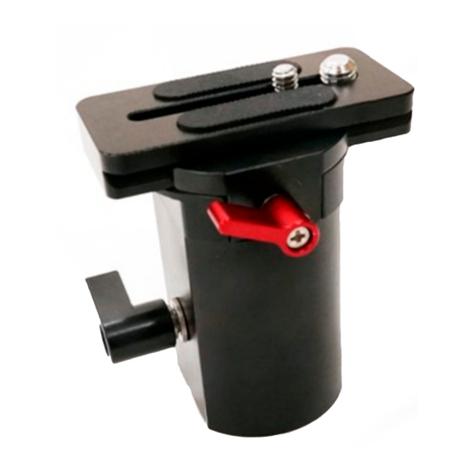
FLYCAM Handheld Video Stabilizer 9
B A L A N C I N G Y O U R F L Y C A M H A N D H E L D V I D E O S T A B I L I Z E R
Before beginning the balancing process check the following
Camera is securely aached to head plate.
Lens cap has been removed and secured.
Telescoping clamp has been ghtened.
Weight discs are added successfully.
All screws are ghtened securely.
Baery, all accessories and cables should be secured.
B A L A N C I N G T H E H O R I Z O N T A L A X I S
When your Flycam Handheld Video Stabilizer is properly assembled, you can start the test and
setup of the horizontal balance. Horizontal balance allows the camera to remain level during
operaon with the Central Post in a vercal posion unless o axis framing is desired.
When tesng for horizontal balance start from a at and level surface like a table. This will allow
the Flycam Handheld Video Stabilizer to hang freely as you hold it. If your Flycam Handheld
Video Stabilizer is correctly balanced on its horizontal axis, then it will be both level & upright,
with the Central Post in a perfect vercal posion.
Warning: If you do not have enough weight on the Base Plaorm the enre Flycam could ip
upside down. Should this movement start to happen be ready to catch the stalk before a
complete 180 occurs. This type of unwanted movement requires more weight to be added to
the base with addional weight discs.
Another way to accomplish horizontal balance is to move the center of gravity of the camera by
re-bolng the camera to a dierent area of the Head and Mid Plate, either front to back or side
to side.
Should the Flycam Handheld Video Stabilizer be front heavy, loosen the screws on the sides of
the Head Plate and gently slide the Head Plate back unl opmum balance is achieved.
Tilng to the back means the load is tail heavy requiring the plate to be adjusted forward on the
head.
Always secure the screws aer any adjustments.
If you cannot achieve front to back axis balance with this method, then try remounng your
camera to a dierent hole on the Head Plate. Having achieved horizontal balance for the front
to back axis, ghten the screws on the Head Plate.
If the Flycam Handheld Video Stabilizer leans to the right, then loosen the screws on the
V E R T I C A L S T A L K A D J U S T M E N T
The up and down (vercal) posion of
the telescopic central post is adjusted by
loosening the control located at the base,
raising or lowering the stalk to the
desired locaon and then reghtening
the vercal control.
Do not over-ghten this control.