9
NOTE: If you do not have enough weight on Base Plaorm the enre Flycam could ip upside
down. If this movement starts to happen, be ready to catch the sled before a complete 180°
occurs. This type of unwanted movement requires more weight to be added to the base with
addional weight discs.
Another way to accomplish Horizontal Balance is to move the center of gravity of camera by
re-mounng the camera to a dierent area of the Head and Mid Plate, either front-to-back or
side-to-side.
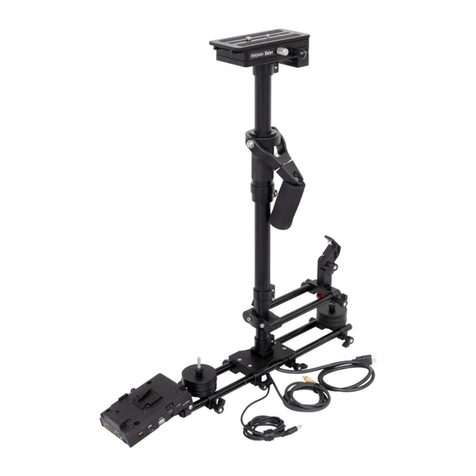
If the stabilizer be front heavy, loosen the screws on the sides of Head Plate and gently slide Head
Plate back unl opmum balance is achieved. Tilng to the back means the load is tail heavy
requiring the plate to be adjusted forward on the head.
If the stabilizer leans towards right, then loosen the screws on the boom of Boom Plate and
gently slide the Mid Plate towards le. If it leans to le, then adjust the Mid Plate towards right.
A bit at a me unl balance is achieved.
NOTE: Always secure the screws and all parts aer any adjustments are made.
Balancing the Vercal Axis
The sled should be ed up to the docking adapter of your stand or similar, so that you can start
the fore & a balancing adjustments by centering the camcorder over Central Post. To do this-
Loosen the side screws of Head Plate and the boom screws of Boom Plate.
Look at the stabilizer from side. If the camcorder lens is pped up or down, move the
camcorder forward or backward unl the center of balance is situated over Central Post.
Then, look at the stabilizer from front. If the post is not vercal, adjust the boom plate unl
Central Post is vercal.
You can also adjust the weight cups closer to & farther away from the sled as per
requirement, ll the post is straight up and down.
NOTE: The stability of Flycam Stabilizer depends on it being slightly boom heavy. If it is top
heavy, it will lt more. If it is too boom heavy, it will be sluggish and hard to aim.
When tesng for horizontal balance start from a at and level surface like table. This will allow
the stabilizer to hang freely as you hold it. If your stabilizer is correctly balanced on its horizontal
axis, then it will be both leveled & upright, with Central Post in a perfect vercal posion.
Balancing the Horizontal Axis
When your Flycam HD Stabilizer is properly assembled, you can start the test and setup of
horizontal balance. Horizontal Balance allows the camera to remain level, during operaon, with
the Central Post in a vercal posion unless o-axis framing is desired.