2
2D controls
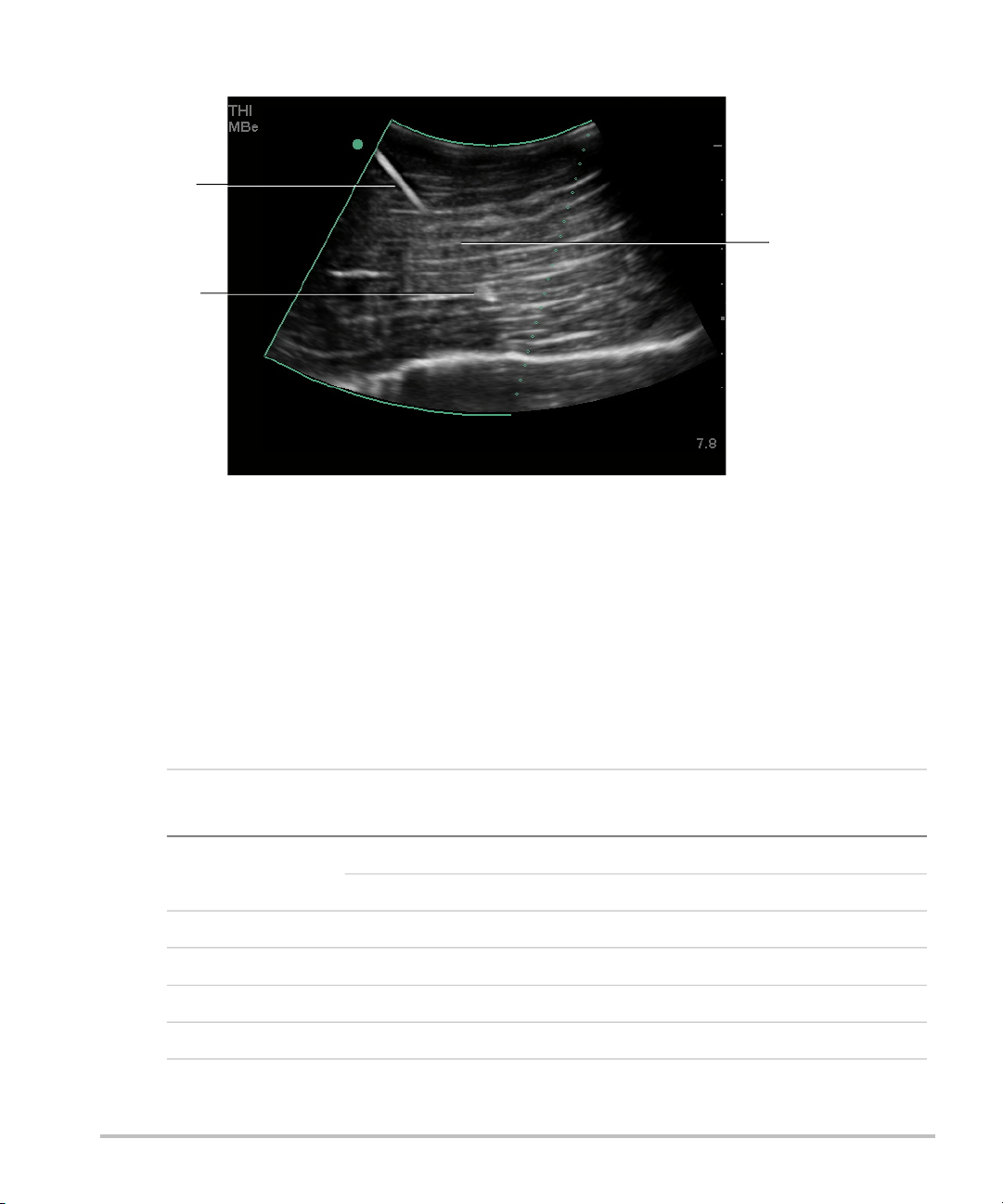
MBe Turns on SonoMBe imaging, which enhances linear structures within a selected angle
range and can facilitate needle guidance during catheter placement and nerve-block
procedures. A three- or four-sided outline indicates the affected area. (See Figure 2.)
For curved array transducers, MBe can help identify the direction of the needle,
although only segments of the needle shaft may show in the image. (See Figure 3.)
Use movement and fluid injection to help verify the needle-tip location.
Use a 17-gauge to 25-gauge needle (recommended). Enhancement results can
depend on the type and brand of needle used. For more information, consult the
medical literature on needle visibility in ultrasound-guided procedures.
You can angle the needle up to 50° from the transducer surface. (See Figure 1.) Beyond
50°, the needle may be less enhanced. (MBe has little or no benefit to out-of-plane
procedures. MBe is intended for in-plane procedures only.)
Avoid setting the gain too high, as unnecessarily high gain can cause artifacts in the
image. Also, respiratory and cardiac movement in the image may cause bright
pulsating artifacts.
When MBe is on, additional controls are available:
•L/R Flip flips the affected area (the outline) horizontally on the image.
For reorienting the entire image, use the orientation control .
•Shallow, Medium, or Steep sets the outline’s sloped edge, which is indicated by a
dotted line.
• Linear transducer: Use whichever setting provides best perpendicularity to the
dotted line. Within the affected area, the more perpendicular that a linear
structure is to the dotted line, the more it is enhanced. Similarly, the less
perpendicular (and more parallel) that a linear structure is to the dotted line, the
less it is enhanced.
• Curved array transducer: For a linear structure angled 30° or less from the
transducer surface, use Shallow for best enhancement. For a linear structure
angled 30-40°, use Medium. For a linear structure angled 40° or greater, use
Steep.
The control key of the current selection is outlined.
•Off turns off MBe. Temporarily turning off MBe can help you identify artifacts and
other structures not of interest.
•Back returns to the previous screen. If MBe is on, MBe is highlighted green and MBe
appears in the mode data area. Pressing MBe again redisplays the MBe controls.
Available in Breast, Musculoskeletal, Nerve, Small Parts, Vascular (L25x only), and
Venous (L25x only) exams and in full-screen imaging only. If MBe is on, the MB control
is unavailable.