5
•After setting the date, you will be able to select the language in which the weekday
will be displayed. You can choose between the following languages:
GER for German, ENG for English, FRA for French, ITA for Italian, NET for Dutch, ESP
for Spanish, DAN for Danish
Note – Summer time
The clock automatically switches to summer time. Sappears on the display as long
as summer time is activated.
Note – Time zone
•The time zone is used if the DCF time signal is received in a country whose time
zone does not correspond to German time.
•If the time shift is +1 hour, for example, you need to set the time zone to +1. This
will automatically set the clock forward one hour.
5.3. Setting the alarm
Setting Alarm 1
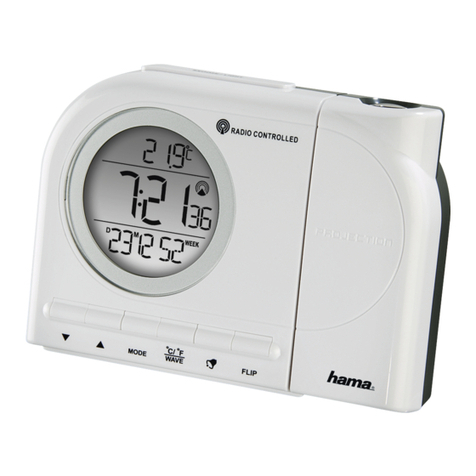
•Press the AL1 (7) button. The bell icon appears.
•Press the AL1 (7) button for approx. 3 seconds until the hour digits start ashing.
You can set the hours with the UP (8) and DOWN (10) buttons.
•Press the SET (9) button until the minutes digits start ashing. You can set the
minutes with the UP (8) and DOWN (10) buttons.
•Press the SET (9) button to save the set alarm time.
Setting Alarm 2
•Press the AL2 (11) button. The (bell) icon appears.
•Press the AL2 (11) button for approx. 3 seconds until the hour digits start ashing.
You can set the hours with the UP (8) and DOWN (10) buttons.
•Press the SET (9) button until the minutes digits start ashing. You can set the
minutes with the UP (8) and DOWN (10) buttons.
•Press the SET (9) button to save the set alarm time.
Activating Alarm 1/Alarm 2:
•Press AL 1 to activate Alarm 1. The bell icon appears above the time
•Press AL 2 to activate Alarm 2. The bell icon appears below the time
•Alarm 1 and Alarm 2 can both be activated at the same time.