3
Risk of electric shock
•Do not open the device or continuetooperate it if it
becomes damaged.
•Do not use the product if the ACadapter,adapter
cable or power cable is damaged.
•Do not attempttoserviceorrepair the device
yourself.Leave any service work to qualied experts.
4. Mounting and getting started
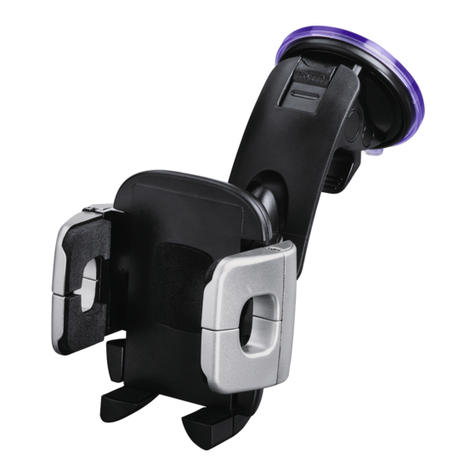
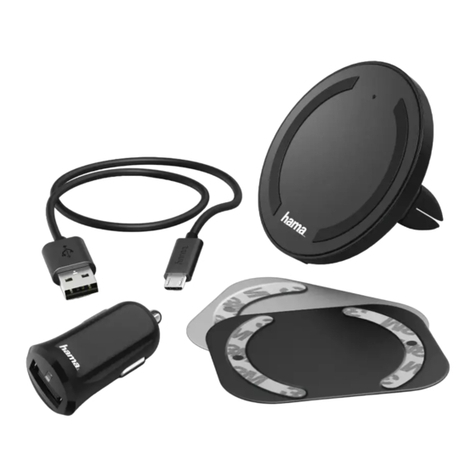
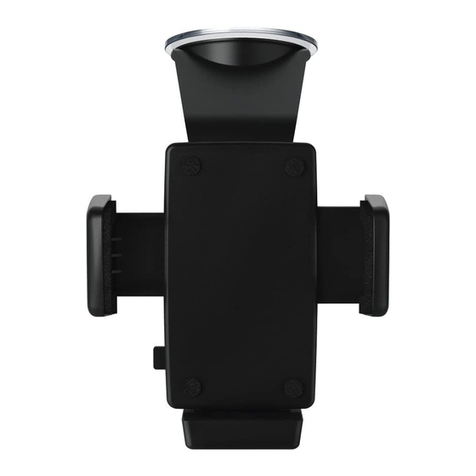
This product is supplied with amount for vehicle
ventilation holesand aself-adhesive mount for at
surfaces.
Warning
Makesurethat any cables for power supply and
antenna connection do not affect driving safety.
4.1 Antenna connection/alternative solutions
(pic. D)
Note
•To optimise reception, the glass adhesiveantenna
should be ttedsuch that it is in contact with the
vehicle body.
•If your vehicle’s Apillar is coveredwith fabric or other
insulatingmaterial, tthe metalfoil thereanyway.
•Consult alocal car workshop regarding the antenna’s
contact with the vehicle body.
•Fit the antenna at the edge of the windscreen (preferably
on the passenger side) and connectthe metal foil to
your vehicle’sApillar.
•Then connectthe SMB connector of the antenna cable
to the antenna input (14)ofthe adapter.
4.2 Mounting
Warning –Risk of injury
•Take carethat components such as airbags, safety
areas, controls, instruments, etc. and visibility arenot
blocked or restricted.
•Do not allowyourself to be distracted by the product,
for example when driving avehicle or operating
sports equipment. Always pay attention to the
surrounding tracand your environment.
Note
•Beforemounting the holder,check the installation
optionsin your vehicle. If in doubt, consult the
manual for yourvehicleorcontact the manufacturer.
•Strictly avoid usingundue force whenusing the
productorduringinstallation.
A) Mounting to ventilation grille
•Fit the mounting adapter for ventilationapertures to the
back of the product. (FigureA)
•Now insert the device into the ventilationgrille.
•The peg for the mount in the ventilationgrille can be
turned 360° so thatyou can adjust alignment.
B) Mounting using the adhesive pad
Note –Mounting surface
Please note thatthe selected mountingsurface (e.g.
dashboard) should be free of dust and grease. Use a
suitable cleaningagent from aspecialised dealer to
clean the surface.
•Fit the mounting adapter with the adhesive pad to the
back of the product (FigureB).
•Clean the surface to which the adhesive pad is to be
axed.
•Now removethe protective lm from the adhesive pad
and mount the adapter on the chosen surface.